KJ-01.02.Instruction Manual.REV.02.pdf - 第101页
5 − 5 5.1.5 File maintenance A screen appears as shown in Figure 5.1. 5.1 “File m aintenance dialog box” when [File maintenance] is selected f rom t he File menu. Figure 5.1. 5.1 File maint enance dialog box This dialog …
5 − 4
5.1.4 Save as
(1) Processing
When the command is selected, the machine renames the current data file and
saves it. Once the data file is saved, the file name for the current data file
becomes the one set by this command.
(2) Operation
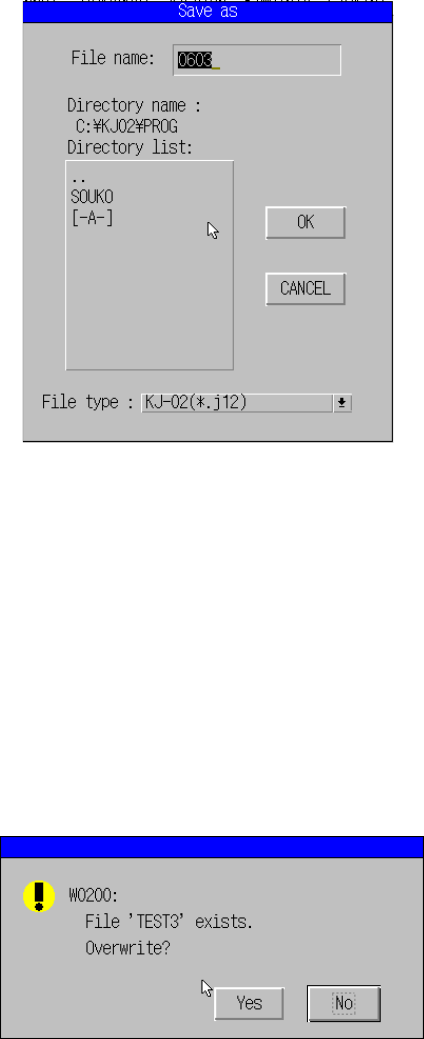
A screen appears as shown in Figure 5.1.4.1 “Save as dialog box” when [Save
as] is selected from the File menu.
Figure 5.1.4.1 Save as dialog box
The machine displays the original file name and waits for your entry of a new file
name.
When you press the ENTER key or filed selection key to confirm the entered new
file name, the current file is saved with the new file name. Note that an error
message appears if saving of the file exceeds the number of storable programs
or capacity of the disk memory space.
① Dialog box
When the new file name already exists:
5 − 5
5.1.5 File maintenance
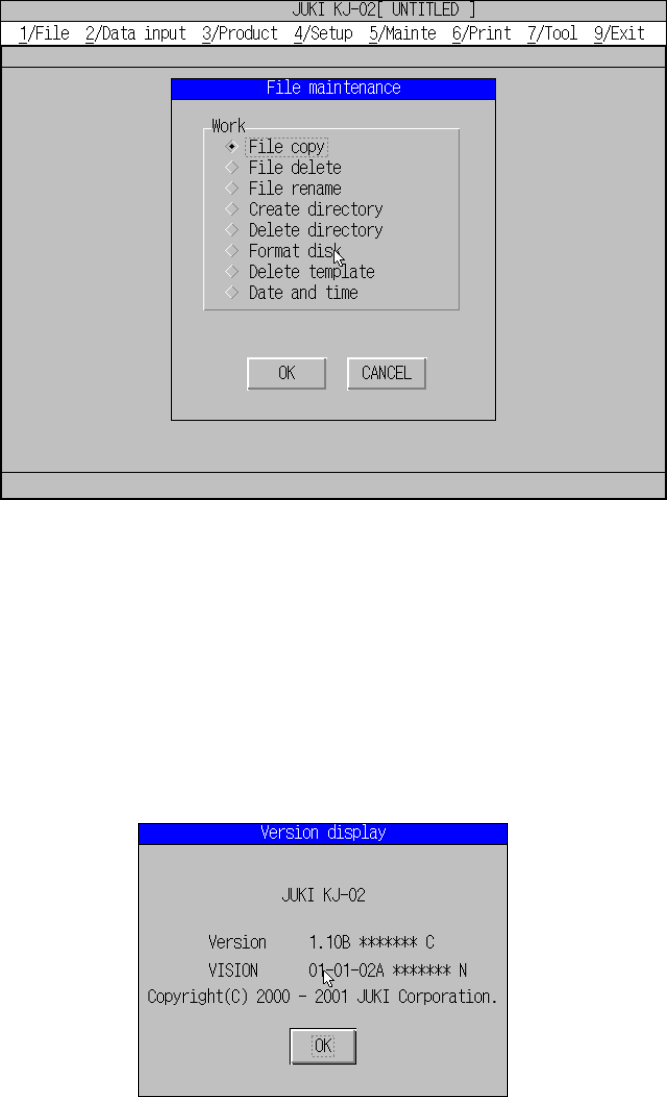
A screen appears as shown in Figure 5.1.5.1 “File maintenance dialog box” when
[File maintenance] is selected from the File menu.
Figure 5.1.5.1 File maintenance dialog box
This dialog box can be used for file management. See Chapter 8 “FILE
MANAGEMENT” for details.
5.1.6 About program
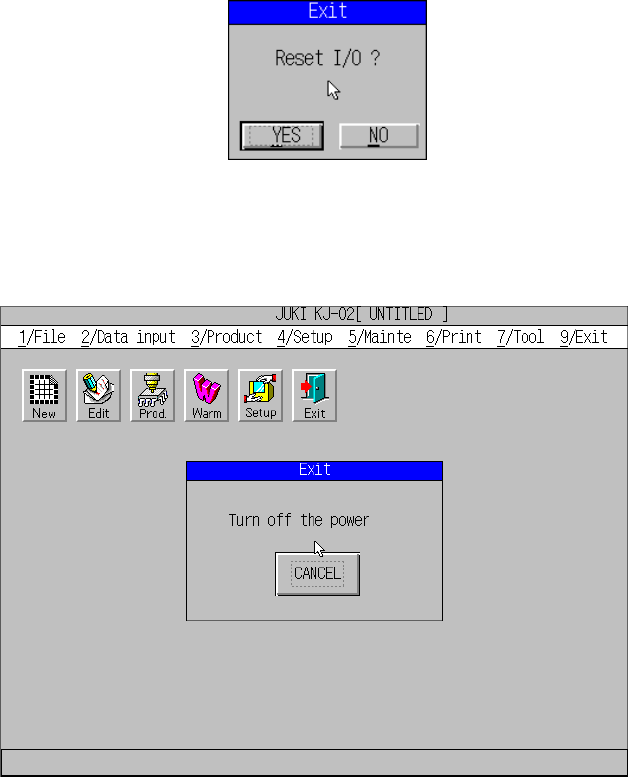
A screen appears as shown in Figure 5.1.6.1 when [About program] is selected from
the File menu.
Figure 5.1.6.1 About program
The version number of this program and that of the VCS appear on the screen
above.
5 − 6
5.1.7 Exit
When you select the [Exit] command, the dialog box appears on the screen that asks
you whether to set the safety direction of each I/O device.
When you click the <YES> button, the “Turn off the power” screen appears. Be sure
to turn off the machine only after this screen appears.