KJ-01.02.Instruction Manual.REV.02.pdf - 第56页
2 − 6 2.1.4 Other push button switches Figure 2.1.4. 1 No. Switch Function 1 Î } Í • Use to zero all the ax es. 2 • Use to start an actual or false production run 3 • Use to stop an actual or false production run. Press …
2 − 5
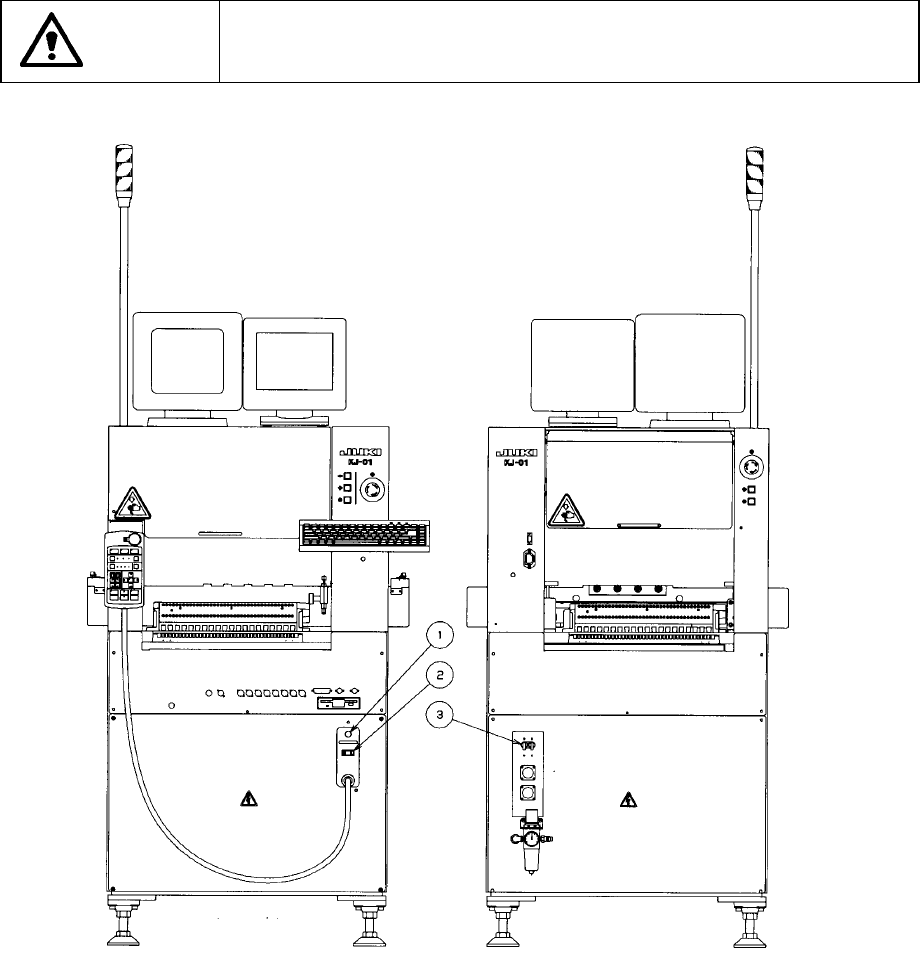
2.1.3 Power
① is the power lamp, and lights up when the power of the machine is turned on.
② is the Power switch.
③ is the breaker, and cuts off the power automatically if the overcurrent is supplied
to the machine.
CAUTION
Never use the machine with any voltage other than those specified for
the machine.
<Fornt> <Rear>
Figure 2.1.3
2 − 6
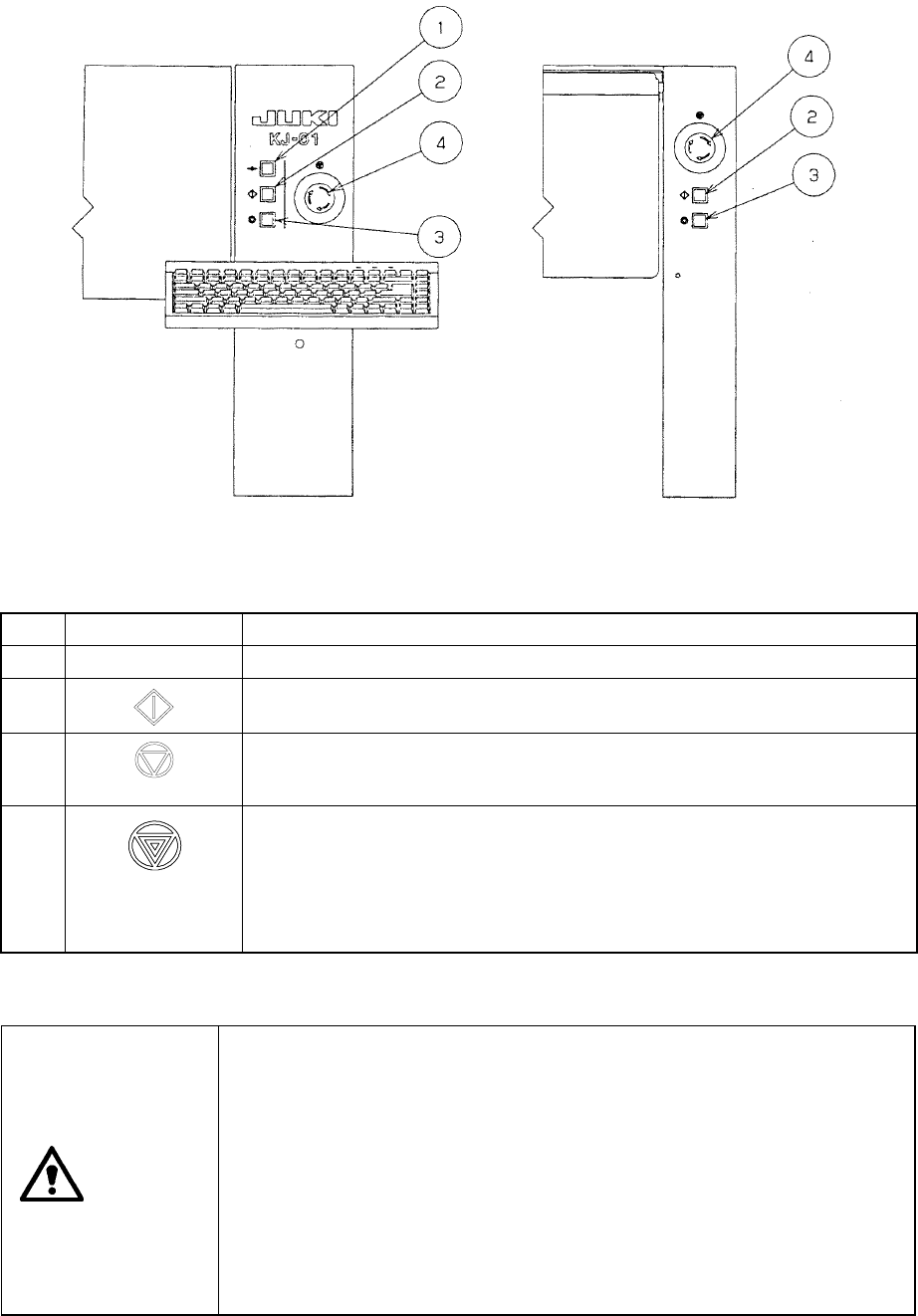
2.1.4 Other push button switches
Figure 2.1.4.1
No. Switch Function
1
Î
}
Í
• Use to zero all the axes.
2
• Use to start an actual or false production run
3
• Use to stop an actual or false production run. Press the switch once to put the
production run in a pause status. Press the switch the second time to stop the
production run.
4
• Use to bring the machine to an immediate stop if the machine malfunctions or
there could be an imminent personal injury.
When the switch is pressed, it brings the motor and other drive mechanisms to
an immediate stop and turns ON the red lamp of the signal tower.
To reset the switch, turn it in the direction of the arrow.
• Do not use this switch for the purposes other than emergency stops.
CAUTION
When pressing the START key, the message “During preparation for
production” appears on the screen, and the machine starts to move
immediately.
To avoid a risk of injury, do not place your hand in the machine nor
move your face or head close to the machine.
Before pressing the START key, check that no one is working in the
machine.
Before pressing the START key, check that no one who could be
injured is standing by the machine.
Before pressing the START key, check that no obstacles (tools or jigs)
are found in the machine.
<Front view> <Rear view>
2 − 7
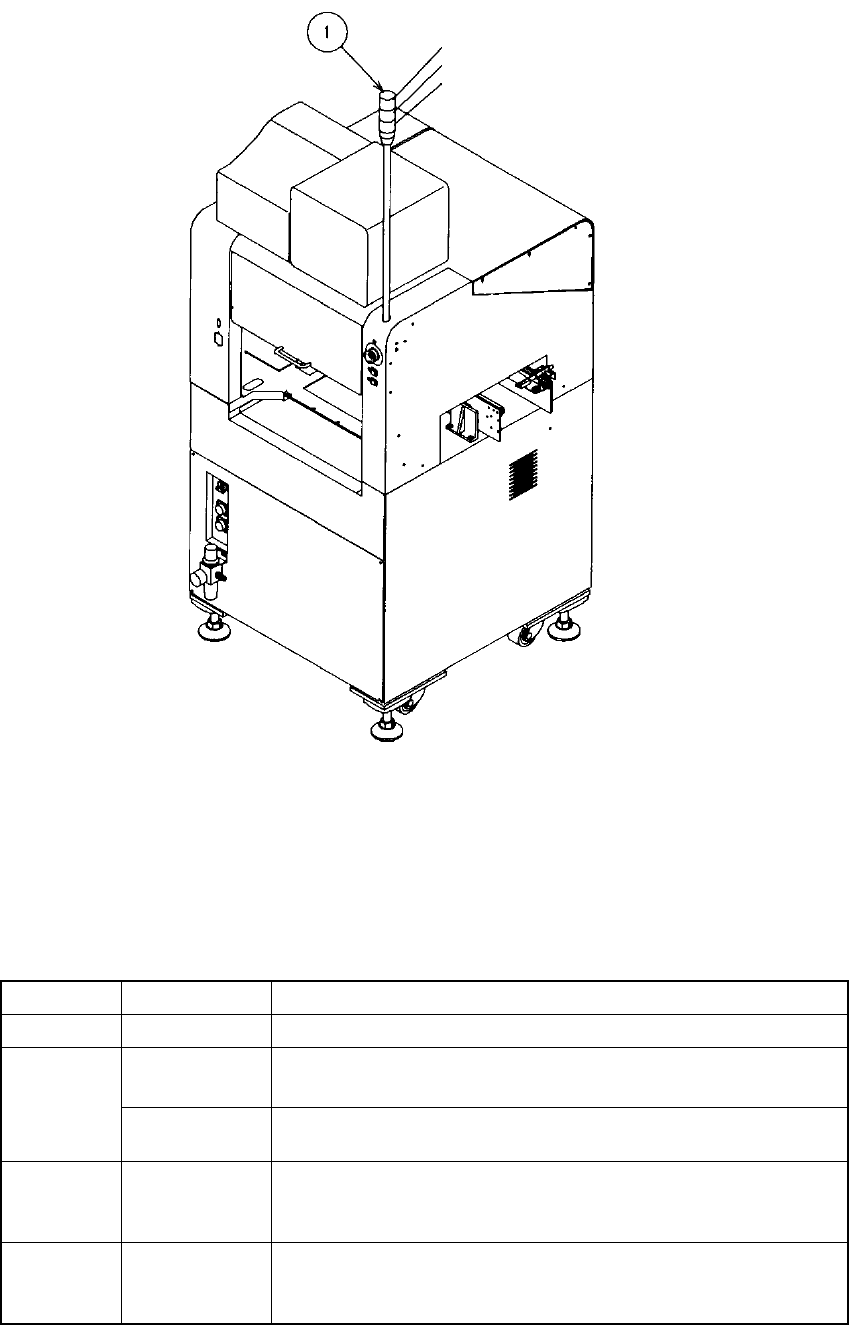
2.2 Rotary Beacon Tower (Signal Lights)
Figure 2.2.1
The following table lists the functions (factory-settings) of the three colored lamps of
the rotary beacon tower ①. At the machine setup, however, these can be changed as
you desire (See Section 4.3.8).
Color Condition Function
Green Lit
• Production in progress
Lit
• In Manual mode, program data is being created.
• The machine pauses during production.
Yellow
Flashing
• Components running out during production (Production can
continue.)
Red Lit
• Emergency stop or an error occurs.
• The machine cannot continue producing a board due to no
component available.
All lamps Lit
• Waiting for the production START key to be pressed in Production
mode.
• Production completed normally, in Idle or other mode
Red
Yellow
Green