KJ-01.02.Instruction Manual.REV.02.pdf - 第360页
12 − 3 CA UTION The machine starts operating immediately after a board is sent int o the machine in Idle mode. T o avoid risk of injury , do not place your hand in t he machine, nor move your face or head close to the ma…
12 − 2
12.2 Idle Mode
This mode is useful to use the machine as a board-transporting buffer to transport a
board.
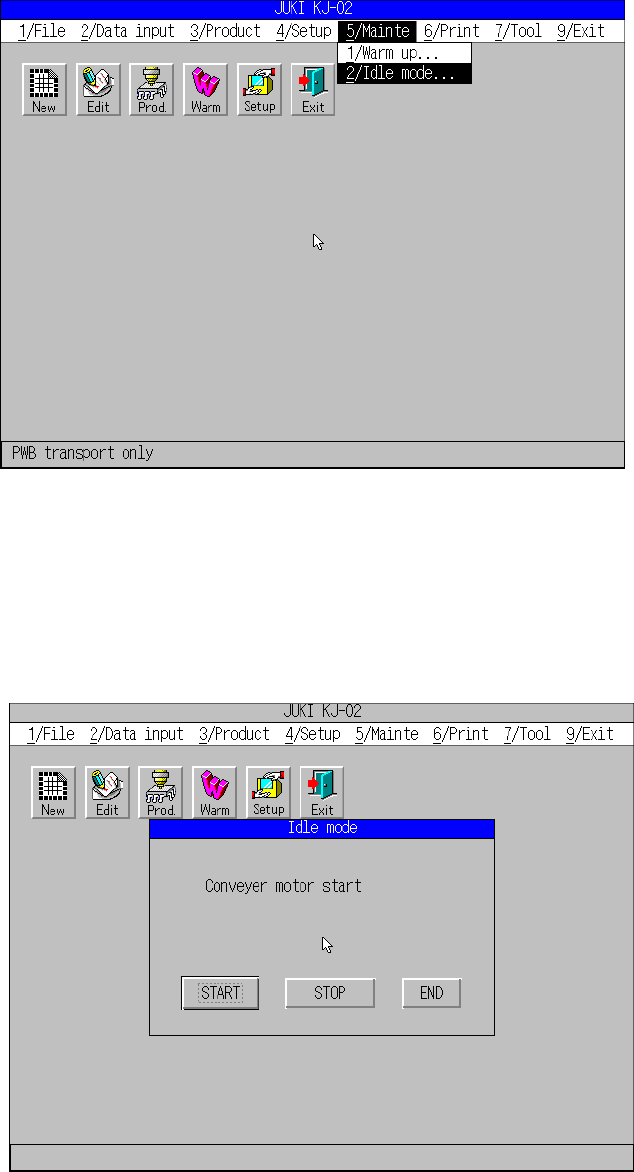
When you select the [5/Mainte] command from the main menu, and then the [2/Idle
mode] command, the “Idle mode” dialog box appears on the screen.
“Mainte” pull-down menu
When you select the [2/Idle mode] command, the following screen appears.
When you click the <START> button, the machine starts transporting a board in Idle
mode.

12 − 3
CAUTION
The machine starts operating immediately after a board is sent into the
machine in Idle mode.
To avoid risk of injury, do not place your hand in the machine, nor move
your face or head close to the machine during operation.
Before putting the machine in Idle mode, check to see if there is no one
who is working the internal parts of the machine.
Before putting the machine in Idle mode, check to see there is no obstacle
(tools and jigs) attached or left in the machine that may prevent any part
inside the machine from operating.
When you click the <END> button, the machine quits Idle mode.
12 − 4
12.3 Warming Up
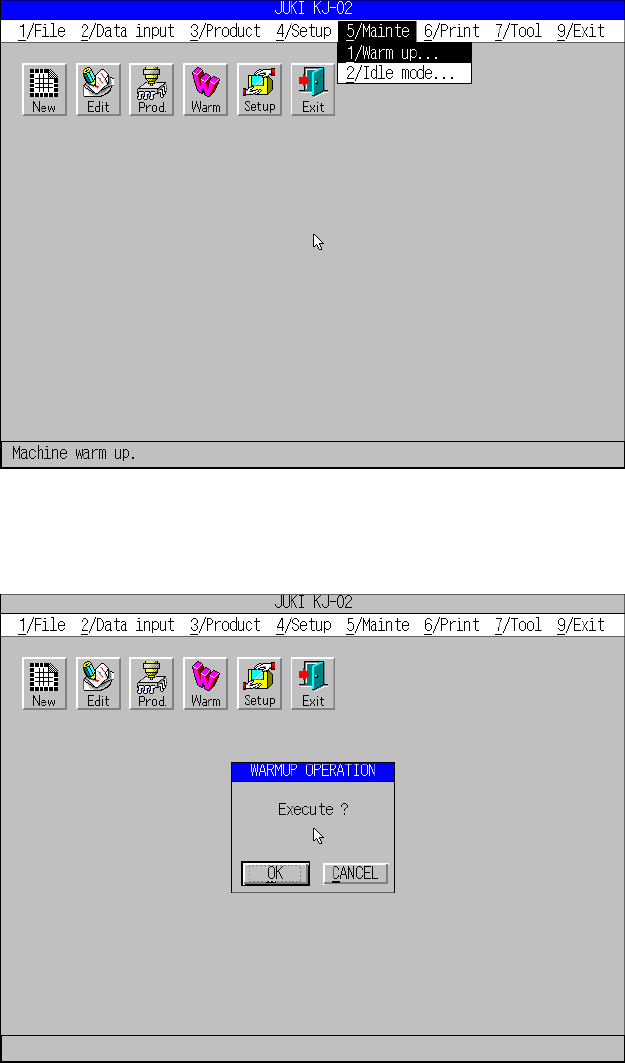
Select the “Warm” icon, or click the [5/Mainte] command from the main menu bar, then
the [1/Warm up] command.
When you select the [1/Warm up] command, the following screen appears.
When you click the <OK> button, the machine starts warming up.