KJ-01.02.Instruction Manual.REV.02.pdf - 第118页
5 − 22 (1) Del ete Y ou can use this comm and when the input focus is locat ed on any of the setting ite m. W hen y ou select this com mand, the m achine deletes the dat a displayed on the line on which the input f ocus …
5 − 21
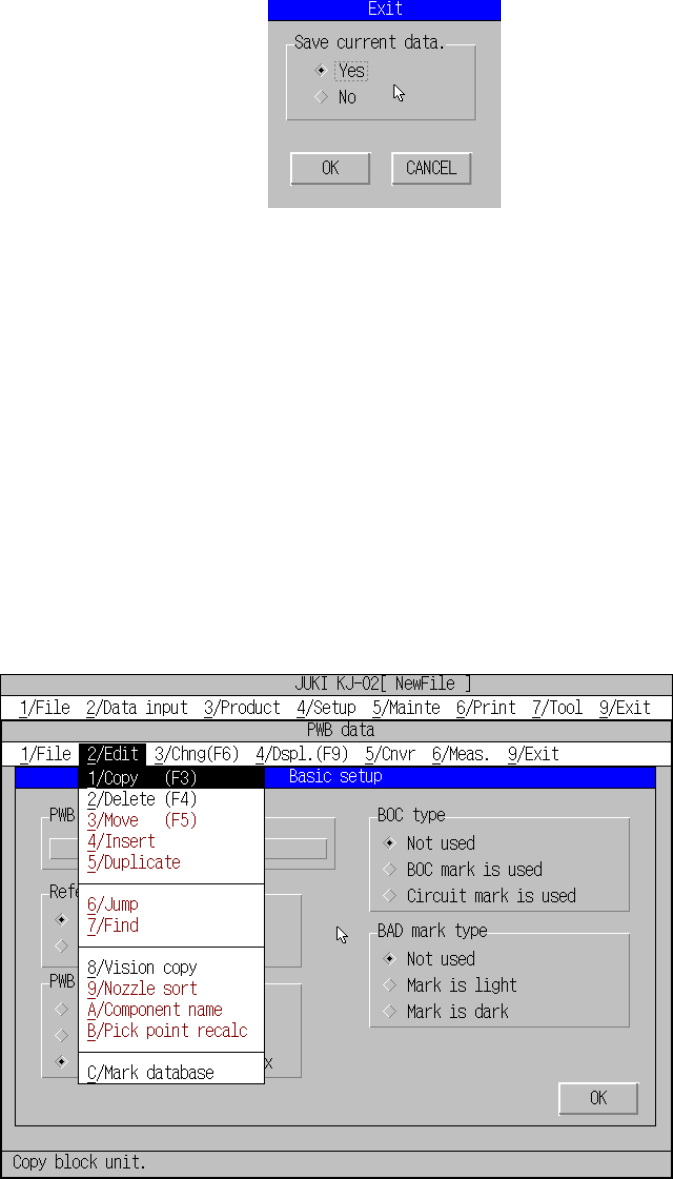
5) Exit
Quits editing operation of a production program, and returns to the desktop
screen. If you have changed a production program data, the dialog box
shown in Figure 5.3.4.2 appears on the screen.
Figure 5.3.4.2 Exit dialog box
When you check the “Yes” radio button of the “Save current data.”, and then click
the <OK> button, the “Save” dialog box shown in Figure 5.1.2.1 or “Save as”
dialog box shown in Figure 5.1.4.1 appears on the screen (see Sections 5.1.2
and 5.1.4).
When you check the “No” radio button and click the <OK> button, the machine
does not save a file and quits the data editing operation.
When you click the <CANCEL> button, the machine cancels the “Exit” operation,
and returns to the desktop screen.
(2) Editing menu
On the PWB data screen, you can select the [2/Delete], [8/Vision copy] or
[C/Mark database] command depending on the position of the cursor.
Figure 5.3.4.3 [2/Edit] command pull-down menu
5 − 22
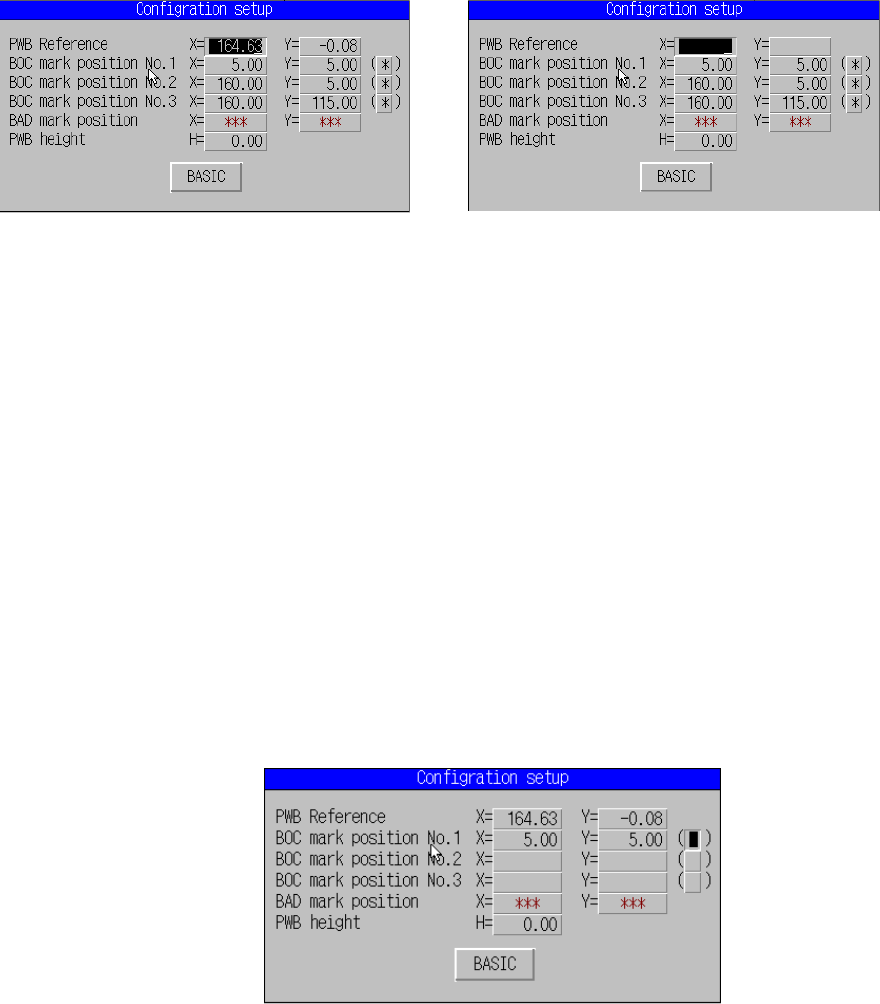
(1) Delete
You can use this command when the input focus is located on any of the
setting item.
When you select this command, the machine deletes the data displayed on
the line on which the input focus is located. For the item having two input
fields, X and Y, the machine deletes both values. This command functions
immediately after you select it. No confirmation message appears on the
screen.
Before deleting After deleting
Figure 5.3.4.4 [Delete] dialog box
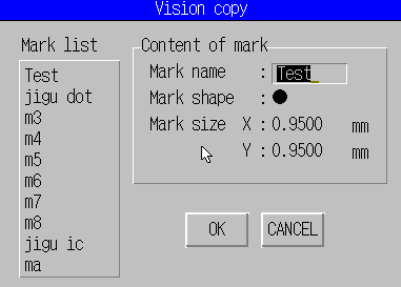
(2) Vision copy
Up to 10 pieces of data can be stored in the mark database as the condition
data for mark recognition.
As the conditions data, the mark shape, mark dimensions and the size of the
inspection window are obtained during the mark teaching process.
Those conditions data can be registered to the data base at the final phase
of teaching operation.
This command uses the condition data copied from the mark database
instead of using the one obtained by teaching.
① This command becomes effective when the cursor is located at the vision
data teaching position.
Figure 5.3.4.5 [
Vision copy]
dialog box
5 − 23
② [9/ Vision copy]
A screen appears as shown in Figure 5.3.4.6 when [Vision copy] is
selected.
Figure 5.3.4.6 Vision Copy screen
Select the data name to be copied, and click the <OK> button. Its
conditions data registered onto the database is copied.
When you click the <CANCEL> key, the machine quits the “Vision copy”
dialog box without copying any data.
3) Mark database
This command deletes/modifies data registered onto the mark database. See
Section 6.4 “Mark Database Management” for details.