KJ-01.02.Instruction Manual.REV.02.pdf - 第107页
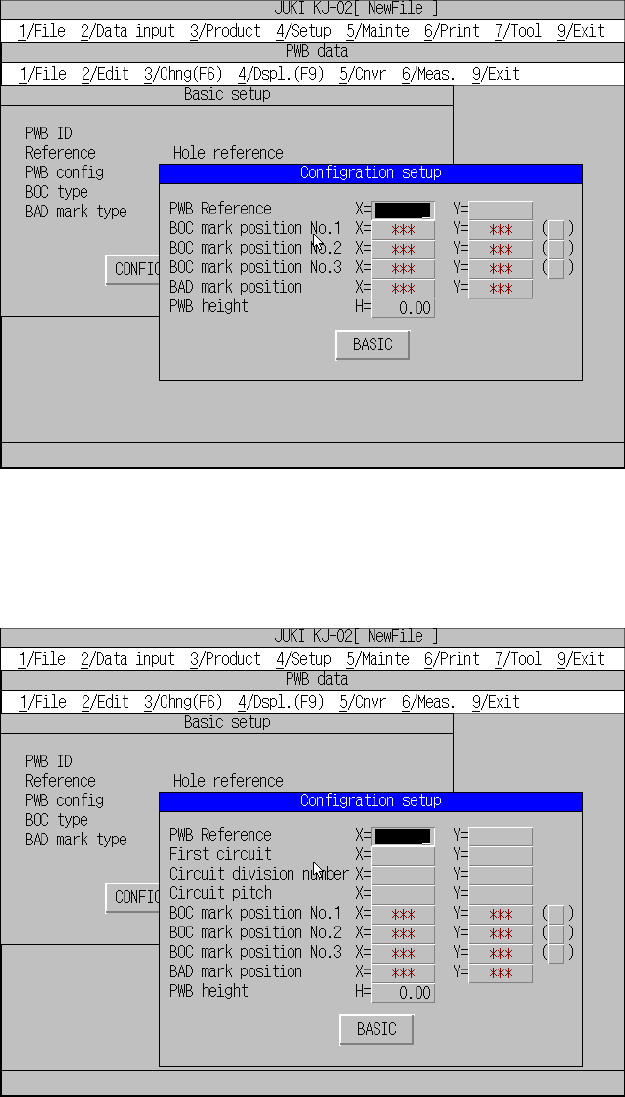
5 − 11 Non-ma trix multiple pa tterns Figure 5.3.1.4 P WB da ta initial s creen (Non -matrix multip le pattern s)
5 − 10
(2) When the basic setting has been completed:
If [1/ PWB data] is selected when the basic setting has been completed, different
screens will appear depending on the settings made for PWB configuration of
the basic setting. Figures 5.3.1.2, 5.3.1.3, and 5.3.1.4 show possible screens
that will appear at this time. The input focus is in the “Configration setup” window.
Single pattern
Figure 5.3.1.2 PWB data initial screen (Single pattern)
Matrix multiple patterns
Figure 5.3.1.3 PWB data initial screen (Matrix multiple patterns)
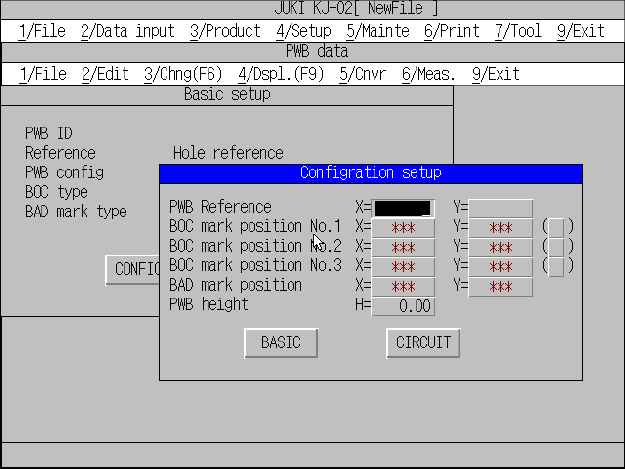
5 − 11
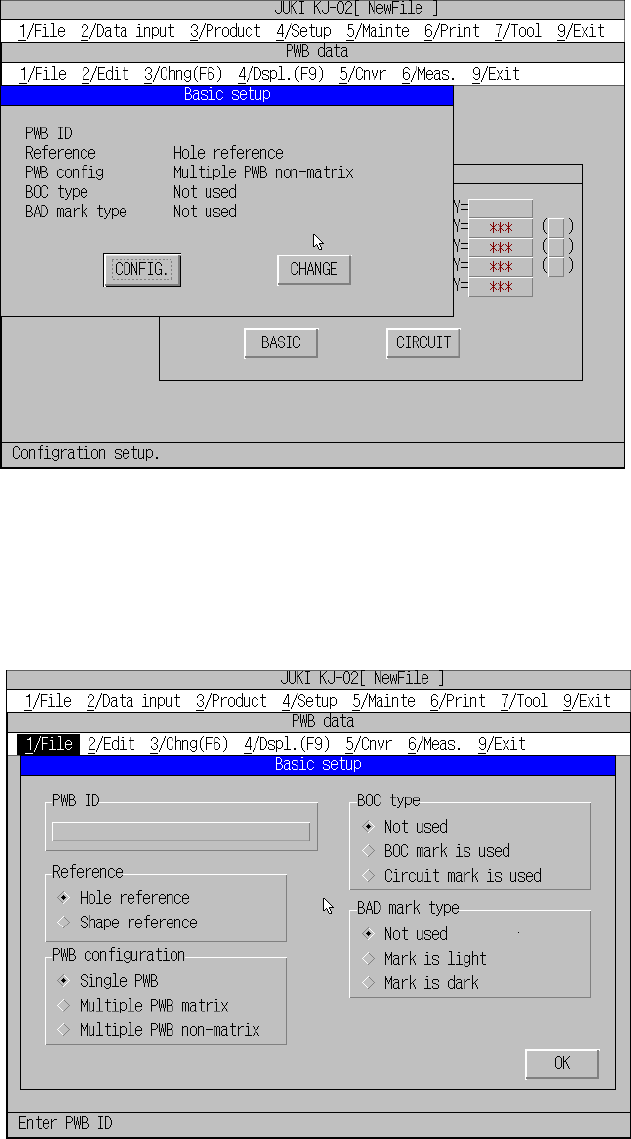
Non-matrix multiple patterns
Figure 5.3.1.4 PWB data initial screen (Non-matrix multiple patterns)
5 − 12
5.3.2 Basic setting
A screen as shown in Figure 5.3.2.1 appears and default setting is listed when the
input focus has been moved to basic setting.
Figure 5.3.2.1 Basic setup screen (Single pattern)
You cannot change the basic settings on this screen. By pressing the Change button,
Basic setup change screen appears as shown in Figure 5.3.2.2, and the basic
settings can be changed there.
Figure 5.3.2.2 Basic setup change screen