KJ-01.02.Instruction Manual.REV.02.pdf - 第248页
6 − 44 (3) About the menu This sect ion explains the menu displayed with the ball pattern edit or . *1 Clipboard: Work patt ern data buffer. It stores the dat a loaded. (4) Loading the def ault patt ern This f unction au…
6 − 43
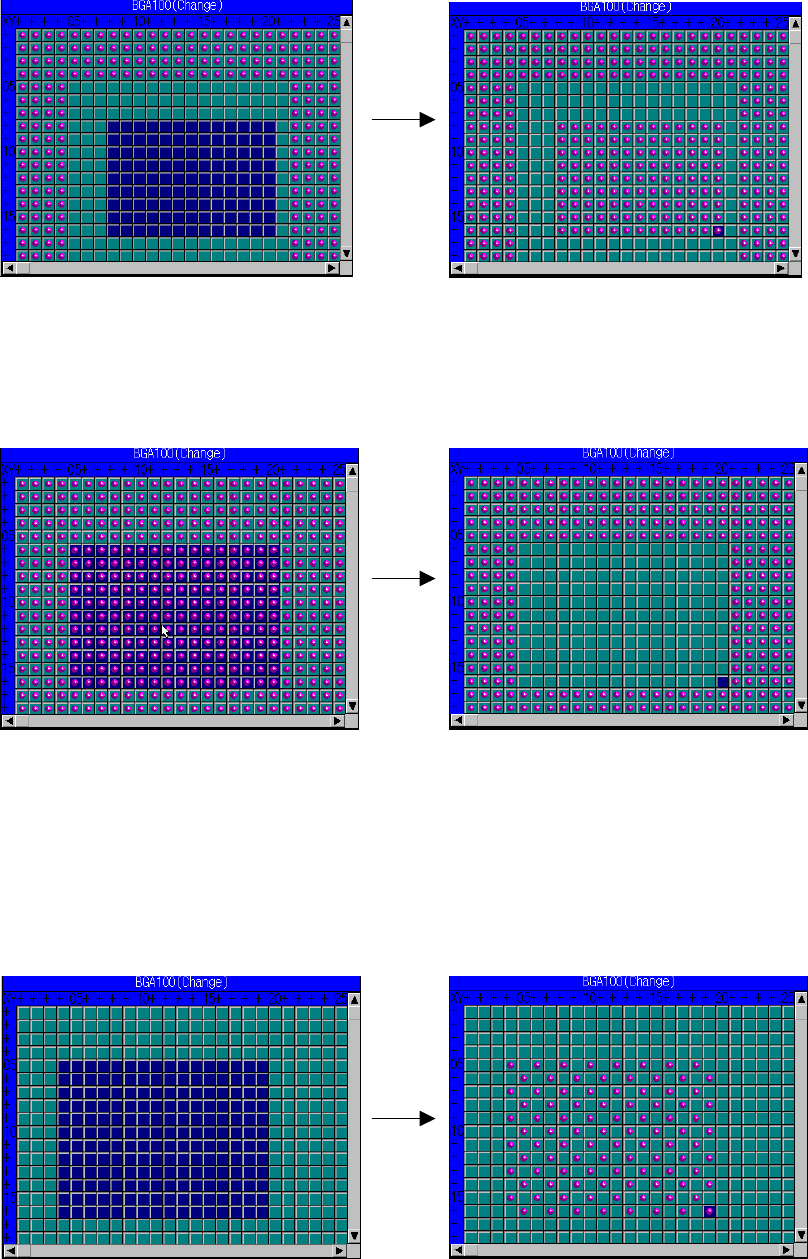
③ Filling the selected area with balls
This function fills the selected area with balls to place balls on the
continuous area.
④ Filling the selected area with blanks
This function fills the selected area with blanks to erase all balls drawn on
the continuous area at a time.
⑤ Filling the selected area with a pattern.
This function fills the selected area with the specified pattern to place a
pattern over the continuous area at a time.
OX
XO pattern example:
Place balls to the end coordinate.
Specify the area which is filled with balls.
Place balls to the end coordinate.
Specify the area which is filled with balls.
Specify the area which is filled with blanks. Erases all balls to the end coordinates.
6 − 44
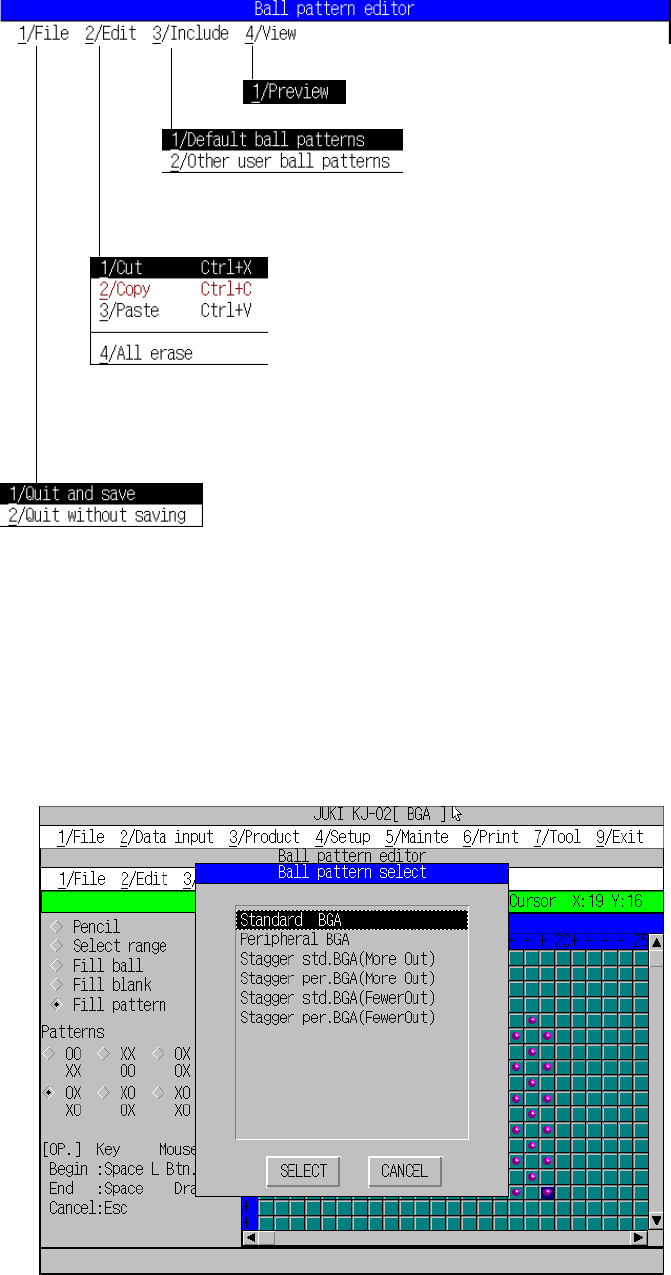
(3) About the menu
This section explains the menu displayed with the ball pattern editor.
*1 Clipboard: Work pattern data buffer. It stores the data loaded.
(4) Loading the default pattern
This function automatically loads the pattern initially stored in the system and
adjusts its size according to the specified size.
Figure 6.5.4.4.2 Loading the default pattern
Exit:
Stores the data, then quits this menu.
Cancel:
Cancels the entered/changed data, then quits this menu.
Preview:
displays the pattern in the reduced size.
Loading the default pattern:
Selects the default pattern, then stores it.
Loading another pattern:
Selects the pattern in another data area.
Cut:
Erases the selected area, then stores it on the clipboard *1).
Copy:
Loads the selected area into the clipboard.
Paste:
Pastes the data stored on the clipboard onto the cursor
location.
All erase
Clears all balls drawn on the drawing window.
Exit:
Stores the data, then quits this menu.
Cancel:
Cancels the entered/changed data, then quits this menu.
6 − 45
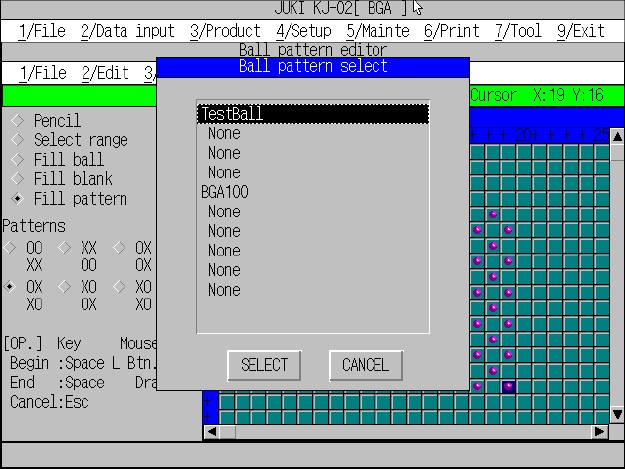
(5) Loading another pattern
This function copies the pattern data already created and stored in another
area, then automatically adjusts its size according the specified size to load it.
Figure 6.5.4.4.3 Loading another pattern