KJ-01.02.Instruction Manual.REV.02.pdf - 第62页
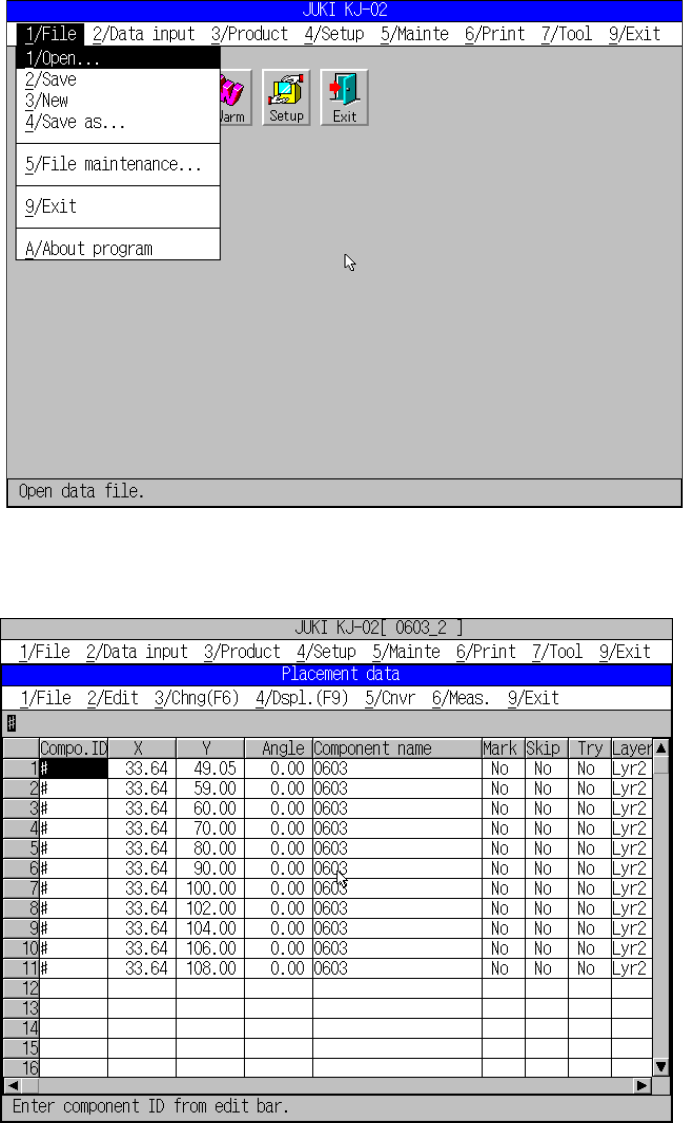
3 − 5 ① Title bar: Shows at its cent er the nam e of t he job (i.e. , the window name) displayed in that window . ② Pull-down menu: A m enu of com mand options t hat appear af ter you have selected the comm and name on t…
3 − 4
3.3 Operation Overview
3.3.1 Screen organization
Here is a rundown of the basic components making up a screen.
←←
Figure 3.3.1.1 File pull-down menu
Figure 3.3.1.2
←① Title bar
←③ Menu bar
←⑤
Message line
←⑦
Scroll arrow
←⑧ Scroll box
←⑤ Message line
←①
Title bar
←⑦ Scroll arrow
←⑤ Message line
3 − 5
① Title bar:
Shows at its center the name of the job (i.e., the window name) displayed in that
window.
② Pull-down menu:
A menu of command options that appear after you have selected the command
name on the menu bar. The command options that can be selected are shown
separated from those that cannot.
③ Menu bar:
Lists the names of pull-down menus to select from among. The names vary
depending on the function currently selected.
④ Work area:
Area to which data is entered for generating a program data.
⑤ Message line:
Shows the summary of the function of the command to be executed and the
production program name.
⑥ Formula bar:
Shows the contents of the function of the cell at the cursor, it is where you edit
formulas.
⑦ Scroll arrow:
Indicates that you can scroll the screen in the direction of the arrow to access
more data that are not currently visible on the display.
⑧ Scroll box:
Indicates where you are in the contents of a window.
3 − 6
3.3.2 Selecting a menu
There are two possible ways to select a pull-down menu from among those contained
in the menu bar.
(1) Using the cursor keys
① Press the Alt key to activate the menu bar.
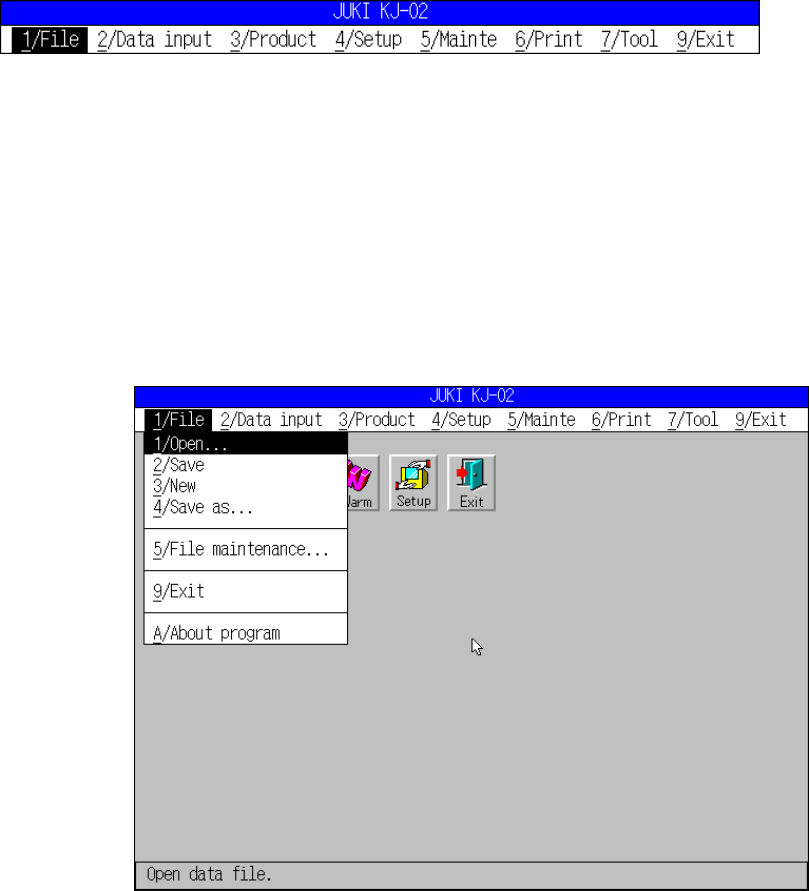
[1/ File] menu is highlighted.
Figure 3.3.2.1 File menu bar
② Press the cursor keys.
Press or to go among the menu items in the menu bar.
Press or to drop down a pull-down menu. Then, press or to move
among the commands in the pull-down menu.
To activate the command you want to select, press the ENTER key.
During these operations, the message line shows the summary of the
highlighted command. Press the ESC key to close the menu.
Figure 3.3.2.2 File pull-down menu
Highlighted
→