KJ-01.02.Instruction Manual.REV.02.pdf - 第279页
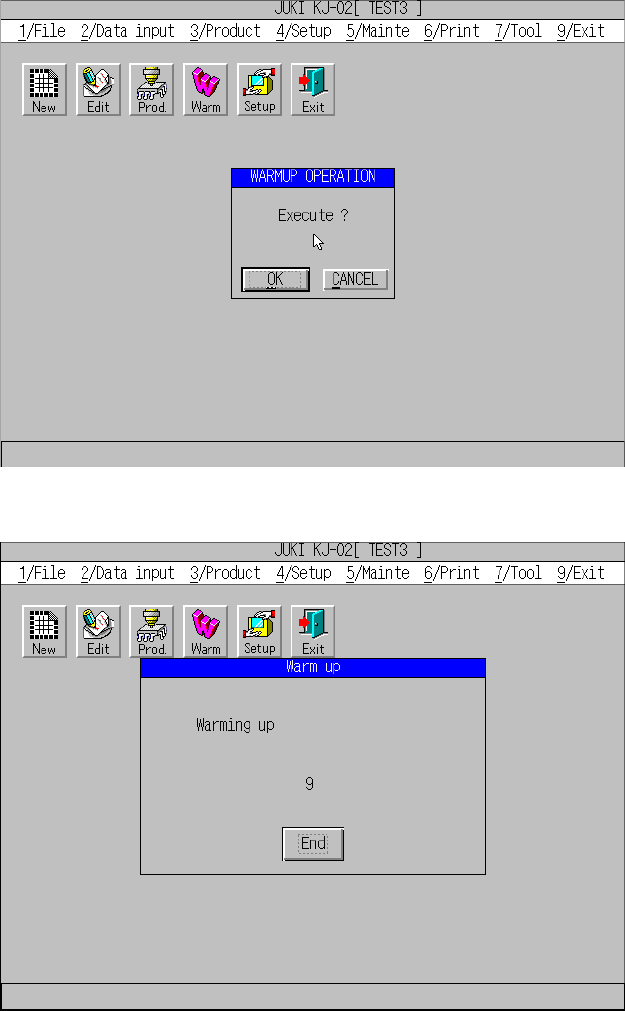
8 − 12 W hen y ou click t he <END> button, t he machine f inishes the warming-up oper ation. As a warming-up operat ion, the machine t urns on and off each air cylinder ten tim es repeatedly . Then, the machine ope…
8 − 11
CHAPTER 8 PRODUCTION PROCEDURE
8.1 Preparations for Production
8.1.1. Preparations of the component supplying section
8.1.2 Preparations of the ATC
8.1.3 Preparations of the PWB transport section
8.1.4 Warming up

8 − 12
When you click the <END> button, the machine finishes the warming-up operation.
As a warming-up operation, the machine turns on and off each air cylinder ten times
repeatedly. Then, the machine operates the XY-axis, Z-axis, and theta axis, and
rotates the PWB transport motor.
CAUTION
The XY-axis starts moving immediately after you press the ENTER
key, and the machine starts warming up. To avoid risk of injury, do not
place your hand in the machine, nor move your face or head close to
the machine while you are operating the HOD.
Before pressing the ENTER key, check to see if there is no one who is
working the internal parts of the machine.
Before pressing the ENTER key, check to see if there is no one who is
near the machine and can be injured when the machine warms up.
Before pressing the ENTER key, check to see there is no obstacle
(tools and jigs) attached or left in the machine that may prevent any
part inside the machine from operating.
8 − 13
8.2 Production (for the Standard Machine)
In Production mode, the machine allows you to set various production conditions, or
displays production information as well as produces PWBs.
The allowable production conditions setting items vary depending on Production mode
(Actual production mode, Trial mode, or Dry run mode).
The machine displays the production information: production management
information and number of components also.
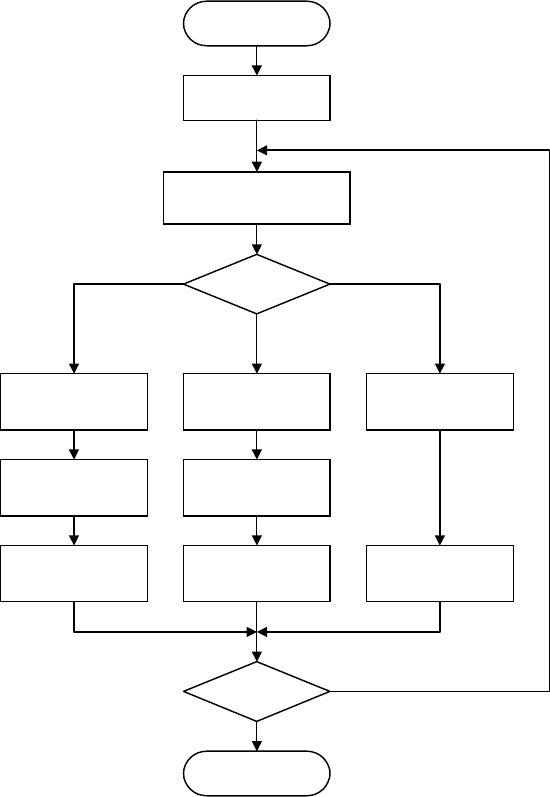
(1) Flowchart of operation to be performed before start of production
The flowchart of operation the machine performs is shown below.
Figure 8.2.1 Production flow
START
Select [3/ Prod.]
Specify the
p
roduction mode
Setting of actual
producing
Setting of the
number
Board
production
Production mode?
End?
END
Setting of
test-run
Setting of the
number
Trial run
Setting of
blank-run
Blank run
Trial run
Board production
Blank run
NO
YES