KJ-01.02.Instruction Manual.REV.02.pdf - 第354页
11 − 8 1 1.2.1.5 Product ion information ① W hen you select the [6/ Print] com mand on the main m enu, and then t he [Production inf o] comm and on the displayed menu, the “ Production inf ormat ion print” scr een appear…
11 − 7
11.2.1.4 Setup data
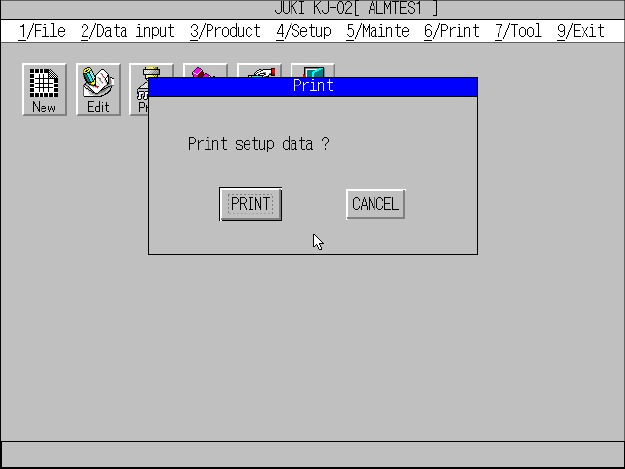
① When you select the [6/Print] command from the main menu, then the [3/Setup]
command on the displayed menu, the “Print” message box appears on the
screen to ask you whether to print data as shown in Figure 11.2.4.1.1.
Figure 11.2..4.1.1 Setup data printing dialog box
② When you click the <PRINT> button, the machine starts printing the setup data.
11 − 8
11.2.1.5 Production information
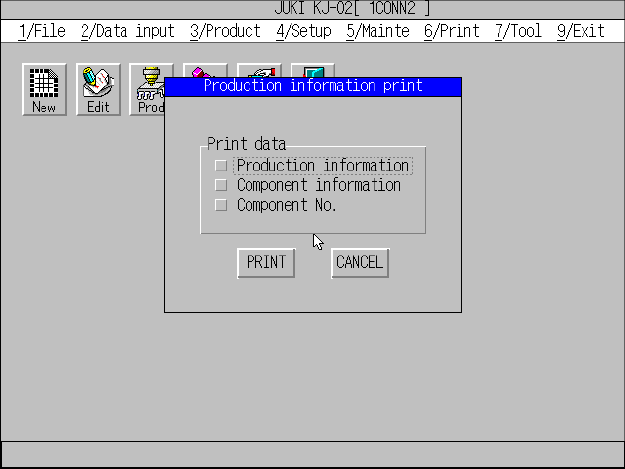
① When you select the [6/Print] command on the main menu, and then the
[Production info] command on the displayed menu, the “Production information
print” screen appears as shown in Figure 11.2.1.5.1.
Figure 11.2.1.5.1 “Production information print” dialog box
② Check the check box for the data to be printed, and click the <PRITN> button.
The machine starts printing data.
③ When the machine starts printing, the “PRITN” message box appears. When
the machine finishes printing data, this message box disappears, and the main
menu reappears.
④ Note that you have to press the Esc key or click the <CANCEL> button to
cancel the current printing operation after the machine starts printing.
Note: For the production information list, you cannot select it at Step 1 if the
machine has not produced any PWB.
11 − 9
11.2.1.6 Canceling the printing operation
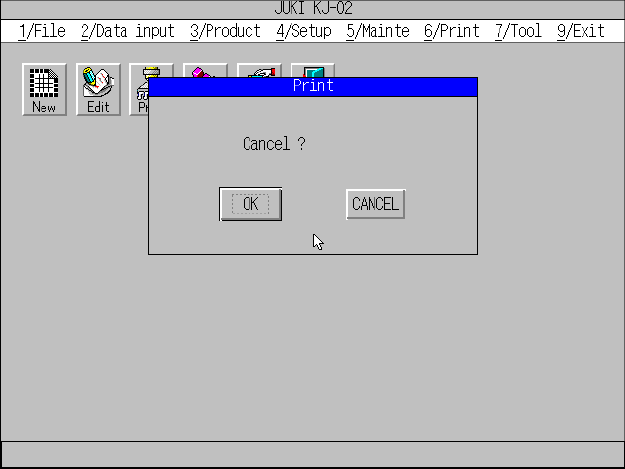
① When you press the Esc key or click the <CANCEL> button during printing, the
machine stops printing and displays the print cancel screen as shown in Figure
11.2.1.6.1.
Figure 11.2.1.6.1 Print cancel dialog box.
② When you click the <OK> button, the main menu reappears.
③ When you click the <CANCEL> button, the machine restarts printing and
displays the “PRINT” message box.