KJ-01.02.Instruction Manual.REV.02.pdf - 第241页
6 − 37 6.5.4.1 Flow of the user bal l pattern creat ion Create data accor ding to t he f ollowing flow of operat ions: 6.5.4.2 Management of the bal l pattern area W hen y ou created a patt ern on the Pr oduction progr a…
6 − 36
6.5.4 Editing the BGA component user ball pattern
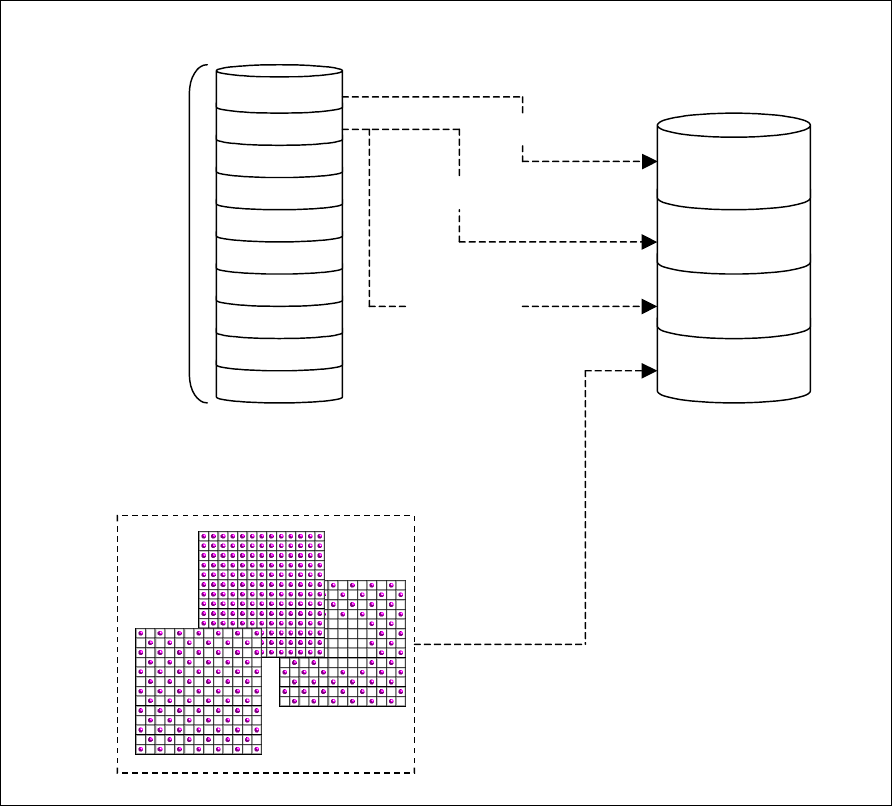
This function creates the user ball pattern which is used for setting the BGA image
recognition pattern in the Vision data. The pattern data created with this function can
be referred together with the default pattern from the vision data on each BGA.
Figure 6.5.4.1 Overview of the ball patterns
BGA
component A
BGA
component B
BGA
component C
BGA
component D
Pattern X
Pattern Y
User pattern
Vision data
Selection of a default pattern
10 pattern area
Default pattern
Pattern selection
Pattern X
Pattern Y
Pattern Y
6 − 37
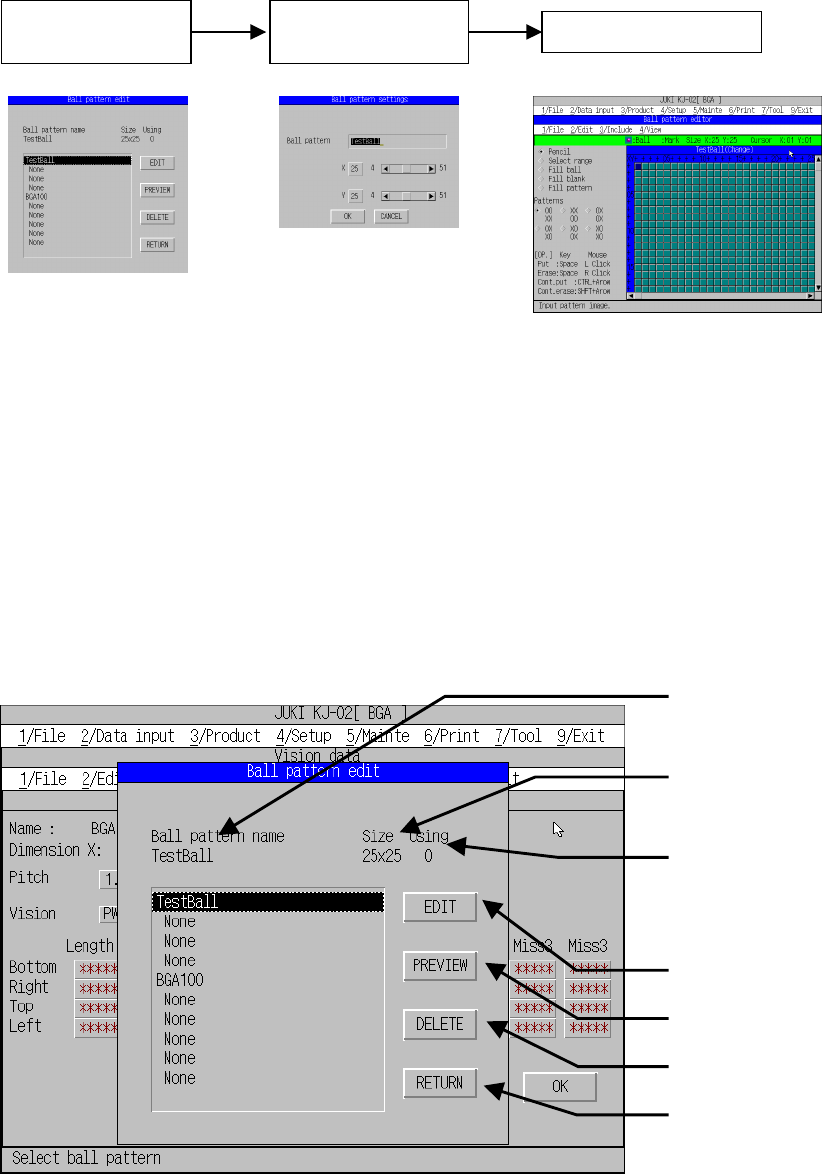
6.5.4.1 Flow of the user ball pattern creation
Create data according to the following flow of operations:
6.5.4.2 Management of the ball pattern area
When you created a pattern on the Production program editing screen, perform
each necessary operation after selecting the pattern area. On the following dialog
box, you can edit/delete/preview each pattern data.
• The system can store up to 10 patterns in one production program as the pattern
data.
• The created pattern data can be used with several BGA vision data.
Figure 6.5.4.2.1 Ball pattern editing dialog box
Pattern name being
selected with the cursor
Pattern size being
selected with the cursor
Number of patterns
used in the Vision data
(number of
references)
Creates/modifies a
pattern.
Preview
Deletes a pattern.
Returns to the previous
screen before activating
this dialog box.
Specification of the
pattern area
Setting of the
pattern name and
i
Pattern editing
Ball pattern editing
dialog box
Ball pattern setting
dialog box
6 − 38
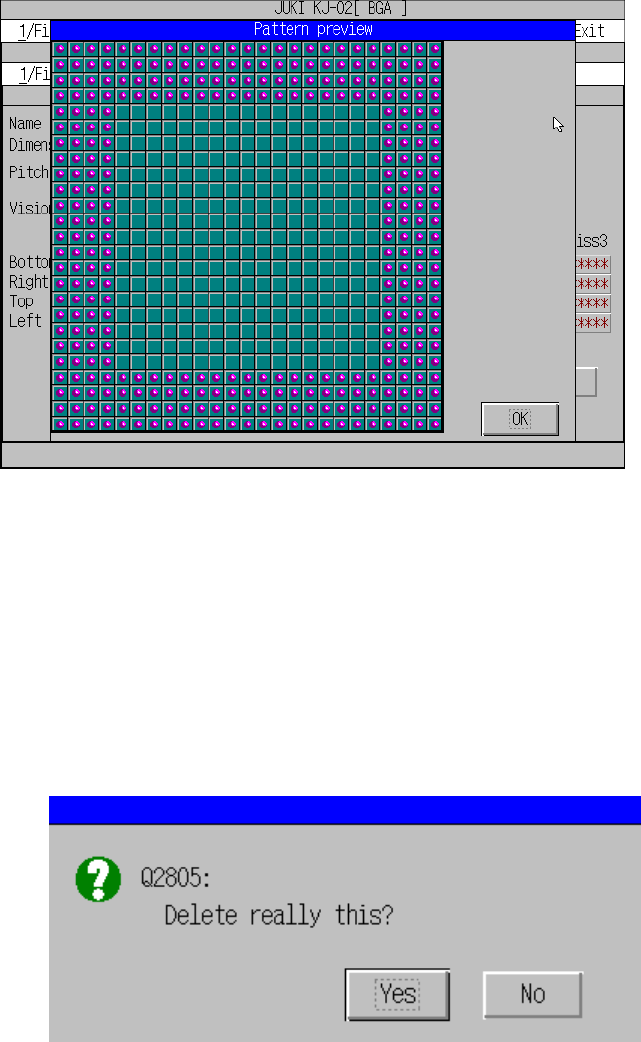
(1) Preview
This function checks the pattern already created immediately.
Figure 6.5.4.2.2 Ball pattern preview
(2) Deleting a pattern
If you try to delete the pattern data being used in the Vision data, the following
confirmation message appears. When you execute this delete function, the
pattern selection in the BGA vision data becomes invalid. When you click “OK”,
the pattern is deleted. When you click “Cancel”, the delete operation is canceled.
Figure 6.5.4.2.3Ball pattern delete confirmation message