KJ-01.02.Instruction Manual.REV.02.pdf - 第298页
8 − 31 ③ [3/ Rear] This com mand displays production inf ormat ion of t he tape f eeders, stick feeder s, and bulk f eeders m ounted on the rear side of t he machine. Fig ure 8.2.3.2. 2 shows the Production inf ormation …
8 − 30
(1) Select expression
This command changes Production information screens.
① [1/ Total]
The overview information box is initially displayed when the Production
information screen is called.
Figure 8.2.3.1 shows the Production information box.
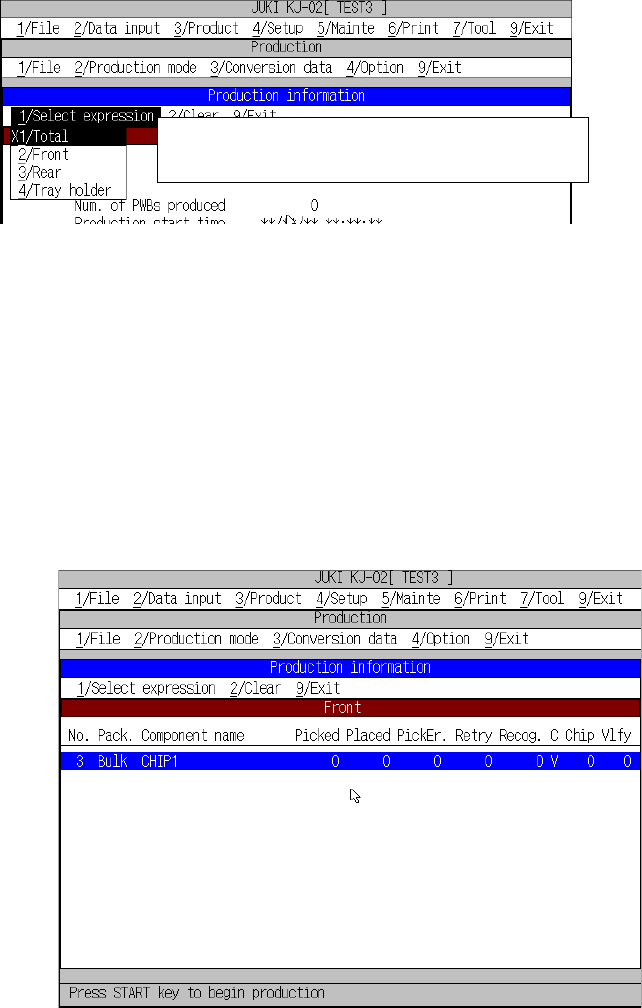
② [2/ Front]
This command displays the production management information on a tape
feeder, stick feeder or bulk feeder installed on the front side of the machine.
The screen displayed when you select this command is shown in Figure
8.2.3.2.
Figure 8.2.3.2 Production information box (for selection of [2/ Front])
Go to the desired page for reference by operating the ”(UP), ”(DOWN),
SCROLL, PAGE-UP, and PAGE-DOWN keys.]
←X indicates that this production information is
currently displayed on the screen.
8 − 31
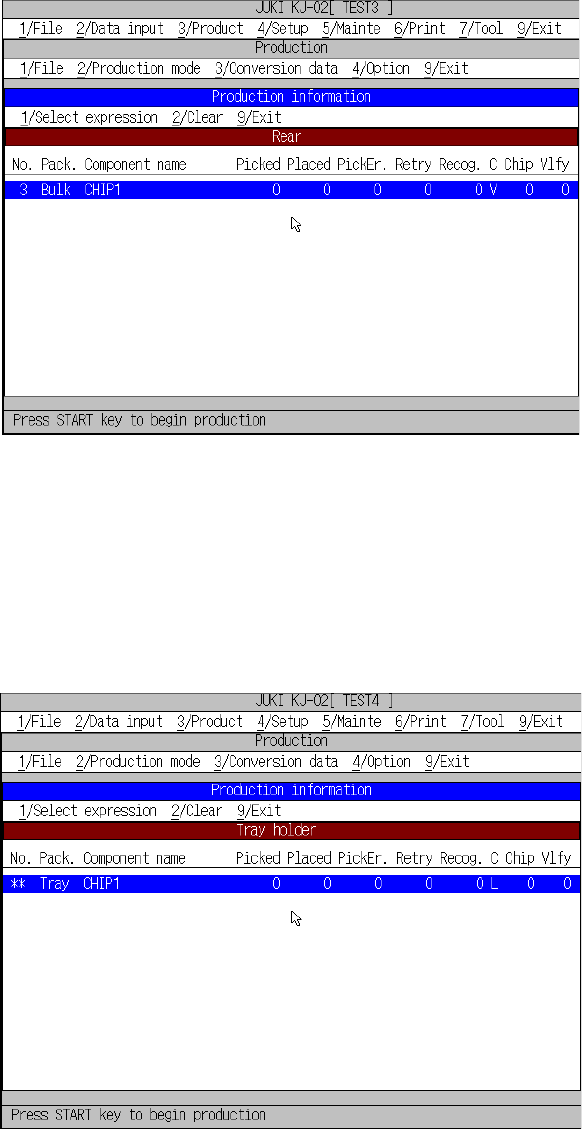
③ [3/ Rear]
This command displays production information of the tape feeders, stick
feeders, and bulk feeders mounted on the rear side of the machine. Figure
8.2.3.2.2 shows the Production information box when the [3/ Rear]
command is selected.
Figure 8.2.3.2.2 Production information box (for selection of [3/ Rear])
Go to the desired page for reference by operating the ”(UP), ”(DOWN),
SCROLL, PAGE-UP, and PAGE-DOWN keys.]
④ [4/ Tray holder]
This command displays production information of the tray holder.
Figure 8.2.3.2.3 shows the Production information box when the [4/ Tray
holder] command is selected.
Figure 8.2.3.2.3 Production information box (for selection of [4/ Tray holder])
Go to the desired page for reference by operating the ”(UP), ”(DOWN),
SCROLL, PAGE-UP, and PAGE-DOWN keys.]
8 − 32
(2) Clear
This command clears all production information. You cannot clear the
production management information while the machine is producing a PWB or
pauses.
(3) Refresh
Refreshes the display contents.
(4) Exit
This command returns control to the screen from which the Production
information box was called.
Note: The production management information in the log is not shown as a
realtime data. It can be updated when the screen is changed.
8.2.3.3 Storing the production management information
When you perform the “Save” command for a file after production, you can save the
production management information as a file separately.