KJ-01.02.Instruction Manual.REV.02.pdf - 第155页
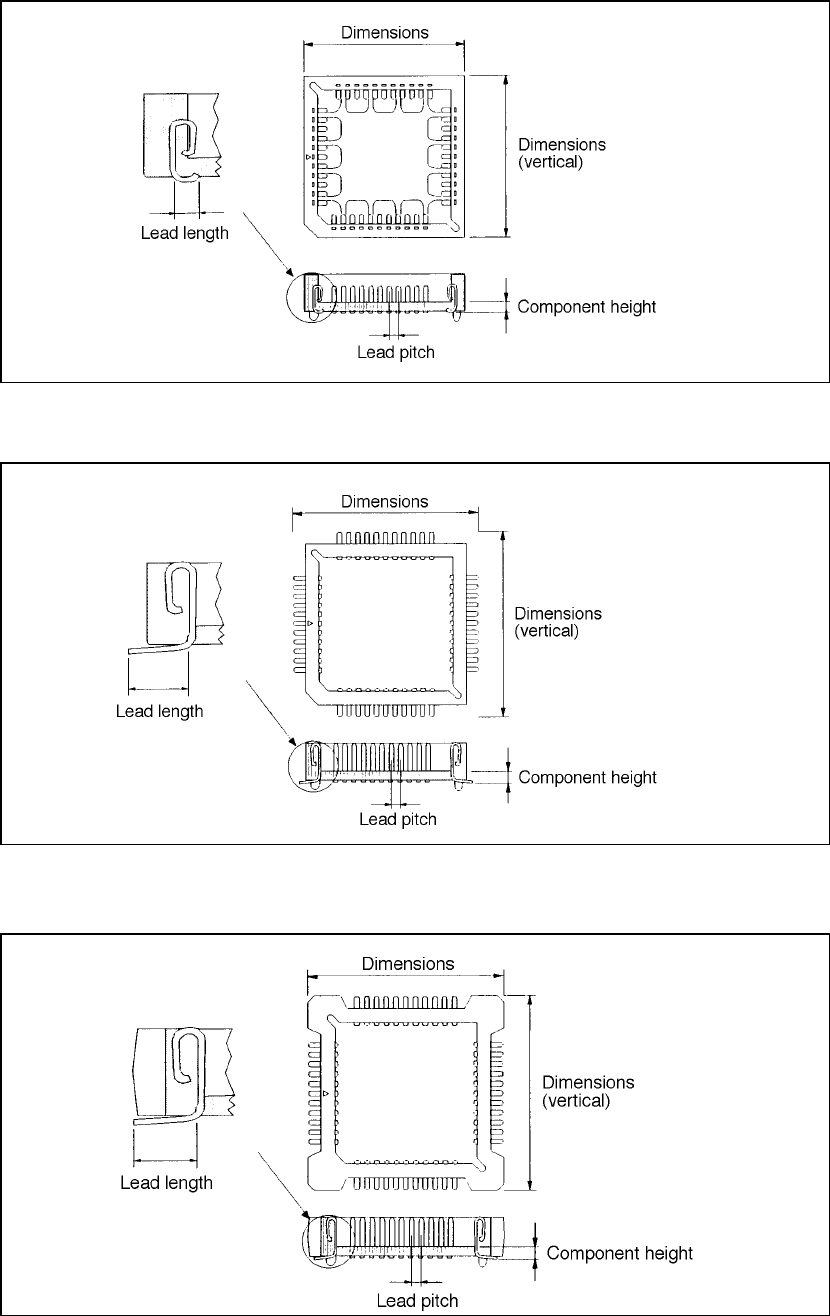
5 − 59 • O ne-way lead connector • T wo-way lead connector • Z st yle lead connector
5 − 58
• J lead socket
• Gall wing socket
• Socket with bumper
(horizontal)
(horizontal)
(horizontal)
5 − 59
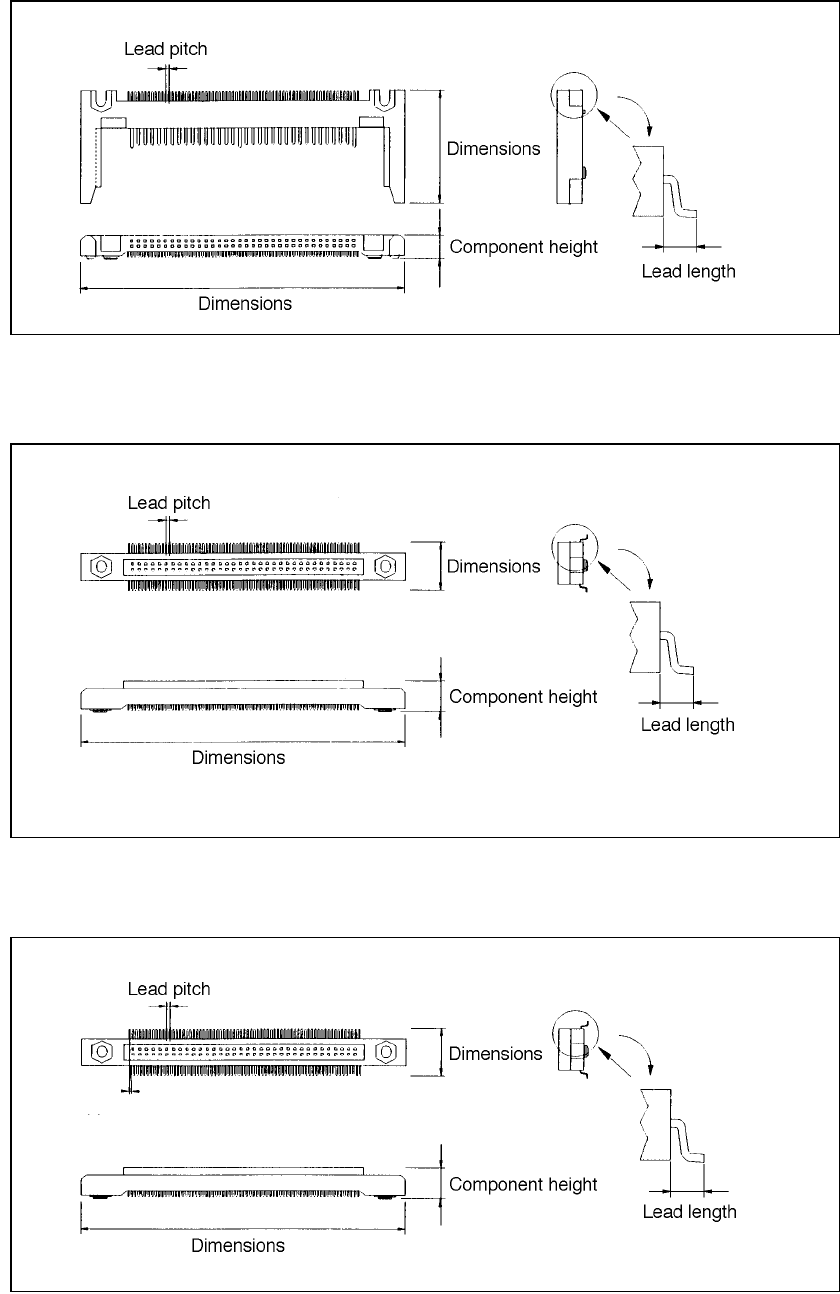
• One-way lead connector
• Two-way lead connector
• Z style lead connector
5 − 60
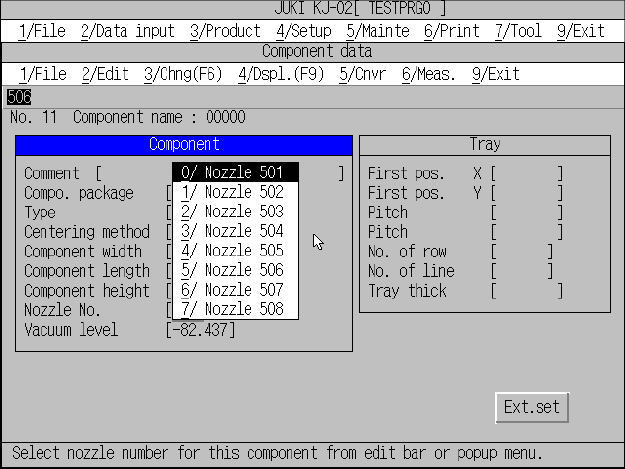
⑥ Nozzle No.
When you enter the component dimensions, the machine automatically sets
the nozzle number. If you want to change this nozzle number because the
machine is not equipped with the nozzle whose number is automatically set,
select an appropriate one from the displayed pop-up menu, or click the
[2/Edit] command and enter one on the displayed menu. When you enter a
nozzle number from the “Edit” menu, you can select a nozzle that is set with
the [Nozzle data installation] command on the Machine setup menu (see
Section 4.3.10 “Nozzle data installation”).
Figure 5.5.1.10 Nozzle no. input screen
⑦ Vacuum level
The vacuum value, when the component is picked with the nozzle
designated by the nozzle number, is displayed. It is not necessary to change
the value.