KJ-01.02.Instruction Manual.REV.02.pdf - 第247页
6 − 43 ③ Filling the selected ar ea with balls This f unct ion fills t he selected area with balls to place balls on the continuous area. ④ Filling the selected ar ea with blanks This f unct ion fills t he selected area …
6 − 42
(2) Drawing operations
This section describes the action performed under each item of the action
setting window.
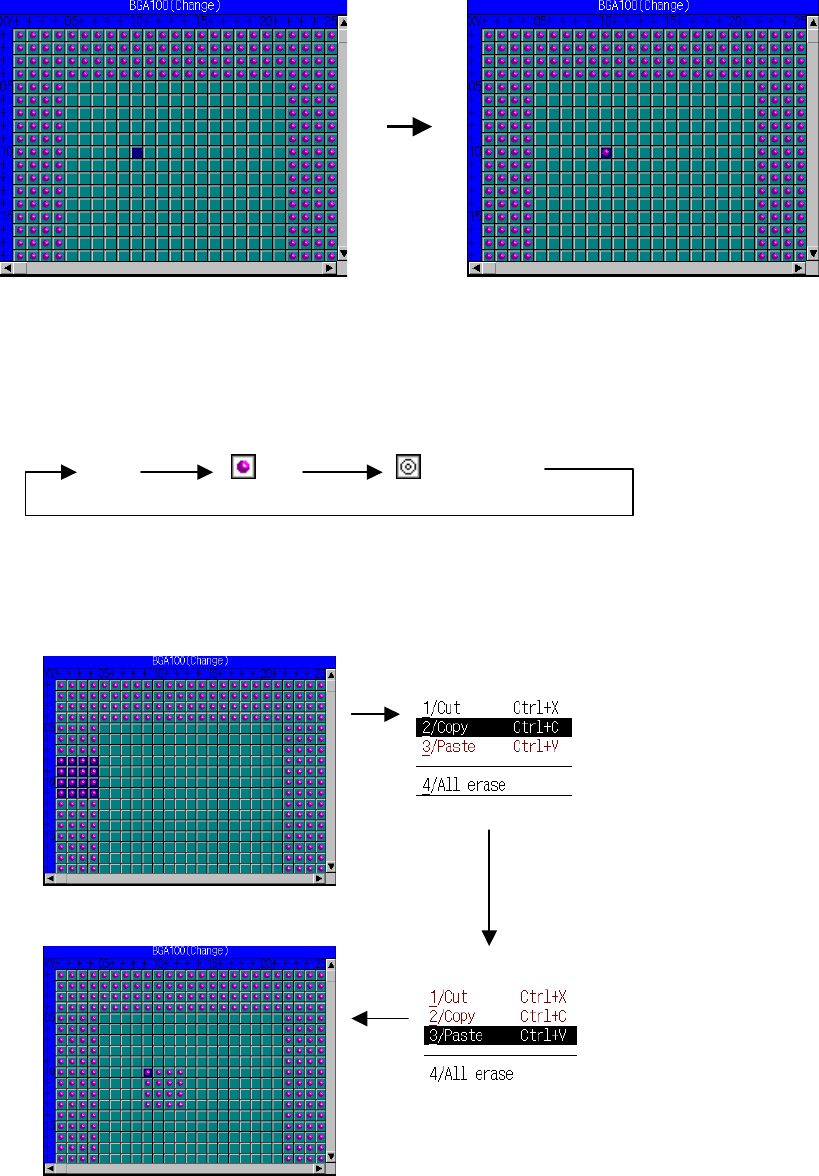
① Drawing a ball
This function draws a ball in white on the black background to place a ball
one by one.
Pressing the space bar or clicking the left mouse button changes what to be drawn:
None Ball Index mark
② Selection area
Specify the area to be cut or pasted with the corresponding function
displayed on the menu.
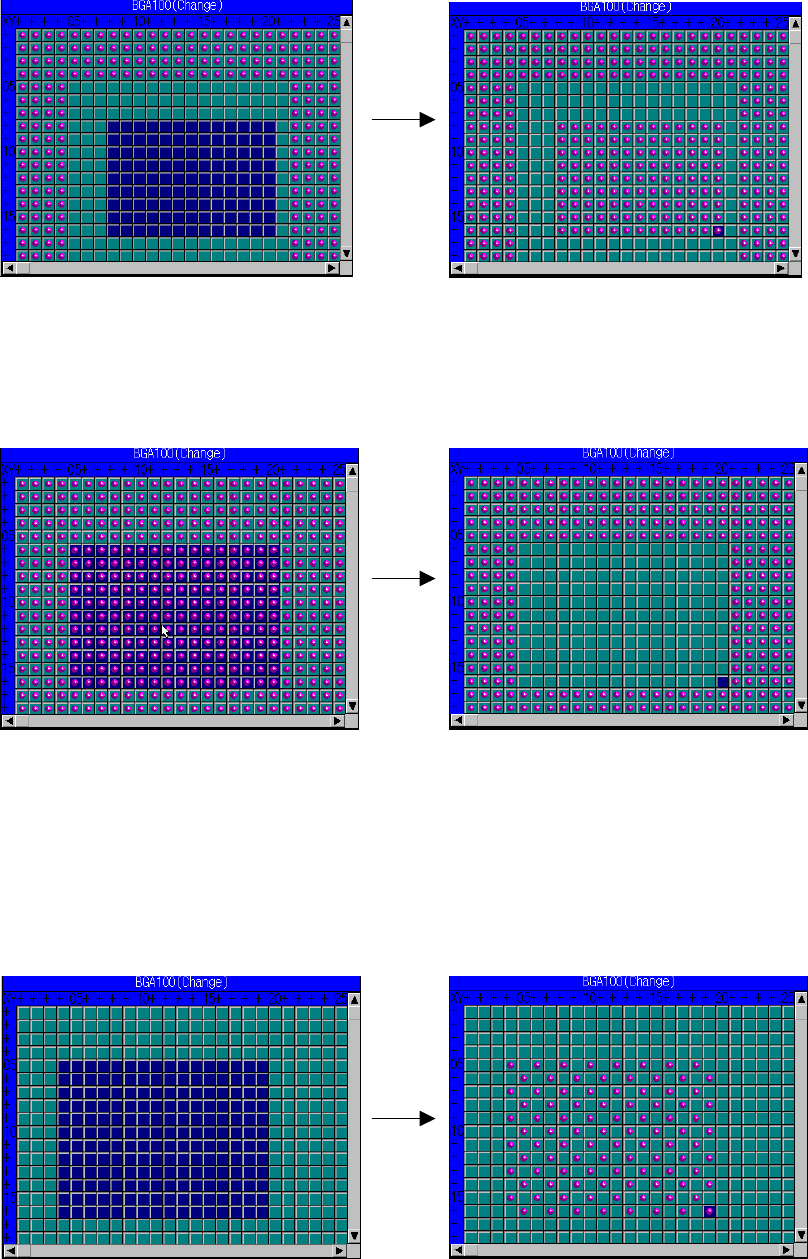
Move the cursor to the position on
which you want to place a ball.
Place a ball.
Select “Cut” or “Copy”
from the menu.
Move the cursor to the
position to be pasted.
Select “Paste” from
the menu.
Specify the area to be cut or pasted.
Data is pasted on the position where
the cursor is located.
6 − 43
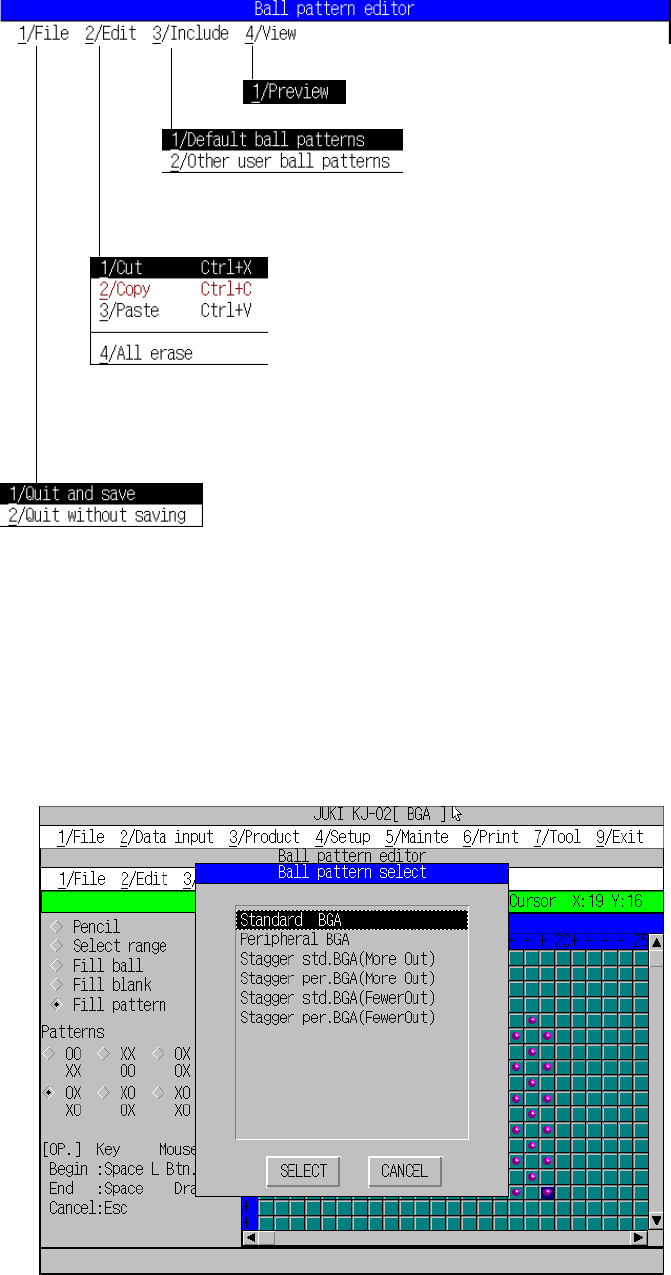
③ Filling the selected area with balls
This function fills the selected area with balls to place balls on the
continuous area.
④ Filling the selected area with blanks
This function fills the selected area with blanks to erase all balls drawn on
the continuous area at a time.
⑤ Filling the selected area with a pattern.
This function fills the selected area with the specified pattern to place a
pattern over the continuous area at a time.
OX
XO pattern example:
Place balls to the end coordinate.
Specify the area which is filled with balls.
Place balls to the end coordinate.
Specify the area which is filled with balls.
Specify the area which is filled with blanks. Erases all balls to the end coordinates.
6 − 44
(3) About the menu
This section explains the menu displayed with the ball pattern editor.
*1 Clipboard: Work pattern data buffer. It stores the data loaded.
(4) Loading the default pattern
This function automatically loads the pattern initially stored in the system and
adjusts its size according to the specified size.
Figure 6.5.4.4.2 Loading the default pattern
Exit:
Stores the data, then quits this menu.
Cancel:
Cancels the entered/changed data, then quits this menu.
Preview:
displays the pattern in the reduced size.
Loading the default pattern:
Selects the default pattern, then stores it.
Loading another pattern:
Selects the pattern in another data area.
Cut:
Erases the selected area, then stores it on the clipboard *1).
Copy:
Loads the selected area into the clipboard.
Paste:
Pastes the data stored on the clipboard onto the cursor
location.
All erase
Clears all balls drawn on the drawing window.
Exit:
Stores the data, then quits this menu.
Cancel:
Cancels the entered/changed data, then quits this menu.