KJ-01.02.Instruction Manual.REV.02.pdf - 第50页
1 − 34 T able 1-4-3 Printer connector pin assignments Signal name Connector used 1 STROBE 2 D0 3 D1 4 D2 D-SUB 5 D3 25-Pin FEMALE 6 D4 7 D5 8 D6 9 D7 10 ACK 11 BUSY 12 PE 13 SLCT 14 AUTFD 15 ERROR 16 INIT 17 SLCT IN 18 G…
1 − 33
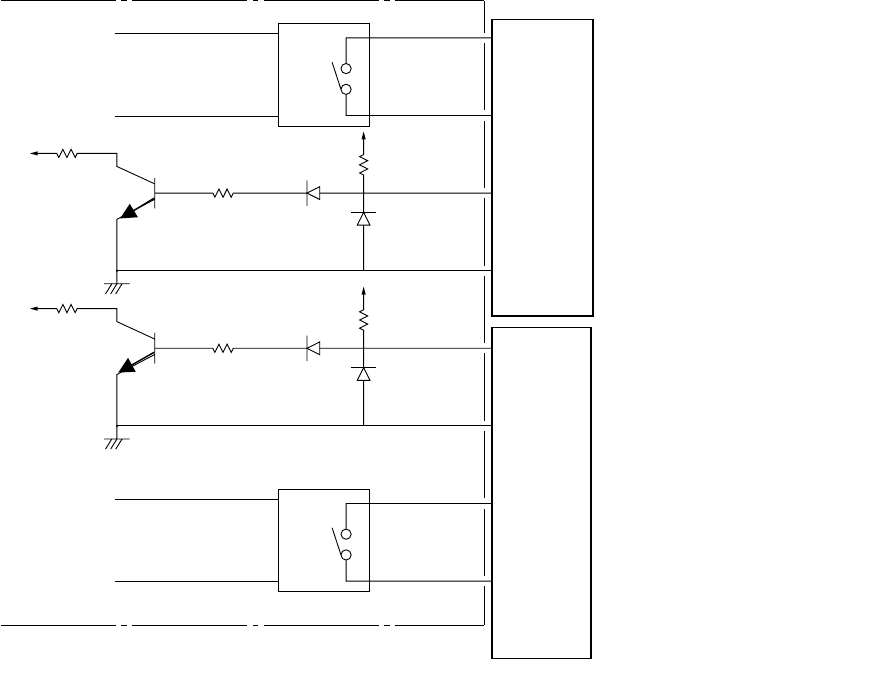
Figure 1.4.3 shows the interface circuits for READY OUTs (IN) and BOARD
AVAILABLE signals.
They conform to the SMEMA standard.
GND
READY OUT 1
READY OUT 2
BOARD AVAILABLE 2
BOARD AVAILABLE 1
READY IN
BOARD AVAILABLE 3
BOARD AVAILABLE 4
+24V
15kΩ
+24V
15kΩ
Figure 1.4.3
1
2
3
4
5~14
1
2
3
4
5~14
READY OUT+
READY OUT-
BOARD AVAILABLE IN+
BOARD AVAILABLE I N-
N.C.
4.7kΩ
4.7kΩ
READY IN+
READY IN-
BOARD AVAILABLE OUT+
BOARD AVAILABLE OUT-
N.C.
1 − 34
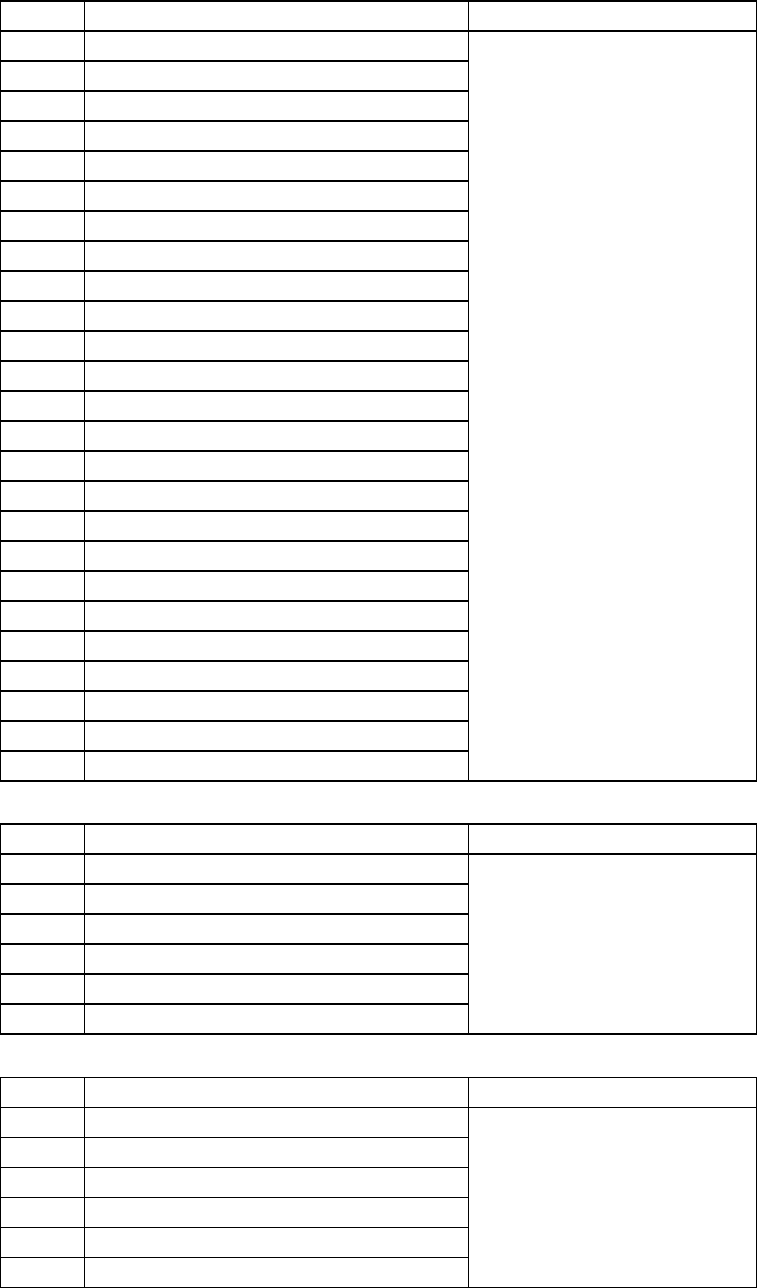
Table 1-4-3 Printer connector pin assignments
Signal name Connector used
1 STROBE
2 D0
3 D1
4 D2 D-SUB
5 D3 25-Pin FEMALE
6 D4
7 D5
8 D6
9 D7
10 ACK
11 BUSY
12 PE
13 SLCT
14 AUTFD
15 ERROR
16 INIT
17 SLCT IN
18 GND
19 GND
20 GND
21 GND
22 GND
23 GND
24 GND
25 GND
Table 1-4-4 Keyboard connector pin assignments
Signal name Connector used
1 DATA
2 N.C.
3 GND
4 + 5V
5 CLOCK
6 N.C.
Japan crimping terminal
MD-S6000-13
Table 1-4-5 Trackball connector pin assignments
Signal name Connector used
1 DATA
2 N.C.
3 GND
4 + 5V
5 CLOCK
6 N.C.
Japan crimping terminal
MD-S6000-13
2 − 1
CHAPTER 2 DESCRIPTION OF THE OPERATOR
CONTROLS
2.1 Function of Keys and Switches
2.1.1 Keyboard
Esc
F1 F2
F3 F4
F5
F6
F7
F8
F9
F10
~
`
!
1
@
2
#
3
$
4
%
5
^
6
&
7
*
8
(
9
)
0
QW E
RTY
U
I
O
P
{
[
}
]
_
-
+
=
ASD
FG
H
JK
L
"
'
Z
XCV
B
N
M
<
,
>
.
Tab
Caps Lock
Caps
Lock
Shift
Shift
Ctrl CtrlAltAlt
Enter
Num
Lock
Num
Lock
Scroll
Lock
Print
Screen
Scroll
Lock
Pause Delete
Insert
Page
Up
Page
Down
End
:
?
/
:
;
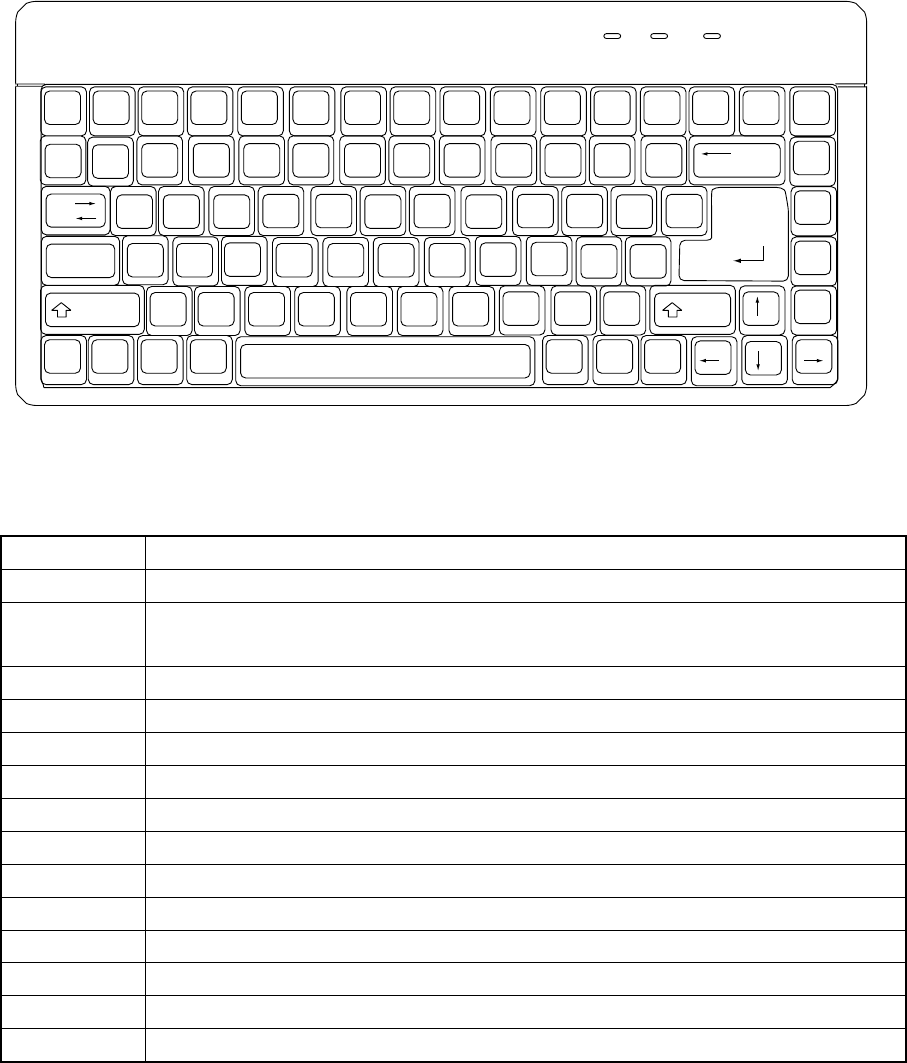
Figure 2.1.1 Keyboard
Table 2.1.1 List of keys and their functions
Key Function
F1
• Unused
F2
• Use to change data already entered.
• Use to obtain a pop-up list on the display.
F3
• Use to copy data.
F4
• Use to delete data.
F5
• Use to move data.
F6
• Use to change the window in the forward direction.
F7
• Use to search for particular data in the forward direction.
F8
• Use to search for particular data in the backward direction.
F9
• Use to select either the list or form display, the key toggling between the two.
F10
• Unused
F11 (Fn + F1)
• Unused
F12 (Fn + F2)
• Unused
ESC
• Unused Use to cancel an entry.
Alt
• Unused Use to select the menu.