KJ-01.02.Instruction Manual.REV.02.pdf - 第161页
5 − 65 <6> Working on the expanded w indow s The extension window displayed when the centering m ethod is set to “ Laser algorithm ” is shown in Figure 5. 5.1.17, and t hat set t o “VCS” is shown in Figure 5.5.1.18…

5 − 64
④ Tray thick
Enter the height “T” from the bottom of the tray to the surface including the
component itself.
Figure 5.5.1.16 Figure of Tray thickness
T
T
Case 1
Case 2
Component Tray
5 − 65
<6> Working on the expanded windows
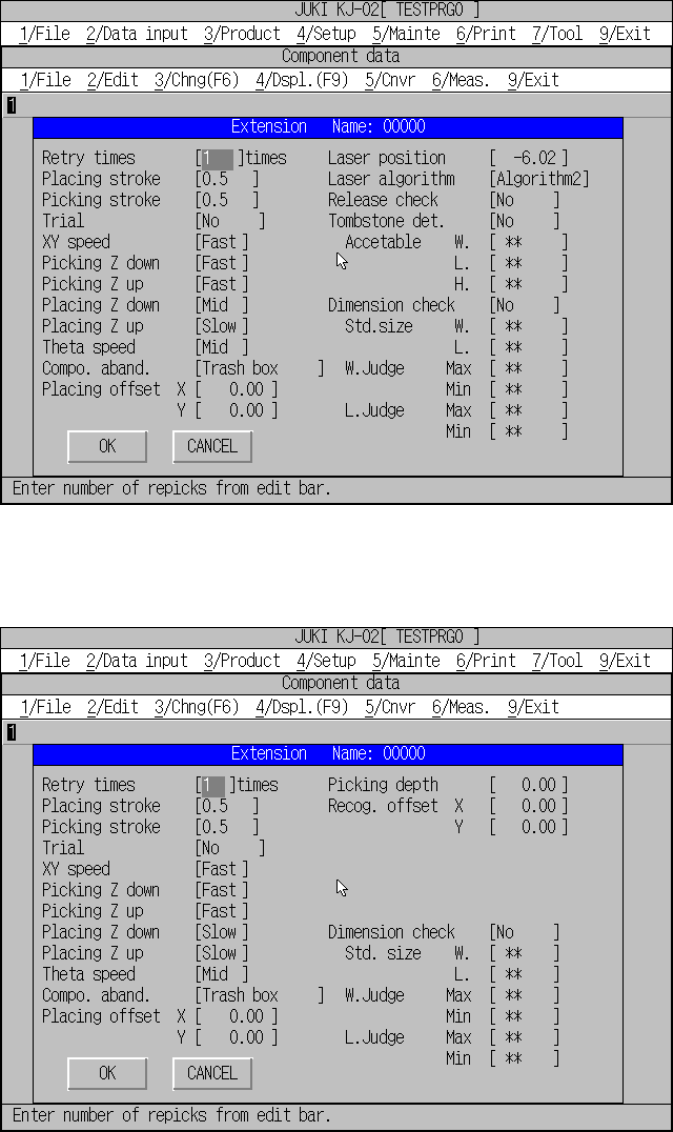
The extension window displayed when the centering method is set to “Laser
algorithm” is shown in Figure 5.5.1.17, and that set to “VCS” is shown in Figure
5.5.1.18.
Figure 5.5.1.17 Expanded window for laser centering
Figure 5.5.1.18 Expanded window for vision centering
5 − 66
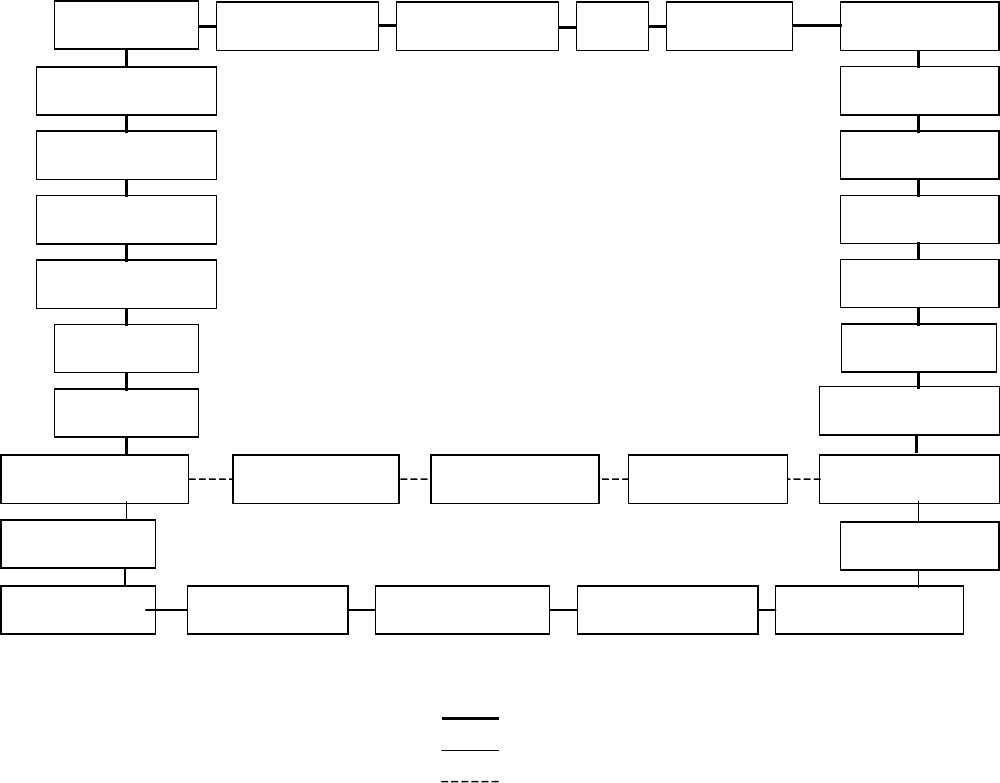
– Moving through the input items
– The default values are set for expanded settings and there is no need of
changing.
The default values are determined by the setting of components, centering
method, and component package. If any one of these items which affect the
expanded settings has been changed after changing the values of the items
of the expanded setting, the values are reset to the default values of the
changed item.
↑ key: Clockwise
↓ key: Counterclockwise
Figure of entries to be moved
Picking Z
d
Picking Z up
Placing Z
d
Placing Z up
Laser algorithm
Placing offset X
Placing offset Y
Retry times
Placing stroke Picking stroke Trial XY speed
Theta speed
L. Judge Min
L Judge Max
W. Judge Min
W. Judge Max
Std. Size W.
Std. Size L.
Laser height
Acceptable
H
Dimension check
C
ompo.
abandonment
Picking depth
Recog. offset Y Recog. offset X
Release check Acceptable W. Tombstone det. Acceptable L.
Common to the laser and VCS centering methods
Only for the laser centering method
Only for the VCS centering method