KJ-01.02.Instruction Manual.REV.02.pdf - 第106页
5 − 10 (2) W hen the basic setting has been completed: I f [1/ PW B data] is selected when the basic setting has been completed, diff erent screens will appear depending on the set tings made f or PW B configuration of t…
5 − 9
5.2.2 Reading the program
If you wish to read another program after you have entered the production program
edit mode, select [1/ Open] of [1/ File] from the local menu. When the machine has
completed reading the program, the PWB data screen appears.
5.3 PWB Data
5.3.1 Default setting
Different PWB-data initial screens appear depending on whether the basic setting
data has been created or not (the data being incomplete).
(1) When the basic setting has not been completed:
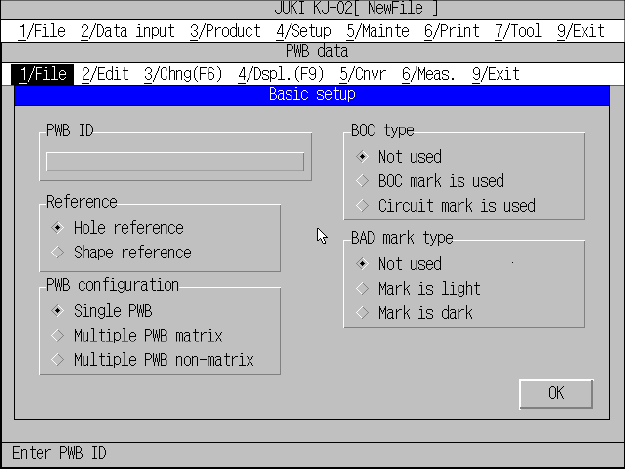
A screen appears as shown in Figure 5.3.1.1 when [1/ PWB data] is selected.
Figure 5.3.1.1 PWB data initial screen (Basic setting yet to be completed)
Use the edit box to set the PWB ID, and use the radio button to set reference
method, PWB configuration, BOC type, and Bad mark type.
To change to another item, use the TAB key or the SHIFT and TAB key.
When the “OK” button is selected, the input focus moves onto the “Dimension
setting” window, just as when the basic setting data has been created. The
“Dimension setup” window varies depending on the settings made in basic
setting.
Note: Before you load a board, click the <OK> button to confirm the setting of
“Reference”. (“Hole reference” is set by default on new PWB data.)
5 − 10
(2) When the basic setting has been completed:
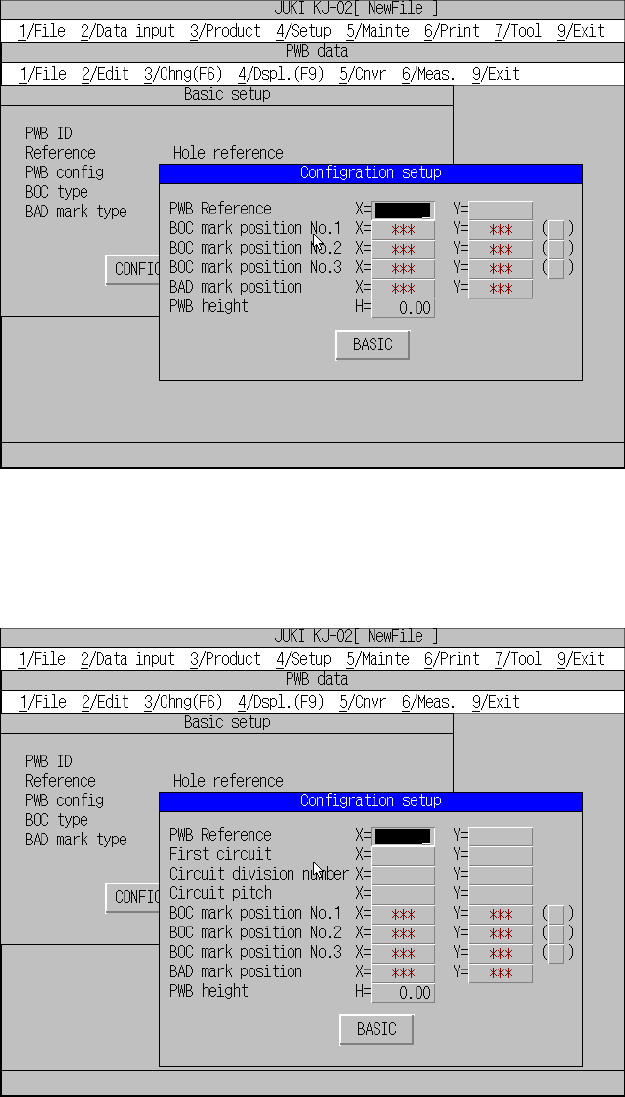
If [1/ PWB data] is selected when the basic setting has been completed, different
screens will appear depending on the settings made for PWB configuration of
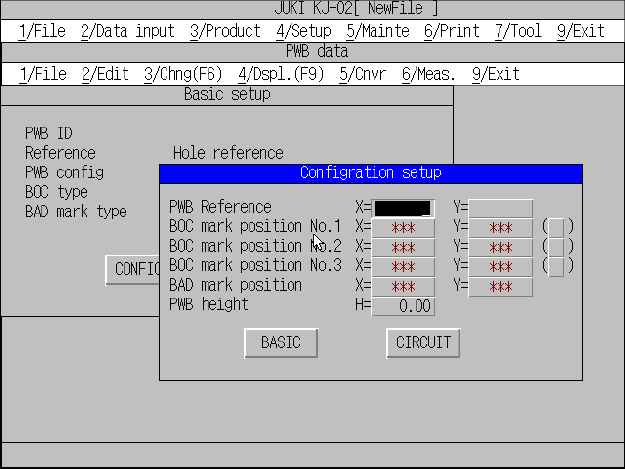
the basic setting. Figures 5.3.1.2, 5.3.1.3, and 5.3.1.4 show possible screens
that will appear at this time. The input focus is in the “Configration setup” window.
Single pattern
Figure 5.3.1.2 PWB data initial screen (Single pattern)
Matrix multiple patterns
Figure 5.3.1.3 PWB data initial screen (Matrix multiple patterns)
5 − 11
Non-matrix multiple patterns
Figure 5.3.1.4 PWB data initial screen (Non-matrix multiple patterns)