KJ-01.02.Instruction Manual.REV.02.pdf - 第297页
8 − 30 (1) Select expression This com mand changes Pr oduction inf ormation screens. ① [1/ T otal] The overview inform ation box is initially displayed when the Production infor mation screen is called. Figure 8. 2.3.1 s…
8 − 29
8.2.3.1 Basic operation to display production management information
①Invocation
To call the production information box, select [3/ Conversion data] in the PWB
production menu, then [2/ Management info.].
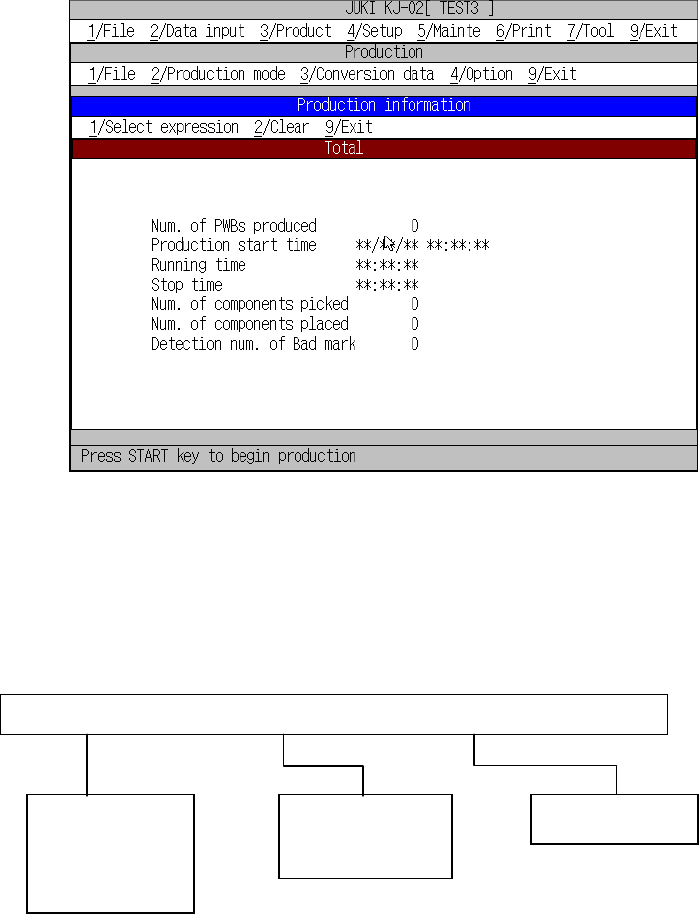
Figure 8.2.3.1 shows the Production information box.
Figure 8.2.3.1 Production information box
8.2.3.2 Commands
The figure below shows local commands available with the Production management
information box.
1/Select expression 2/Clear 9/Exit
1/Front
2/Rear
3/Tray holder
1/Clear
3/Reflesh
9/Exit
8 − 30
(1) Select expression
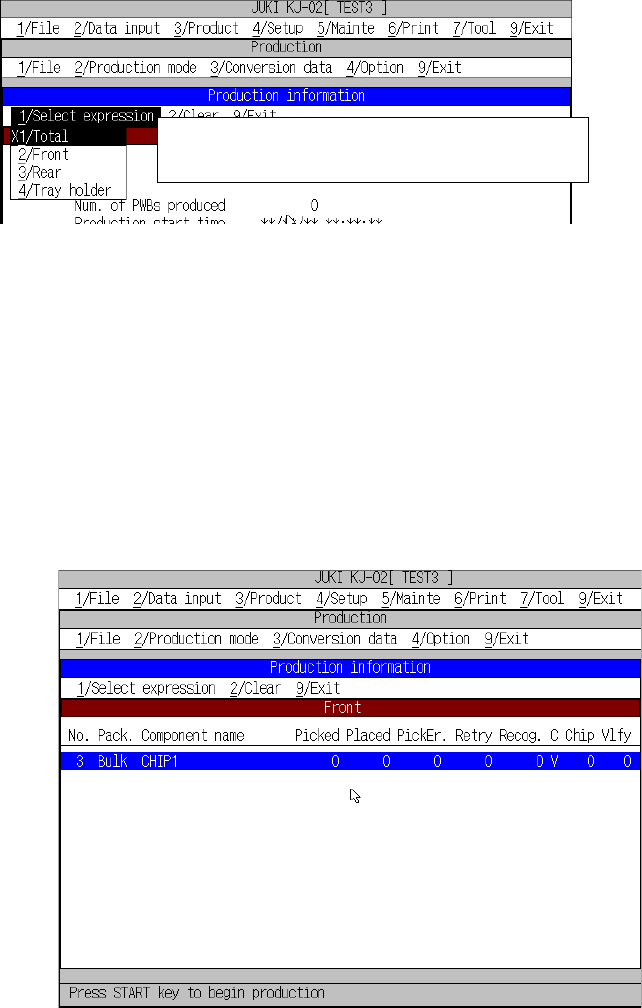
This command changes Production information screens.
① [1/ Total]
The overview information box is initially displayed when the Production
information screen is called.
Figure 8.2.3.1 shows the Production information box.
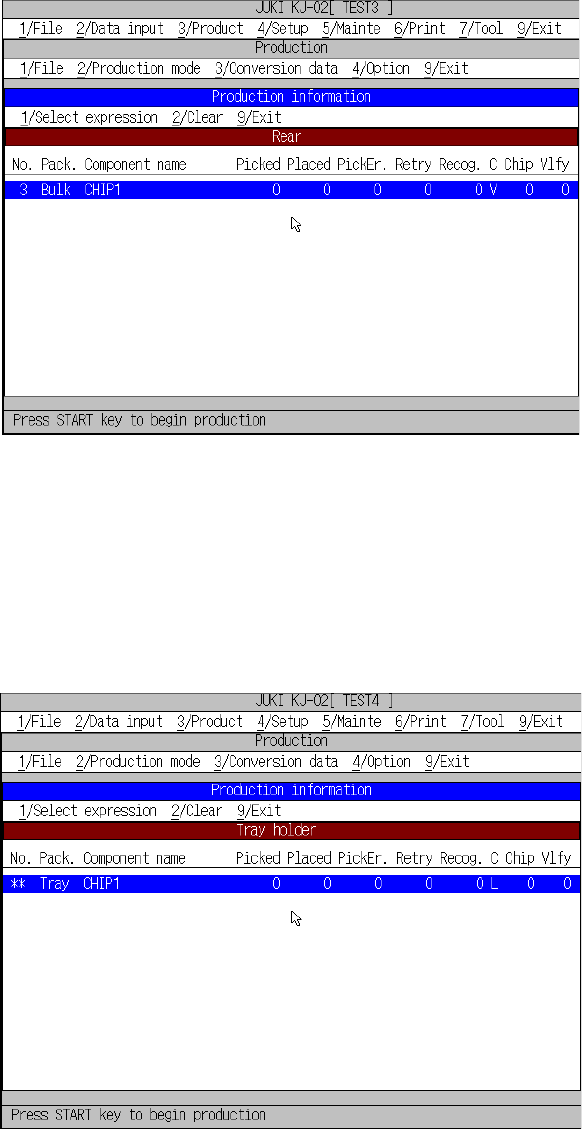
② [2/ Front]
This command displays the production management information on a tape
feeder, stick feeder or bulk feeder installed on the front side of the machine.
The screen displayed when you select this command is shown in Figure
8.2.3.2.
Figure 8.2.3.2 Production information box (for selection of [2/ Front])
Go to the desired page for reference by operating the ”(UP), ”(DOWN),
SCROLL, PAGE-UP, and PAGE-DOWN keys.]
←X indicates that this production information is
currently displayed on the screen.
8 − 31
③ [3/ Rear]
This command displays production information of the tape feeders, stick
feeders, and bulk feeders mounted on the rear side of the machine. Figure
8.2.3.2.2 shows the Production information box when the [3/ Rear]
command is selected.
Figure 8.2.3.2.2 Production information box (for selection of [3/ Rear])
Go to the desired page for reference by operating the ”(UP), ”(DOWN),
SCROLL, PAGE-UP, and PAGE-DOWN keys.]
④ [4/ Tray holder]
This command displays production information of the tray holder.
Figure 8.2.3.2.3 shows the Production information box when the [4/ Tray
holder] command is selected.
Figure 8.2.3.2.3 Production information box (for selection of [4/ Tray holder])
Go to the desired page for reference by operating the ”(UP), ”(DOWN),
SCROLL, PAGE-UP, and PAGE-DOWN keys.]