KJ-01.02.Instruction Manual.REV.02.pdf - 第322页
9 − 5 9.3 Renaming a File This comm and renames the nam e of a pr oduction prog ram f ile. First, specify the f ile whose name you w ant to chang e. Figure 9.3.1 Fi le renaming dialog box (Screen example when y ou use a …
9 − 4
9.2 Deleting a File
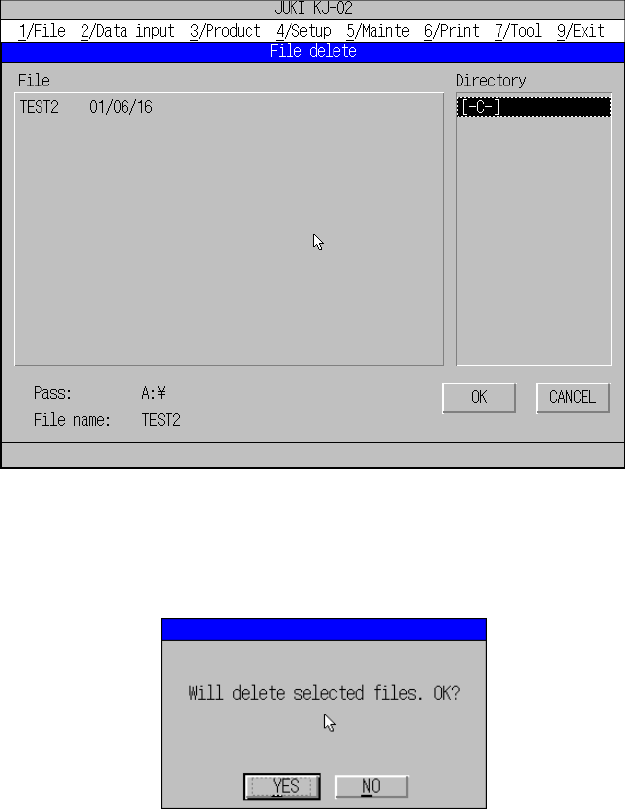
The command “File delete” is used to delete a production program file. While this
command is selected, the following dialog box appears.
Figure 9.2.1 File deleting dialog box
When the file name is specified and “OK” button pressed, the following message
appears.
Figure 9.2.2 Dialog box confirming deletion of file
When the “YES” button is then pressed, the machine executes the delete command.
The “Cancel” button cancels the delete command, returning the machine to the state
before [1/ File] was selected.
The extension “.J12” is appended to all file names shown in the file list box.
9 − 5
9.3 Renaming a File
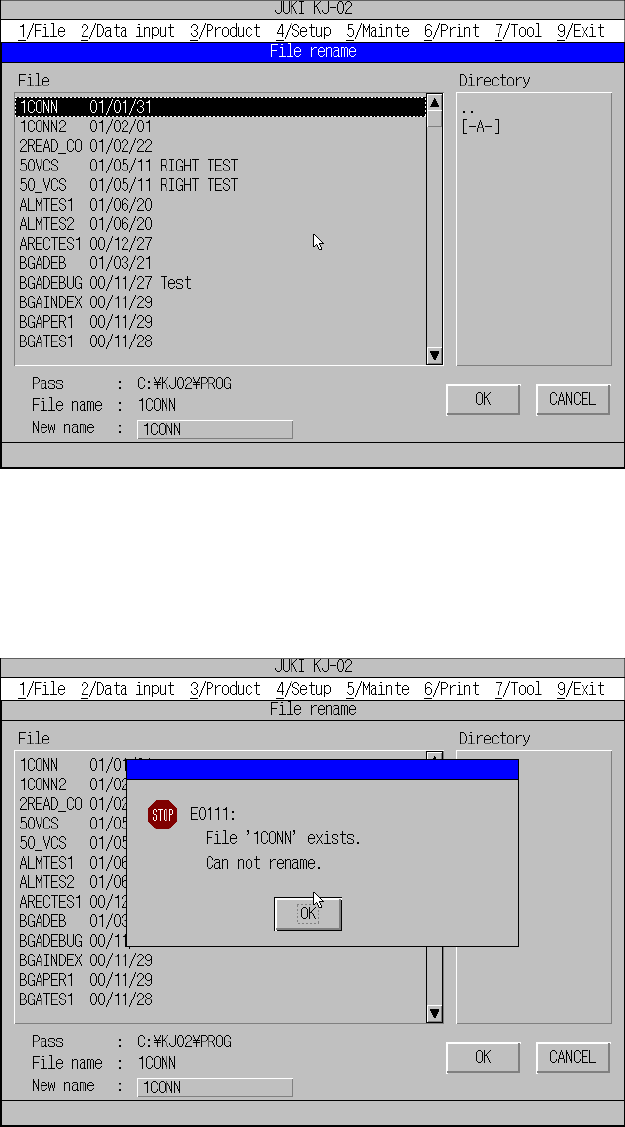
This command renames the name of a production program file. First, specify the file
whose name you want to change.
Figure 9.3.1 File renaming dialog box (Screen example when you use a KJ-02)
If a production file whose name is the same as a new name you specified already
exists, the machine displays the following message and will not rename the file name.
Figure 9.3.2 Message dialog when illegal file name is specified
Note: Only files whose extension is “J12” appear on the file list..
9 − 6
9.4 Creating a Directory
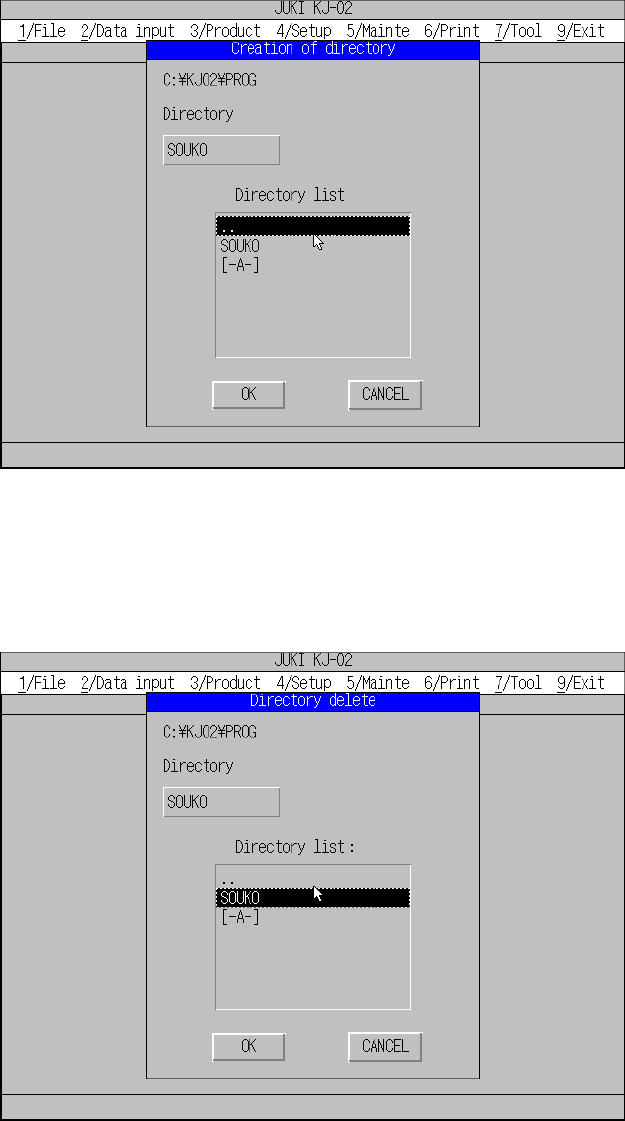
The command “Create directory” is used to create a directory.
Note: The allowable length of a directory name is up to 65 characters including a
full path.
Figure 9.4.1 Directory creating dialog box
9.5 Deleting a Directory
The command “Delete directory” is used to delete a directory.
Figure 9.5.1 Directory deleting dialog box