KJ-01.02.Instruction Manual.REV.02.pdf - 第319页
9 − 2 9.1 Copy ing a Fil e The command “ Copy file” is used t o copy a production progr am f ile. (1) Specif y the copy source direct ory . The specif ied director y appears at the lef t bottom corner of t he screen. (2)…
9 − 1
CHAPTER 9 FILE MAINTENANCE
This chapter explains how to manage the production program files stored in the disk.
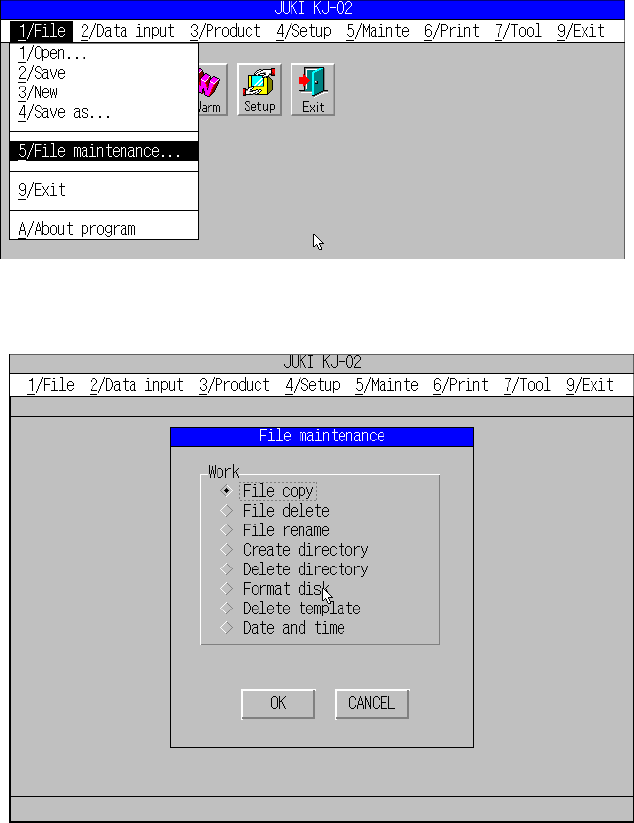
When you select the [1/File] command on the menu bar, and the [5/File maintenance]
command on the “File” menu, the window shown in Figure 9.1.2 appears
Figure 9.1.1 “File” menu commands
Figure 9.1.2 “File maintenance” menu dialog box
9 − 2
9.1 Copying a File
The command “Copy file” is used to copy a production program file.
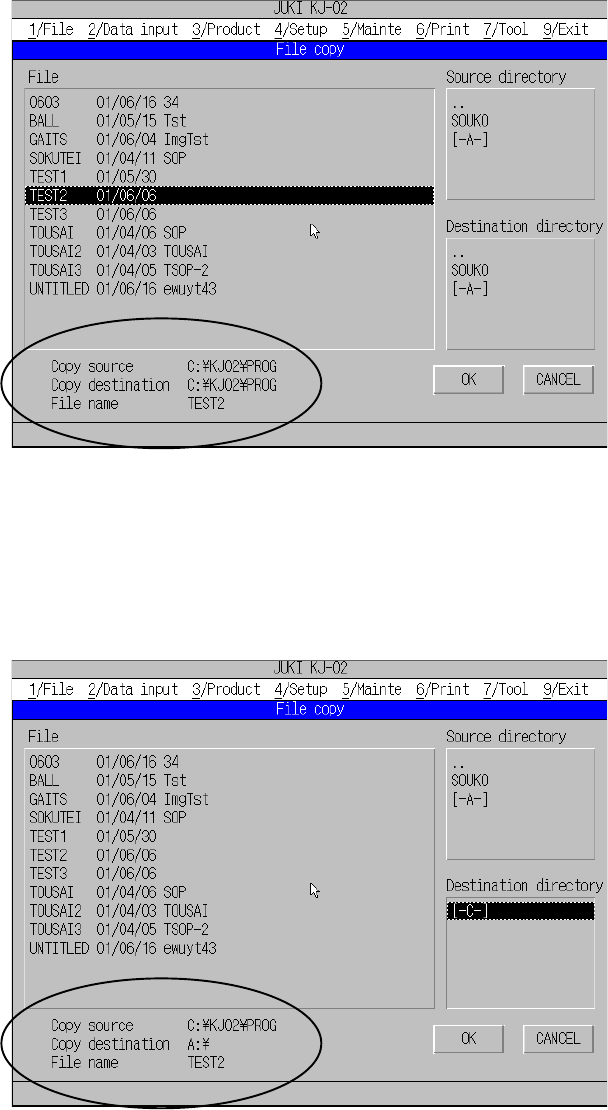
(1) Specify the copy source directory. The specified directory appears at the left
bottom corner of the screen.
(2) Select a production program file to be copied from the production program file list
displayed.
Figure 9.1.3 File copying dialog box (for Copy sender)
(3) Specify the copy destination directory. The specified directory appears at the left
bottom corner of the screen.
(4) If the copy destination directory is correct, click the <OK> button to start copy
operation.
Figure 9.1.4 File copying dialog box (for Copy receiver)
9 − 3
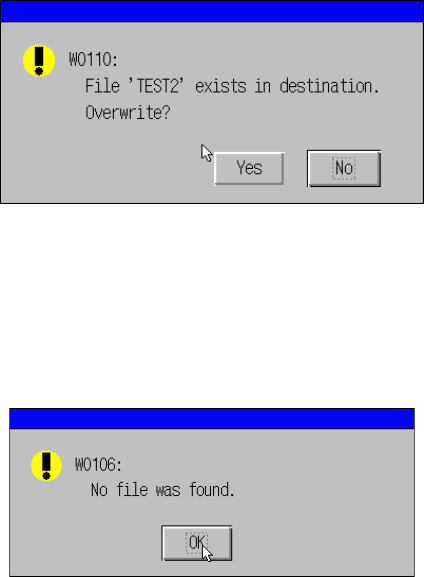
If a production program file you specified already exists under the copy destination
directory, the following message appears on the screen.
When you click the <Yes> button, the machine overwrites the existing production
program file with the file you specified. When you click the <No> button, the machine
cancels the copy operation.
Figure 9.1.5 Message dialog box displayed if a file of the same name exists
If the production program file you specified does not exist under the copy source
directory, the following message appears on the screen.
Figure 9.1.6 Message dialog box displayed
if the specified production program file does not exits
Note: Only files whose extension is “J12” appear on the file list.