KJ-01.02.Instruction Manual.REV.02.pdf - 第338页
10 − 13 10.4.3 Conv eyor control W hen y ou select the [ 3/Conveyor] command on the menu bar , and then t he [1/Conveyor control] com mand on the displayed menu, t he dialog box f or controlling the PW B transport system…
10 − 12
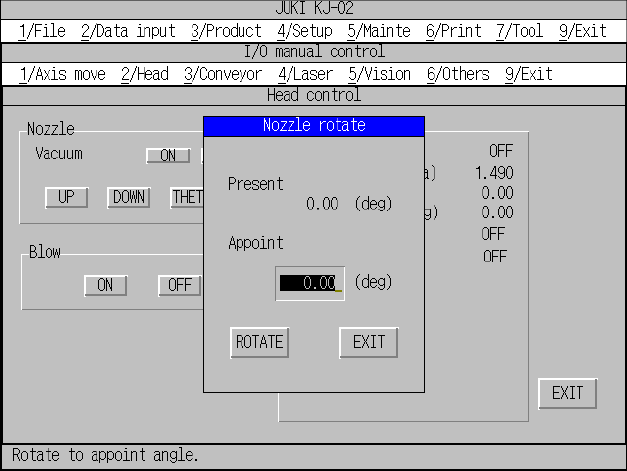
Figure 10.4.2.2 “Nozzle rotate” dialog box
10 − 13
10.4.3 Conveyor control
When you select the [3/Conveyor] command on the menu bar, and then the
[1/Conveyor control] command on the displayed menu, the dialog box for controlling
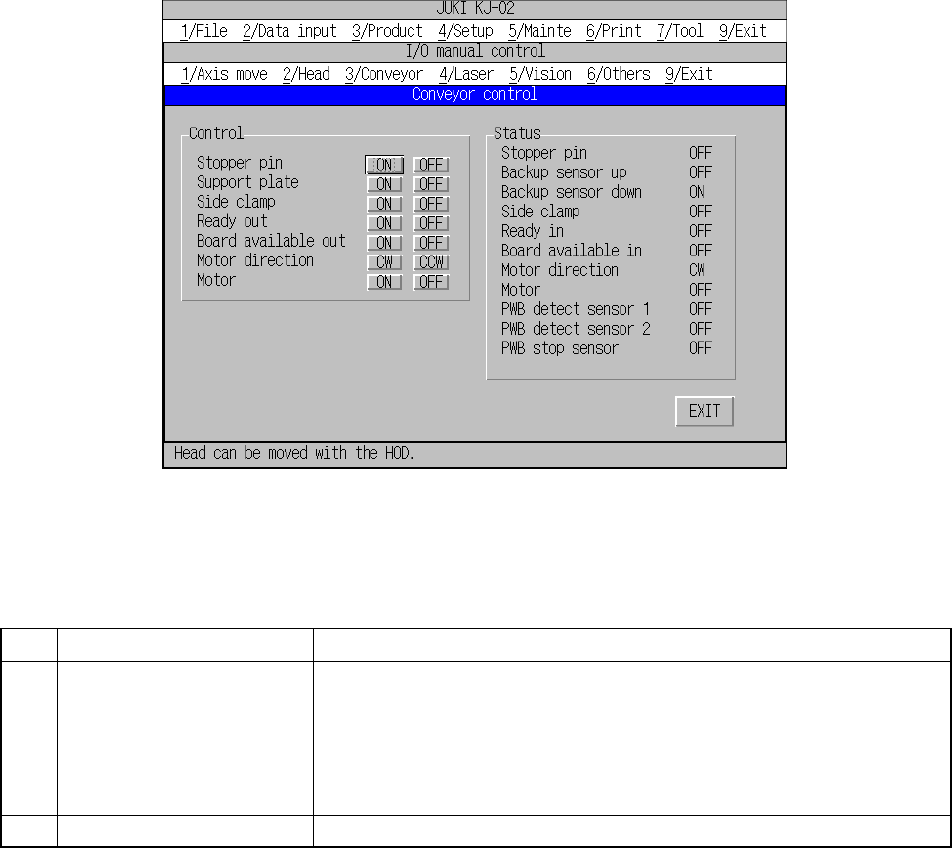
the PWB transport system appears on the screen as shown in Figure 10.4.3.1.
Each command is described on Table 10.4.3.1.
Figure 10.4.3.1 “Conveyor control” dialog box
Table 10.4.3.1 Description of each command
No. Command Setting/displayed items
1 Control Stopper pin (ON/OFF)
Support plate (ON/OFF)
Side clamp (ON/OFF)
Ready out (ON/OFF)
Board available out (ON/OFF)
Motor direction (CW/CCW)
Motor (ON/OFF)
2 Status Displays each operation control condition and the sensor condition.
When you click a button displayed on the dialog box above, and press the ENTER
key of a keyboard or click the trackball, the system starts controlling the
corresponding operation.
The controlled condition is displayed in real time.
10 − 14
10.4.4 Laser control
When you select the [4/Laser] command on the menu bar, and then the [1/Laser
control] command on the displayed menu, the dialog box for controlling laser appears
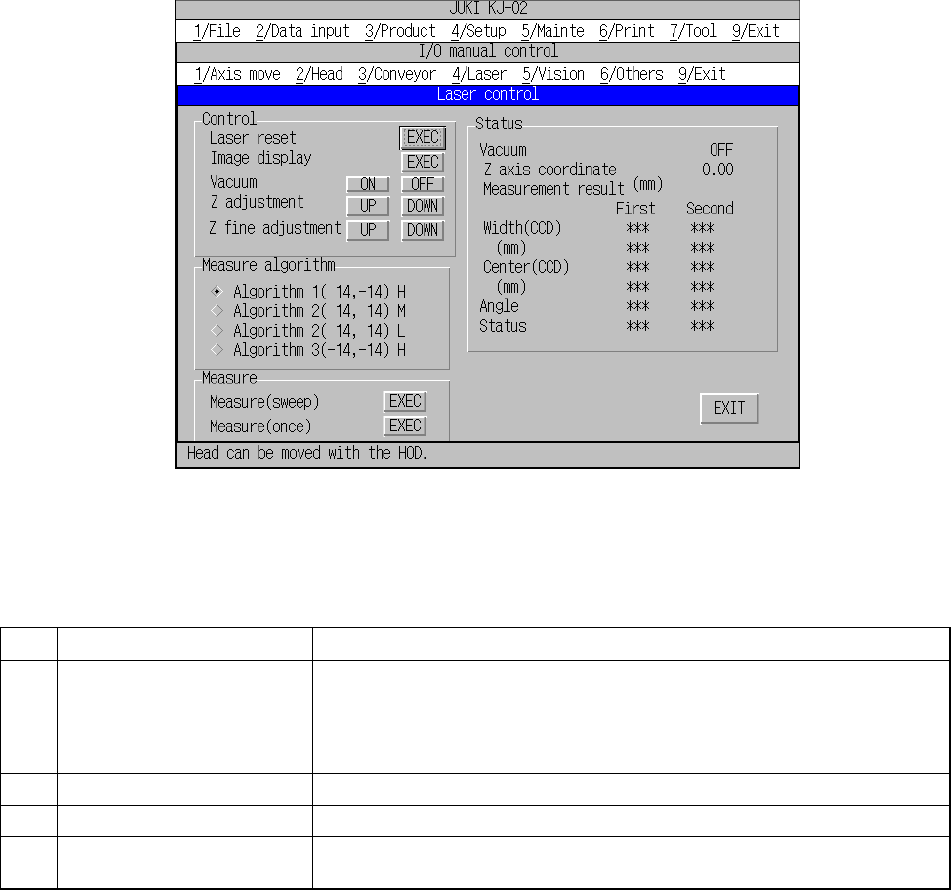
on the screen as shown in Figure 10.4.4.1.
Each command is described on Table 10.4.4.1.
Figure 10.4.4.1 “Laser control” dialog box
Table 10.4.4.1 Description of each command
No. Command Setting/displayed items
1 Control Laser reset (initialization of laser), Image display, Vacuum (ON/OFF)
(nozzle vacuum condition), Z adjustment (Z-axis adjustment of the nozzle)
(UP: height of the side to be detected with laser)/DOWN: XY-direction
movable lowest limit), and Z fine adjustment (Z-axis fine adjustment of the
nozzle) (UP: 0.01 mm/DOWN: 0.01 mm)
2 Measure algorithm Selects the algorithm for measuring a component with laser.
3 Measure Measures by rotating or measures without rotating.
4 Status Displays each operation control condition, or measurement result with
laser.
When you select a button displayed on the dialog box above, the corresponding
control operation starts. The controlled condition is displayed in real time.