KJ-01.02.Instruction Manual.REV.02.pdf - 第243页
6 − 39 6.5.4.3 Specifying the ball patt ern size and name (1) Ent ering t he ball pattern size and the pat tern nam e Set t he pattern nam e and pattern size when you are to create new pattern dat a or modif y the create…
6 − 38
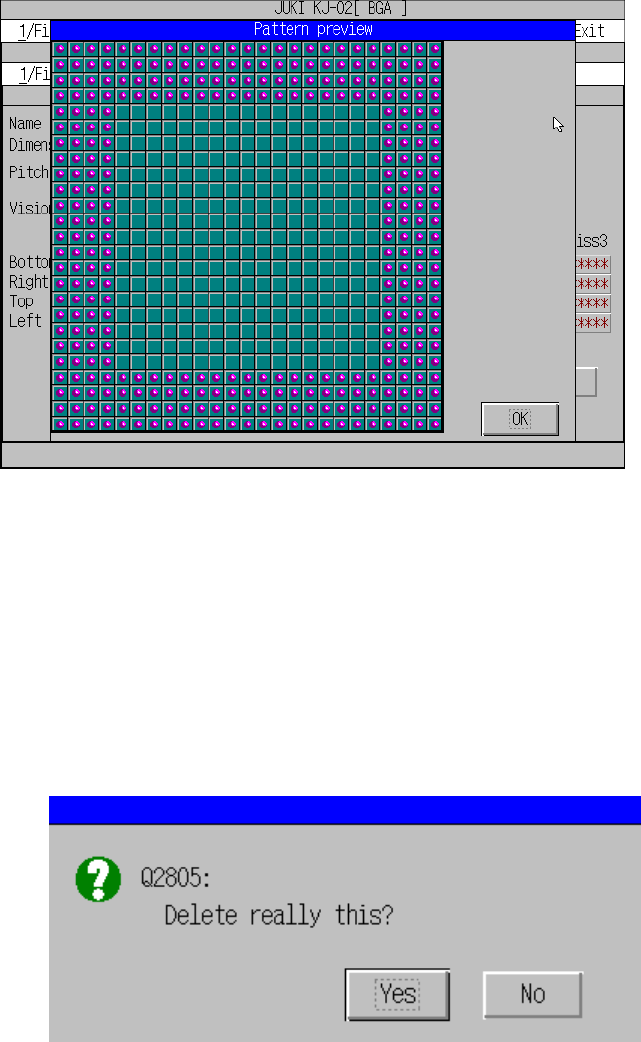
(1) Preview
This function checks the pattern already created immediately.
Figure 6.5.4.2.2 Ball pattern preview
(2) Deleting a pattern
If you try to delete the pattern data being used in the Vision data, the following
confirmation message appears. When you execute this delete function, the
pattern selection in the BGA vision data becomes invalid. When you click “OK”,
the pattern is deleted. When you click “Cancel”, the delete operation is canceled.
Figure 6.5.4.2.3Ball pattern delete confirmation message
6 − 39
6.5.4.3 Specifying the ball pattern size and name
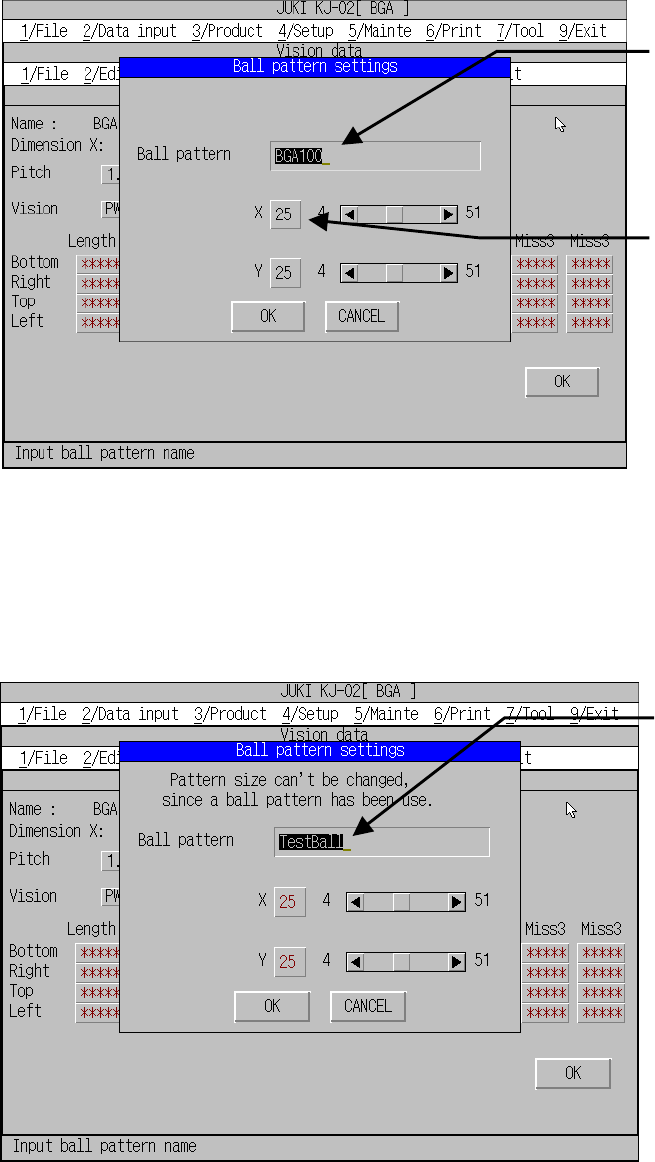
(1) Entering the ball pattern size and the pattern name
Set the pattern name and pattern size when you are to create new pattern data
or modify the created data.
Figure 6.5.4.3.1 Ball pattern setting dialog box
If the pattern is used in the BGA vision data also, only its name can be changed.
To change the size, cancel the pattern reference performed in the vision data (such
as selecting the default pattern as the ball pattern) first.
Figure 6.5.4.3.2 Ball pattern setting dialog box
(for the pattern being used in the Vision data)
Enter the pattern name.
A
t lease one character to up
to 25 characters are allowed
as a pattern name.
Specify the pattern size:
length and width in the
range from 4 to 51.
Only the pattern name
can be changed.
After changing, the
pattern name is
changed in the Vision
data too automatically.
6 − 40
6.5.4.4 Creating a ball pattern image
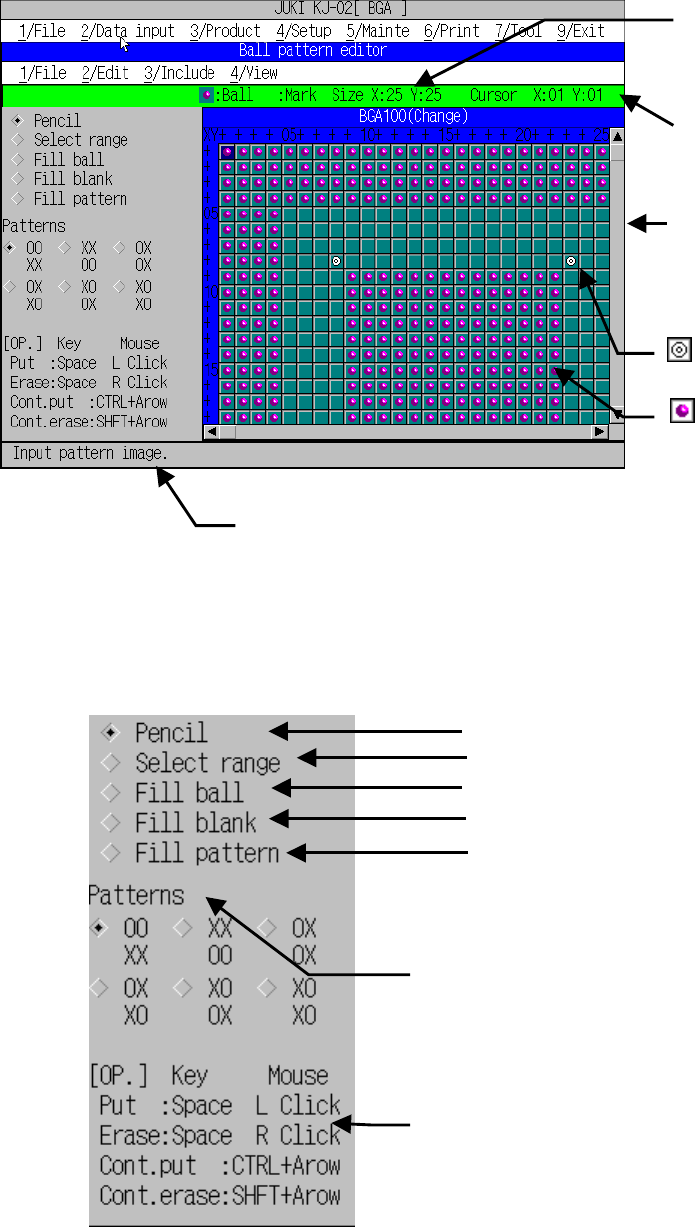
Create the actual pattern on the following editor screen.
Figure 6.5.4.4.1 Ball pattern editor
Enlarged image of the action setting window
• Setting an index mark
If there is an index mark within the ball pattern, assign its mark position on the
cell so that the system cannot recognize it as a ball.
Size:
Maximum size of this pattern
(length and width)
Cursor coordinate:
Current cursor position
Drawing window:
Window for drawing a
pattern image
Index mark
Ball
Action setting window:
Window for setting the drawing actions
Draws a picture in dots and like.
Specifies the area to be cut or pasted.
Fills the selected area with balls.
Fills the selected area with blanks.
Fills the selected area with the special
patterns.
Selects the specified pattern
(effective only if the “Pattern fill” is selected).
2 x 2 squares of pattern image O: with balls
X: with no ball
(Useful if you draws a cross pattern at a time.)
Operation help
Displays the help information corresponding to the
ti h d t d