KJ-01.02.Instruction Manual.REV.02.pdf - 第203页
5 − 107 5.7.2.7 Fi nishing measurements W hen y ou click t he <OK> button or <CANCEL> button on the “ Measurement” conditions setting screen, the m achine finishes measur ing a component , and the head moves …
5 − 106
5.7.2.5 Manual input
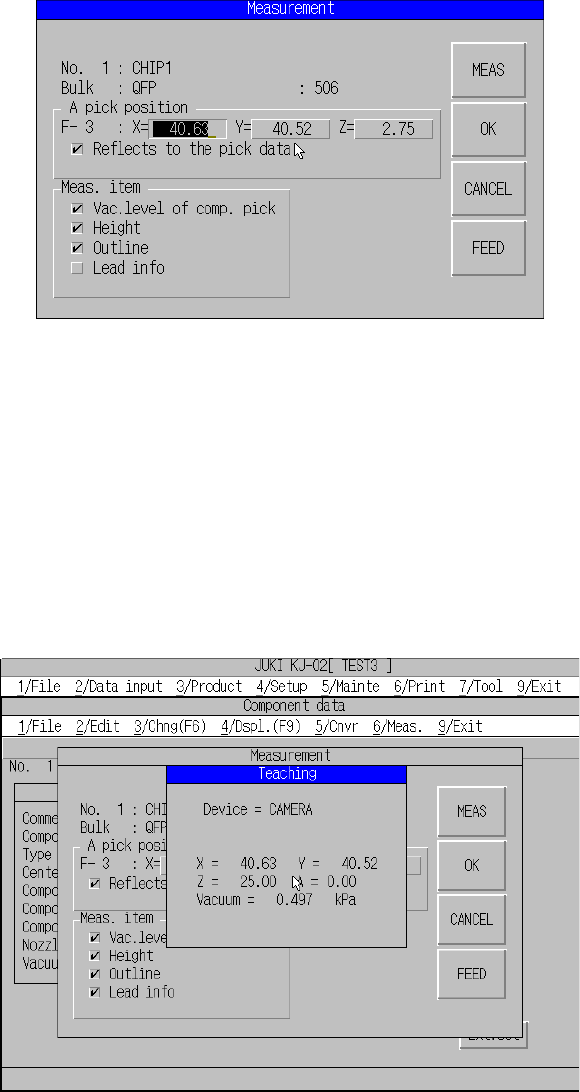
Measurement conditions screen.
The pick position can be input on the Measurement conditions screen.
When you press the Meas. button, measurement starts at the pick position set here. If
“Reflects to the pick data” is checked, the pick position can be stored as the Pick data.
Note: Any Pick data is not set if the component is supplied with the tray.
5.7.2.6 Teaching
Teaching of the pick position is possible on the Measurement conditions screen.
Figure of Teaching Screen
You cannot enter the XY and Z values at the same time.
To enter the XY values, set the input focus to X or Y.
To enter the Z value, set the input focus to Z.
When you press the Meas. button, measurement starts at the pick position set here. If
“Reflects to the pick data” is checked, the pick position can be stored as the Pick data.
Note: Any Pick data is not set if the component is supplied with the tray.
5 − 107
5.7.2.7 Finishing measurements
When you click the <OK> button or <CANCEL> button on the “Measurement”
conditions setting screen, the machine finishes measuring a component, and the
head moves to the waiting position.
− When you click the <OK> button
The machine stores the obtained component measurement result to the
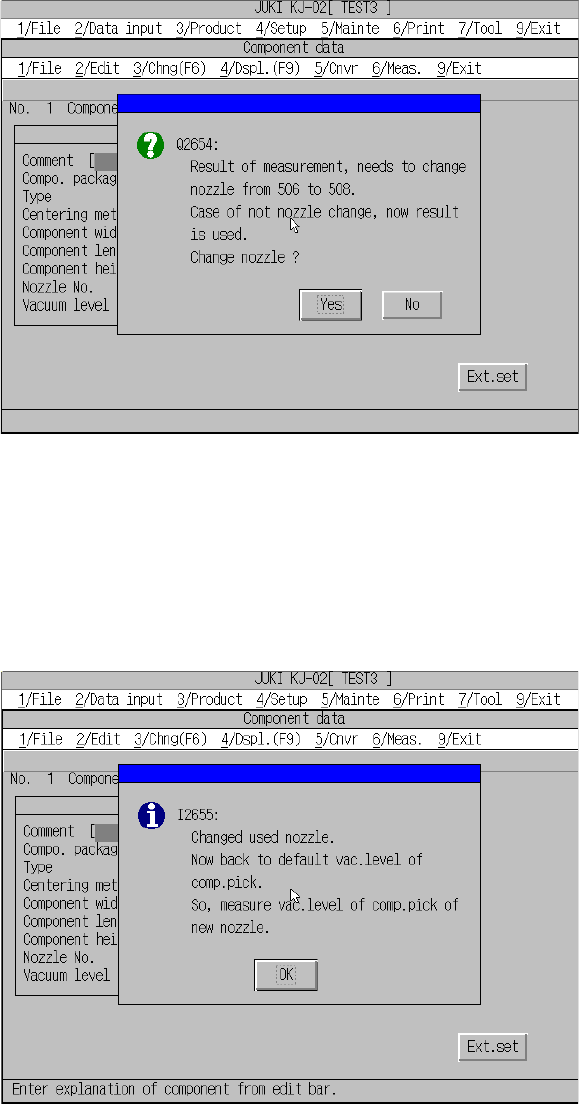
Component data. At this point, the machine may display the question message
that asks you to change a nozzle depending on the measured dimensions of the
component.
Figure Change nozzle question message
When you click the <Yes> button on the question message above, the nozzle
change confirmation screen appears, and the nozzle appropriate to the measured
component is selected. Note that the component pick-up vacuum pressure is reset
to the default value at this point.
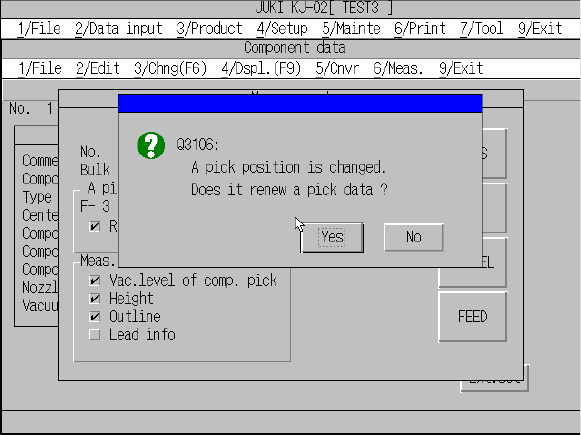
When you click the <OK> button on this confirmation message screen, the
Component data screen reappears. Measure the component again.
Change nozzle confirmation screen
5 − 108
When you click the <No> button on the nozzle change question message, the
measurement result is stored to Component data without changing the current
nozzle.
If you have checked the check box “Reflects to the pick data” and changed the
component pick-up position, the machine displays the pick-up position change
confirmation dialog box. Select whether the changed pick-up position is valid or
not.
When you select it, the Component data screen reappears.
Pick-up position change confirmation dialog box
− When you click the <CANCEL> button
The obtained measurement result becomes invalid, and the Component data
screen reappears.