KJ-01.02.Instruction Manual.REV.02.pdf - 第79页
4 − 8 Figure 4.3.8 Machine setup initial screen (8) T o chang e the setting of each it em, select [1/ Set up] of the menu bar . The units f or leng th and pressur e are the param eters set with [1/ Units of measure] of […
4 − 7
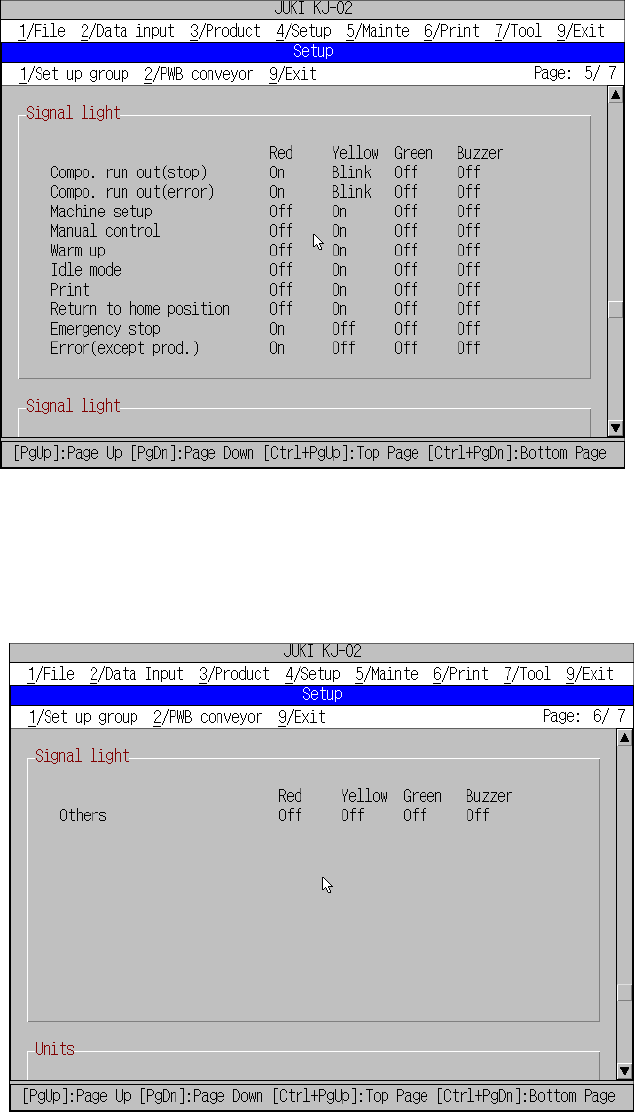
Figure 4.3.6 Machine setup initial screen (6)
Figure 4.3.7 Machine setup initial screen (7)
4 − 8
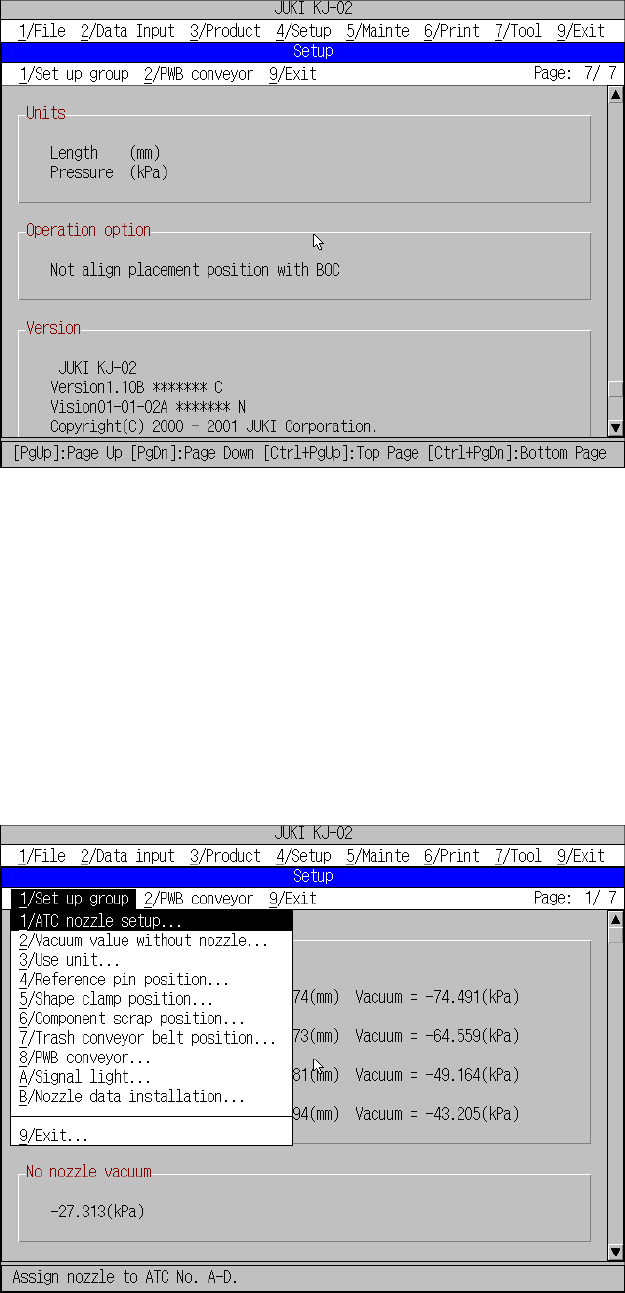
Figure 4.3.8 Machine setup initial screen (8)
To change the setting of each item, select [1/ Set up] of the menu bar.
The units for length and pressure are the parameters set with [1/ Units of measure] of
[4/ Setup].
The initial screen reappears when you press the OK button after having set
parameters with [1/ Setup Group].
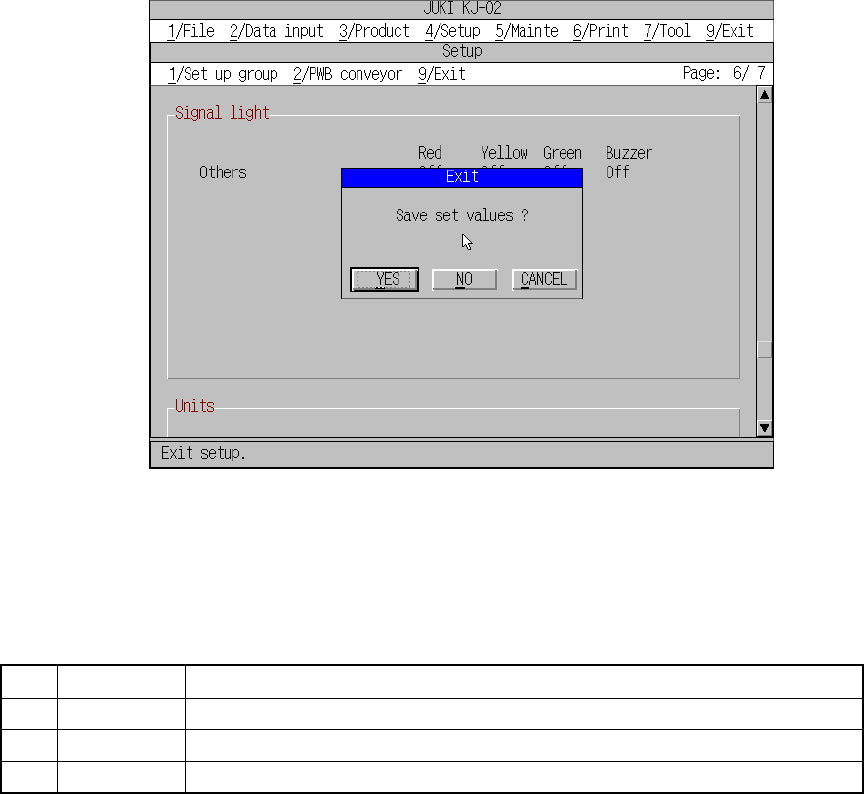
(2) The available commands are pulled down when [1/ Setup group] is selected from
the menu bar.
Figure 4.3.9 Setup group commands
During command selection from the machine setup group, the command
summary will not appear on the message line.
Current setting for
[Units],
[Operation opton],
[Version].
4 − 9
(3) Saving the settings
Although push buttons “OK” and “Cancel” are available with each setting group,
pressing the OK button will not save the data to the Flash memory.
If [9/ Exit] is selected from [9/ Exit] displayed on the menu bar, or if [9/ Exit] is
selected from the [1/ Set up group] menu, a dialog box appears asking you
whether you save the settings or not. The setting data is saved to the Flash
memory if you answer “Yes”.
Figure 4.3.10 Save confirmation screen
Table 4.3.2 Save confirmation buttons
No. Button
Effect
1 Yes Saves the setting data to the Flash memory and quits the machine setup mode.
2 No Cancels the setting data and quits the machine setup mode.
3 Cancel Cancels the exit command.