KJ-01.02.Instruction Manual.REV.02.pdf - 第58页
3 − 1 CHA PTER 3 OPERA TION CHECK 3.1 Installation Check CA UTION Check that the machine is level ly ing completely flat on the floor . Check that the lock nuts are tightened securely on t he four feet of the machine. Ch…
2 − 7
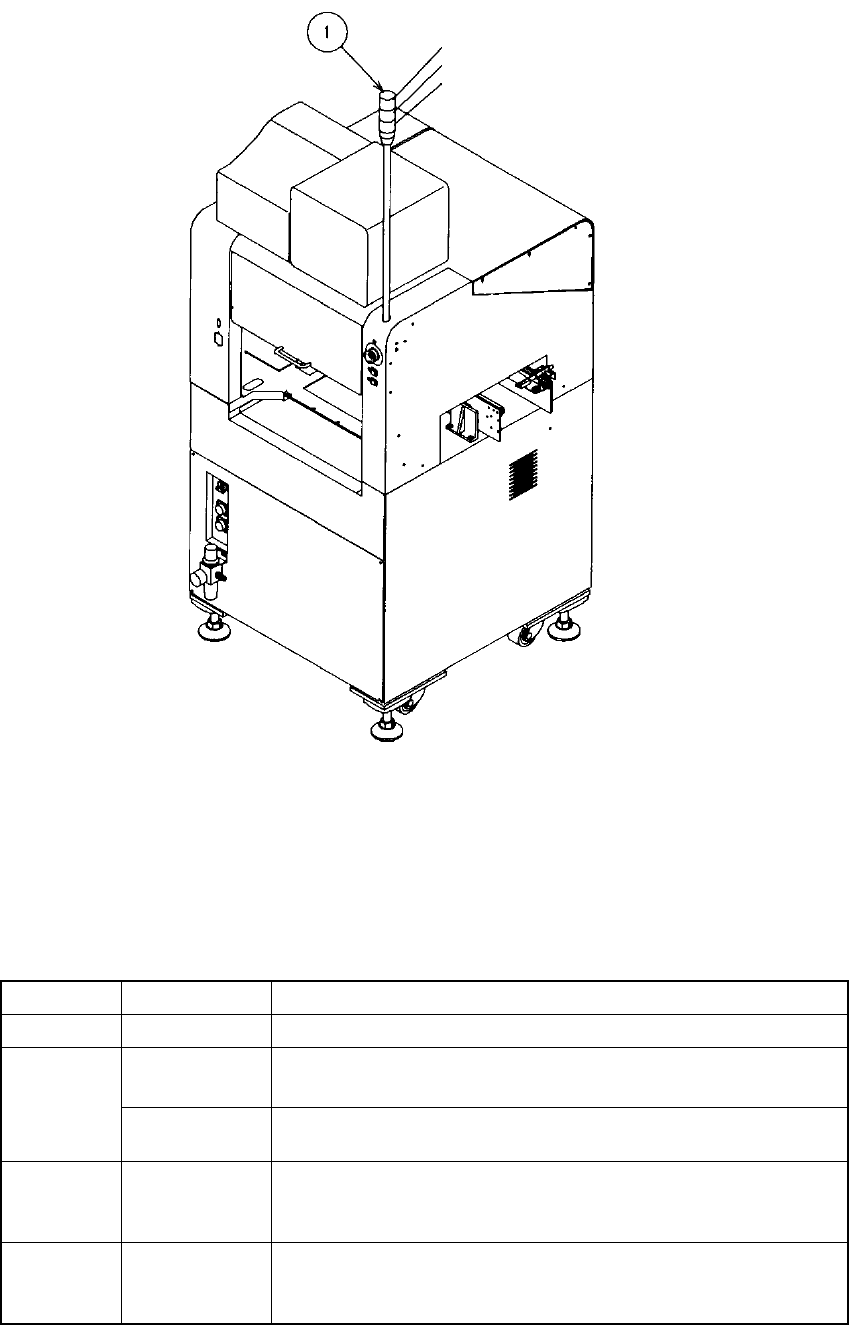
2.2 Rotary Beacon Tower (Signal Lights)
Figure 2.2.1
The following table lists the functions (factory-settings) of the three colored lamps of
the rotary beacon tower ①. At the machine setup, however, these can be changed as
you desire (See Section 4.3.8).
Color Condition Function
Green Lit
• Production in progress
Lit
• In Manual mode, program data is being created.
• The machine pauses during production.
Yellow
Flashing
• Components running out during production (Production can
continue.)
Red Lit
• Emergency stop or an error occurs.
• The machine cannot continue producing a board due to no
component available.
All lamps Lit
• Waiting for the production START key to be pressed in Production
mode.
• Production completed normally, in Idle or other mode
Red
Yellow
Green
3 − 1
CHAPTER 3 OPERATION CHECK
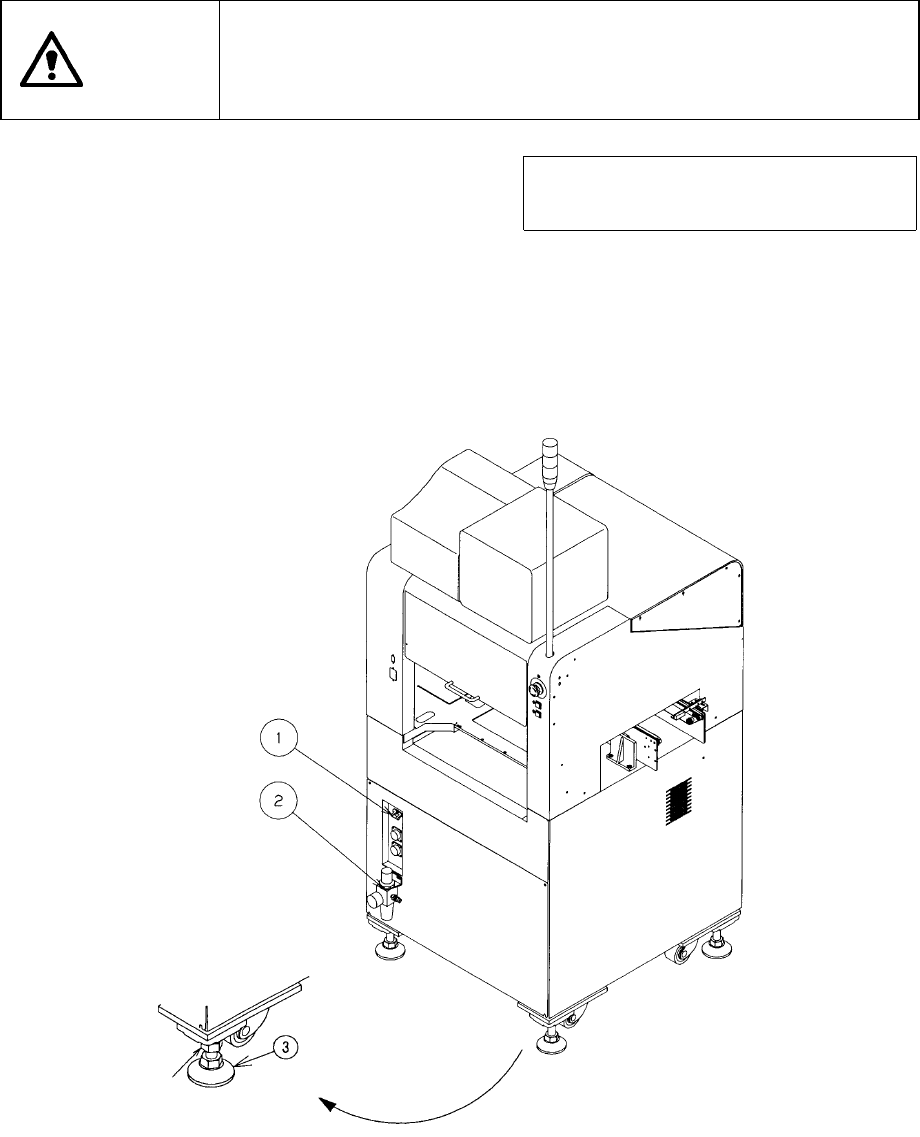
3.1 Installation Check
CAUTION
Check that the machine is level lying completely flat on the floor.
Check that the lock nuts are tightened securely on the four feet of the
machine.
Check that correct electrical power and air are supplied to the machine.
Note: To avoid the laser sensor detection
error, install the machine where not
subject to direct sunlight.
① Circuit breaker
② Filter regulator
③ Adjuster
Figure 3.1.1
3 − 2
3.2 Turning Power ON
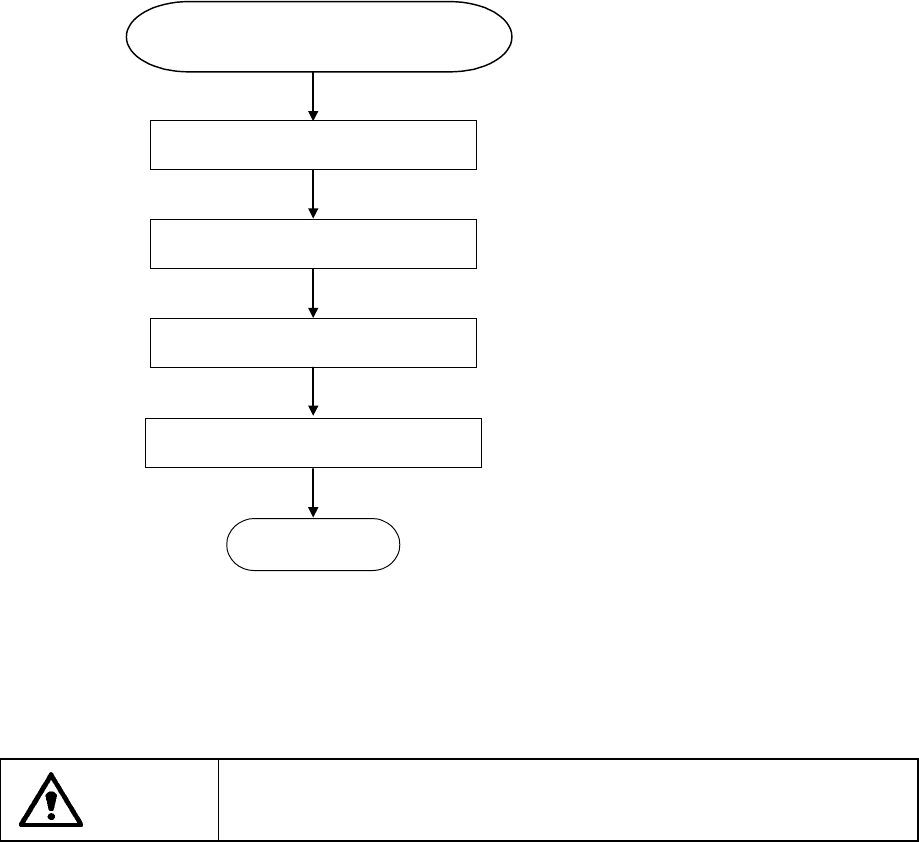
3.2.1 Operation sequence from power-on
Turn on the power switch (breaker).
Press the Î
}
Í key.
To execute the warm-up operation,
select 5/[Warm-up] from
1/[Maintenance] which is selected
from the main menu.
Figure 3.2.1
CAUTION
Never operate the machine with any power voltages other than those
specified by the company.
Power ON
Menu on display
Zeroing
Select warm-up
READY
Operation sequence from