KJ-01.02.Instruction Manual.REV.02.pdf - 第96页
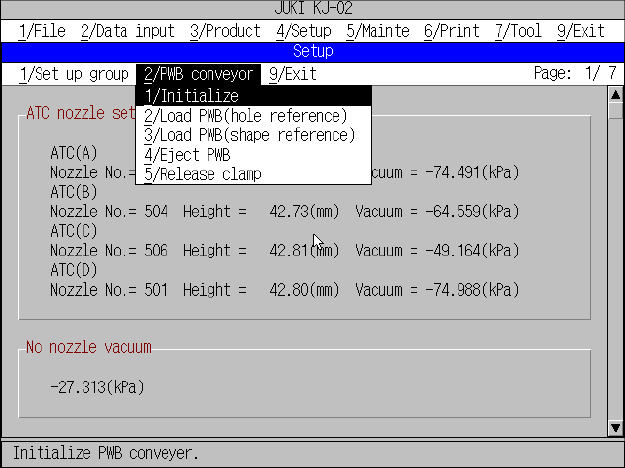
4 − 25 4.3.11 PWB convey or W hen y ou want to transport a board, select the [2/PW B convey or] com mand on the menu bar (see Fig ure 4.3. 1 1.1) . Figure 4.3. 1 1.1 “PWB convey or” dialog box (1) PW B conv eyor commands…
4 − 24
When the machine finishes searching a nozzle data file through the inserted floppy
disk, the screen shown in Figure 4.3.10.4 appears on the screen.
Figure 4.3.10.4 Quit of nozzle data installation screen
You have finished installing nozzle data to the machine here. You can use the
installed nozzle data on the ATC nozzle setup screen or Component data screen.
4 − 25
4.3.11 PWB conveyor
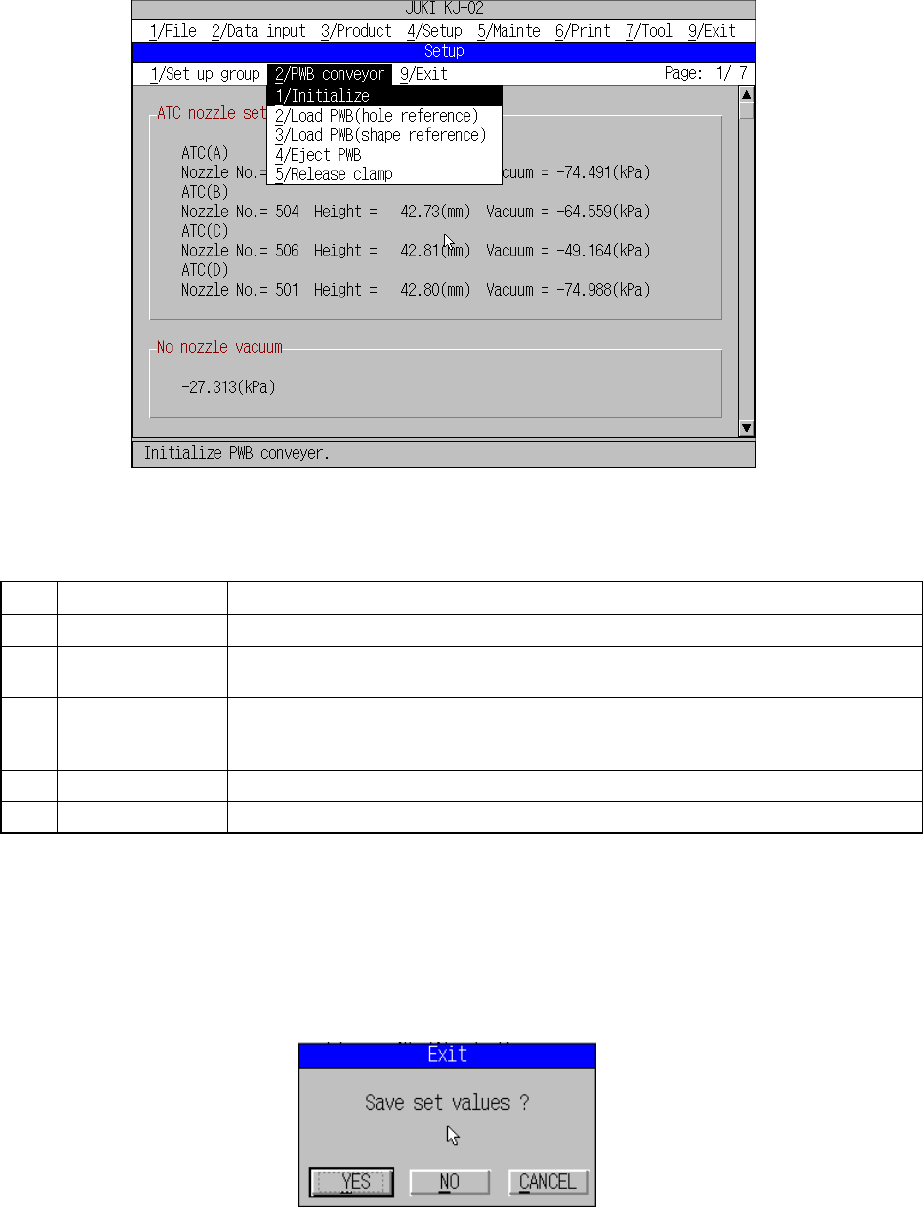
When you want to transport a board, select the [2/PWB conveyor] command on the
menu bar (see Figure 4.3.11.1).
Figure 4.3.11.1 “PWB conveyor” dialog box
(1) PWB conveyor commands
No. Command Description
1 Initialize Initializes the PWB conveyor.
2 Load PWB
(hole reference)
Loads a board with regarding the pin as the reference position.
If any board is clamped already, the machine ejects it before loading a new board.
3 Load PWB
(shape reference)
Loads a board with regarding the board edges as the reference positions.
If any board is clamped already, the machine ejects it before loading a new board.
(The machine will not function if it is not equipped with any shape reference option.)
4 Eject PWB Ejects a board.
5 Release clamp Releases the clamped board only.
If the item “Conveyor connect” is not checked on the “Use unit” screen, these
commands are disabled.
4.3.12 Exit
Select [9/ Exit] from the menu bar, and complete the machine setup sequence.
Figure 4.3.12.1 Machine setup exit screen
For operations after this, see 4.3 (3) “Saving the settings”.
5 − 1
CHAPTER 5 DATA ENTRY PROCEDURE
5.1 File Operation Procedure
Table 5.1.1 lists the maximum number of production program files that can be stored in
each of the storage media available with the machine.
Table 5.1.1 Number of production program files to be stored
No. Storage Drive No. No. of files (Storage capacity)
1 Hard disk C Approx.150 (16 Mbyte)
2 Current memory
1
3 Floppy disk A Depends on disk capacity (1.44 Mbyte)
The machine handles only files whose extension is “J1” (created with a KJ-01), “J2”
(created with a KJ-02), “G3C” (created with a KE-750), or “G3G” (created with a
KE-760).
The machine can read component names of PWB data, Placement data or
Component data created with KE-series machines also. Note that the machine may
not read a component name of some production programs created with a KE series
machine correctly.
(1) Immdediately after starting
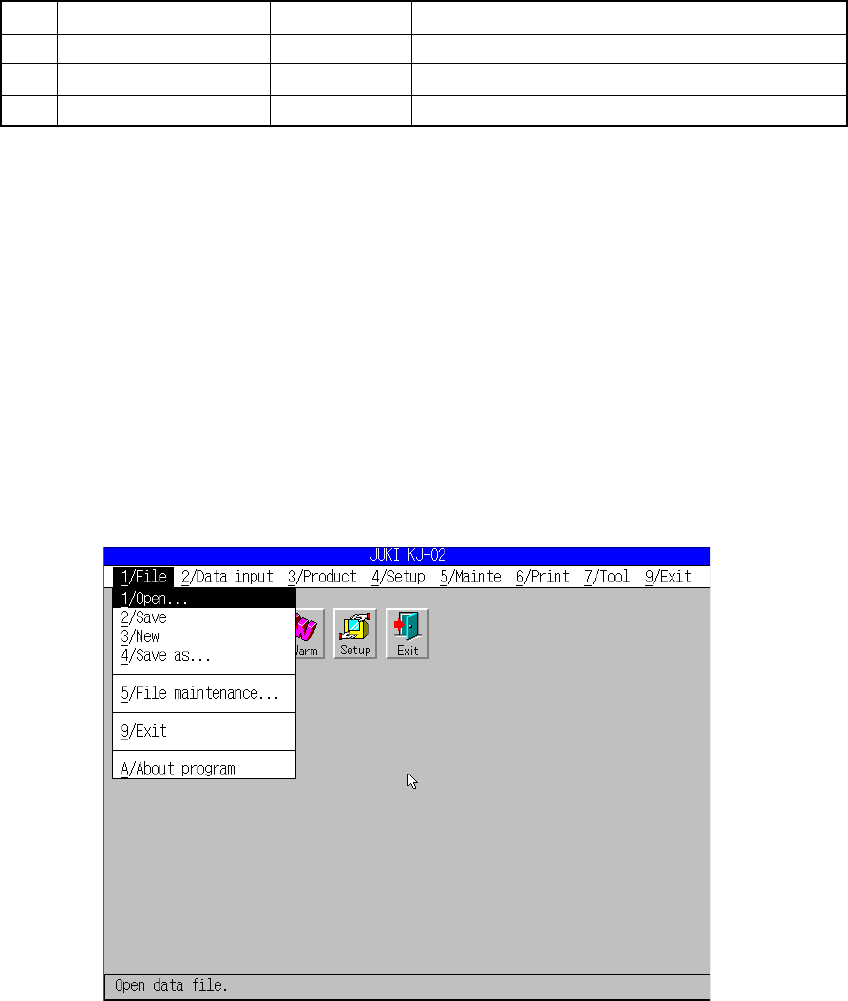
A screen appears as shown in Figure 5.1.1 when [1/ File] is selected from the
menu bar.
Figure 5.1.1 File menu commands