KJ-01.02.Instruction Manual.REV.02.pdf - 第337页
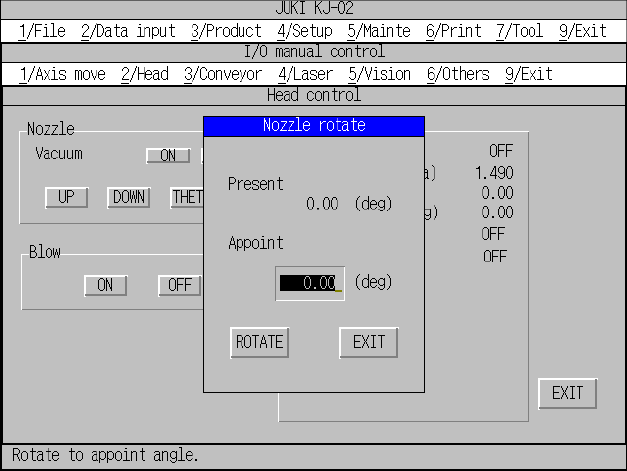
10 − 12 Figure 10.4.2. 2 “Nozzle rotate” dialog box
10 − 11
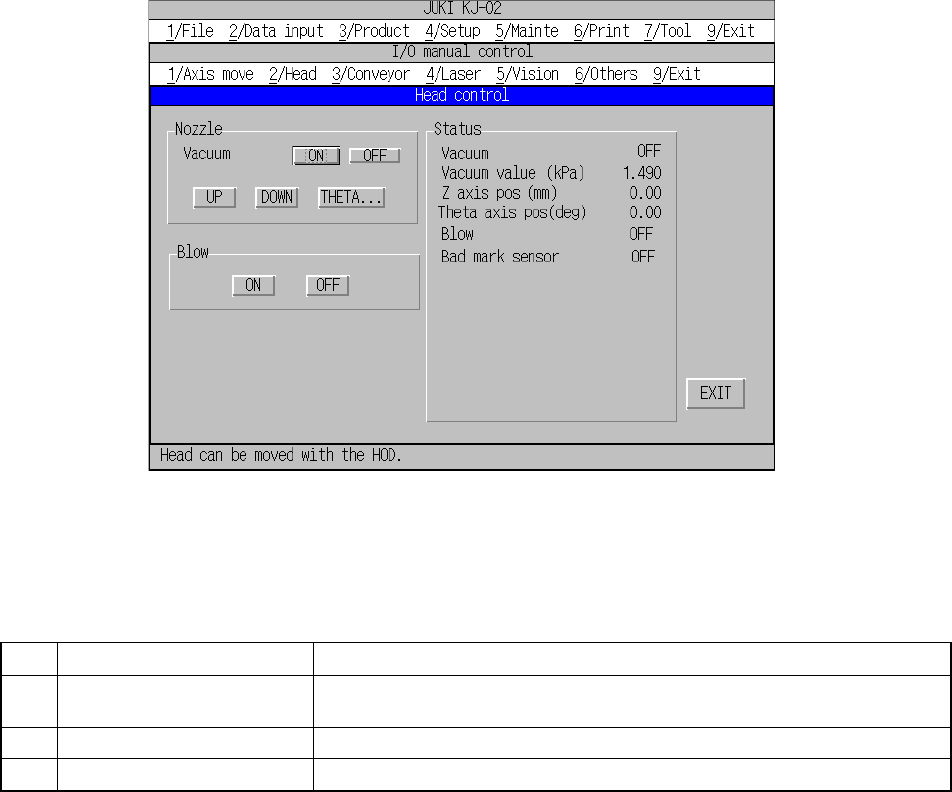
10.4.2 Head control
When you select the [2/Head] command on the menu bar, and then the [1/Head
control] command, the dialog box for controlling the head appears as shown in Figure
10.4.2.1.
Each command is described on Table 10.4.2.1.
Figure 10.4.2.1 “Head control” dialog box
Table 10.4.2.1 Description of each command
No. Command Description
1 Nozzle Turns on/off the vacuum condition (ON/OFF), moves the Z-axis
(UP/DOWN) and rotates a nozzle (by the specified angle).
2 Blow Enables a nozzle to blow or not (ON/OFF).
3 Status Displays the each operation control condition and sensor condition.
When you select a button displayed on the dialog box above, the machine controls its
corresponding operation. When you use a keyboard only, press the ENTER key.
When you use a trackball, click the desired button. The control condition is
displayed in real time.
When you click the <THETA> button, the dialog box for rotating a nozzle appears on
the screen as shown in Figure 10.4.2.2. Enter the angle, and then click the
<ROTATE> button. The machine starts rotating the nozzle by the angle you
specified.
10 − 12
Figure 10.4.2.2 “Nozzle rotate” dialog box
10 − 13
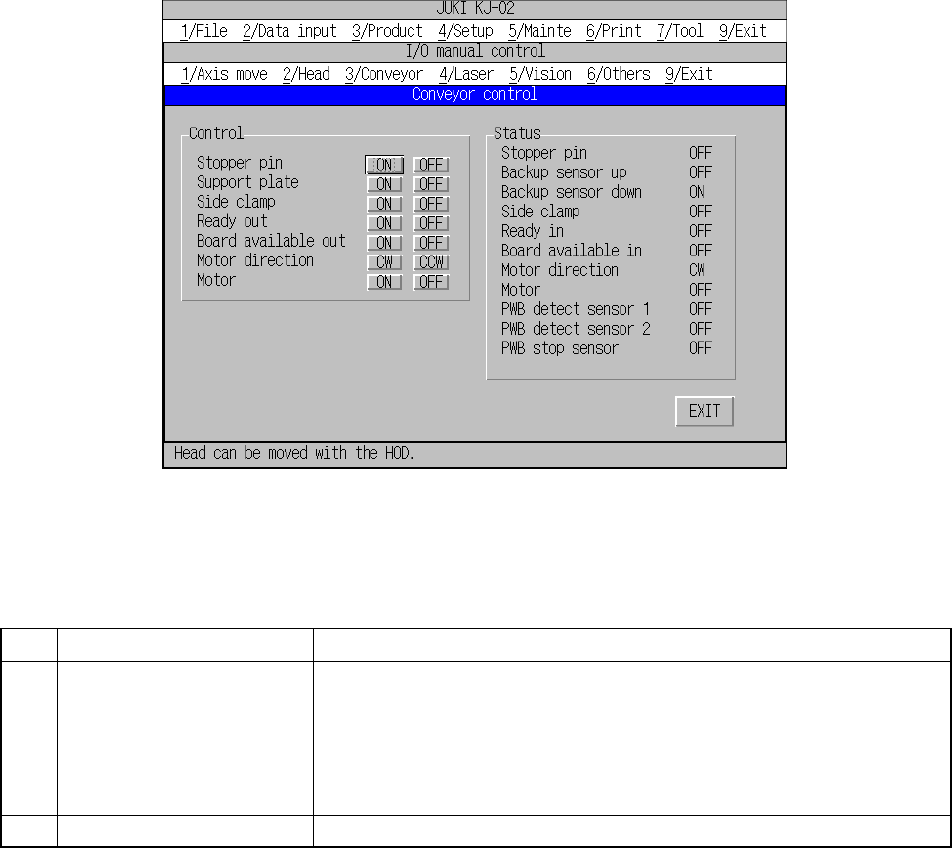
10.4.3 Conveyor control
When you select the [3/Conveyor] command on the menu bar, and then the
[1/Conveyor control] command on the displayed menu, the dialog box for controlling
the PWB transport system appears on the screen as shown in Figure 10.4.3.1.
Each command is described on Table 10.4.3.1.
Figure 10.4.3.1 “Conveyor control” dialog box
Table 10.4.3.1 Description of each command
No. Command Setting/displayed items
1 Control Stopper pin (ON/OFF)
Support plate (ON/OFF)
Side clamp (ON/OFF)
Ready out (ON/OFF)
Board available out (ON/OFF)
Motor direction (CW/CCW)
Motor (ON/OFF)
2 Status Displays each operation control condition and the sensor condition.
When you click a button displayed on the dialog box above, and press the ENTER
key of a keyboard or click the trackball, the system starts controlling the
corresponding operation.
The controlled condition is displayed in real time.