KJ-01.02.Instruction Manual.REV.02.pdf - 第172页
5 − 76 <3> Chng (Change) menu ( F6) T he operation is t he same as that for the PW B data. <4> Dspl. (Display) menu T his command is used t o change the or der of display of the com ponent data fr om f orm to…
5 − 75
(2) Delete
① Operation
If the component at the cursor line is not listed in the placement data,
delete that data.
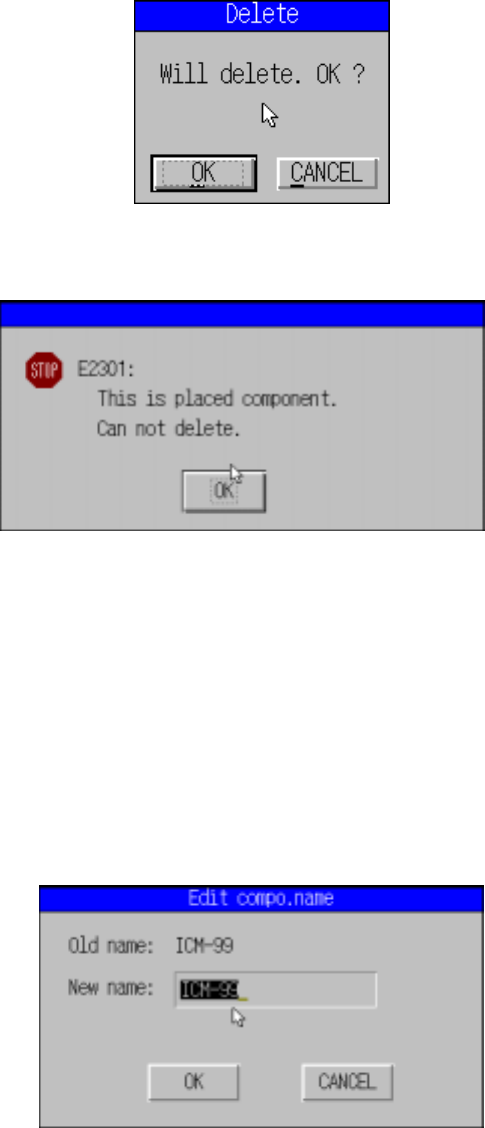
After the data has been deleted, either of the following dialog boxes
appears depending on the situation.
Figure 5.5.2.2 Dialog box confirming deletion
Figure 5.5.2.3 Dialog box informing deletion is not possible
The cursor stays at the same position after “delete” has been executed. The
data below the deleted line moves up by one line.
(3) Component name
① Operation
This operation changes the component name registered in the
Component data currently displayed on the Component data screen.
Figure 5.5.2.4 Edit compo. name dialog box
5 − 76
<3> Chng (Change) menu (F6)
The operation is the same as that for the PWB data.
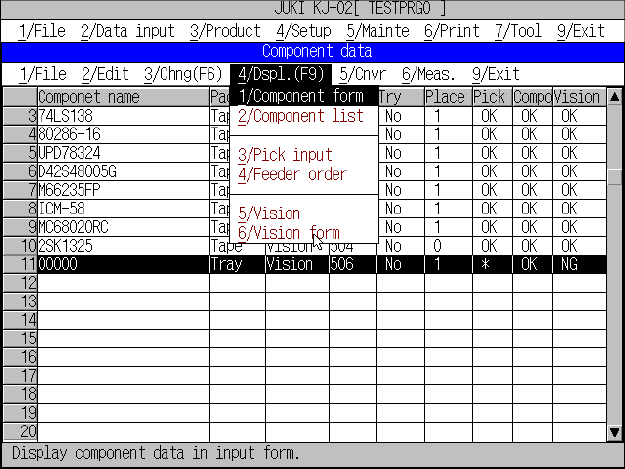
<4> Dspl. (Display) menu
This command is used to change the order of display of the component data
from form to list format and vice versa.
In the list display, only the contents of data can be referred and no data can be
edited.
Figure 5.5.2.5 Component data list screen
(1) Operation
When the display is changed from form to list, the data shown in the form
display will be located at the center of the list display.
The list data scrolls upward or downward with the up and down cursor keys.
The screen scrolls up and down when the cursor is on the top and bottom
line, respectively.
The display changes to “form” showing the line at the cursor when the
ENTER key is pressed.
5 − 77
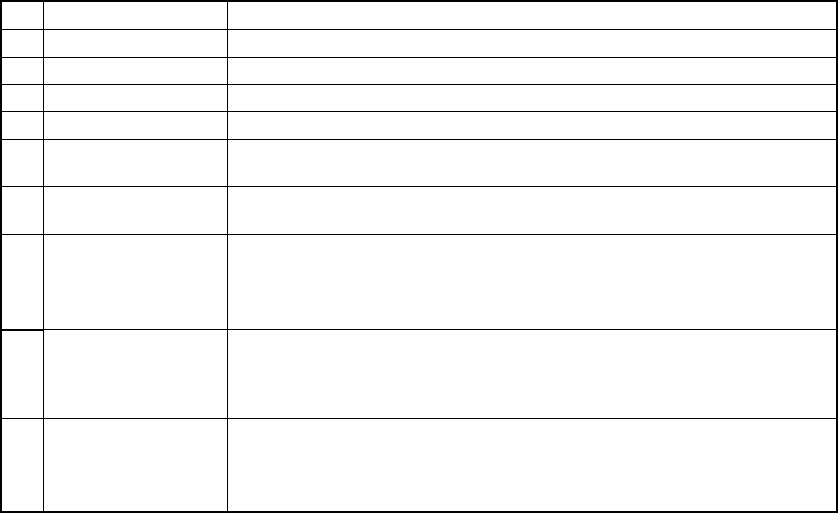
(2) Display items
No. Item Description
1 Component name Displays the component name list.
2 Pack. Displays the packaging style list.
3 Ctrg Displays the centering method list.
4 Nzl. Displays the available nozzle number list.
5 Try Displays the menu that asks you whether to perform a trial operation or
not.
6 Place Shows the number of placements of this component (by referring to the
placement data).
7 Pick Represents the level of completion of all pick data of the applicable
component.
"OK" denotes all the pick data of the applicable component is completed,
while "NG" denotes any pick data is incomplete
8 Compo
Represents the level of completion of all pick data of the applicable
component.
"OK" denotes all the pick data of the applicable component is completed,
while "NG" denotes any pick data is incomplete
9 VIsion When “VCS” is selected as the centering method, this column indicates
whether Vision data is completely created or not. If completed, “OK”
appears. Otherwise, “NG” appears. When “Laser align” is selected as
the centering method, “**” appears on this column.
<5> Cnvr (Conveyor) menu
This command loads and unloads the PWBs.
The operation is the same as that for the PWB data.
<6> Meas. (Measurement) menu
For details, see “Measurement menu”.
<7> Exit menu
The same as the production end of PWB data.