KJ-01.02.Instruction Manual.REV.02.pdf - 第358页
12 − 1 CHA PTER 12 OTHER FUNCTIONS 12.1 Emergency Stop (1) Emerg ency Stop switch The machine has t wo Emergency Stop switch: each on the fr ont and rear sides of t he machine. (2) Oper ation W hen y ou press either of t…
11 − 11
11.2.1.8 Paper out error
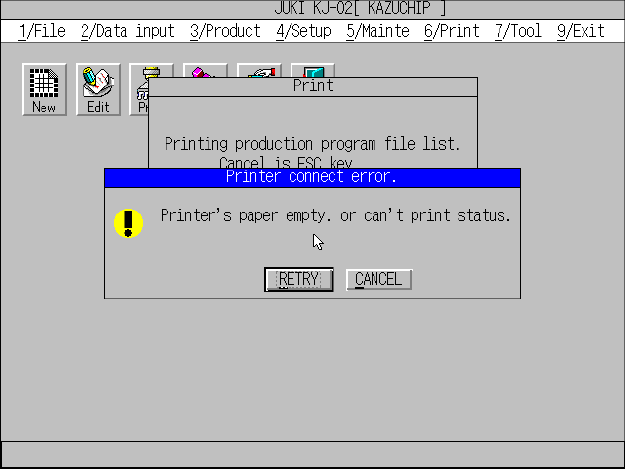
① When the printer runs out paper during printing, it stops printing, and the
message screen appears as shown in Figure 11.2.1.8.1.
Figure 11.2.1.8.1 Paper out message (Screen example when you use a KJ-02)
② Replenish the printer with paper, and click the <RETRY> button. The printer
restarts printing.
③ When you click the <CANCEL> button, the main menu reappears, and the
printer cancels printing the current data.
12 − 1
CHAPTER 12 OTHER FUNCTIONS
12.1 Emergency Stop
(1) Emergency Stop switch
The machine has two Emergency Stop switch: each on the front and rear sides
of the machine.
(2) Operation
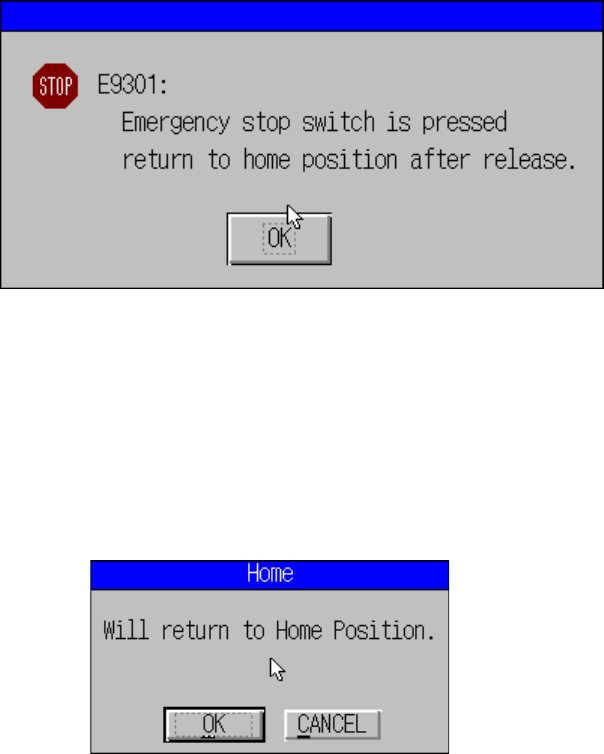
When you press either of these two Emergency Stop switches, the motor driving
power supply of the main unit is turned off. The dialog box indicating that the
Emergency Stop switch is pressed appears on the screen
(3) Continuing the current process
After releasing the Emergency Stop switch, you can continue the current process.
To do so, click the <OK> button displayed on the dialog box above or press the
ENTER key.
The machine displays the dialog box that asks you whether to return the axes of
the machine to their home position.
When you want to return the axes to their home positions, click the <OK> button.
12 − 2
12.2 Idle Mode
This mode is useful to use the machine as a board-transporting buffer to transport a
board.
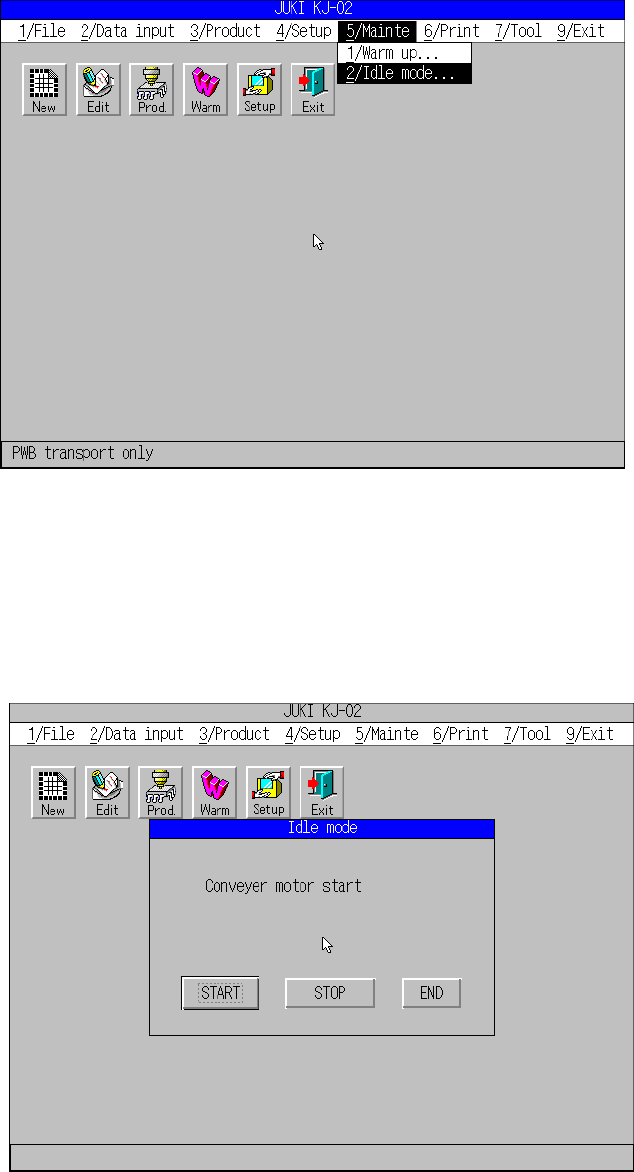
When you select the [5/Mainte] command from the main menu, and then the [2/Idle
mode] command, the “Idle mode” dialog box appears on the screen.
“Mainte” pull-down menu
When you select the [2/Idle mode] command, the following screen appears.
When you click the <START> button, the machine starts transporting a board in Idle
mode.