Hanwha SM481 PLUS Series Administrator’s Guide Eng.pdf.pdf - 第104页
4-22 Fast Flexible Placer SM481(L) PLUS Administ r ator’s Guide <Gantry> combo box Select the gan try to which the head to be tested belongs. <Head Inspecti on> group <Move all head to align he ight&…
4-21
Tools Shortcut Menu
<Find Surface Touch Z Height> button
It is used to check the Z axis height at the point in the work area according to the
selected device. It is enabled when selecting ‘Z’ in the <Axis> combo box.
<Origin> combo box
Select the method of choosing the reference origin. Selectable reference origin is as
follows.
Machine Logical: Assign the origin of equipment as a reference origin.
FeederBase Front (1): Assign the origin of the front feeder row as a reference origin.
FeederBase Rear (2): Assign the origin of the rear feeder row as a reference origin.
Status Indication Area
Indicates the information generated during manual operation.
<Park Front> button
Move the front gantry near to the front ANC, and the rear gantry near to the Y2 +
Limit position.
<Park Rear> button
Move the front gantry near to the Y1 + Limit position, and the rear gantry near to the
rear ANC.
4.7.2. Head Tab dialog box
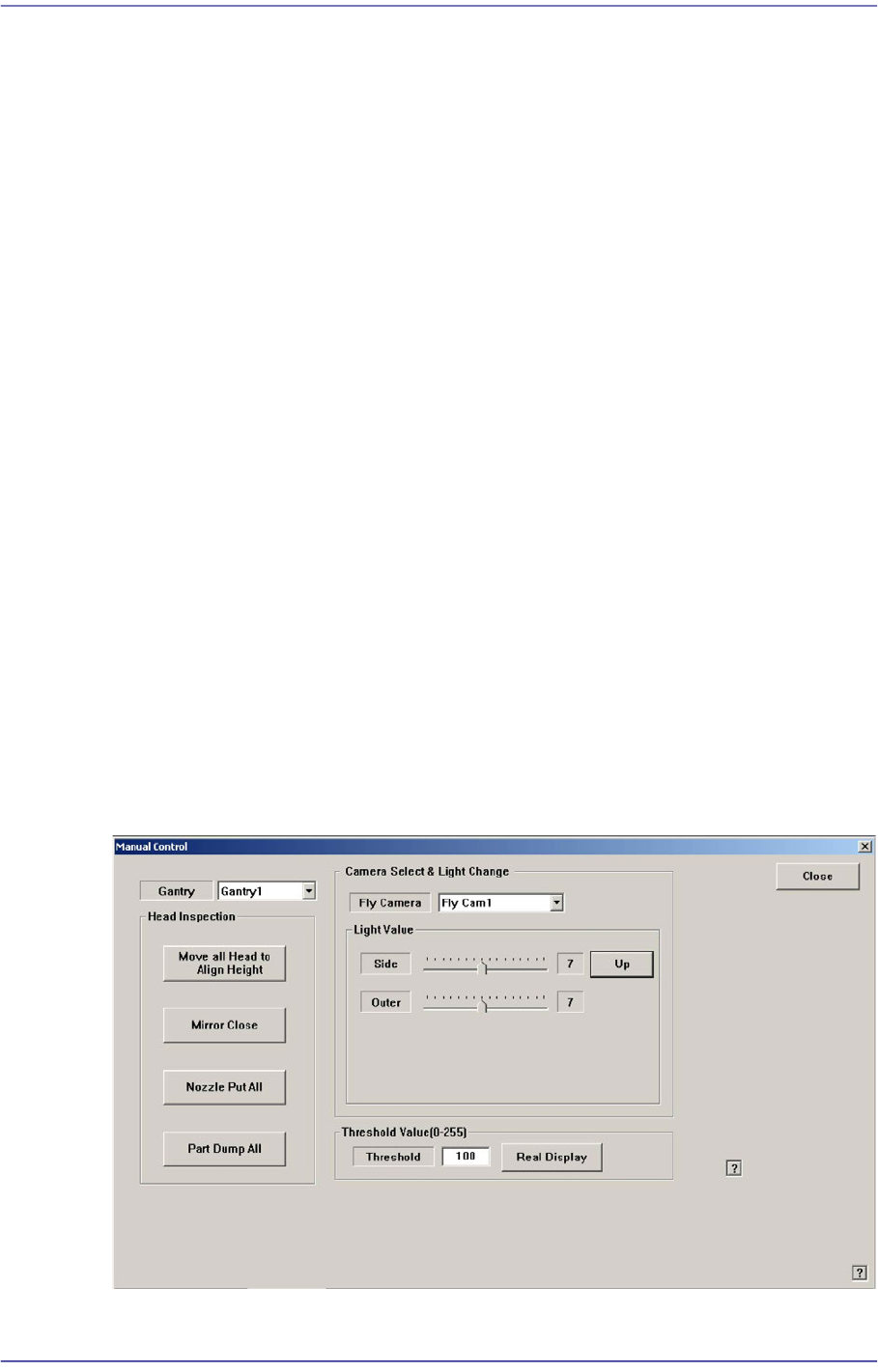
Performs setup of camera lighting or check of head operation by manually recognizing
parts with vision system.
Figure4.8 “Manual Control – Head” dialog box
4-22
Fast Flexible Placer SM481(L) PLUS Administrator’s Guide
<Gantry> combo box
Select the gantry to which the head to be tested belongs.
<Head Inspection> group
<Move all head to align height> button
Put the nozzle tip of the head at the align height for parts recognition.
<Mirror Open/Close> button
Open or close the mirror for parts recognition.
<Nozzle Put All> button
Return all nozzles placed at the head to the ANC.
<Part Dump All> button
Dump all the picked up parts at the dump box.
<Camera Select & Light Change> group
Set the illumination value of the fly camera. Select the fly camera whose illumination
is to be adjusted and adjust the slide bar in the <Light Value> group to adjust the
brightness.
<Threshold Value[0-255]> group
Images seen through SMVision consist of each pixel. In accordance with the
brightness, each pixel has a unique value ranging between 0 and 255. Here, ‘Threshold
Value’ signifies the border value determining whether each pixel should be recognized
in white or black. In the above figure, MMI is setup to be recognized as white when
the value is 100 or higher, and black when the value is less than 100.
<Real Display/Binary> button
Shows the image seen through SMVision in real display as seen by the naked eye
or binary image recognized by MMI.
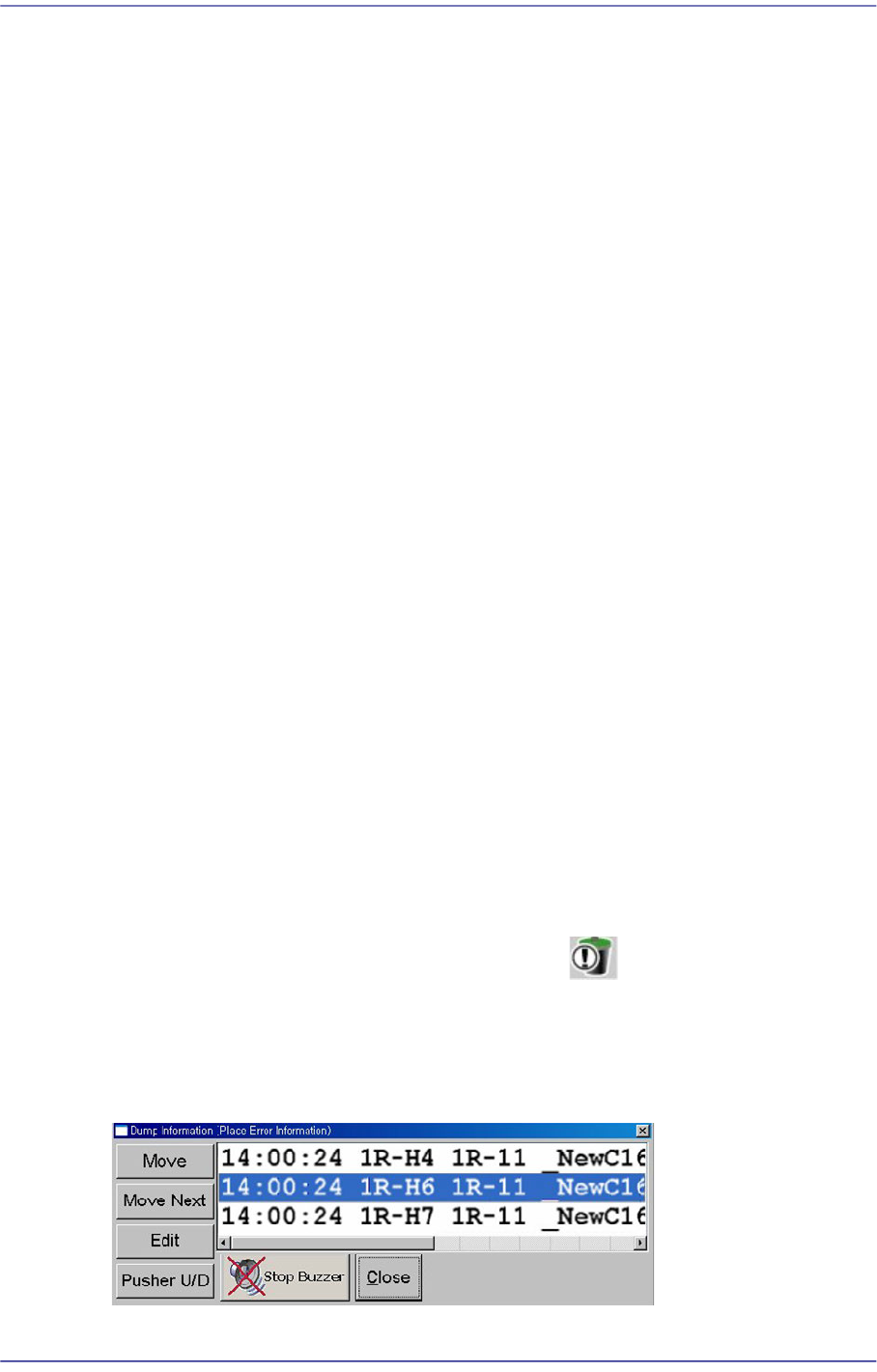
4.8. Dump Information (Place Error Information)
Used for confirming the message window indicating the contents on the abandoned parts
by placement error and feeder.
Figure4.9 “Dump Information (Place Error Information)” dialog box
4-23
Tools Shortcut Menu
<Move> button
Moves the fiducial camera to the position at where an error has occurred.
<Move Next> button
Moves the fiducial camera to the position at where an error has occurred.
<Edit> button
Used to open the “Feeders” dialog box and edit the data related to the tape feeder, stick
feeder and tray feeder. For further details, refer to “8.1 Feeder [F4]”.
<Pusher U/D> button
Selects the feeder to which an error occurred in the list box for feeding.
Button
Stops the sound of the buzzer.
<Close> button
Close the corresponding dialog box.
4.9. Part Dump All
Used for dumping all the parts picked up by the head in the dump box.
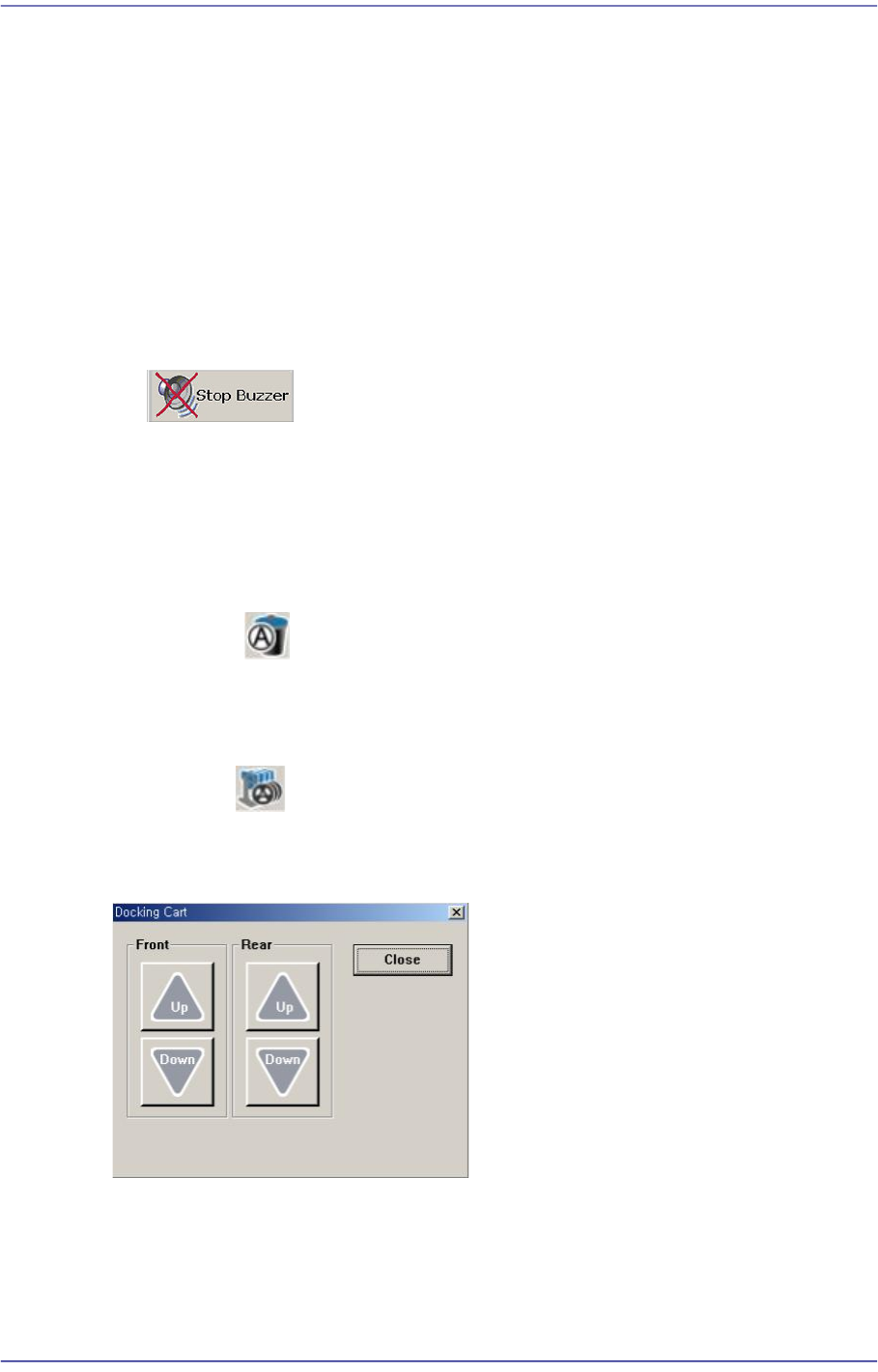
4.10. Docking Cart
Used to manipulate the movement of the front or rear side docking cart clamp when
applying the docking cart to the machine. Docking cart is option.