Hanwha SM481 PLUS Series Administrator’s Guide Eng.pdf.pdf - 第541页
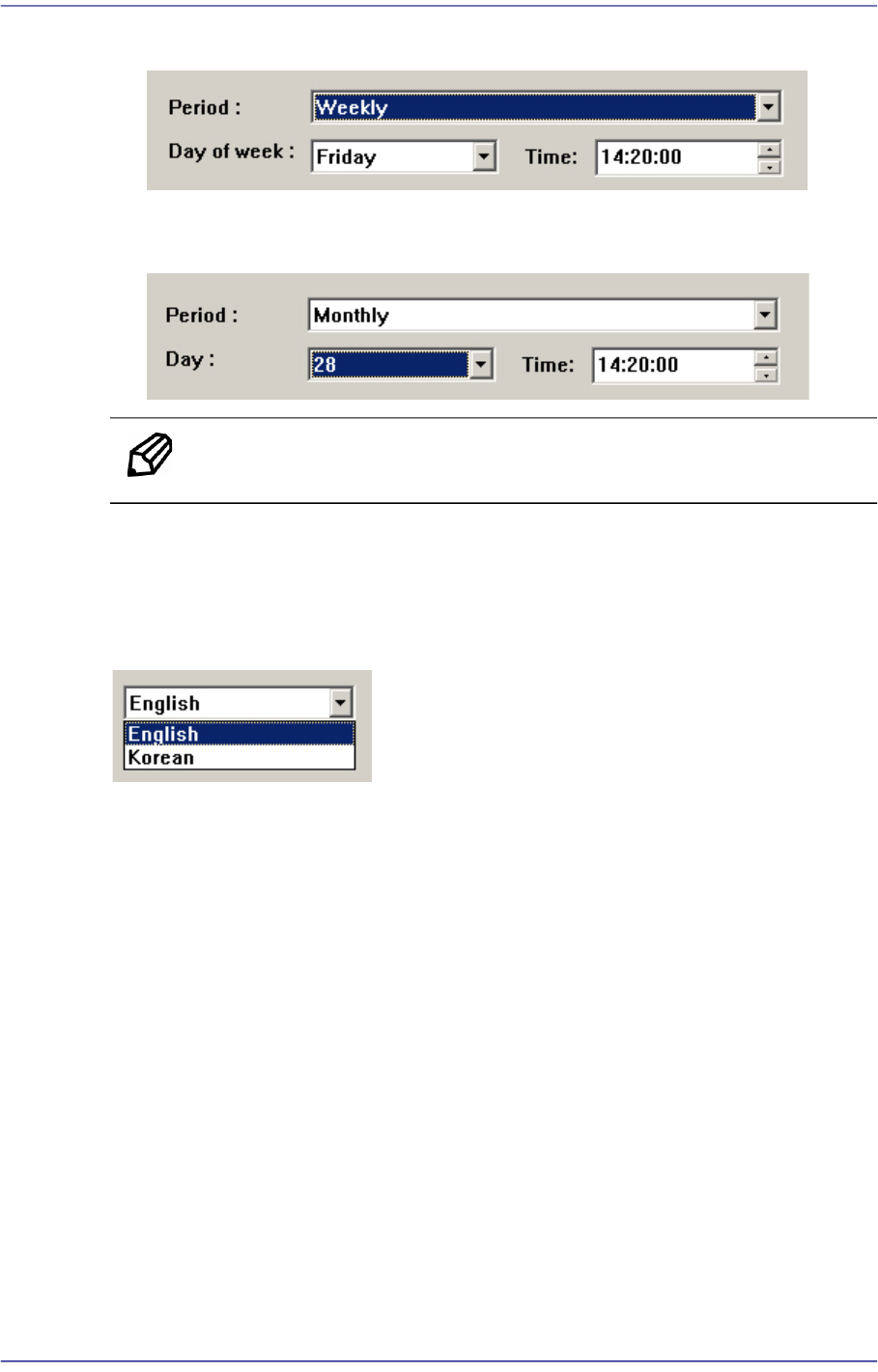
19-15 PM Manager When setting the time informing the scheduled check at 14: 20 ever y Friday . When setting the time informing the scheduled check at 14: 20 ever y 28th day of the month. Memo The scheduled check time…
19-14
Fast Flexible Placer SM481(L) PLUS Administrator’s Guide
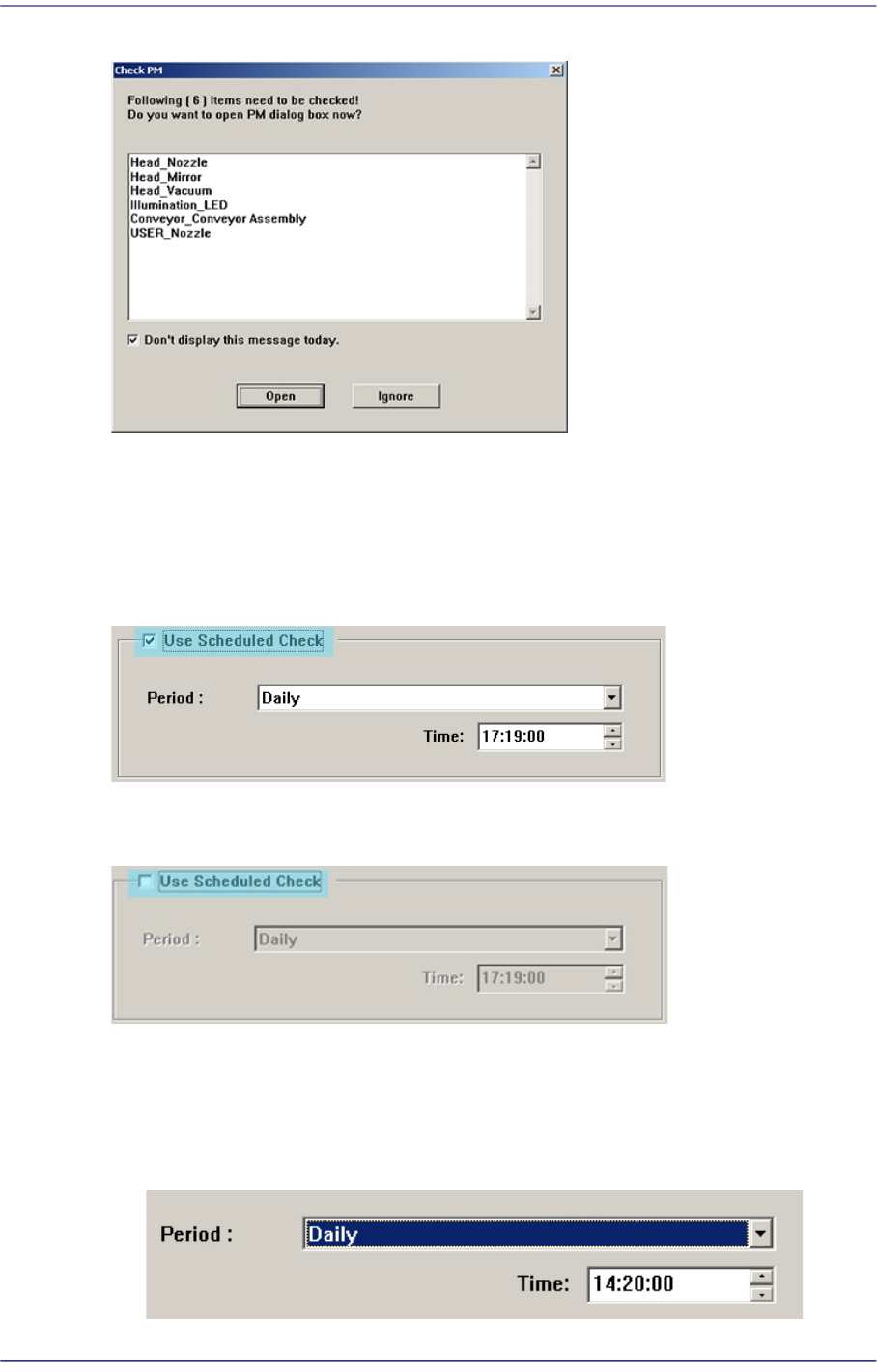
Figure19.13 Scheduled Check Informing Screen
If the <Open> button is clicked the PM Manager window is indicated. If the <Ignore>
button is clicked, the PM Manager window is not indicated.
19.5.8.1. Using Scheduled Check Function
When using the scheduled check function, select the <Use Scheduled Check> function
When it is not desired to use the scheduled function, release the check of the <Use
Scheduled Check> box.
19.5.8.2. Setting Time for Scheduled Check
The time for scheduled check can be set in the following manner.
When setting the time informing the scheduled check at 14: 20 every day.
19-15
PM Manager
When setting the time informing the scheduled check at 14: 20 every Friday.
When setting the time informing the scheduled check at 14: 20 every 28th day of the
month.
Memo The scheduled check time cannot be set in seconds.
19.5.9. Language Setup
The language setup of the PM Manager user interface can be changed. Select the desired
language from the Setup Screen.
19-16
Fast Flexible Placer SM481(L) PLUS Administrator’s Guide
19.6. History Screen
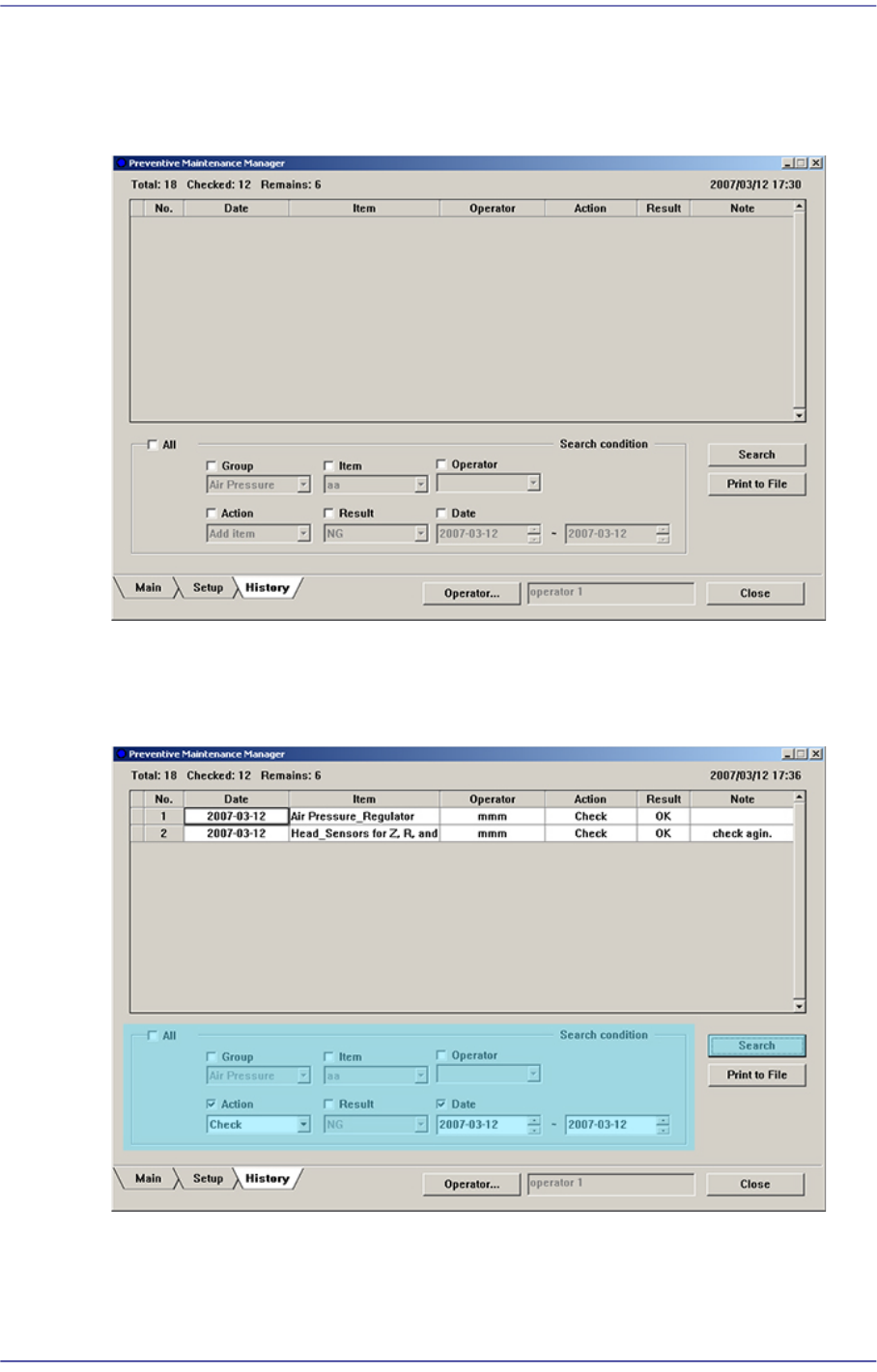
All check histories can be inquired in the History Screen.
Figure19.14 History Screen
When inquiring the check history, input the search condition and click the <Search>
button.
Figure19.15 Check History Inquiry Screen