Hanwha SM481 PLUS Series Administrator’s Guide Eng.pdf.pdf - 第241页
8-5 Feeder Setup <Z> column When the tape feeder is installed in the corresponding slot, set the Y position to pick up the component supplied from the tape feeder . <R> column When the tape feeder is inst…
8-4
Fast Flexible Placer SM481(L) PLUS Administrator’s Guide
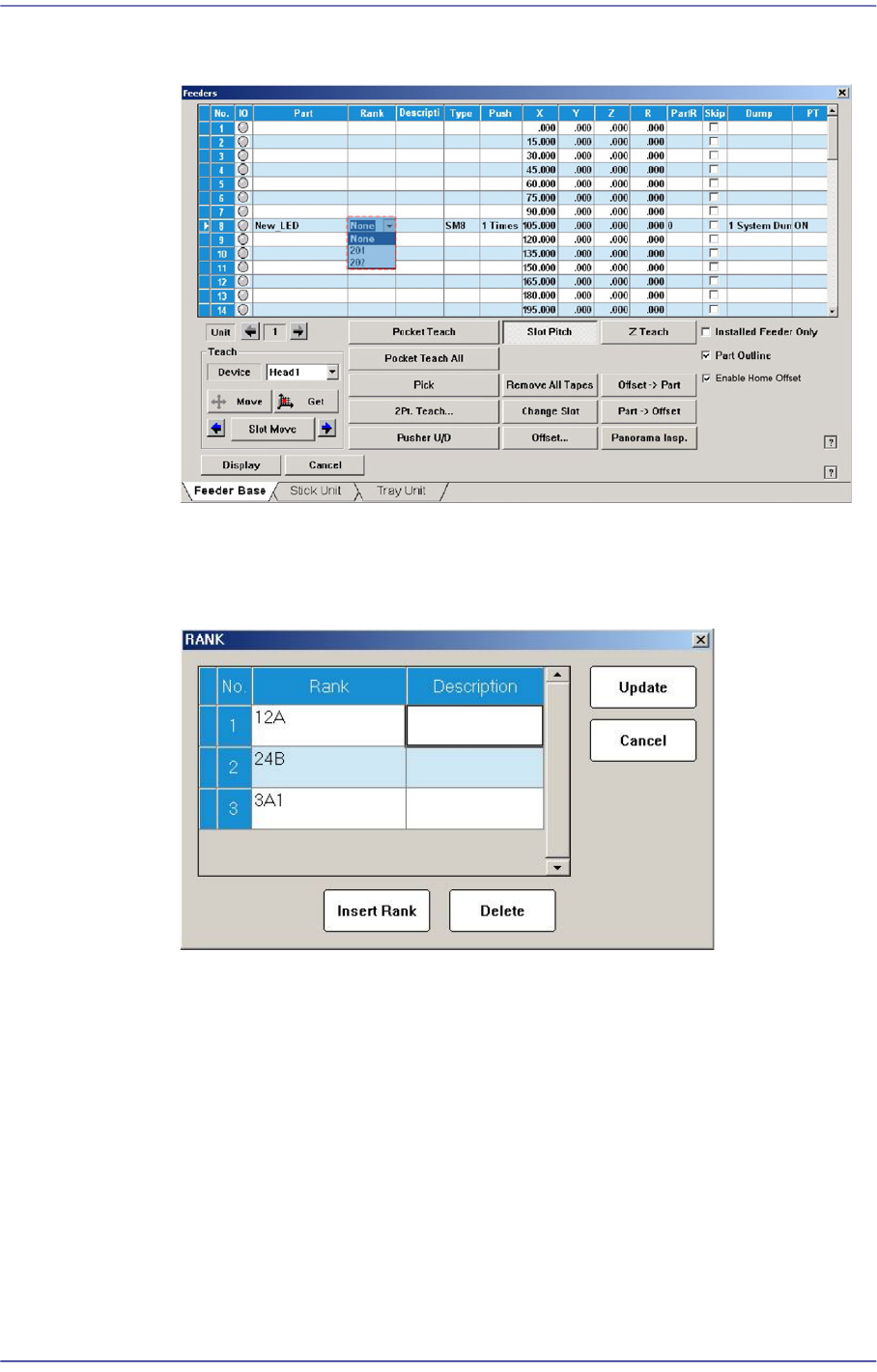
Figure8.4The screen in which the <Rank> column is selected from the “Feeders” dialog
box
Double clicking the <Rank> combo box after selecting the LED part will execute
the dialog box that manages the rank as shown below.
Figure8.5“Rank” dialog box
<Push> column
When the tape feeder is installed in the corresponding slot, Select the number of
cylinder movements needed to move the part tape forward by 1 pitch.
<X> column
When the tape feeder is installed in the corresponding slot, set the X position to
pick up the component supplied from the tape feeder.
<Y> column
When the tape feeder is installed in the corresponding slot, set the Y position to
pick up the component supplied from the tape feeder.
8-5
Feeder Setup
<Z> column
When the tape feeder is installed in the corresponding slot, set the Y position to
pick up the component supplied from the tape feeder.
<R> column
When the tape feeder is installed in the corresponding slot, set the R
position(rotation angle of the head) to pick up the component supplied from the
tape feeder.
Before picking up the part, the head is rotated as much as is set up for part pickup.
For example, when the special rectangular nozzle is used to pick up the connector,
the part can be picked up without problem only when the longitudinal direction of
the nozzle matches with the longitudinal direction of the part.
However, if the nozzle is set up so that the longitudinal section of the nozzle
becomes long and the horizontal section of the part becomes long, the nozzle must
of course be rotated by 90 degrees to pick up the part normally before picking up
the nozzle.
In this case, it is used to set up the rotation angle when picking up the part.
<PartR> column
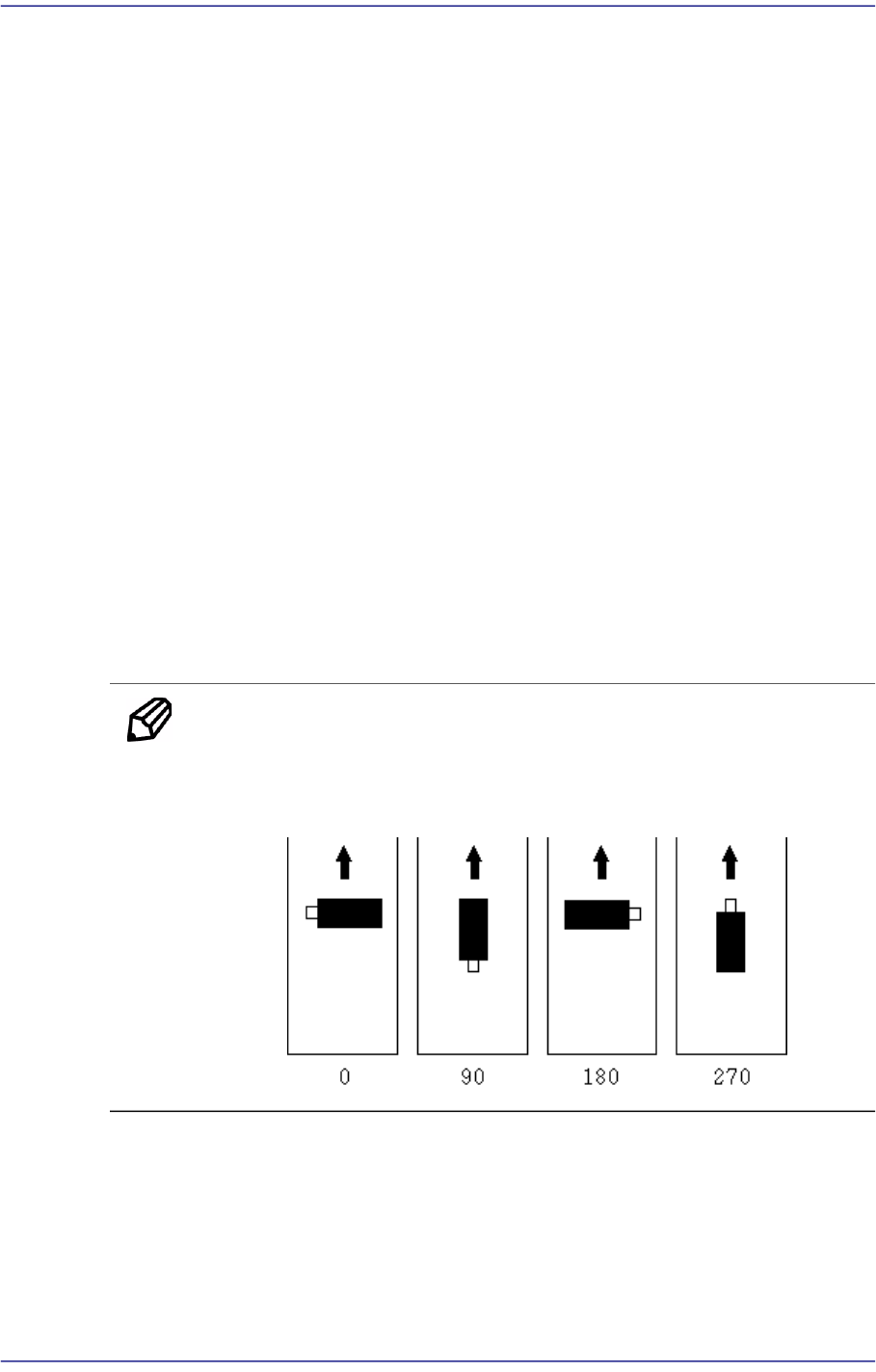
When the tape feeder is installed in the corresponding slot, set the ing angle for the
component supplied from the tape feeder.
Memo Definition on component supply angle and pick-up angle
Supply angle (In the case of user):
Supply angle (In the case of user):
<Skip> column
When the tape feeder is installed in the corresponding slot, select whether to pick
up the component supplied from the tape feeder or not.
To pick it up leave the check box as it is, and check the check box not to pick it up.
8-6
Fast Flexible Placer SM481(L) PLUS Administrator’s Guide
<Dump> column
When the tape feeder is installed in the corresponding slot, select the dump box for
the component supplied from the tape feeder. Available dump boxes are as
follows.
System Dump: the dump box installed in the system, it is installed in the front of
the conveyor of the equipment.
User Dump: the dump box set in the system by the user. The location in the
system must be set.
<PT> column
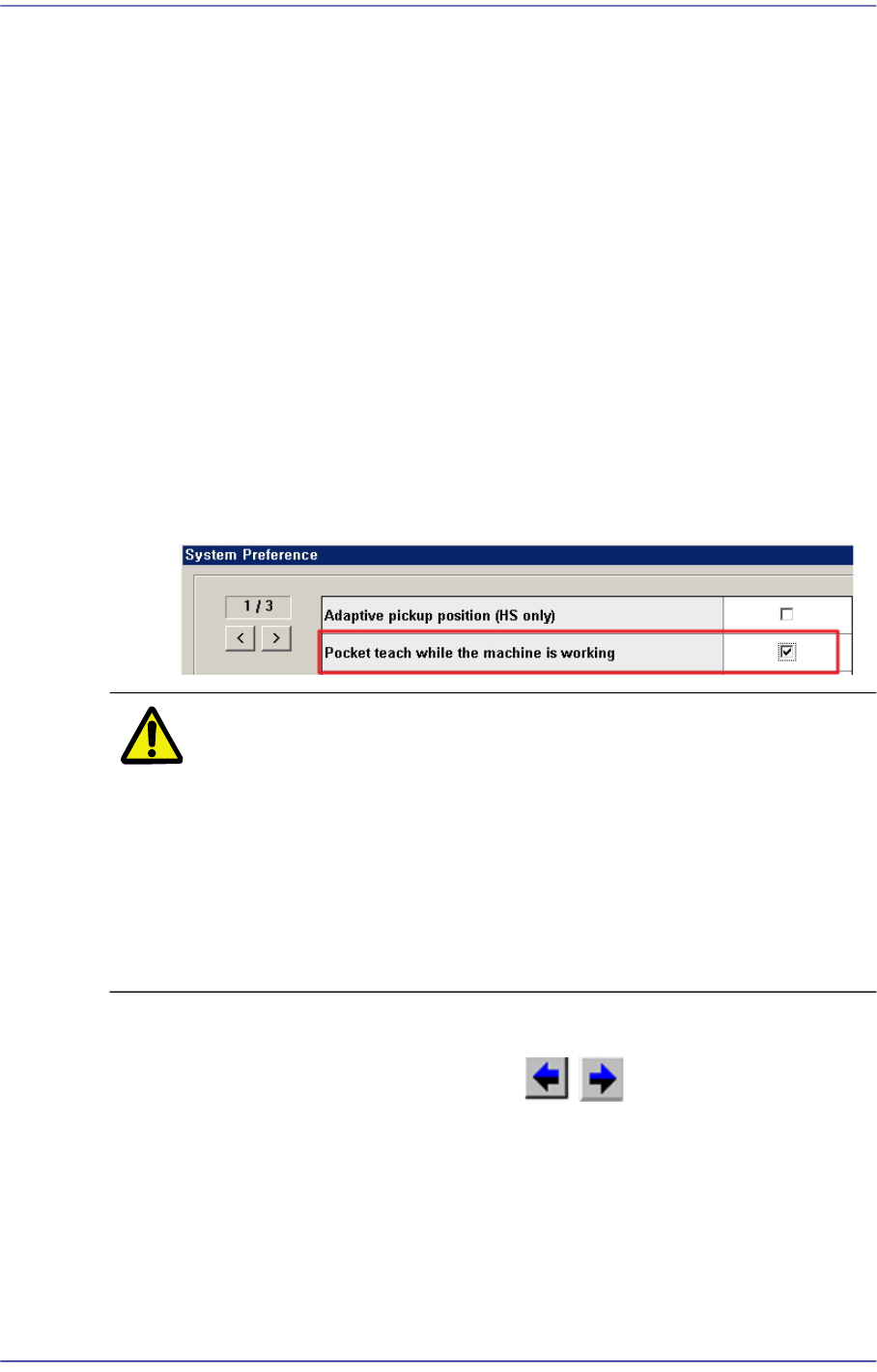
The Pocket Teach is a function that allows the part to be picked up by teaching the
pickup point when restarting the work on the part to which pickup error occurred.
Determine whether to use the Pocket Teach function when picking up the part
supplied by the corresponding feeder. (ON: Use, OFF: Not used)
In order to allow the Pocket Teach to be actually applied, the Pocket Teach option
of the Preference submenu of the System Setup menu must be set up.
Caution Regardless of the result of the setup performed in the
current <Result> column, opening the PCB file again will
initialize the <Result> column by setting the parameters
related to 'Pocket Teach' among the registered part data.
The pick-up point corrected by the Adaptive Pick-up
function during automatic operation is reflected in the
“Feeder Base” tab dialog box. However, the pick-up point
corrected by the ‘Pocket Teach’ function is not reflected.
<Unit> group
Selects the feeder base unit to be edited. The , buttons are used to select the
feeder base.
1–Front Feeder Base, 2-Rear Feeder Base
<Teach> group
Used for moving the selected object to the assigned position of coordinates by rotating
XY axis driving motor, or for obtaining the present coordinates of the selected object.
Combo Box