Hanwha SM481 PLUS Series Administrator’s Guide Eng.pdf.pdf - 第126页
6-16 Fast Flexible Placer SM481(L) PLUS Administ r ator’s Guide <Cancel> button Closes witho ut saving the edited data.
6-15
Board Definition
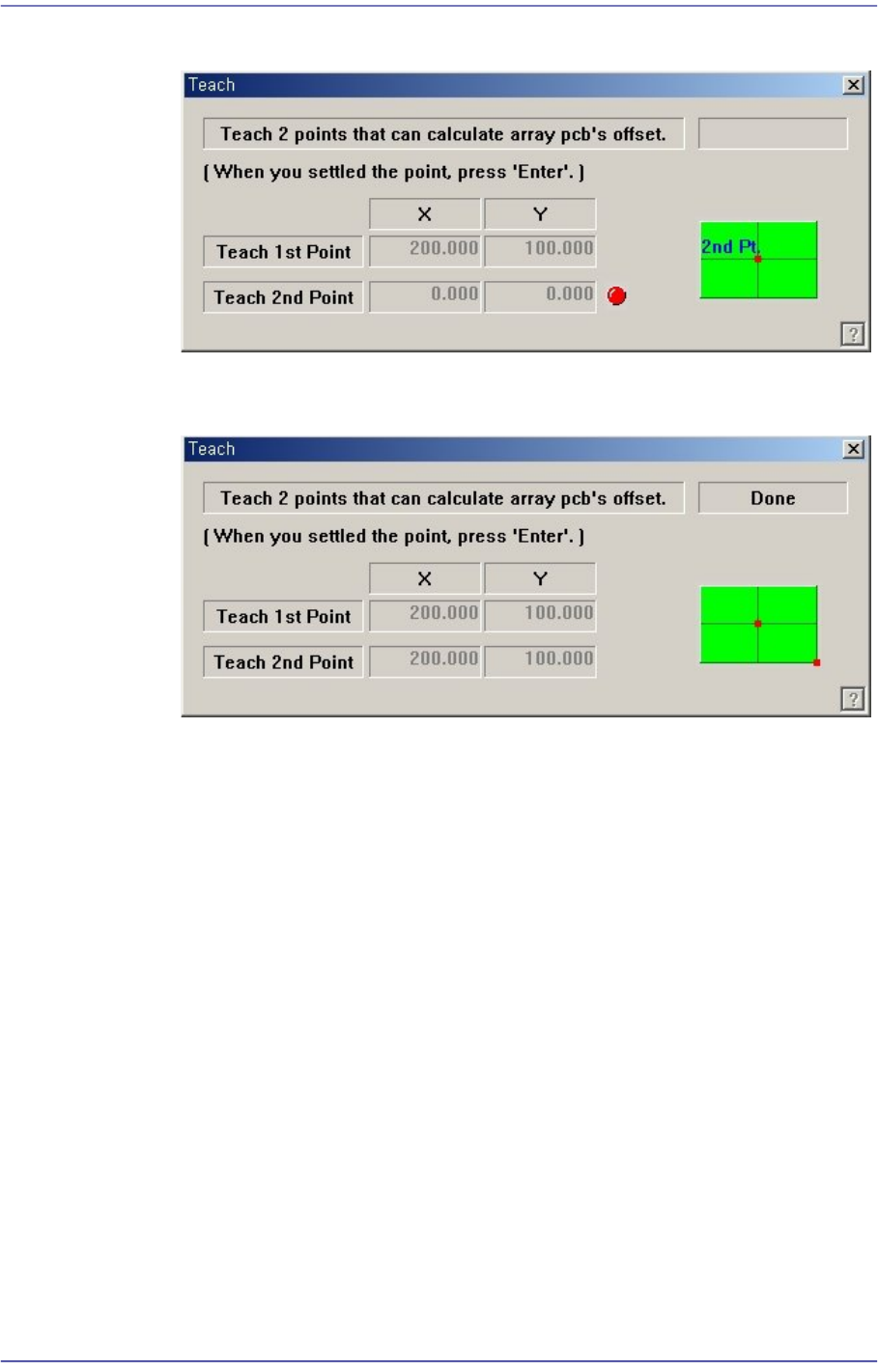
teaching, the following screen is displayed.
Teach the origin of the small PCB on the position that can determine the offset.
When the “Enter” key is pressed after teaching, the following screen is displayed.
Press the “Enter” key to complete the Array PCB offset value teaching operation.
<Apply> button
Automatically creates Array PCB data with the value set in this group.
<5. Add Value> group
Set the values of X, Y, and R to be added to the grid line of the <1. Array> group.
When the “Add” Button is clicked on after setting the desired values, the values are
added to the corresponding grid lines.
<Array Skip/Work Tools> group
All Skip: Set “Skip” for all of the array PCBs.
All Work (No Skip): Release ‘Skip’ settings for all of the array PCBs.
Skip: Set the ‘Skip’ for the array PCB having the number that is inputted in the
‘Array No’.
Work Release ‘Skip’ setting for the array PCB having the number that is inputted
in the ‘Array No’.
<Update> button
Saves the edited data and closes the screen.

6-16
Fast Flexible Placer SM481(L) PLUS Administrator’s Guide
<Cancel> button
Closes without saving the edited data.
6-17
Board Definition
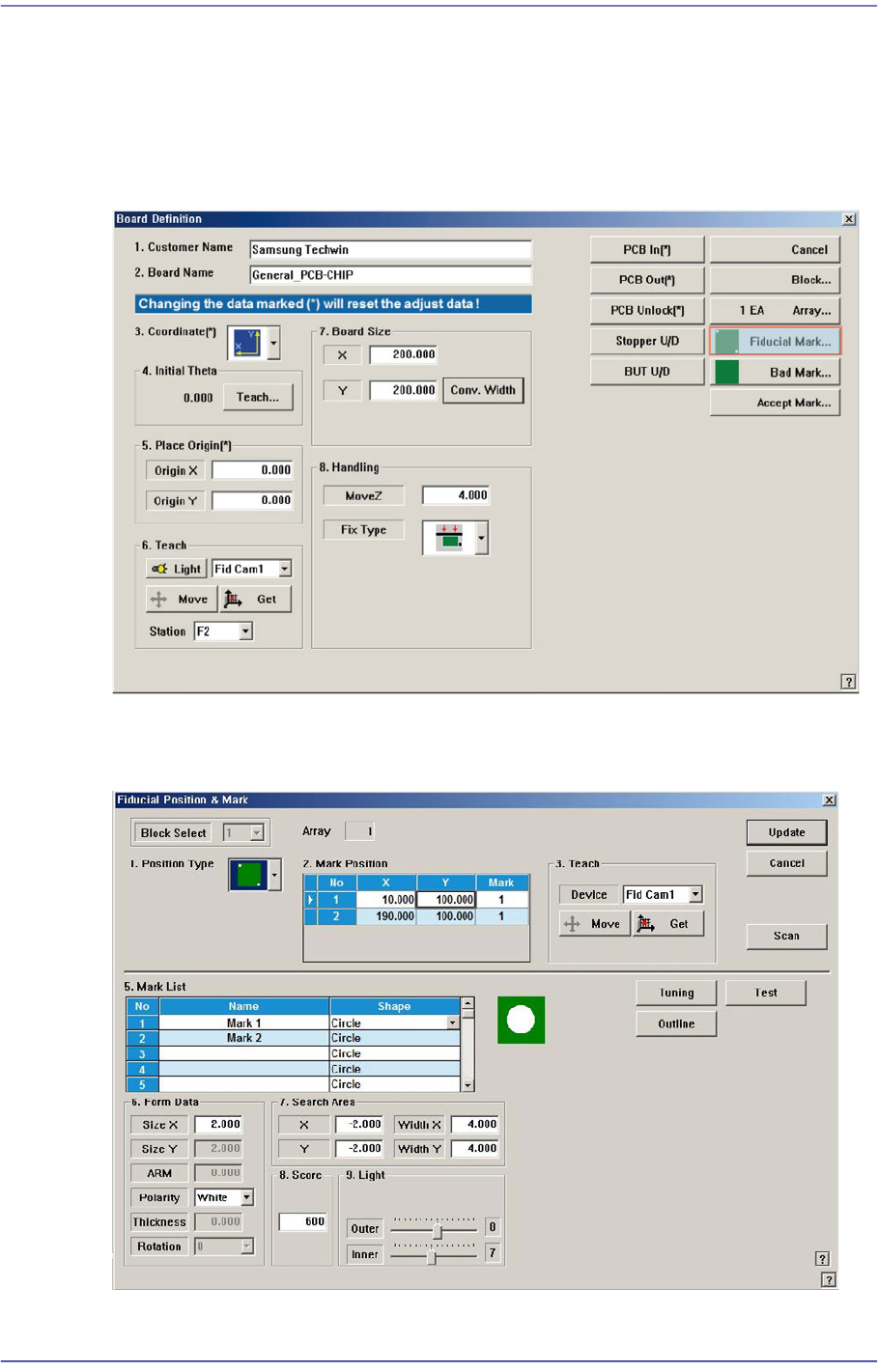
6.3. Fiducial Mark Setup
If there is a fiducial mark on the PCB, set the position of the fiducial mark and mark data.
The fiducial mark is the mark on the PCB used for recognition of the PCB distortion and
its correction. In the case of the PCB without fiducial mark, the placement accuracy is
relatively low.
When this <Fiducial Mark…> button is clicked on, the following dialog box is displayed.
Figure6.4 “Fiducial Position & Mark” dialog box