Hanwha SM481 PLUS Series Administrator’s Guide Eng.pdf.pdf - 第150页
6-40 Fast Flexible Placer SM481(L) PLUS Administ r ator’s Guide <1.Use> ch eck box Check the 2D barcode function to use it. <2. Bar Code Position> group Indicates the po s ition of the 2D barcode. <B…
6-39
Board Definition
6.6.2. Barcode Position
Reference In order to enable this function, the <Use 2D Barcode> check
box must be selected from the ‘General’ tab dialog box in the
‘Preferences’ submenu of the ‘Sys. Setup’ menu.
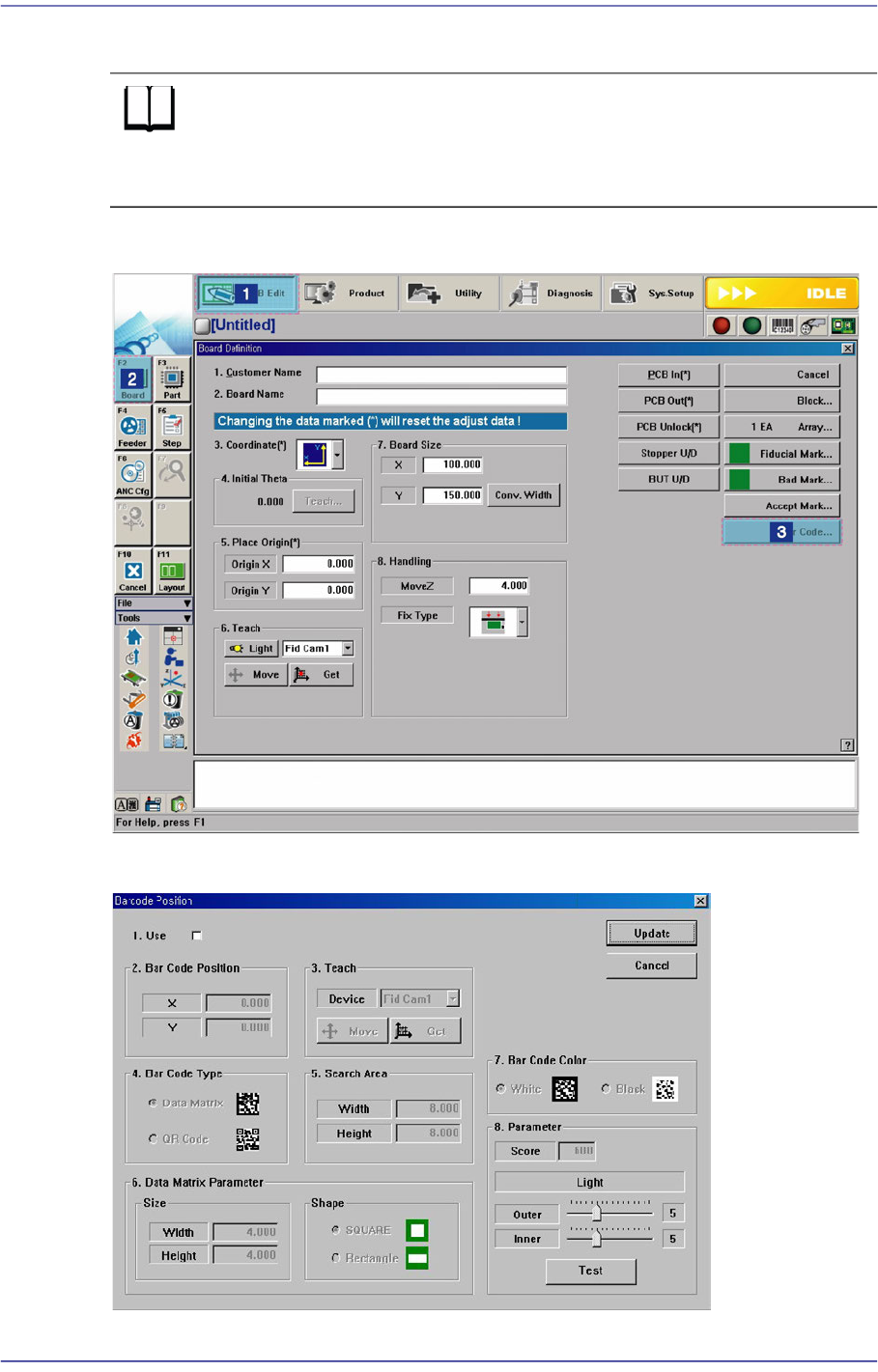
Figure6.9 Order of ‘Barcode Position’ Dialog Box Execution
Figure6.10 Barcode Position’ Dialog Box

6-40
Fast Flexible Placer SM481(L) PLUS Administrator’s Guide
<1.Use> check box
Check the 2D barcode function to use it.
<2. Bar Code Position> group
Indicates the position of the 2D barcode.
<Board> Area
Teaches the 2D barcode position attached to a board using the fiducial camera
selected from the <3. Teach> area or performs setup for 2D barcode attachment to
a board.
<X/Y> edit box
Sets the X/Y coordinate of a 2D barcode.
<Z> edit box
When attaching a 2D barcode to a board, sets the Z-axis coordinate in order to
press and attach a 2D barcode to a board with a head spindle.
<Inspection> check box
Selecting this check box will recognize the 2D barcode attached to a board.
<Placing> check box
Selecting this check box will attach a 2D barcode to a board using the
machine.
<Part> caption box
Enabled when the <Placing> check box is selected. Displays the part supplied
by the feeder selected from the <Feeder> combo box.
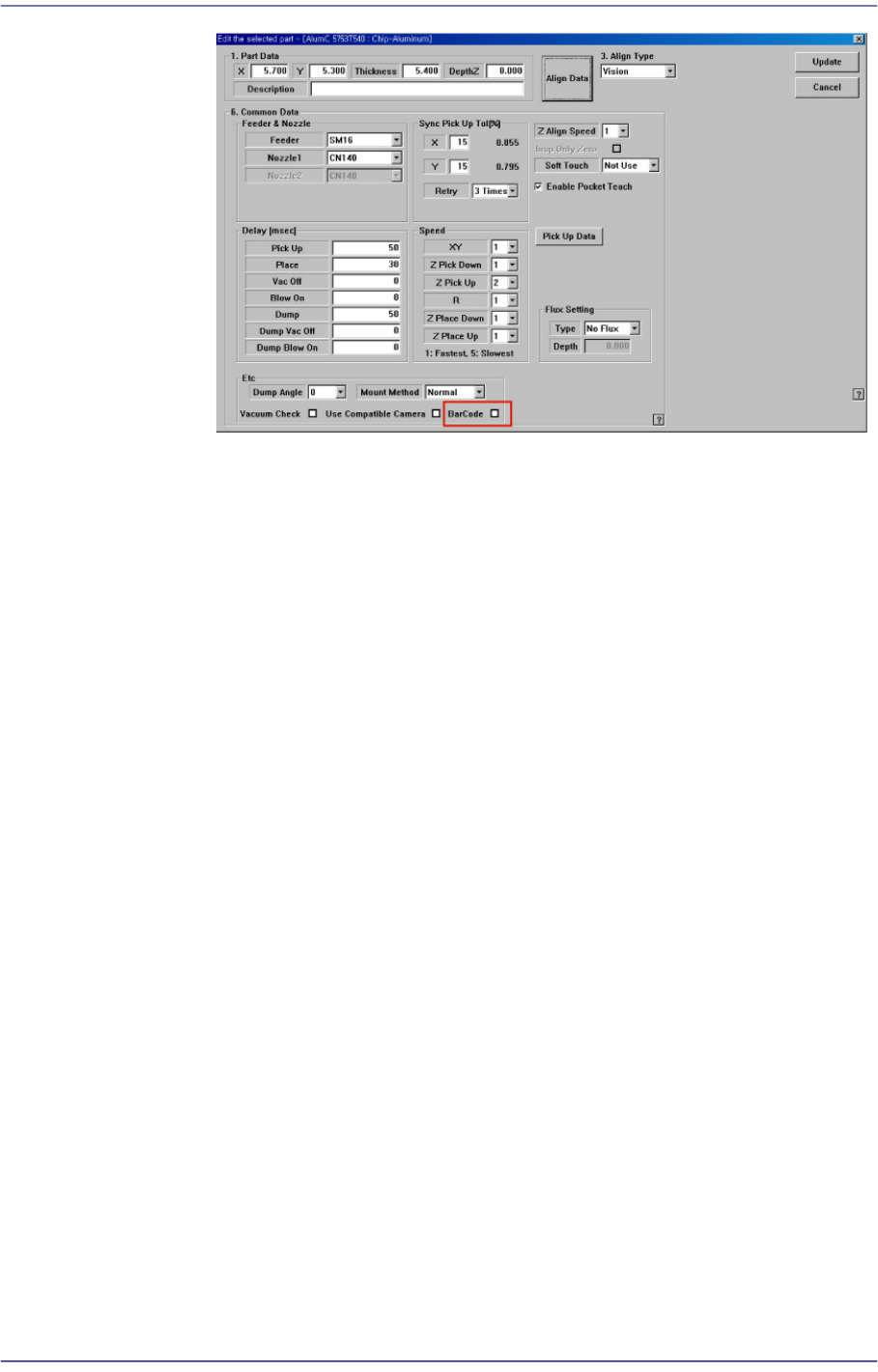
<Feeder> combo box
Enabled when <Placing> check box is selected. The feeder supplying the part
registered by selecting the <BarCode> check box from the Common Data
setup screen appears in the list as shown in the following figure:
6-41
Board Definition
<Array> Area
Teaches the 2D barcode position attached to an array of a board using the fiducial
camera selected from the <3. Teach> area or performs setup for 2D barcode
attachment to the array of the board.
<Array> combo box
Displays the number of the array selected currently.
<X/Y/Z> edit box
Refer to the corresponding description in the <Board> area.
<Inspection> check box
Refer to the corresponding description in the <Board> area.
<Placing> check box
Refer to the corresponding description in the <Board> area.
Part
Refer to the corresponding description in the <Board> area.
<Feeder> combo box
Refer to the corresponding description in the <Board> area.
<3. Teach> group
Used to move the teaching camera on the barcode to recognize the 2D barcode on the
PCB.
<4. Bar Code Type> group
Sets the type of the 2D barcode.
<Data Matrix> option Button
Refers to the barcode with the rectangular module of fixed size containing
information.