Hanwha SM481 PLUS Series Administrator’s Guide Eng.pdf.pdf - 第183页
7-25 Part Registration 7.2.2.4. EDIT SHAPE Creates or edits a shape object to have the vision syst e m recognize the part. 1: Object Editing Icon Button 2: Adjust Object Size Button <Object List> g roup Displays …

7-24
Fast Flexible Placer SM481(L) PLUS Administrator’s Guide
Memo If the <Align & ROI> switch button is selected, the part editor will
remove all registered shape objects and create a new shape object.
This button is mainly selected to register or edit parts in the ELITE
PRO.
On the other hand, when editing the existing part, select the manual
option to edit the part while maintaining the registered shape object.
<Manual ROI> switch button
It is possible to draw a rectangle manually using the mouse so that the part is to be
included in the vision window and set the part inspection range.
<Manual Align> switch button
It is possible to rotate the part image manually using the mouse so that it will be
parallel with the horizontal line displayed in the vision window.
First, using the mouse, draw a horizontal line in parallel with the horizontal line
displayed in the vision window and rotate the part image.
<Manual Center Point> switch button
It is possible to set the part center manually using the mouse.
7-25
Part Registration
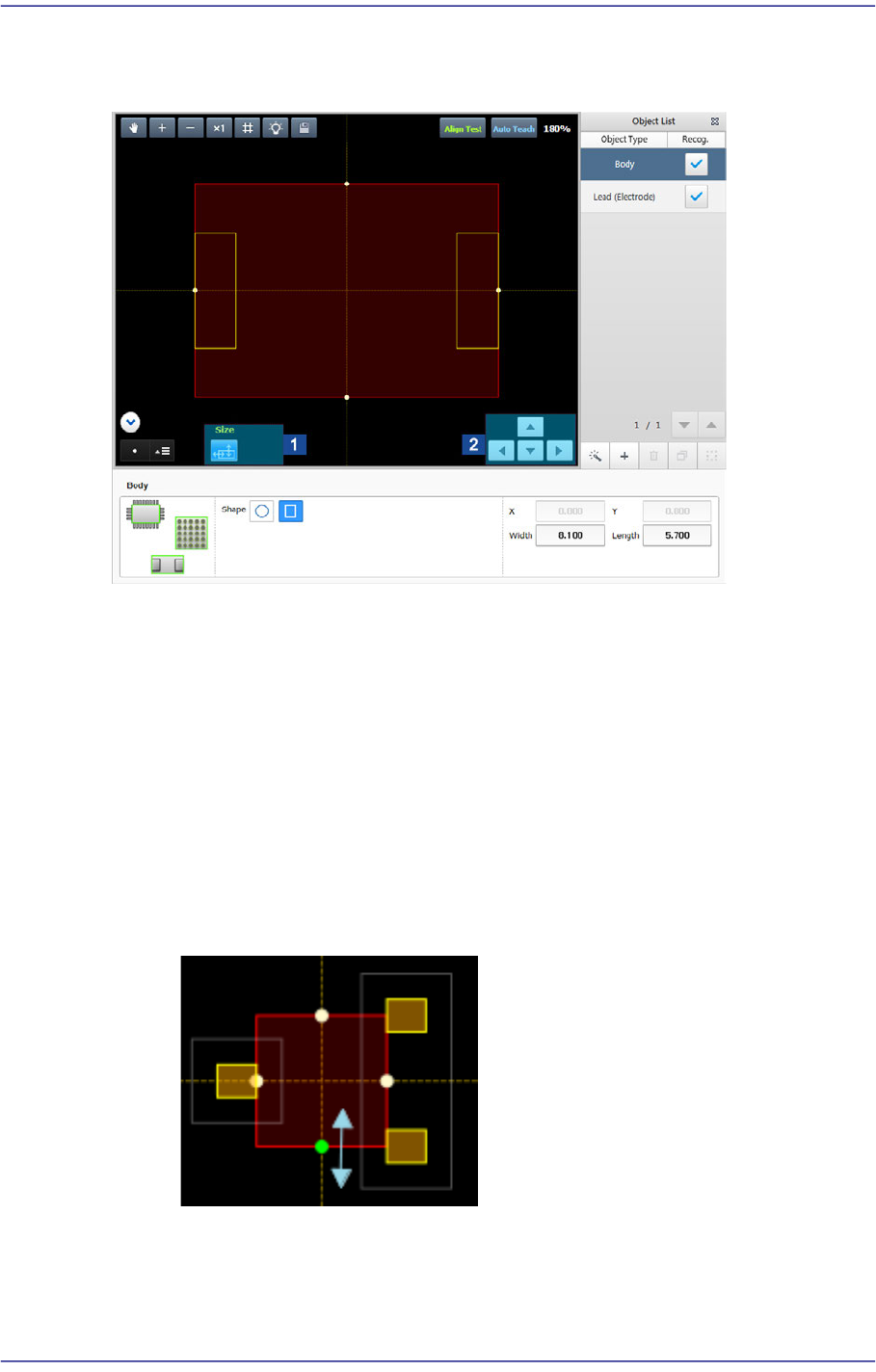
7.2.2.4. EDIT SHAPE
Creates or edits a shape object to have the vision system recognize the part.
1: Object Editing Icon Button
2: Adjust Object Size Button
<Object List> group
Displays the list of registered shape objects. The vision system can recognize a part
using the shape object registered here.
Body
As a shape object defining the body of a part, it can be edited but cannot be
deleted. A circle or rectangle can be selected.
It is possible to select an Body object as shown in the following figure and adjust
the width and height of an object while selecting a round dot using the mouse.
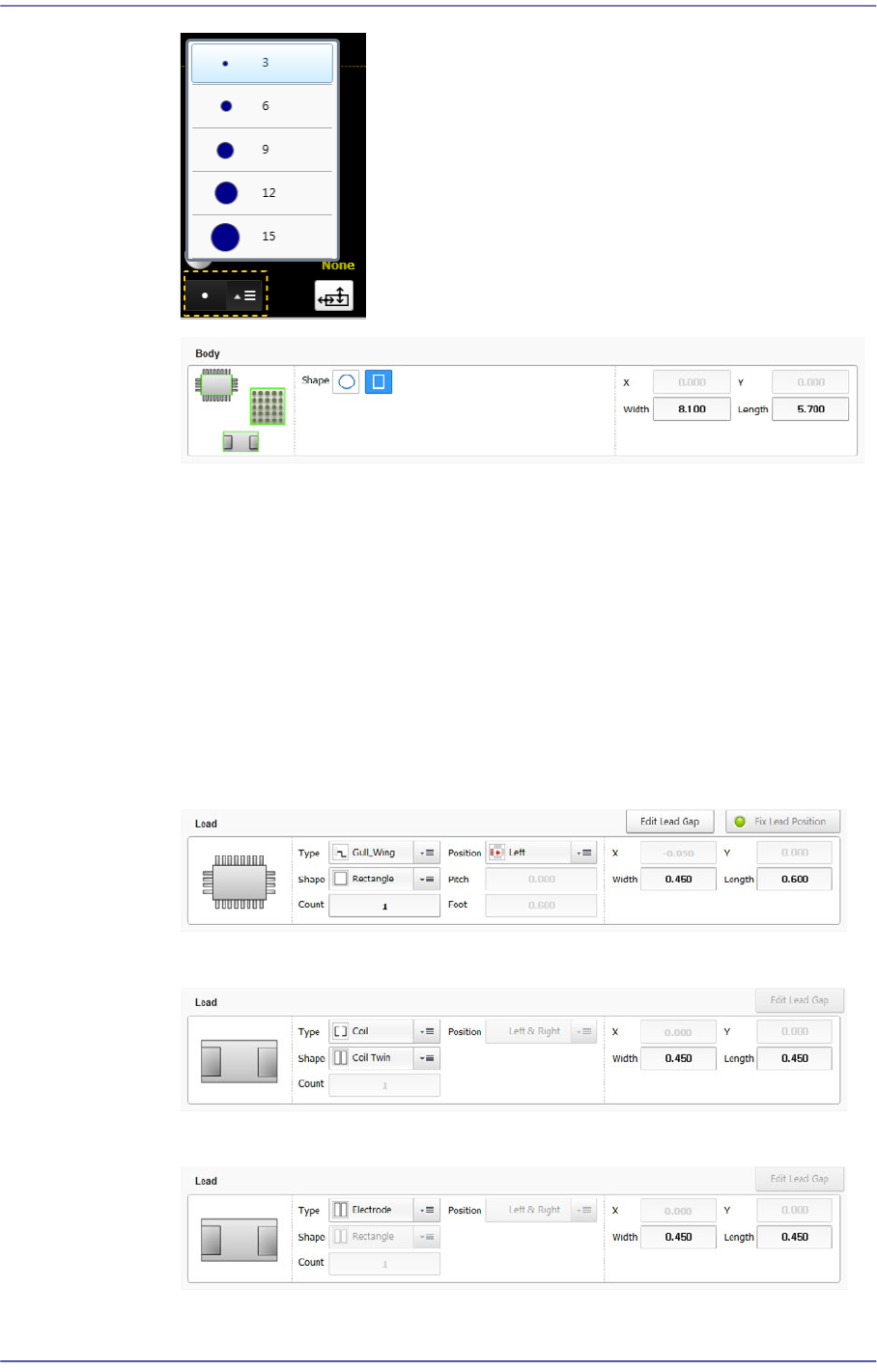
In order to adjust the size of the round dot so that it can be easily selected on the
machine's panel, adjust the size using the combo box at the bottom left of the
vision window.
7-26
Fast Flexible Placer SM481(L) PLUS Administrator’s Guide
<Width> edit box
Input the width of an object to suit the image of an actual part. If the selected
object is round, input the diameter.
<Height> edit box
Input the height of an object to suit the image of an actual part. Only when the
selected object is rectangular is this enabled.
Lead/ Lead Group
Edits a lead shape to a defined object or deletes it.
The following shows the Gull Wing, J Lead and Land types of leads.
The following shows the coil type of lead.
The following shows the electrode type of lead.
The following shows that the object type is the lead group.