Hanwha SM481 PLUS Series Administrator’s Guide Eng.pdf.pdf - 第481页
15-45 System Setup 15.6.4. Nozzle Next screen is the case where the “Nozzle” is sele cted in the Device list. Set the data on Nozzle. Figure15.25 “Standard Device – Nozzle” dialog box List box Select the nozzle type t …
15-44
Fast Flexible Placer SM481(L) PLUS Administrator’s Guide
Set the left width of the stick feeder.
<Right> edit box
Set the right width of the stick feeder.
<Default Step> edit box
Set the basic number of sticks of each stick feeder according to the stick feeder type.
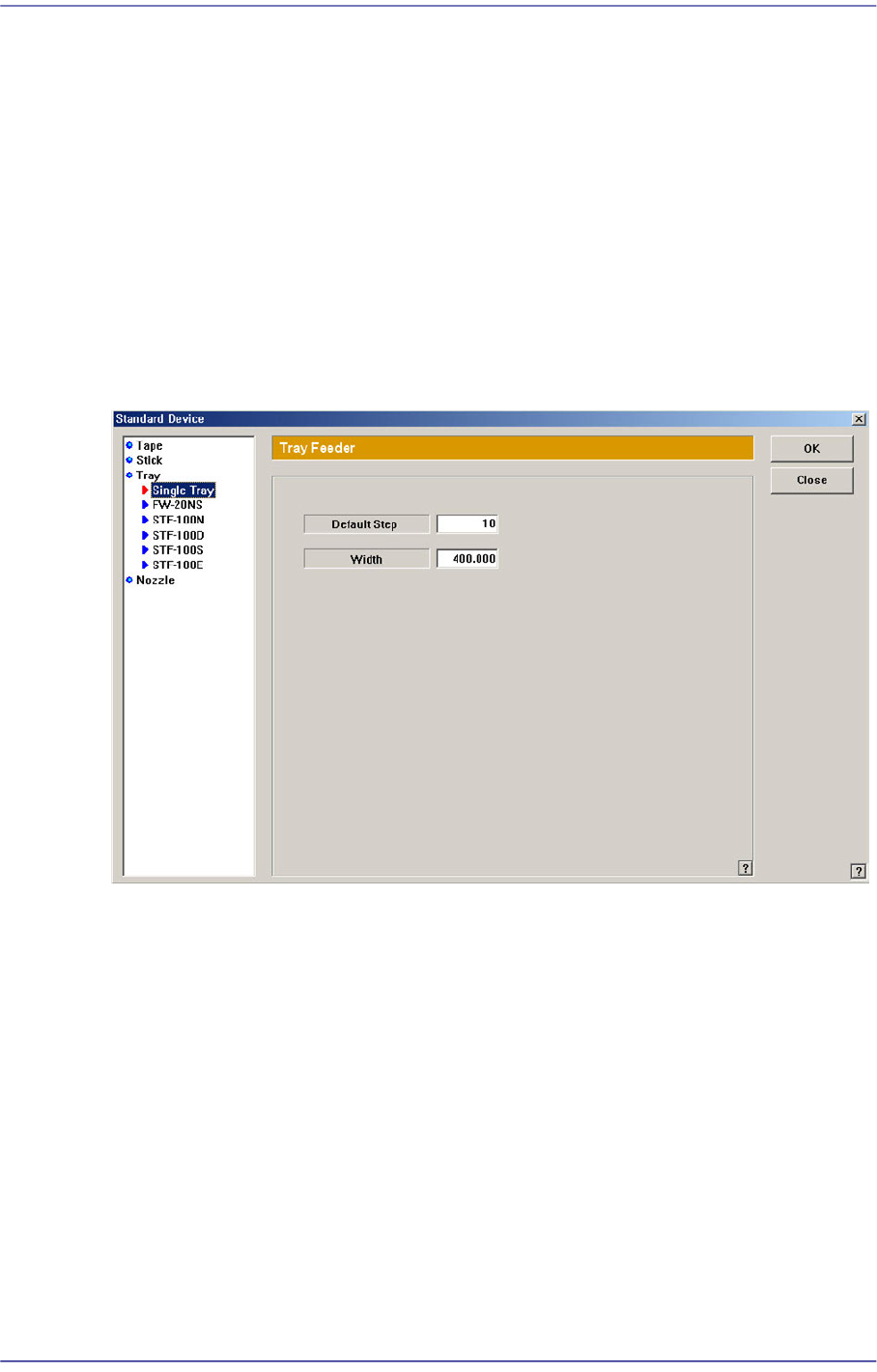
15.6.3. Tray Feeder
Next screen is the case where the “Tray” is selected in the Device list. Set the data on the
tray feeder
Figure15.24 “Standard Device –Tray” dialog box
List box
Select the tray feeder type to set.
<Default Step> edit box
Set the maximum number of pallets that can be placed on the single tray.
: Single Tray(5), FW-20NS(20), STF-100N(20), STF-100D(24), STF-100S(20) , STF-
100E(20).
<Width> edit box
Set the width of the tray feeder.
15-45
System Setup
15.6.4. Nozzle
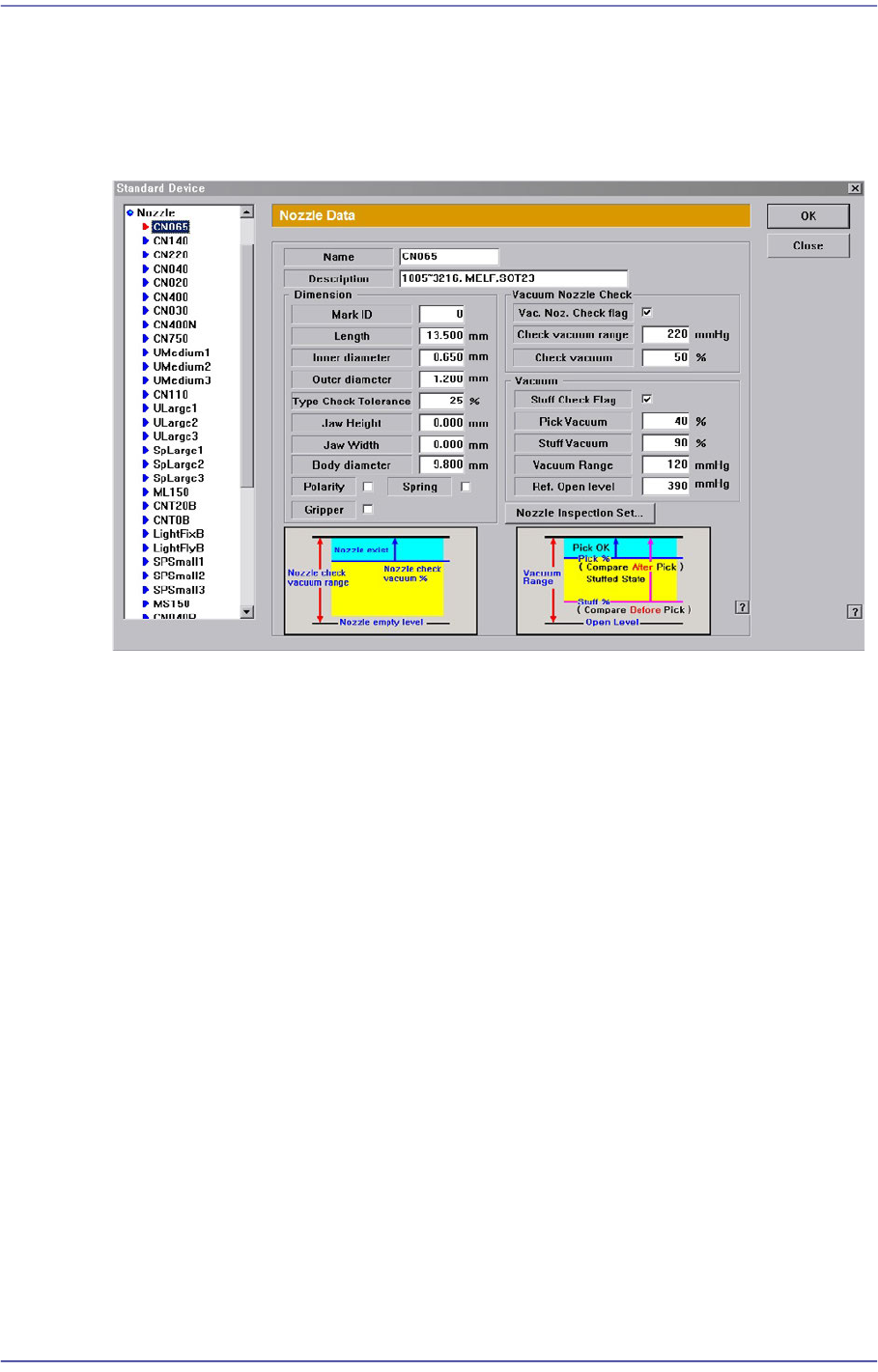
Next screen is the case where the “Nozzle” is selected in the Device list. Set the data on
Nozzle.
Figure15.25 “Standard Device – Nozzle” dialog box
List box
Select the nozzle type to set.
<Name> edit box
Set the name of the selected nozzle.
<Description> edit box
Set the name of the selected nozzle.
<Dimension> group
<Mark ID> edit box
Set the mark ID value of the selected nozzle.
<Length> edit box
Set the nozzle length.
<Inner diameter> edit box
Set the inner diameter.
<Inner / Outer diameter> edit box
Set the inner diameter/Outer diameter of the nozzle.
<Type Check Tolerance> edit box
Sets the upper tolerance of inner and outer diameters of the nozzle in percentage
15-46
Fast Flexible Placer SM481(L) PLUS Administrator’s Guide
when recognizing the nozzle. The default value is 25%.
<Jaw Height> edit box
The jaw is a part of the gripper nozzle which grips parts.
Jaw height refers to the distance from where the part contacts to the bottom of the
jaw. Here, set the height of the gripper. Since the height of the jaw will influence
the Z axis movement height, the correct value must be inputted.
Inputting a value smaller than the actual jaw height may cause the gripper to
collide with other parts while moving a part. Conversely, inputting a value greater
than the actual jaw height will cause the Z axis movement height to increase,
causing a reduction in productivity.
<Jaw Width> edit box
The jaw width refers to the width of the jaw when it is narrowed. This is where the
jaw width is set. Whether the part can be picked up or not according to this value
will be determined here.
<Polarity> check box
If the current nozzle selected from the list box is a directional nozzle with a pin,
select this check box.
<Spring> check box
In order to use the force control function, use a nozzle without a spring. For
general nozzles with springs, select this check box.
<Gripper> check box
For gripper nozzles, select this check box. Otherwise, the gripper nozzle will not
operate properly.
<Vacuum Nozzle Check> group
<Vac. Noz. Check flag> check
Sets whether to use the function that checks if the selected nozzle works properly
on the head before and after it is changed when changing the nozzle automatically.
<Check vacuum range> edit box
Sets the difference in the pneumatic pressure level between cases in which the
head has no nozzle and cases in which the head has nozzles when changing the
nozzle automatically.
<Check vacuum> edit box
Set the reference value at which the head is thought to have the selected nozzle.
<Vacuum> group
<Stuff Check Flag> check
Sets whether to use the function that checks if there is foreign material in the
nozzle before picking up the part.