Hanwha SM481 PLUS Series Administrator’s Guide Eng.pdf.pdf - 第273页
8-37 Feeder Setup <Part Align> button Executes alignment of the correspondi n g component. <Dump> butt on Dumps the corresponding compone nt to the specified dump box. <Close> button Closes the di…
8-36
Fast Flexible Placer SM481(L) PLUS Administrator’s Guide
<Get> button
Obtain coordinates for XY axis with reference to the object selected in the Combo
Box. At this time, Before executing <Get> button, the cell in the grid (Coordinates
for pickup point of tray feeder) corresponding to the desired position must be
clicked on.
<Shuttle Supply> button
In case of the shuttle tray feeder, the component is fed to the shuttle from the tray
feeder, and it moves the component to the pickup position.
<Pallet Out > button
Loads the pallet to be ready for placement from the elevator of the tray feeder. This
function is applied to the automatic tray feeder.
<Pallet In > button
Release the pallet to be finished placement from the elevator of the tray feeder. This
function is applied to the automatic tray feeder.
<Z Teach> button
Measures the Z axis height for the pickup point of feeder automatically using
pneumatic pressure. Insert the CN040 nozzle into the nozzle holder of the head and
select the pallet for which Z axis height is to be measured from the <Grid> group and
then click the <Move> button.
<Pick> button
Picks up the part from the pocket of the currently selected pallet. At this time, the head
to pick up the part must be selected in advance.
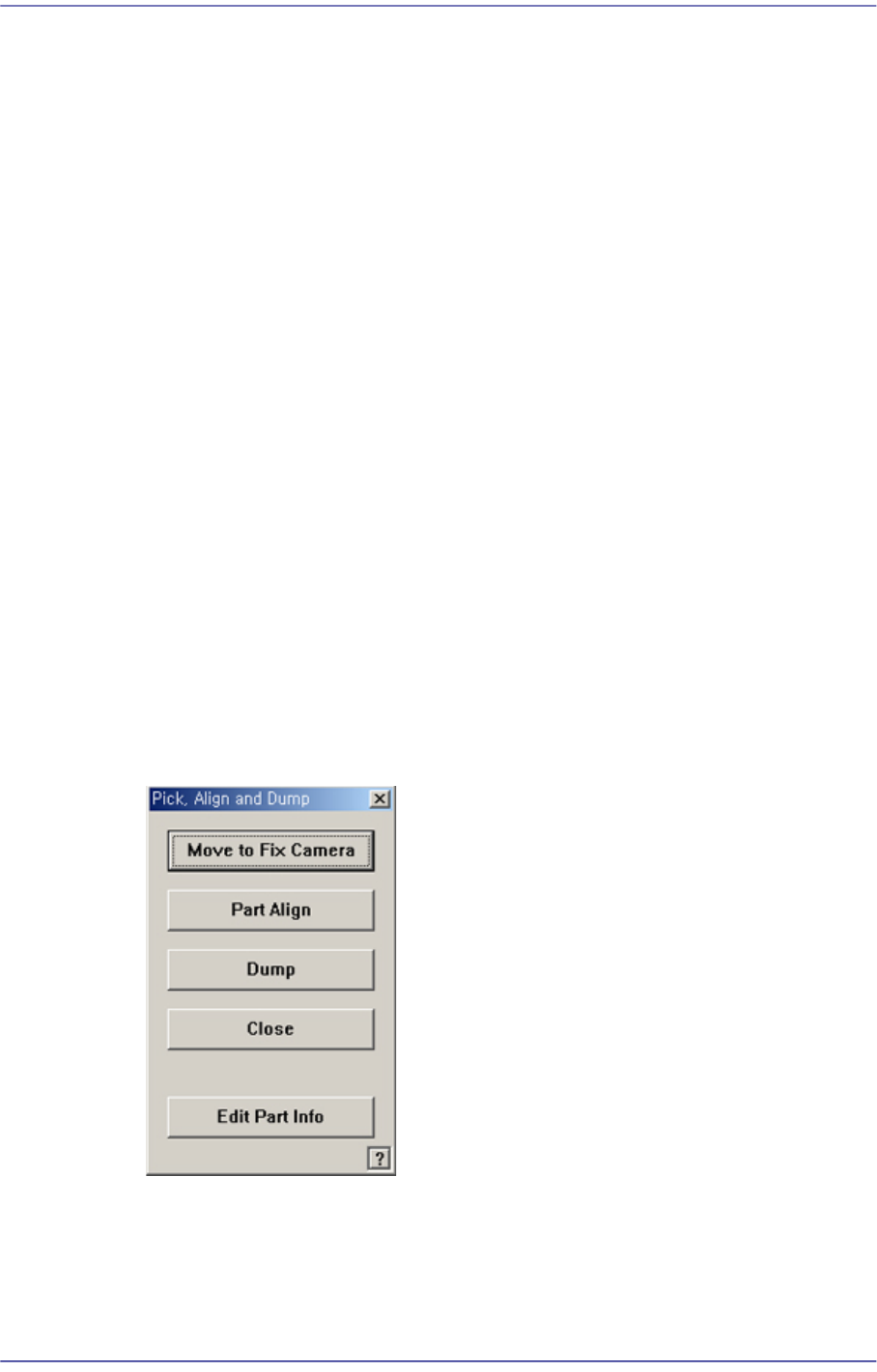
<Move to Fix Camera> button
It is activated only when the corresponding component is aligned by the vision
camera and the alignment camera is the fix camera. When this Button is clicked
on, the head block is moved to the fix camera.
8-37
Feeder Setup
<Part Align> button
Executes alignment of the corresponding component.
<Dump> button
Dumps the corresponding component to the specified dump box.
<Close> button
Closes the dialog box.
<Pocket Move> button
Moves the selected device to the pocket number set in <Current Pocket>.
<Move Prev> button
Moves the selected device to the pocket number previous to the number set in
<Current Pocket>.
<Move Next> button
Moves the selected device to the pocket number next to the number set in <Current
Pocket>.
<Current Pocket> group
<X>: Set the pocket number of the tray to move to or pick up from in X direction.
<Y>: Set the pocket number of the tray to move to or pick up from in Y direction.
<Install to Feeder Base> group
Displays the feeder base unit and slot number when the tray unit is set to the feeder
base.
<Feeder Base>
Designates the feeder base where the stick feeder is to be installed.
0: Not installed on any feeder base.
1: Installed on Feeder Base1(Front Feeder Base).
2: Installed on Feeder Base2(Rear Feeder Base).
<Slot No.>
Displays the number of the feeder base slot in which the corresponding tray unit is
installed currently. The numbers displayed are as follows.
0: Not installed in any slot.
1 - 52: Installed in the corresponding number slot.
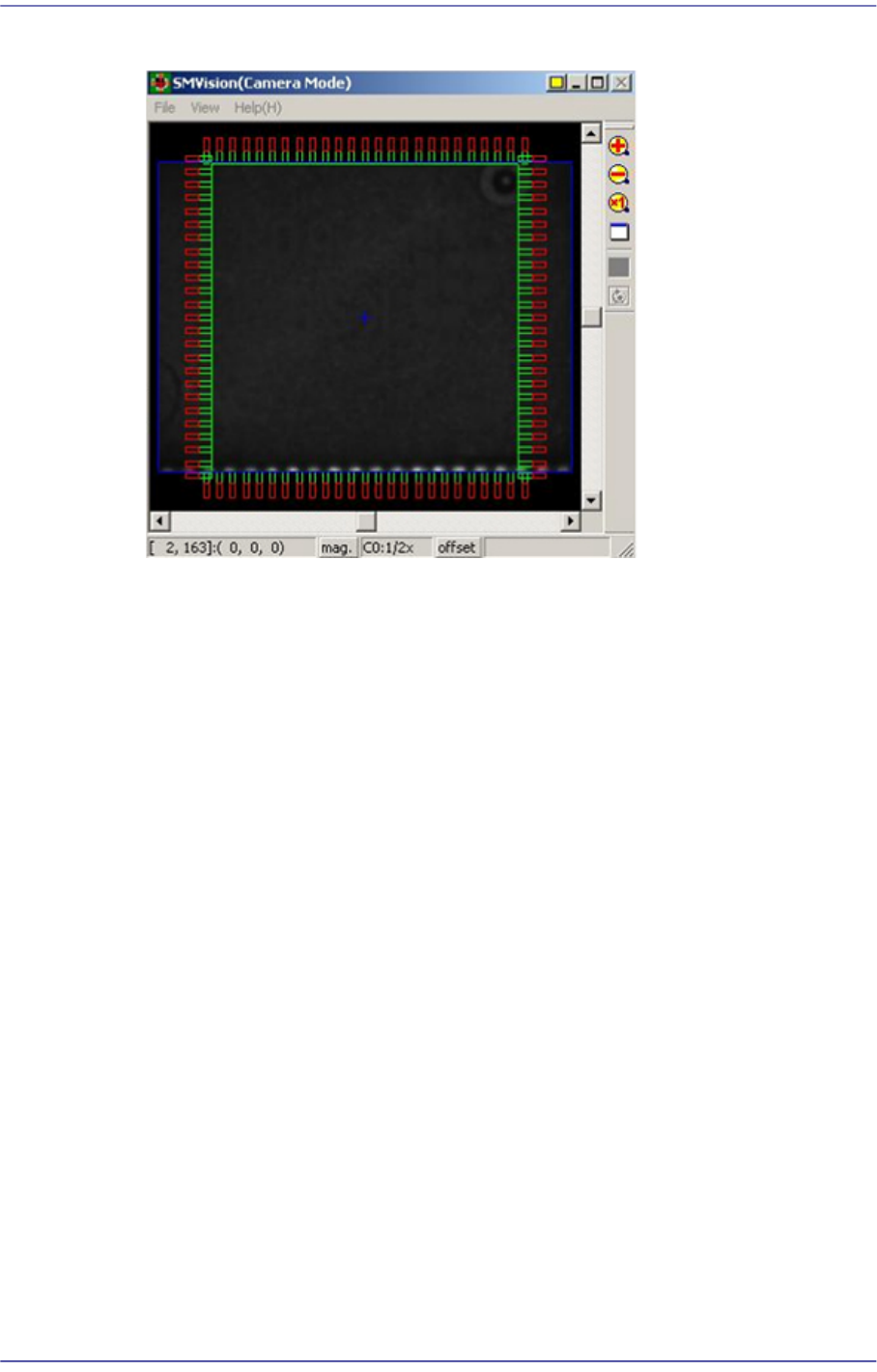
<Part Outline> check box
If this check box is selected, when the fiducial camera is moved to the position of the
corresponding feeder to check the pickup position, the outline image that considers the
angle at which the corresponding part is picked up is displayed on the SMVision
8-38
Fast Flexible Placer SM481(L) PLUS Administrator’s Guide
window.