Hanwha SM481 PLUS Series Administrator’s Guide Eng.pdf.pdf - 第53页
1-9 Operation Mode and P a ssword Change 1.2. Changing Password Except for the plain users, each user mod e has a password. Th e password is needed to set each user mode. The password must be set wi thin 8 characters. Ca…
1-8
Fast Flexible Placer SM481(L) PLUS Administrator’s Guide
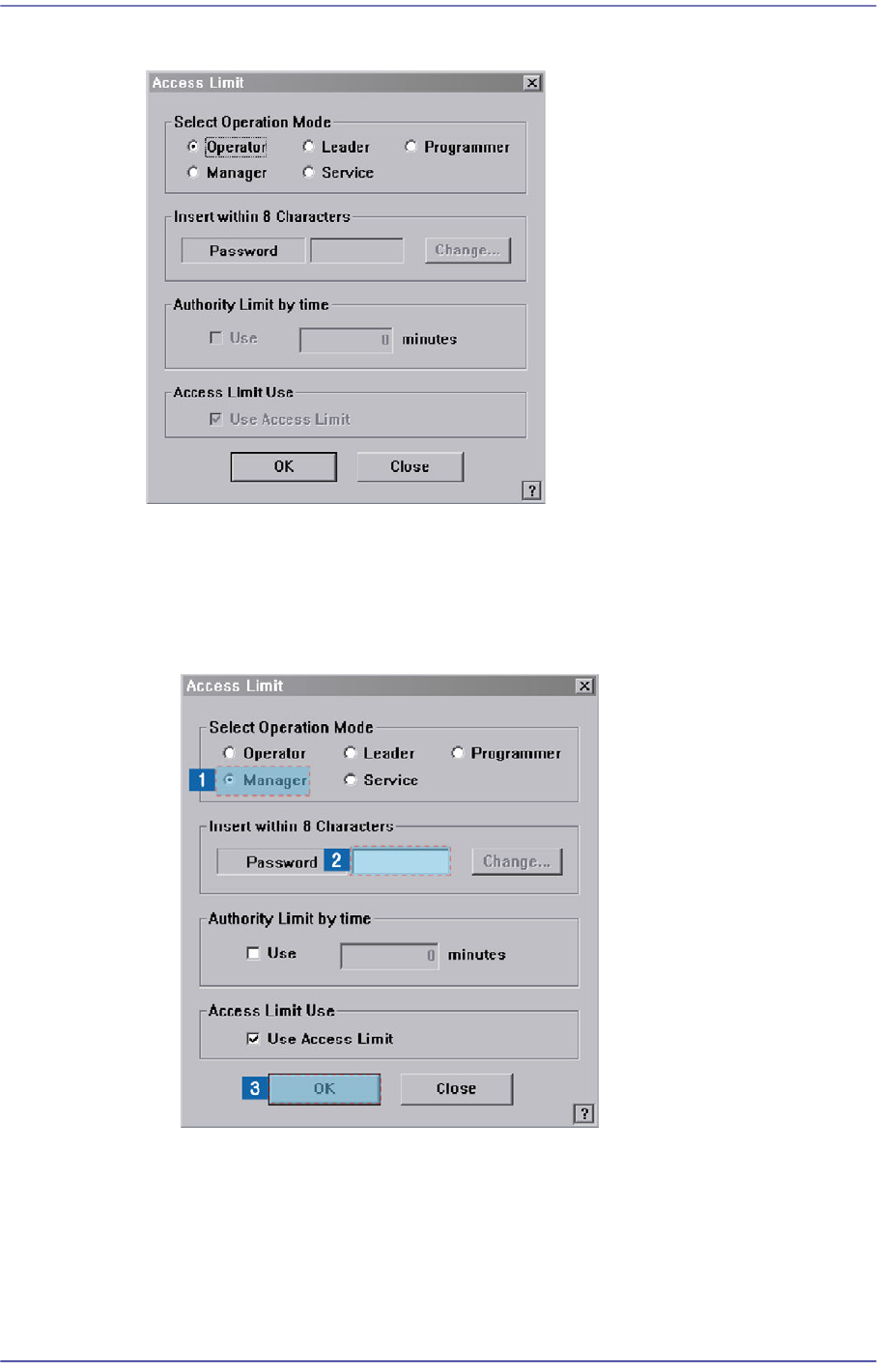
2. Then the following dialog box appears.
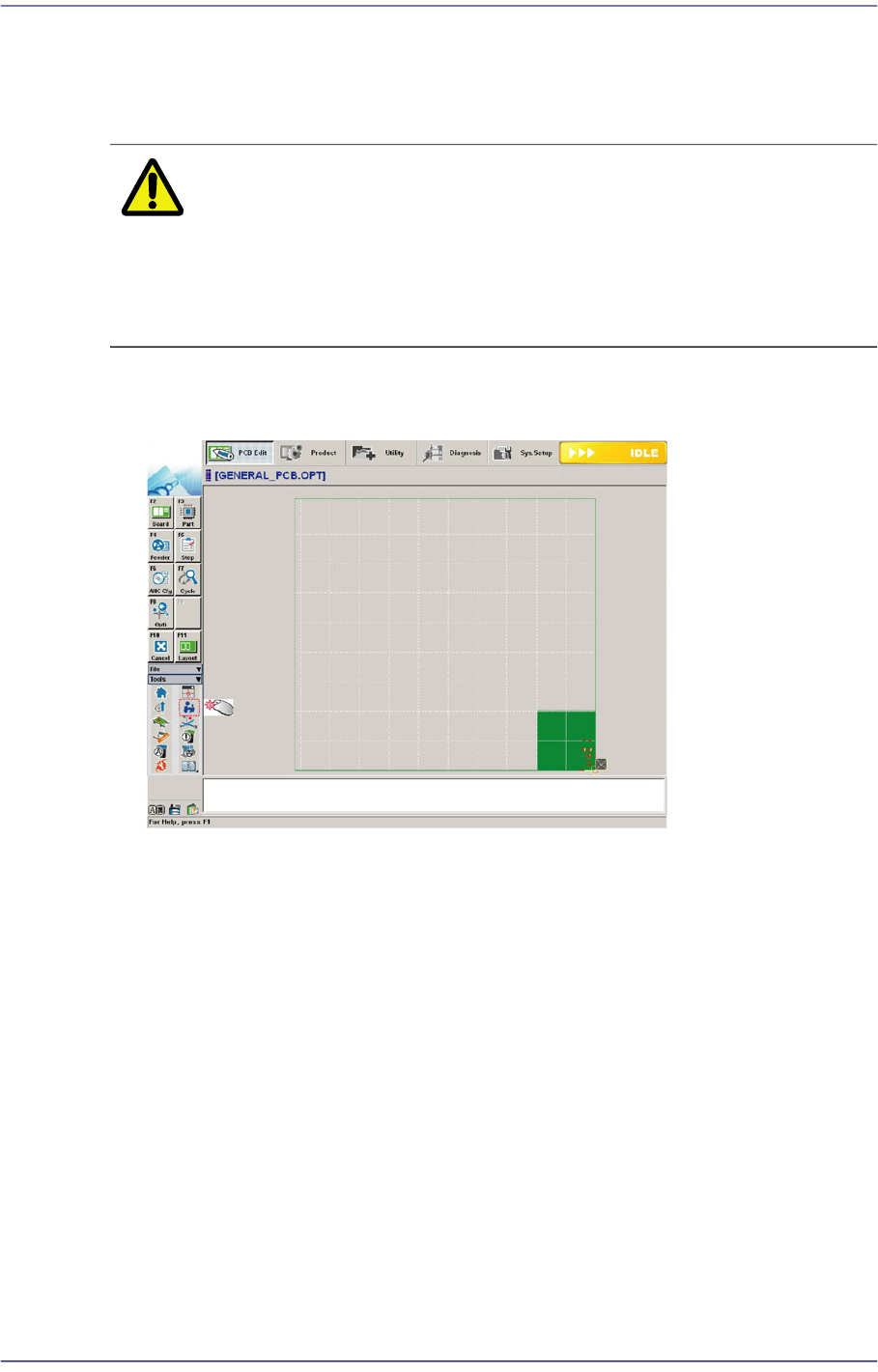
3. The setup with the manager mode is made in the following manner..
(1) Select the <Manager> option Button in the <Select Operation Mode> group
(2) Enter the manager password in the <Password> editor box.
(3) Click the <OK> button.
1-9
Operation Mode and Password Change
1.2. Changing Password
Except for the plain users, each user mode has a password. The password is needed to set
each user mode. The password must be set within 8 characters.
Caution Do not share the programmer mode and manager mode
with the users other than the corresponding users. Damage
may be caused by the incorrect operation of the MMI by the
unauthorized user in the programmer mode or manager
mode.
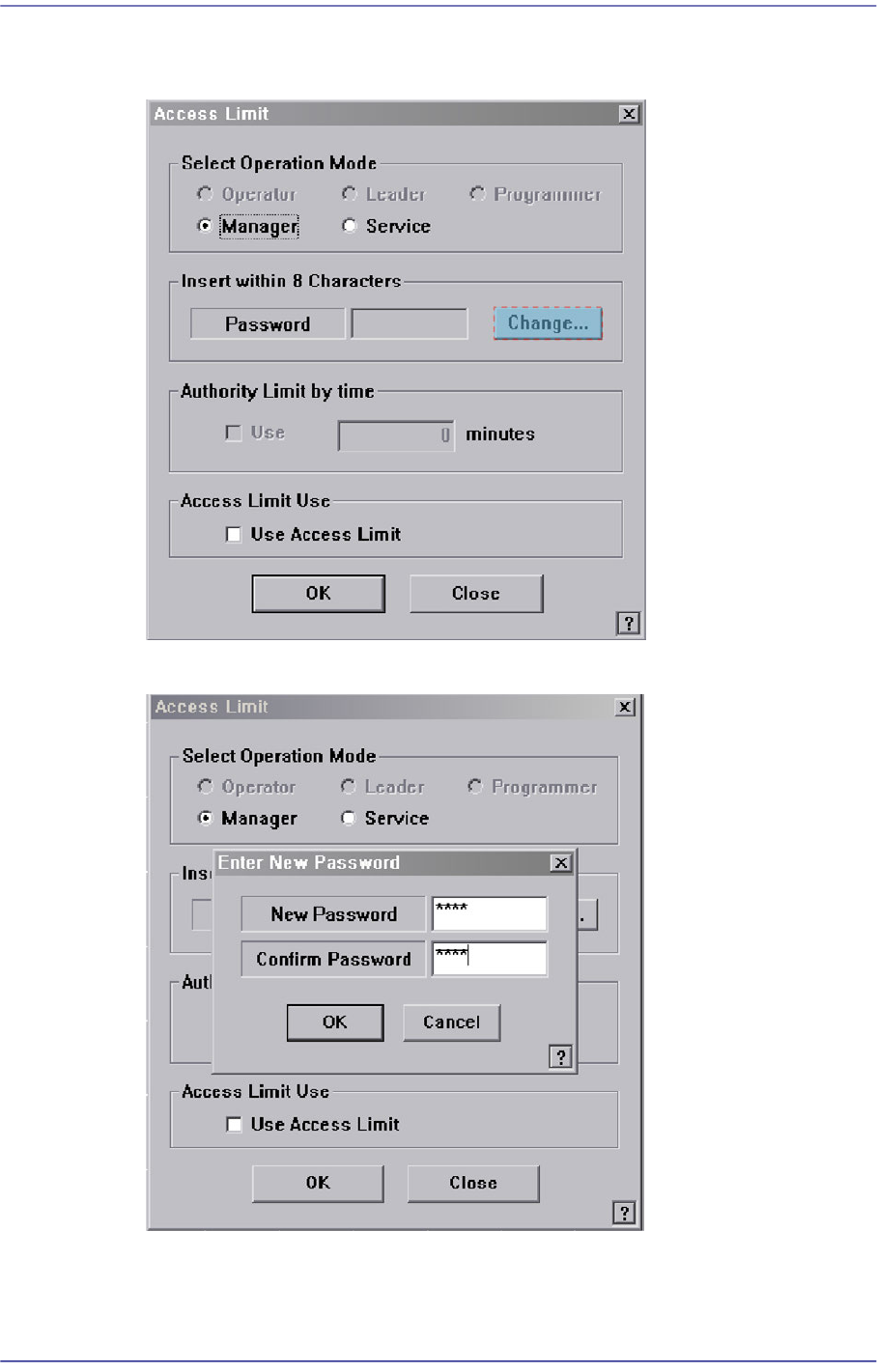
Select the ‘Operation Mode Change’ Button in the menu-toolbar in the System
Manager Mode.
1-10
Fast Flexible Placer SM481(L) PLUS Administrator’s Guide
Once the ‘Operation Mode Change’ has been selected, the following dialog box
appears.
Click the <Change> button. And then the following dialog box appears.
Enter the password in the <New Password> edit box.