Hanwha SM481 PLUS Series Administrator’s Guide Eng.pdf.pdf - 第517页
18-1 Producti o n Information Management Chapter18. Production Information Management 18.1. P roduction Information Mana gement [Pd. Info] Clicking the ‘Production Information’ submenu butt on of the ‘Production’ menu wi…
18-1
Production Information Management
Chapter18. Production Information
Management
18.1. Production Information Management [Pd. Info]
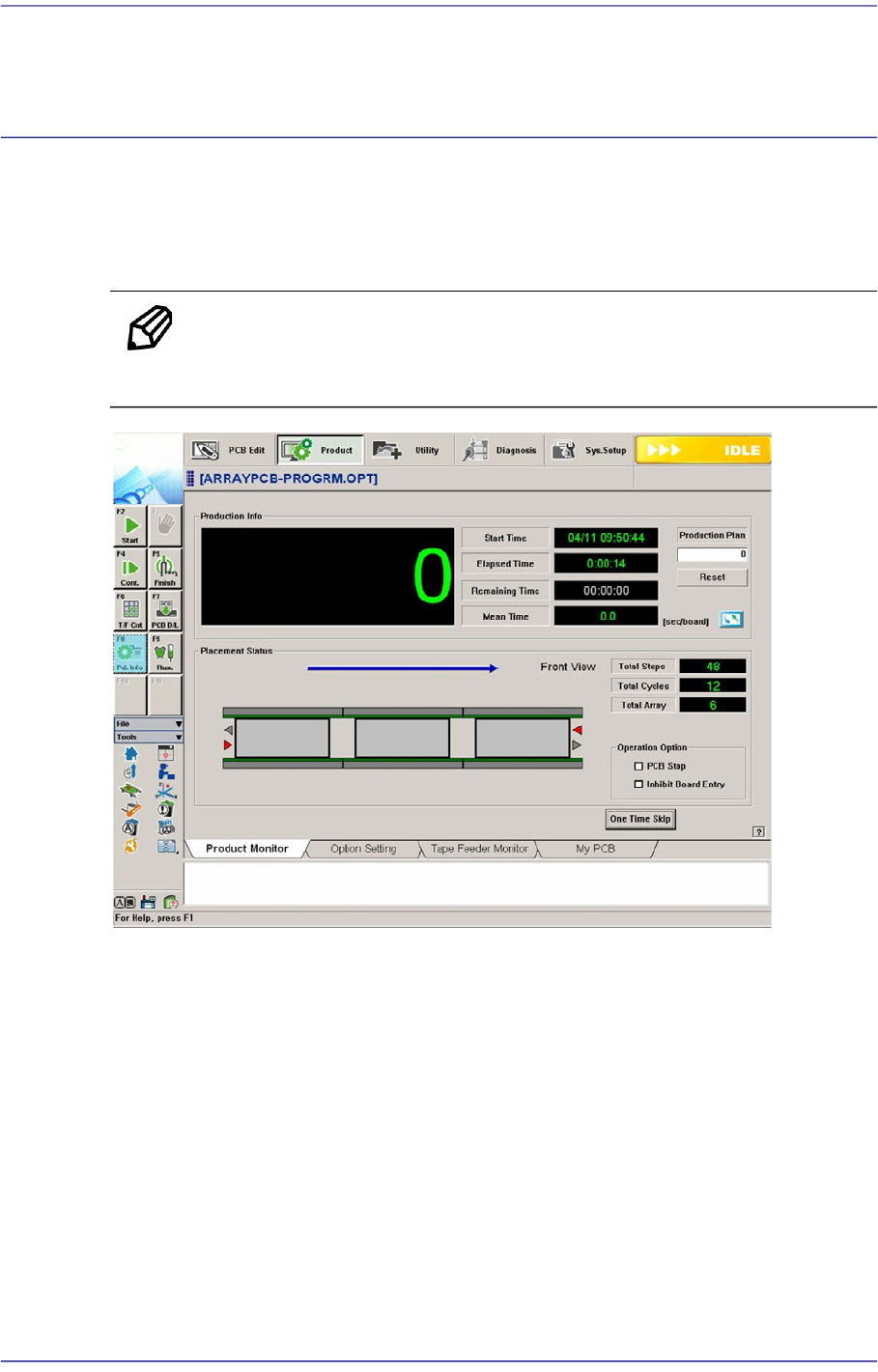
Clicking the ‘Production Information’ submenu button of the ‘Production’ menu will
display the following dialog box.
Memo The shape of the conveyor displayed on the screen may differ
depending on the option.
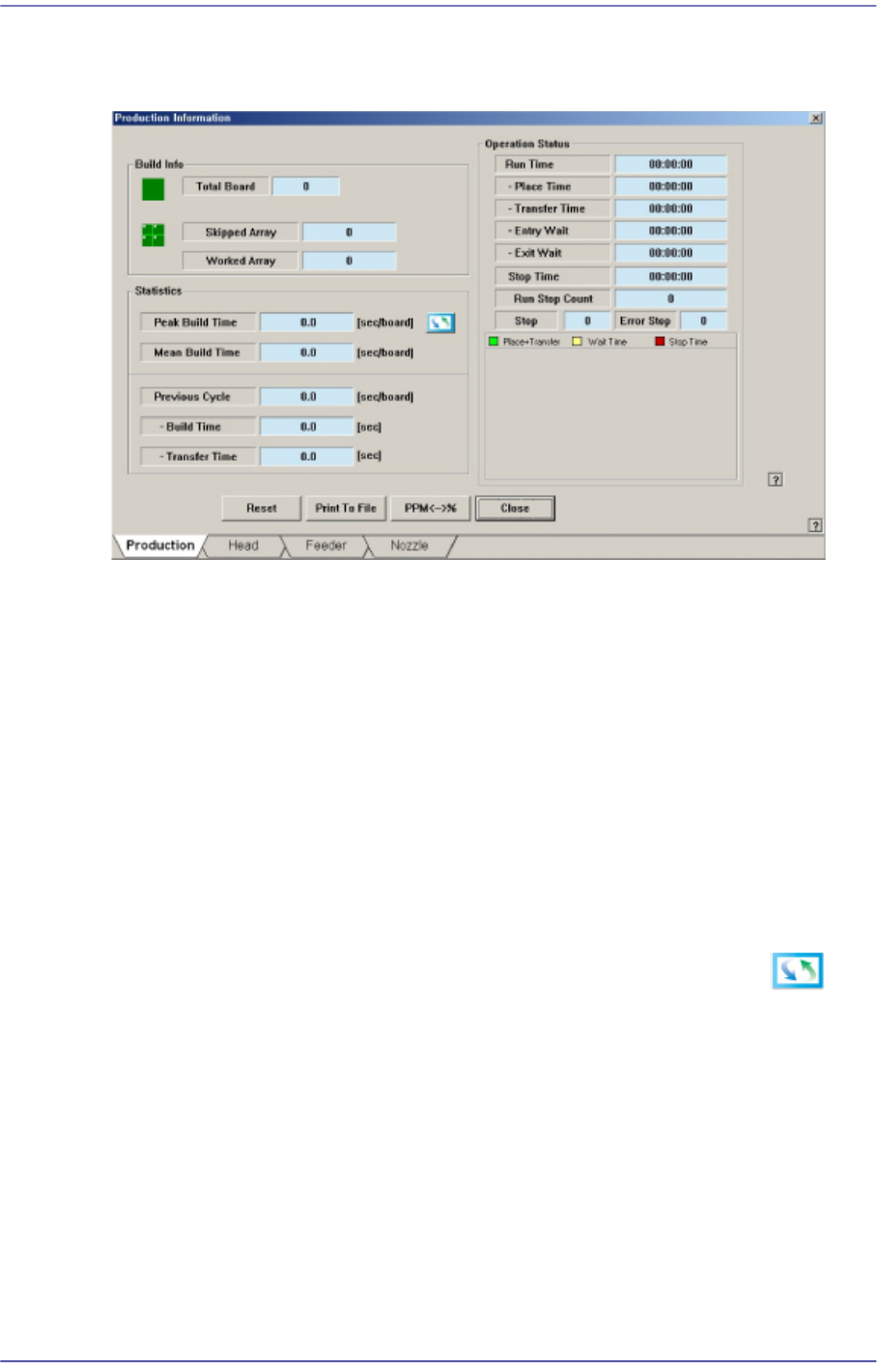
When “Plc. Info” submenu is clicked on, the following dialog box is displayed.
18-2
Fast Flexible Placer SM481(L) PLUS Administrator’s Guide
18.1.1. Product
Figure18.1 “Production” tab dialog
<Build Info> group
Indicate various information related to PCB production.
<Total Board>
Indicates the total number of produced PCBs.
<Skipped Array>
Indicates the total amount of PCB Arrays and PCBs that have been skipped as a
result of ‘Defect’ indicated on the bad mark.
<Worked Array>
Indicates the total number of PCB’s normally worked.
<Statistics> group
Displays the information about placement time. Clicking the right button will
display different types of information. (sec/board → board/hour → CPH)
<Peak Build Cycle>
sec/board
The minimum time that was taken to work on one PCB is displayed in the
second unit. [Peak Build Cycle Time (sec/board) ]
CPH
Indicates the number of PCBs that are expected to be produced in an hour
based on the Peak Build Cycle (sec/board).