Hanwha SM481 PLUS Series Administrator’s Guide Eng.pdf.pdf - 第386页
14-34 Fast Flexible Placer SM481(L) PLUS Administ r ator’s Guide <Light> button Set the lighting value. Set the valu e by adjusting the sliding ba r . <Update> button Applies the changed value and closes …
14-33
Machine Calibration
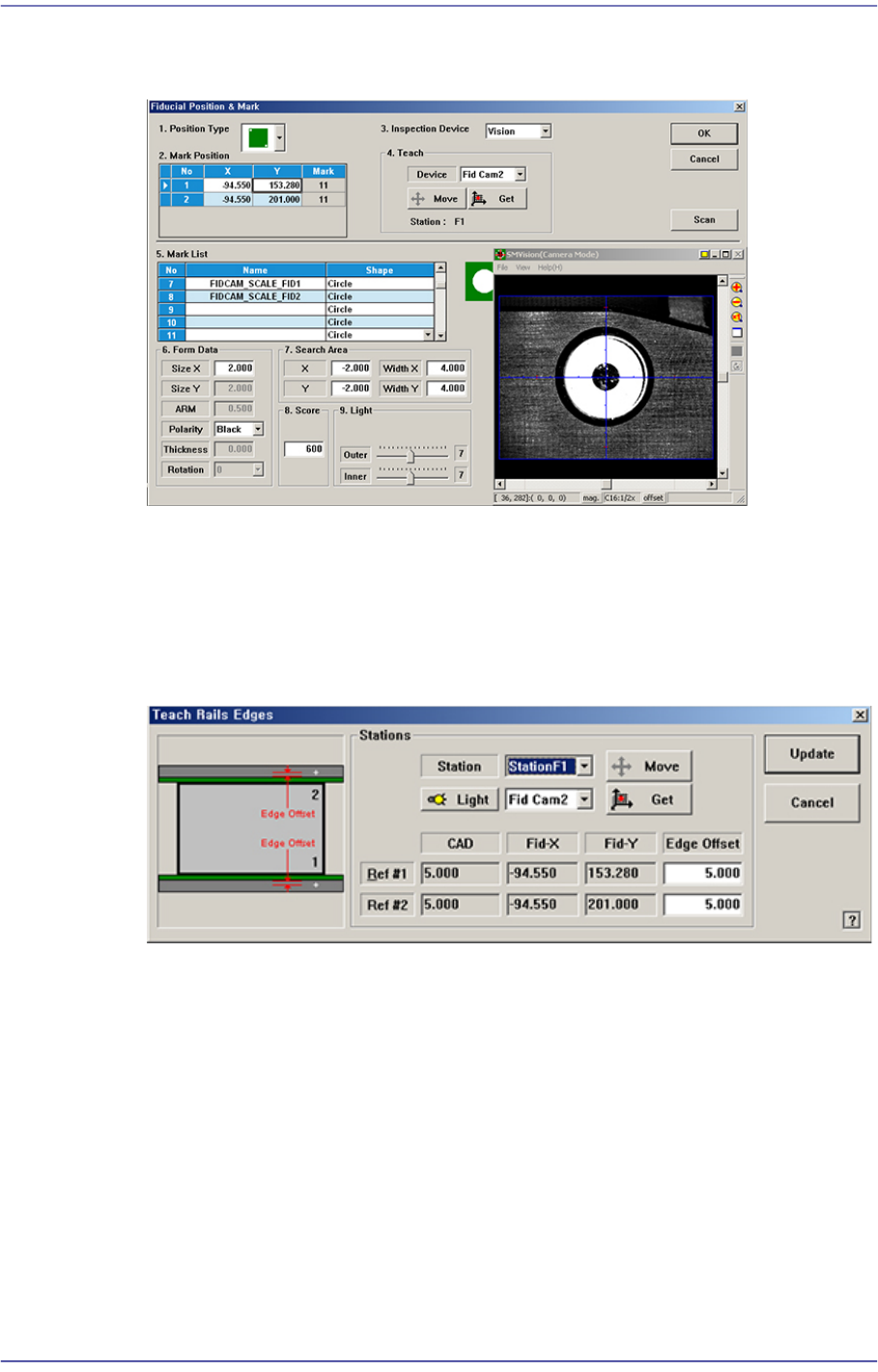
Teaches the fiducial marks of the selected Station. Please refer to“6.3 Fiducial Mark
Setup”for more information.
<Edge Offset Teach…> button
Used to measure the offset between the fiducial mark and edge accurately. First click
the <Home All> button to measure the edge offset and check the fiducial mark
position.
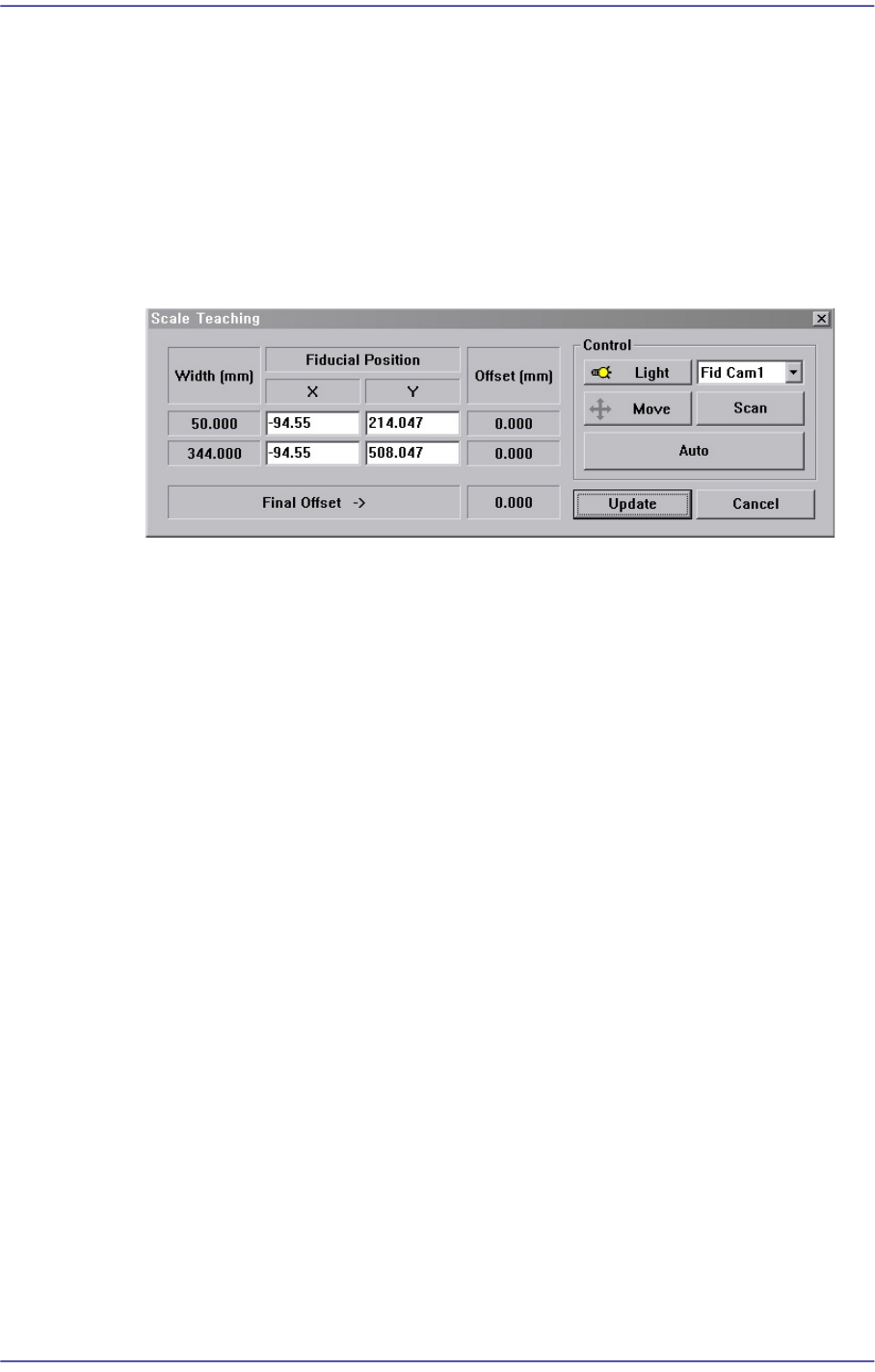
Figure14.10 “Teach Rails Edges” dialog box
<Edge Offset> edit box
Means the distance from the center of the fiducial mark to the edge of the rail.
Teaching must be performed after selecting this point using a mouse.
<Move> button
The <Move Cam> button can be clicked after first selecting a station and next
selecting the <Edge Offset> edit box. Then the downward camera (Fiducial
Camera) is moved to the center of the selected fiducial mark of the selected
station.
<Get> button
Apply the coordinate value of the current position as the selected fiducial mark
position.
14-34
Fast Flexible Placer SM481(L) PLUS Administrator’s Guide
<Light> button
Set the lighting value. Set the value by adjusting the sliding bar.
<Update> button
Applies the changed value and closes the dialog box.
<Scale Teach...> button
Teaches the Y offset of the conveyor fiducial mark.
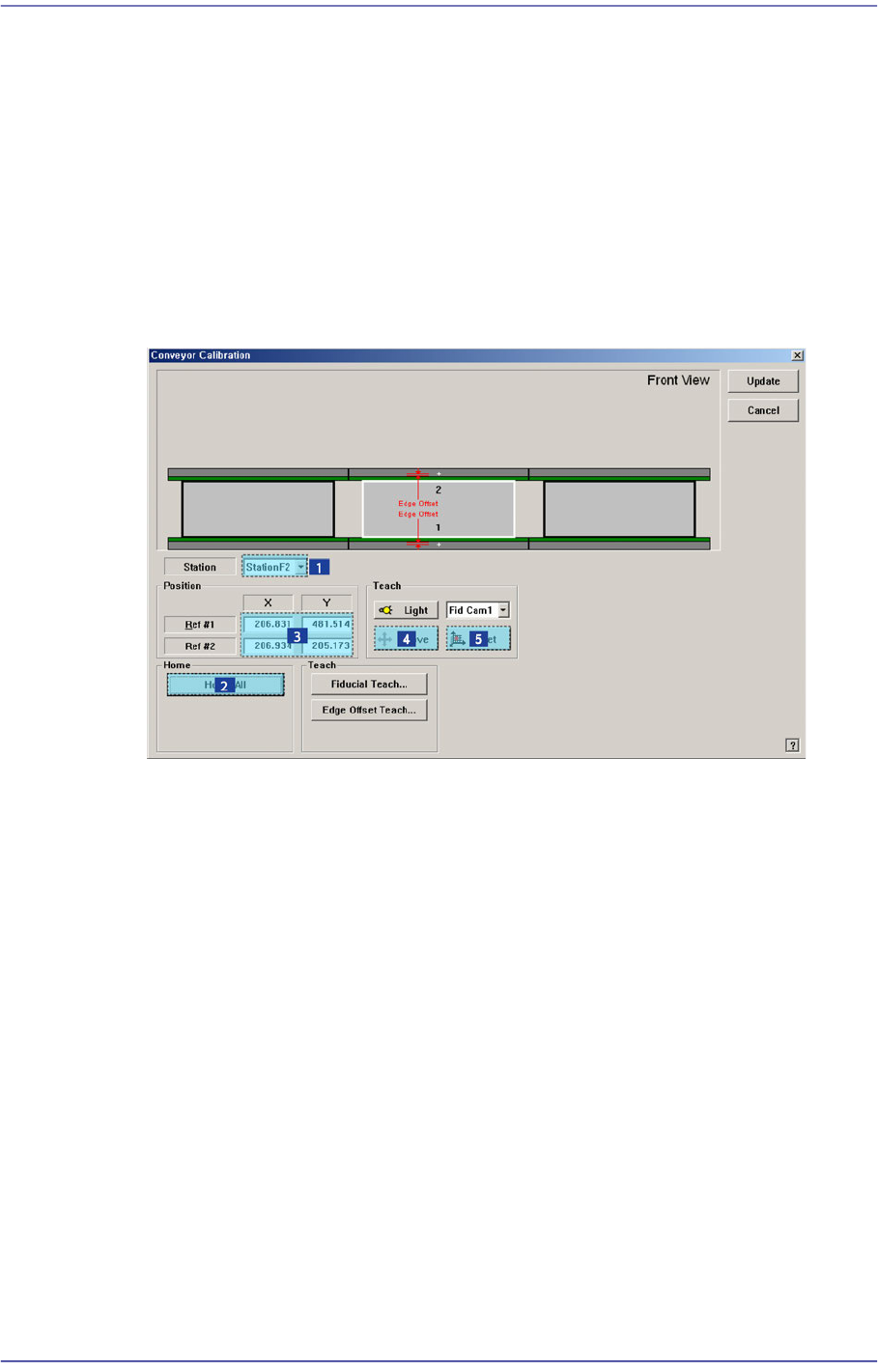
Figure14.11 “Scale Teach” dialog box
<Width (mm)> group
Displays the conveyor width provided by default for calibration.
<Fiducial Position> group
Displays the XY coordinates of the conveyor fiducial mark set by the MMI.
<Offset (mm)> group
Displays the Y value of the conveyor fiducial machine measured by the actual
machine as well as the offset of the Y value set by the MMI.
<Final Offset ->> group
A: Y offset when the conveyor width is 50mm
B: Y offset when the conveyor width is 344mm
Final Offset = B-A
<Move> Button
Moves the fiducial camera to the conveyor position selected from the <Fiducial
Position> group.
<Scan> Button
Scans the fiducial mark of the conveyor selected from the <Fiducial Position>
group and displays the Y offset in the <Offset (mm)> group.
<Auto> Button
Executes the Y offset teaching process of the conveyor fiducial mark
automatically.
<Light> Button
14-35
Machine Calibration
Sets the lighting value. Adjust the corresponding slide bar to set the lighting value.
<Update> Button
Applies changed values and closes the dialog box.
14.3.4.1. Procedure
Conveyor Calibration method is as follows.
1. “Click the <Home All> button in the “Conveyor Calibration” dialog box.
2. Select the station to be calibrated from the <Stations> combo box.
3. Click the <Fiducial Teach…> button to teach the fiducial marks of the selected station
accurately and click the <Tuning> button to scan the position accurately.
4. Click the <OK> button to update the information on the fiducial mark position.
5. Click the <Edge Offset Teach…> button