Hanwha SM481 PLUS Series Administrator’s Guide Eng.pdf.pdf - 第261页
8-25 Feeder Setup <Skip> column Determines whether to pick up the part fed from the corresponding pallet. <XN> edit box Sets the number of pockets of the selected pallet in the X direction. <YN> e…
8-24
Fast Flexible Placer SM481(L) PLUS Administrator’s Guide
8.1.3. Tray Unit
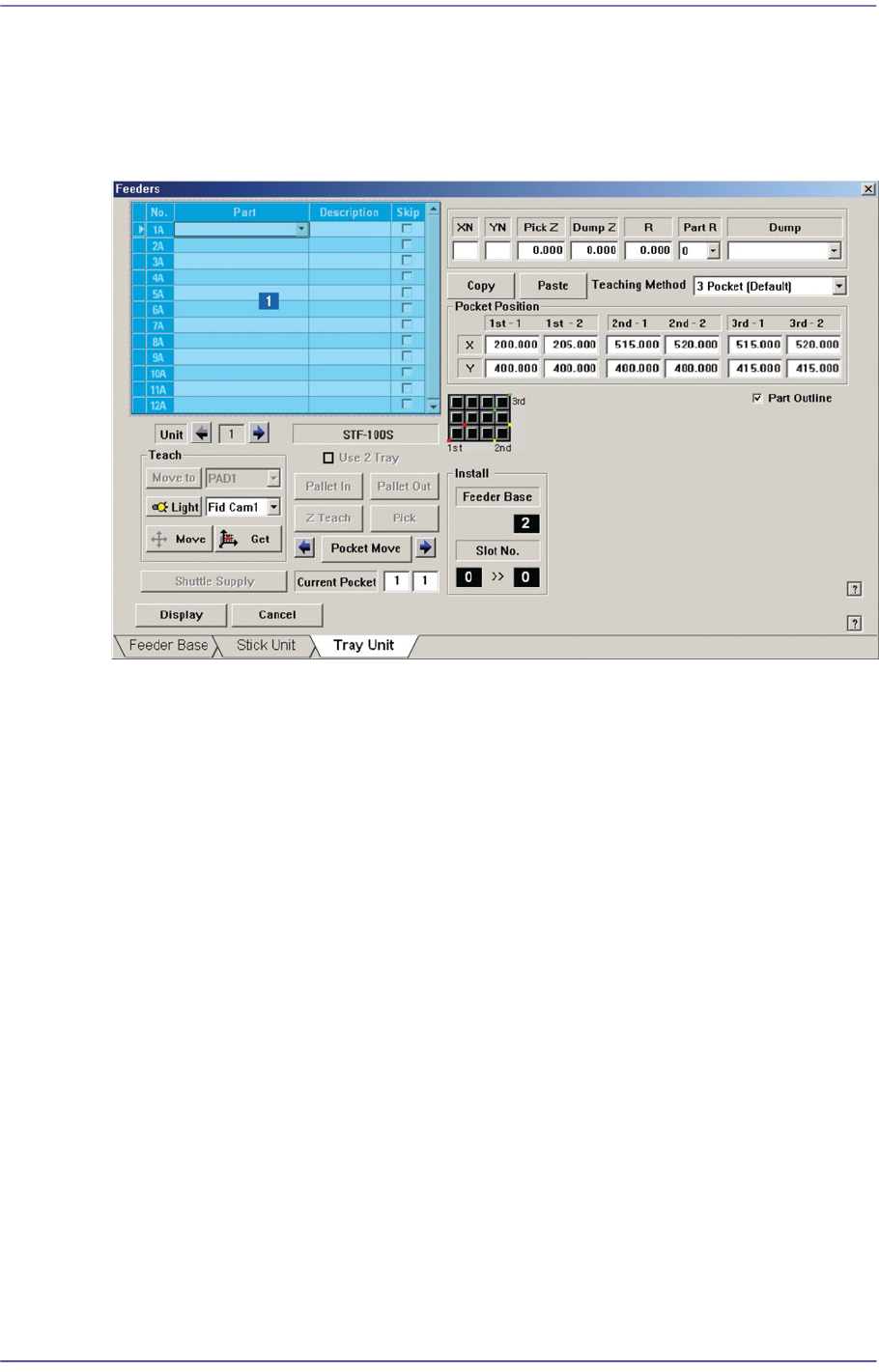
Set various data for tray feeders. When “Tray Unit” is selected, the initial screen looks as
follows.
Figure8.10 “Tray Unit” dialog box
1: Grid
‘Grid’ group
Create and edit data according to the type of the corresponding tray.
<No> column
Refers to the serial number of the tray unit. Basically, “Single” has 10 trays. Each
means one tray.
<Part> column
Select the part to install on the corresponding tray. When the <Part> column is
clicked on, a Combo Box appears, and among the components registered in <1.2
Part>, a list of components to be supplied to “Tray” are displayed.
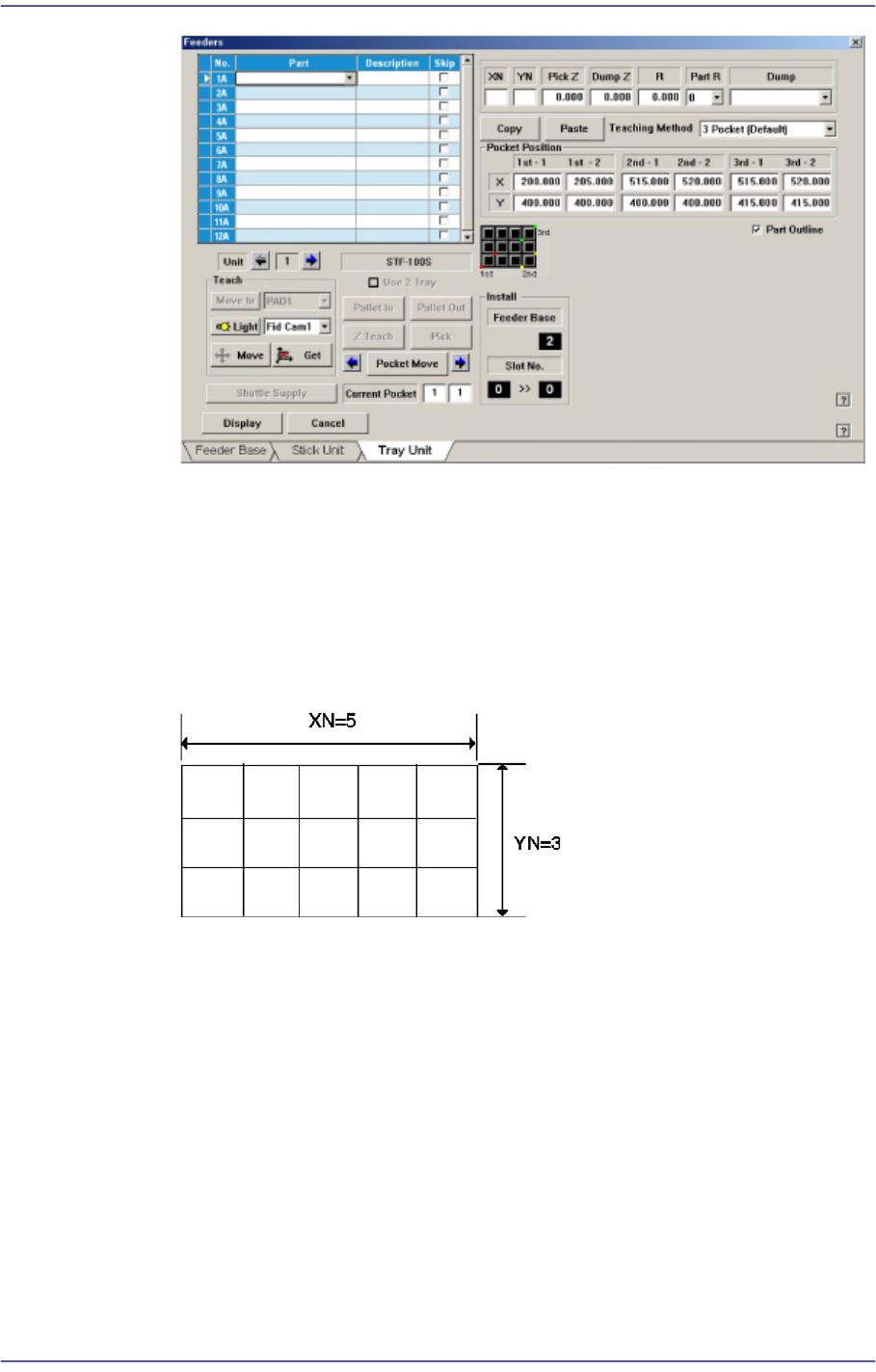
Next is the screen that shows component selection in the Combo Box of <Part>
column.
8-25
Feeder Setup
<Skip> column
Determines whether to pick up the part fed from the corresponding pallet.
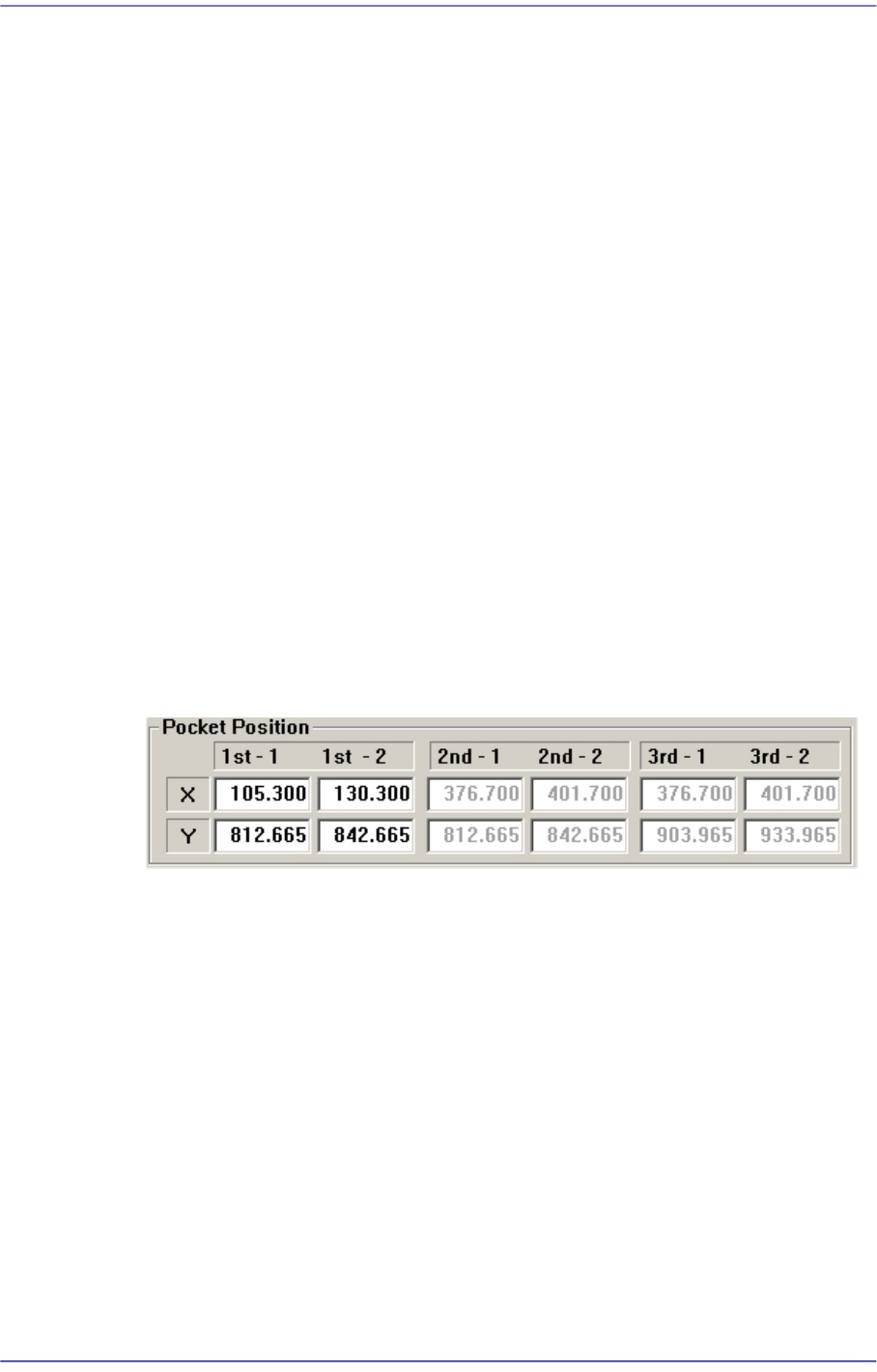
<XN> edit box
Sets the number of pockets of the selected pallet in the X direction.
<YN> edit box
Sets the number of pockets of the selected pallet in the Y direction.
<PickZ> column
Sets the Z axis height when picking up the part fed from the corresponding palle.
<DumpZ> column
Sets the Z axis height when dumping the part if part pickup has failed. At this
time, it must be set to ‘Return to Tray’ in the <Dump> column.
<R> column
Sets the R axis coordinate (head rotation angle) when picking up the part fed from
the corresponding pallet.
<PartR> column
Sets the pickup angle of the part fed from the corresponding pallet.
8-26
Fast Flexible Placer SM481(L) PLUS Administrator’s Guide
<Dump> column
Selects the method to dump the corresponding part when it failed to pick up or
recognize the part fed from the corresponding pallet.
Return to Tray: Dumps to the tray from which the component was picked up..
User Dump: Sets the dump box set by the user in the system.
<Copy> button
Copies the part information in the ‘Grid’ group. At this time, all setup data related to
the corresponding part are copied together.
<Paste> button
Clicking this Button after selecting the desired pallet from the ‘Grid’ group will paste
the copied part information.
<Teaching method> combo box
Select the method to teach the pocket position in order to pick up the part supplied to
the tray feeder. If the 3Pocket or 2Pocket Diagonal method is selected, the function
that guesses the teaching position is provided during teaching. Therefore, the time
required to move the gantry using the teaching box is reduced.
Select the 3Pocket or 2Pocket Diagonal as a teaching method. If all the 2nd-1, 2nd-2,
3rd-1 and 3rd-2 coordinates are 0.000, when the coordinates of the 1st-1 and 2nd-2 are
determined, the coordinates of the 2nd-1, 2nd-2, 3rd-1 and 3rd-2 are guessed and
displayed in grey.
If the actual values are taught, the guessed value displayed in gray is indicated in
black. The black means the fixed value.
If the guessed value is changed, the remaining value is guessed more accurately as the
second guessed value.
3Pocket [Default]
As shown in the following figure, input the positions of the two corner points
facing each other diagonally for 3 pockets.