Hanwha SM481 PLUS Series Administrator’s Guide Eng.pdf.pdf - 第390页
14-38 Fast Flexible Placer SM481(L) PLUS Administ r ator’s Guide 13. After finishing the teaching, click the <Update> butto n to apply the changed value. F2_Ref#1 F2_Ref#2 F3_Ref#1 F3_Ref#2
14-37
Machine Calibration
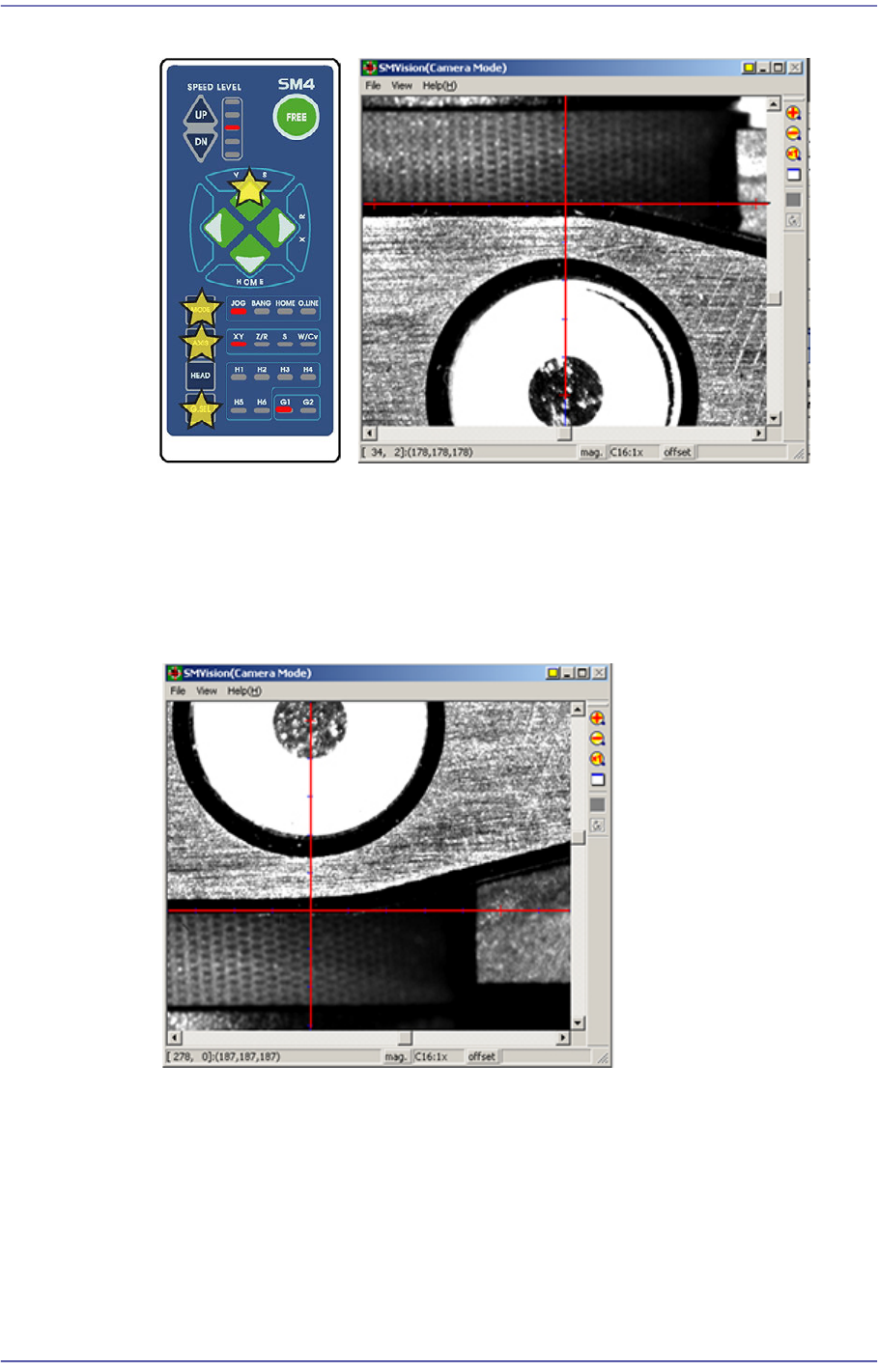
8. When matched, press the ‘Enter’ button in the teaching box.
9. Select the corresponding <Edge Offset> edit box in ‘Ref. #2’ and click the <Move
Cam> button.
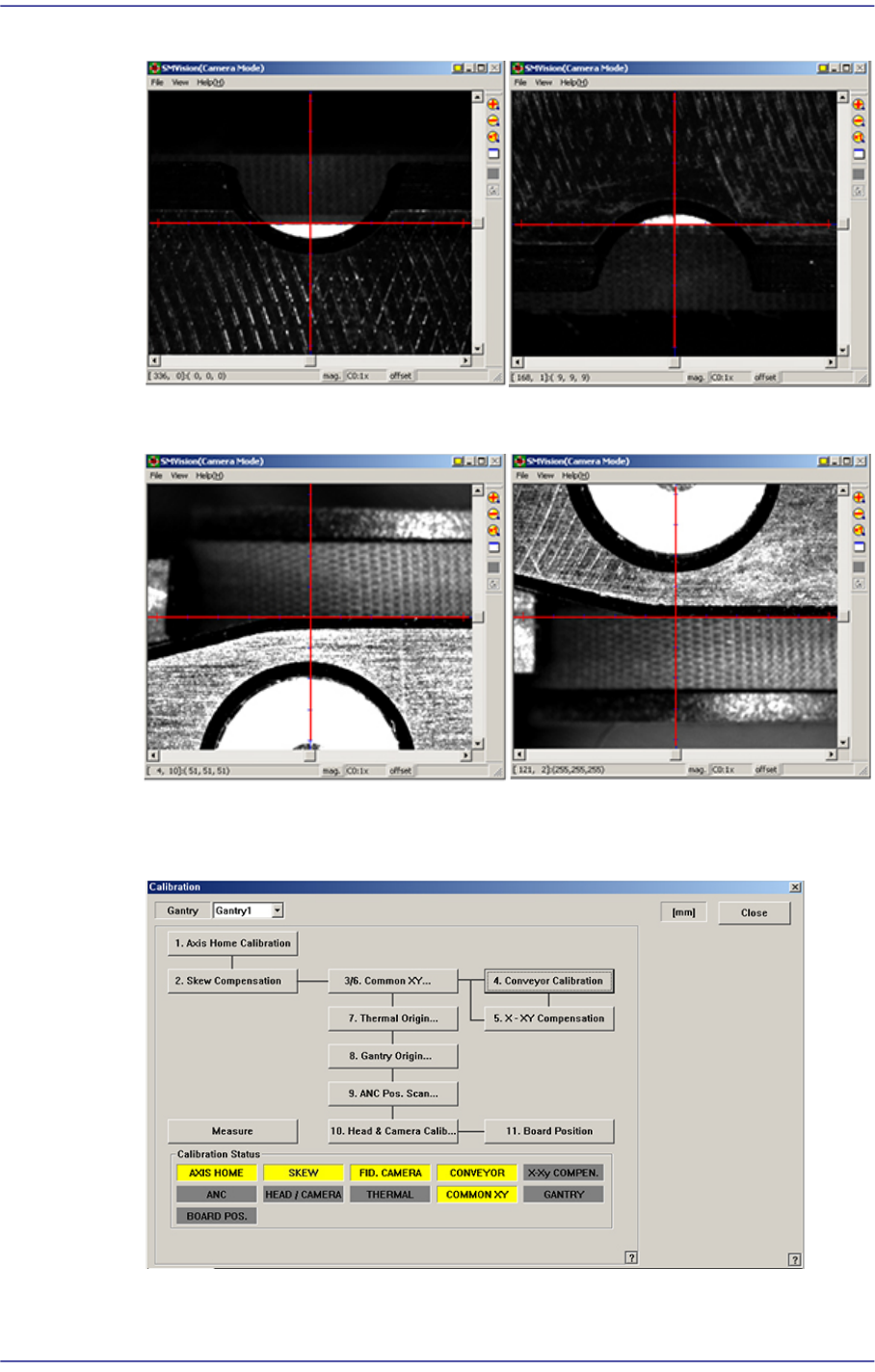
10. Perform teaching on ‘Ref. #2’ in the same way as teaching on ‘Ref. #1’.
11. When teaching on the fiducial marks of the selected station is finished, perform
teaching on the fiducial marks of the other stations in the same way.
12. Perform steps #2 ~ #12 for each station according to the following order: StationF2 ->
StationF1 -> StationF3.
F1_Ref#2
14-38
Fast Flexible Placer SM481(L) PLUS Administrator’s Guide
13. After finishing the teaching, click the <Update> button to apply the changed value.
F2_Ref#1
F2_Ref#2
F3_Ref#1
F3_Ref#2
14-39
Machine Calibration
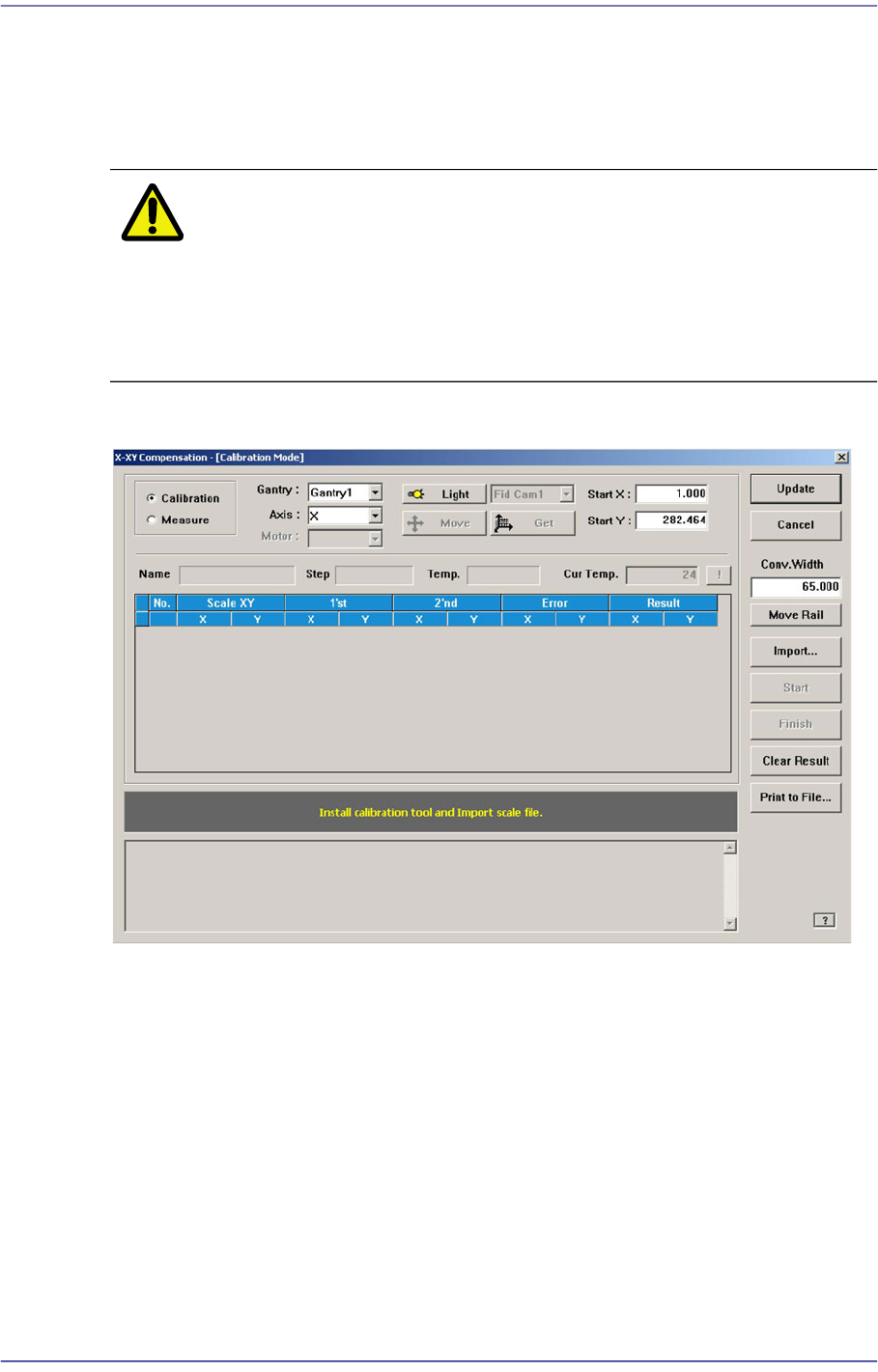
14.3.5. X-XY Compensation
This is performed to compensate the XY error that occurs while moving the X axis. If the
thermal mapping and gantry mapping have already been enabled, disable the mapping by
force to perform the X-XY compensation.
Caution X-XY compensation is performed at the factory before the
machine is shipped. An exclusive calibration tool is needed
to perform this calibration.
In general cases, skip this calibration process and perform
the next calibration process.
Figure14.12 "X-XY Compensation" dialog box
Mode Option button
Select the mode in which this process is to be performed.
<Calibration> Option button
Perform the X-XY compensation in the calibration mode and reflect the result.
<Measure> Option button
Perform the X-XY compensation in the measurement mode and do not reflect the
result. It is selected to measure the error for the Y axis.
<Gantry> combo box
Gantry1
When performing calibration in Station F2 by using the calibration tool.