Hanwha SM481 PLUS Series Administrator’s Guide Eng.pdf.pdf - 第474页
15-38 Fast Flexible Placer SM481(L) PLUS Administ r ator’s Guide 15.5.3. <Device> tab dialog Set whether to use or not to use the ANC and camera and set the constant par ameter to be used for the vision system. W h…
15-37
System Setup
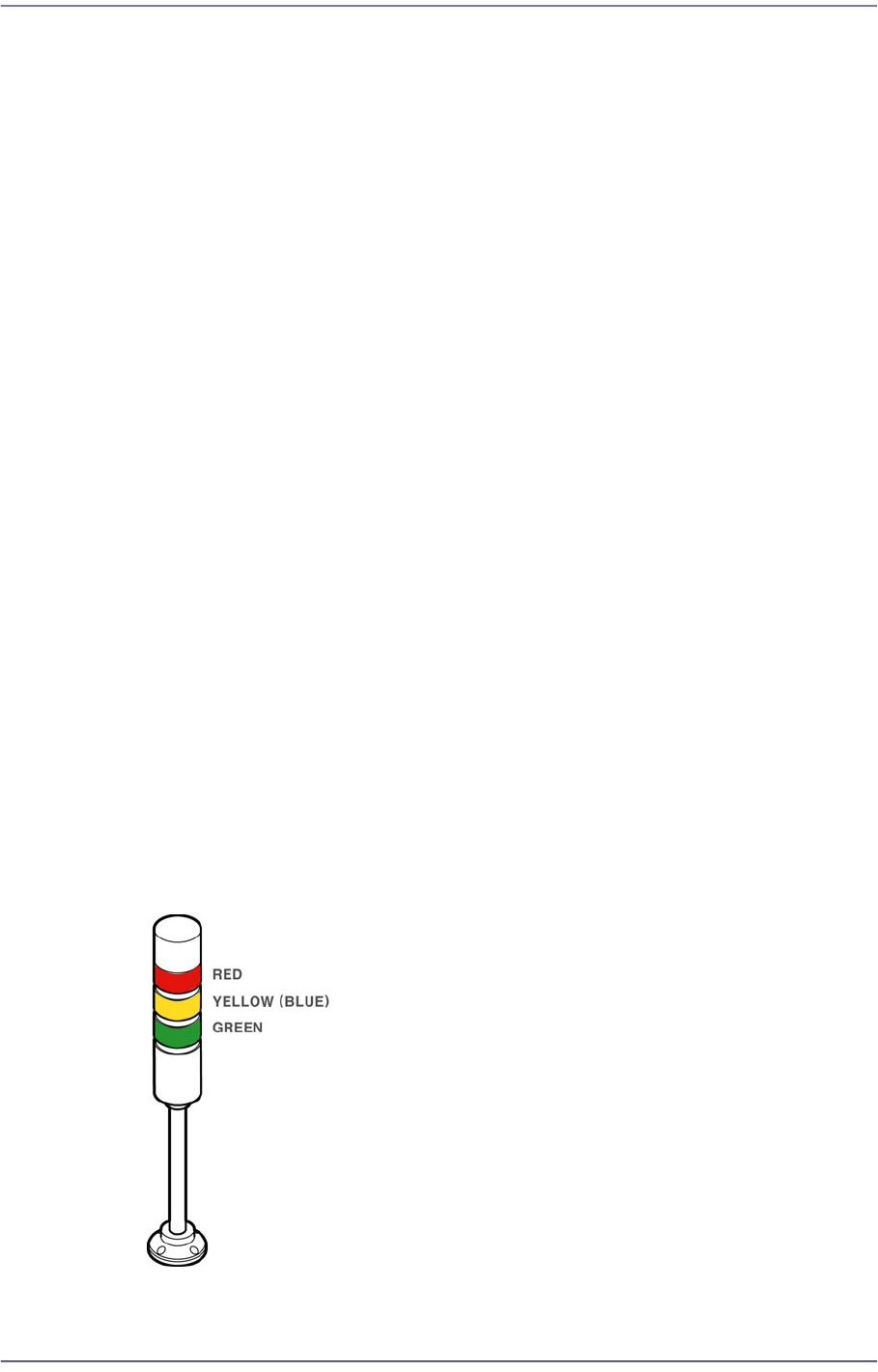
15.5.2.1. Standards for Lighting Signal Light
Indicates the operation status of the machine in the combination of lamps with three
colors. The user can check the machine status at a glance by looking at only the signal
light.
For more details about how to set the signal light, refer to “13.4.2. Lamp” in the
Administrator’s Guide.
Lighting of a red lamp
Indicates the stop status through self-diagnosis of the system. Warning sounds ring
continuously and messages are indicated as the red lamp is lighted.
Flashing of a red lamp
Indicates either the pressing of the ‘EMG’ switch or the emergency stop status through
self-diagnosis of the system. Warning sounds ring continuously and messages are
indicated as the red lamp is flashed.
Lighting of a yellow lamp
Indicates the standby status of operation.
Flashing of a yellow lamp
Indicates either component shortage in the tray feeder or adsorption error. Warning
sounds ring continuously and messages are indicated as the yellow (or blue) lamp is
flashed.
Lighting of a green lamp
Indicates that this machine is currently being operated automatically.
Flashing of a green lamp
Indicates temporary stop status. Automatic operation can be resumed by pressing the
START button.
Figure15.18 Signal Light
15-38
Fast Flexible Placer SM481(L) PLUS Administrator’s Guide
15.5.3. <Device> tab dialog
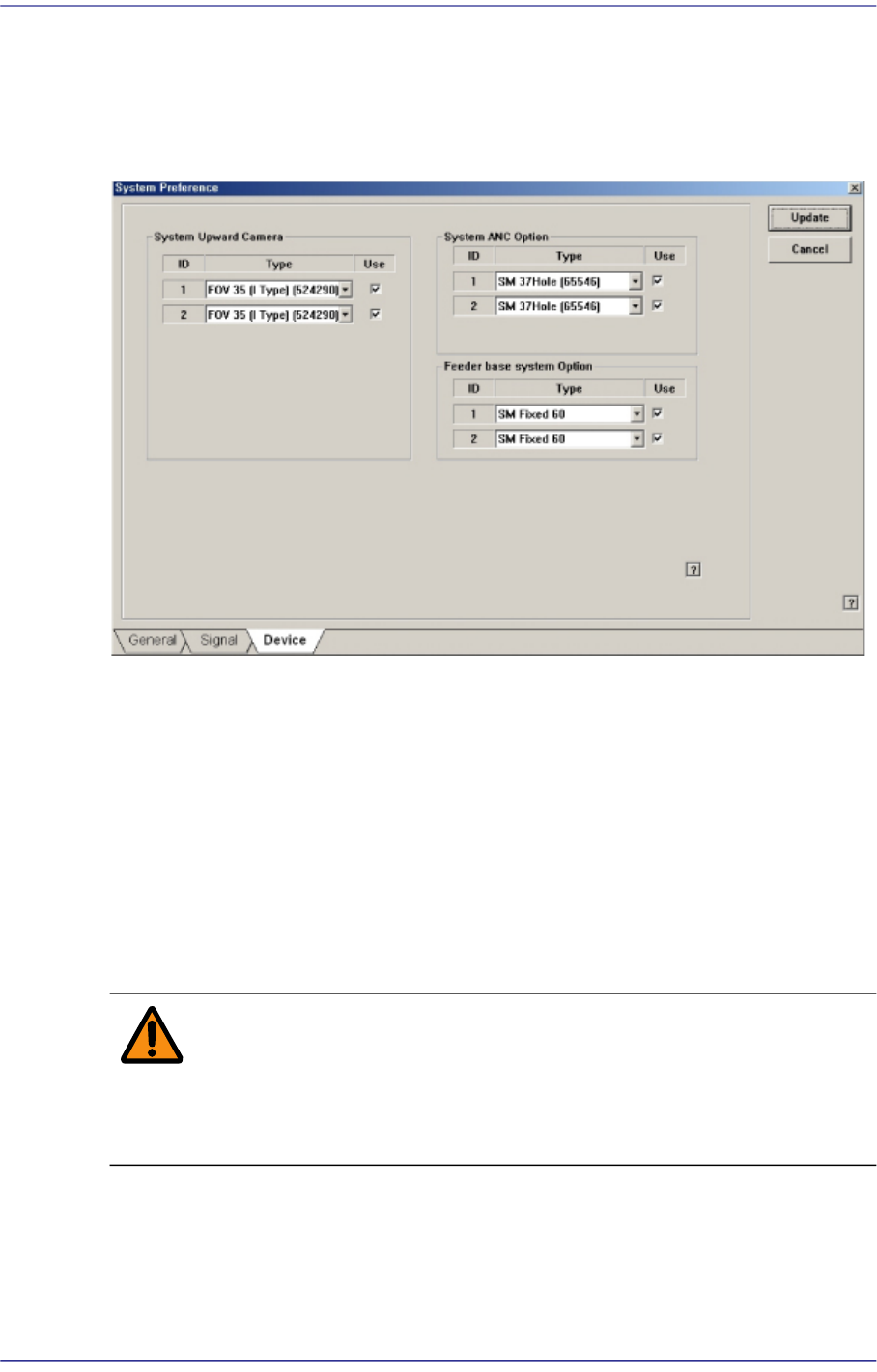
Set whether to use or not to use the ANC and camera and set the constant parameter to be
used for the vision system. When this button is selected, the following screen is displayed.
Figure15.19 “Device” tab dialog
<System Upward Camera> group
Set whether to use or not to use the fix camera type available for the equipment. To use
the corresponding camera type, check the check box. In the SM411 model, this
function is not available.
<System ANC Option> group
Set whether to use or not to use the ANC type available for the equipment. To use the
corresponding ANC type, check the check box.
<Feeder base system Option> group
Sets the type of the feeder base installed on the equipment.
Warning Changing the set up status by an unauthorized user could
damage the equipment or result in personal
injury.Unauthorized user must not change the set up status
of the equipment.
15.5.4. <SECS> tab dialog
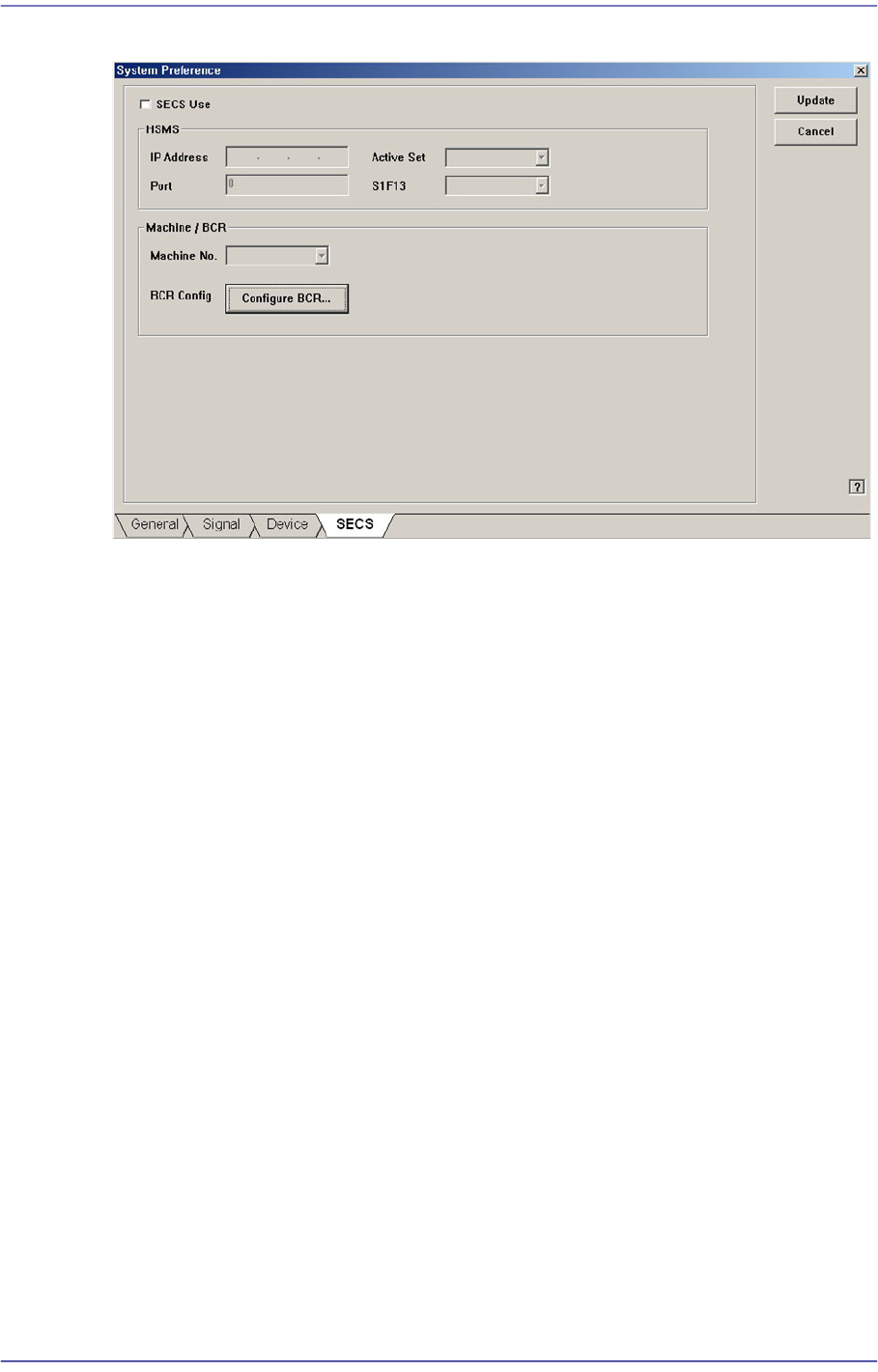
Set the communication with the MES host. This function is selected when using the
gamma interface applied by Samsung Electronics.
15-39
System Setup
Figure15.20 “SECS” tab dialog
<SECS Use> check box
Select this check box to perform setup for communication with the MES host.
<HSMS> group
<IP Address> edit box
Inputs the IP address assigned to the machine.
<Active Set> combo box
Sets one of the items first to which the connection command will be transmitted
for communication between the MES host and the machine.
Active: Attempts to connect the TCP/IP protocol to the host from the machine.
Passive: Attempts to connect the TCP/IP protocol to the machine from the
host.
<Port> edit box
Input the port assigned for communication between the MES host and the
machine.
<S1F13> combo box
Equipment: Attempts to connect the HSMS protocol to the host from the
machine.
Host: Attempts to connect the HSMS protocol to the machine from the host.
<Machine/ BCR> group
<Machine No.> combo box
Sets the ID so that the MES host may recognize the machine.