Hanwha SM481 PLUS Series Administrator’s Guide Eng.pdf.pdf - 第387页
14-35 Machine Calibration Sets the l ighting v a lue. Adjust the c orre sponding slide b a r to se t th e lighting value. <Update> Button Applies changed values and closes the di alog box. 14.3.4.1. Procedure Con…
14-34
Fast Flexible Placer SM481(L) PLUS Administrator’s Guide
<Light> button
Set the lighting value. Set the value by adjusting the sliding bar.
<Update> button
Applies the changed value and closes the dialog box.
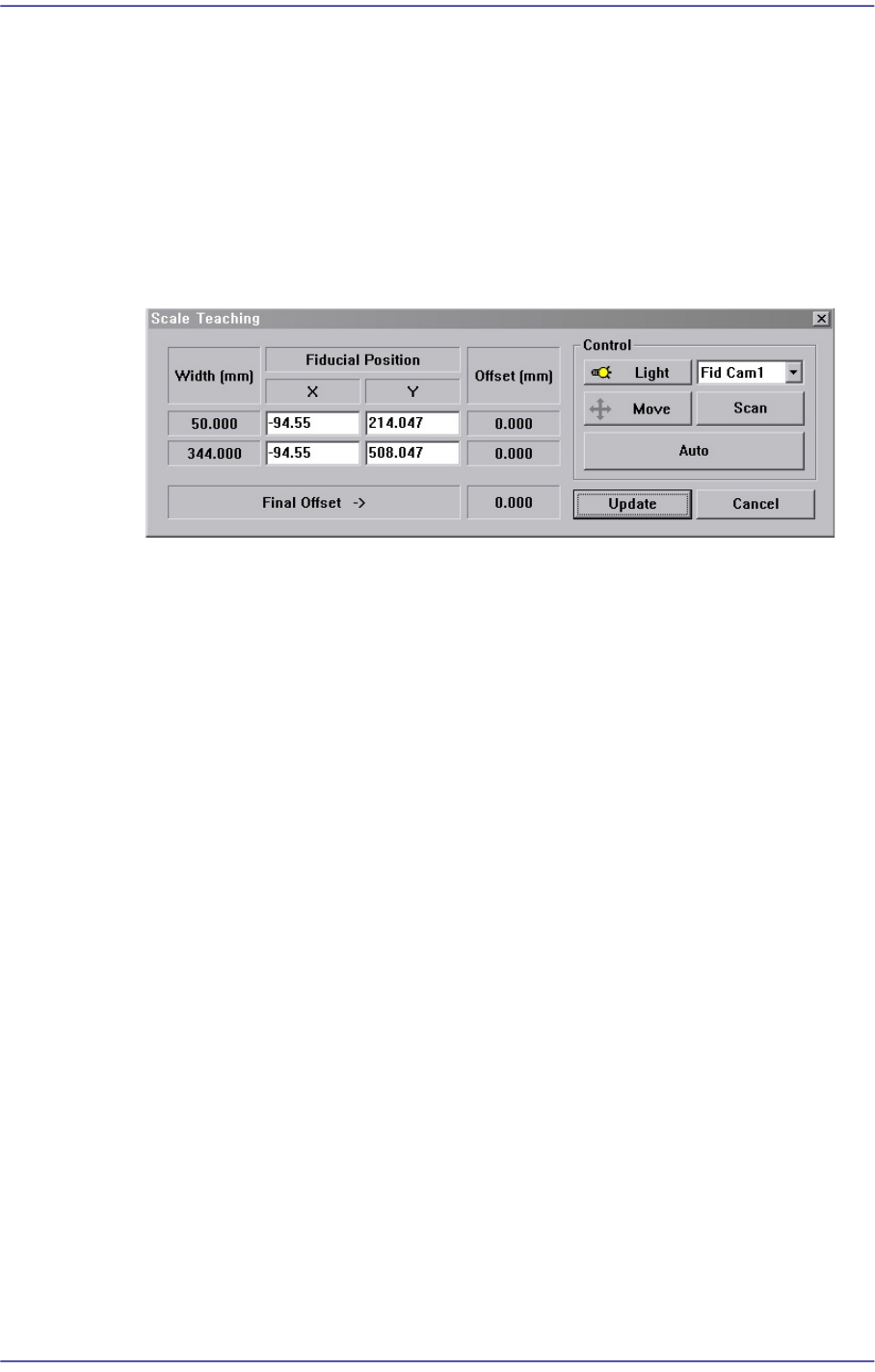
<Scale Teach...> button
Teaches the Y offset of the conveyor fiducial mark.
Figure14.11 “Scale Teach” dialog box
<Width (mm)> group
Displays the conveyor width provided by default for calibration.
<Fiducial Position> group
Displays the XY coordinates of the conveyor fiducial mark set by the MMI.
<Offset (mm)> group
Displays the Y value of the conveyor fiducial machine measured by the actual
machine as well as the offset of the Y value set by the MMI.
<Final Offset ->> group
A: Y offset when the conveyor width is 50mm
B: Y offset when the conveyor width is 344mm
Final Offset = B-A
<Move> Button
Moves the fiducial camera to the conveyor position selected from the <Fiducial
Position> group.
<Scan> Button
Scans the fiducial mark of the conveyor selected from the <Fiducial Position>
group and displays the Y offset in the <Offset (mm)> group.
<Auto> Button
Executes the Y offset teaching process of the conveyor fiducial mark
automatically.
<Light> Button
14-35
Machine Calibration
Sets the lighting value. Adjust the corresponding slide bar to set the lighting value.
<Update> Button
Applies changed values and closes the dialog box.
14.3.4.1. Procedure
Conveyor Calibration method is as follows.
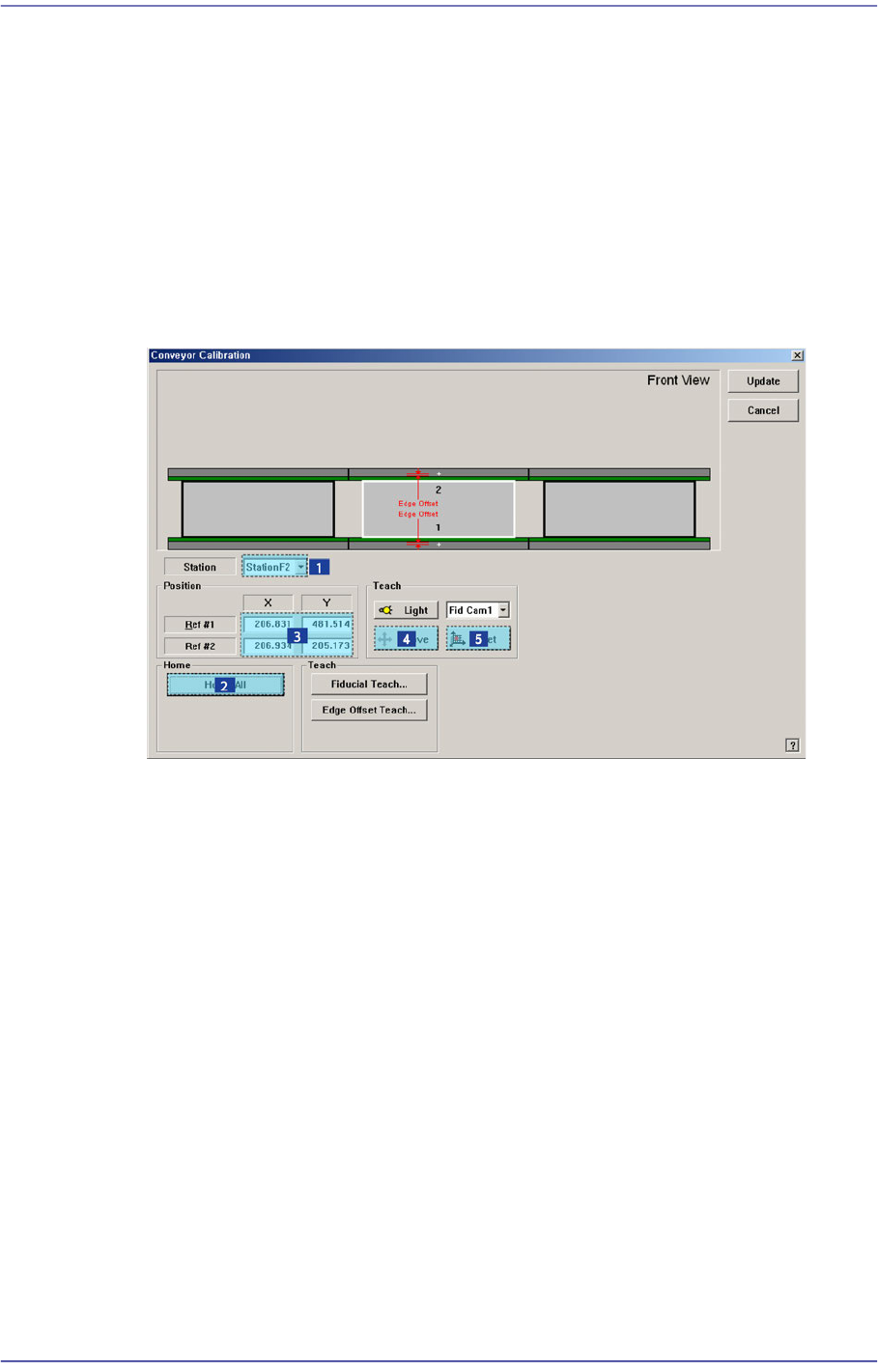
1. “Click the <Home All> button in the “Conveyor Calibration” dialog box.
2. Select the station to be calibrated from the <Stations> combo box.
3. Click the <Fiducial Teach…> button to teach the fiducial marks of the selected station
accurately and click the <Tuning> button to scan the position accurately.
4. Click the <OK> button to update the information on the fiducial mark position.
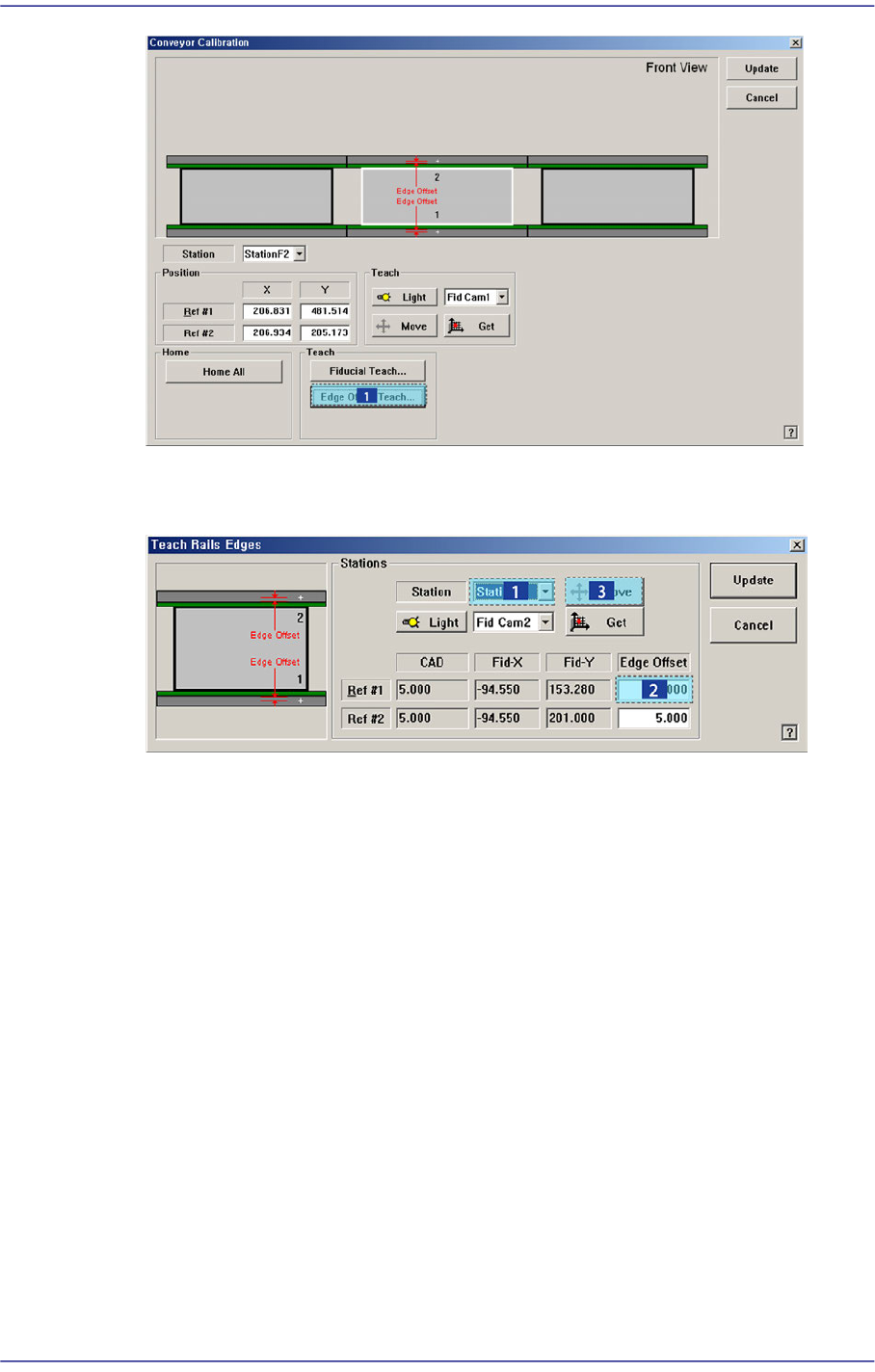
5. Click the <Edge Offset Teach…> button
14-36
Fast Flexible Placer SM481(L) PLUS Administrator’s Guide
6. Select the <Edge Offset> edit box corresponding to the “Ref. #1” and click the <Move
Cam> button.
7. Then the downward camera (fiducial camera) moves to the corresponding position of
the fiducial mark. Select XY by pressing the ‘AXIS’ button using the teach box to
make the backup table rise and make the edge of the transport rail frame correspond
with the horizontal line of the cross lines in the vision.
Then select the jog by pressing the ‘MODE’ button, and slowly move by pressing the
Y(+) direction move button.