Hanwha SM481 PLUS Series Administrator’s Guide Eng.pdf.pdf - 第529页
19-3 PM Manager Figure19.3 Setup Screen of PM Manager History Screen Figure19.4 History Screen of PM Manager
19-2
Fast Flexible Placer SM481(L) PLUS Administrator’s Guide
19.3. Screen Configuration
The PM Manager consists of Main Screen, Setup Screen and History Screen. Once the PM
Manager is executed initially, the Main Screen appears by default.
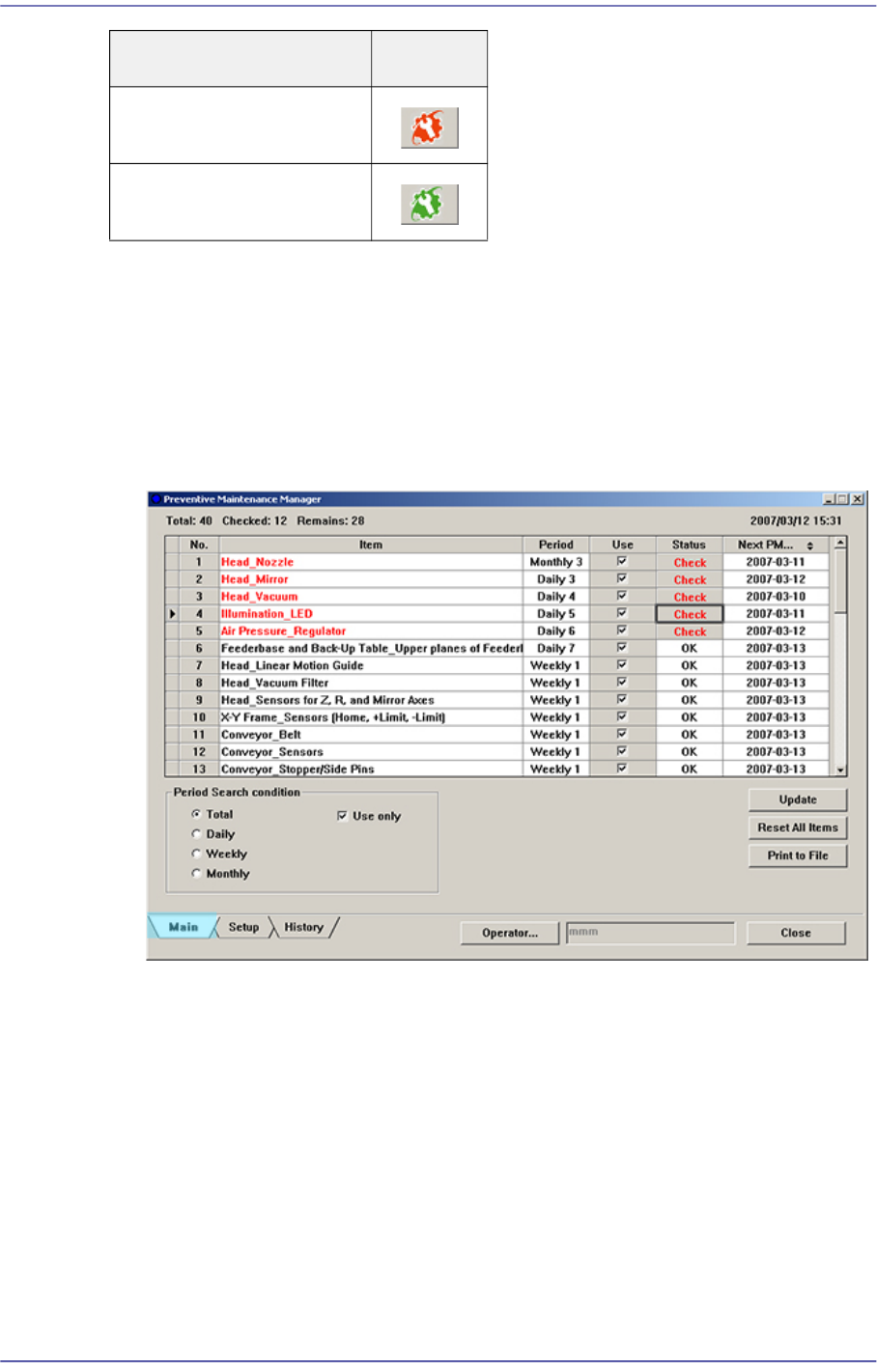
Main Screen
Figure19.2 Main Screen of PM Manager
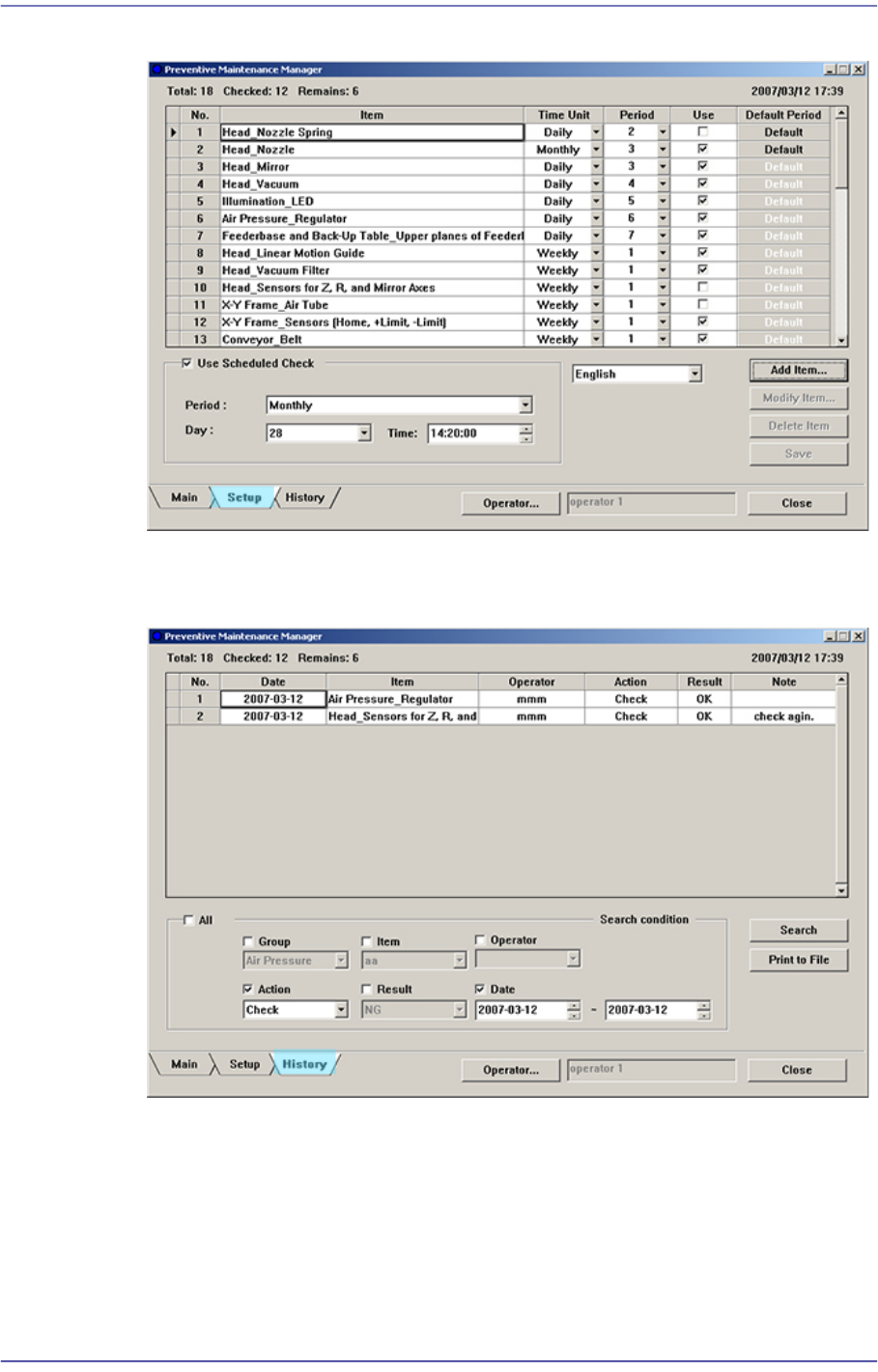
Setup Screen
When there is an item to
be checked
When there is no item to
be checked
Status of PM Manager Icon
19-3
PM Manager
Figure19.3 Setup Screen of PM Manager
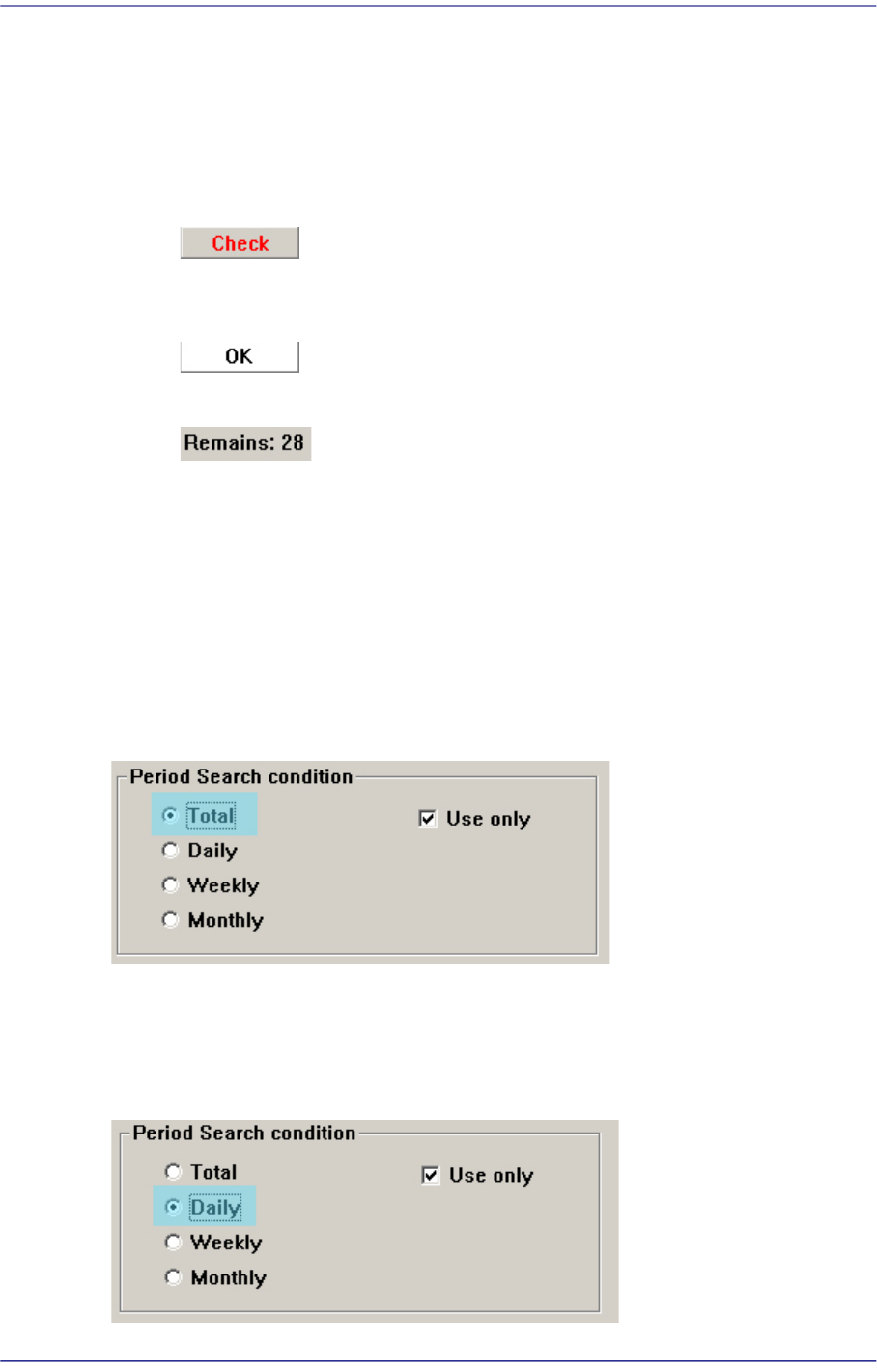
History Screen
Figure19.4 History Screen of PM Manager
19-4
Fast Flexible Placer SM481(L) PLUS Administrator’s Guide
19.4. Main Screen
19.4.1. Viewing Check Items
Today’s Check Item View
For the items to be inspected today, the <Check> button is indicated in red in the
<Status> column.
For the items that do not need to be inspected today, the <OK> button is indicated
in black in the <Status> column.
The number of items to be inspected today is indicated on the “Remains”.
19.4.2. Viewing Check Items by Check Period
In the main screen, the check items of the machine can be checked by check periods (daily,
weekly and monthly).
19.4.2.1. Viewing All Daily, Weekly and Monthly Check Items
If the <Total> option button from the <Period Search Condition> group is clicked, all
daily, weekly and monthly check items can be checked.
19.4.2.2. Viewing Daily Check Items
If the <Daily> option button from the <Period Search Condition> group is clicked, daily
check items can be checked.