Hanwha SM481 PLUS Series Administrator’s Guide Eng.pdf.pdf - 第473页
15-37 System Setup 15.5.2.1. Standards for Lighting Signal Light Indicates the operation status of the machine in the c ombination of lamps with three colors. The user can check the machine status a t a glance by looking…
15-36
Fast Flexible Placer SM481(L) PLUS Administrator’s Guide
occurs in the dump cycle. Since the buzzer does not sound, no work loss increases
significantly if an operator does not check the errors one by one.
<Buz at dump cycle> check box
If this check box is selected, the buzzer sounds only once even though parts are
dumped by several heads in one cycle.
<Update> button
Transmits the set option to the equipment and closes the dialog box.
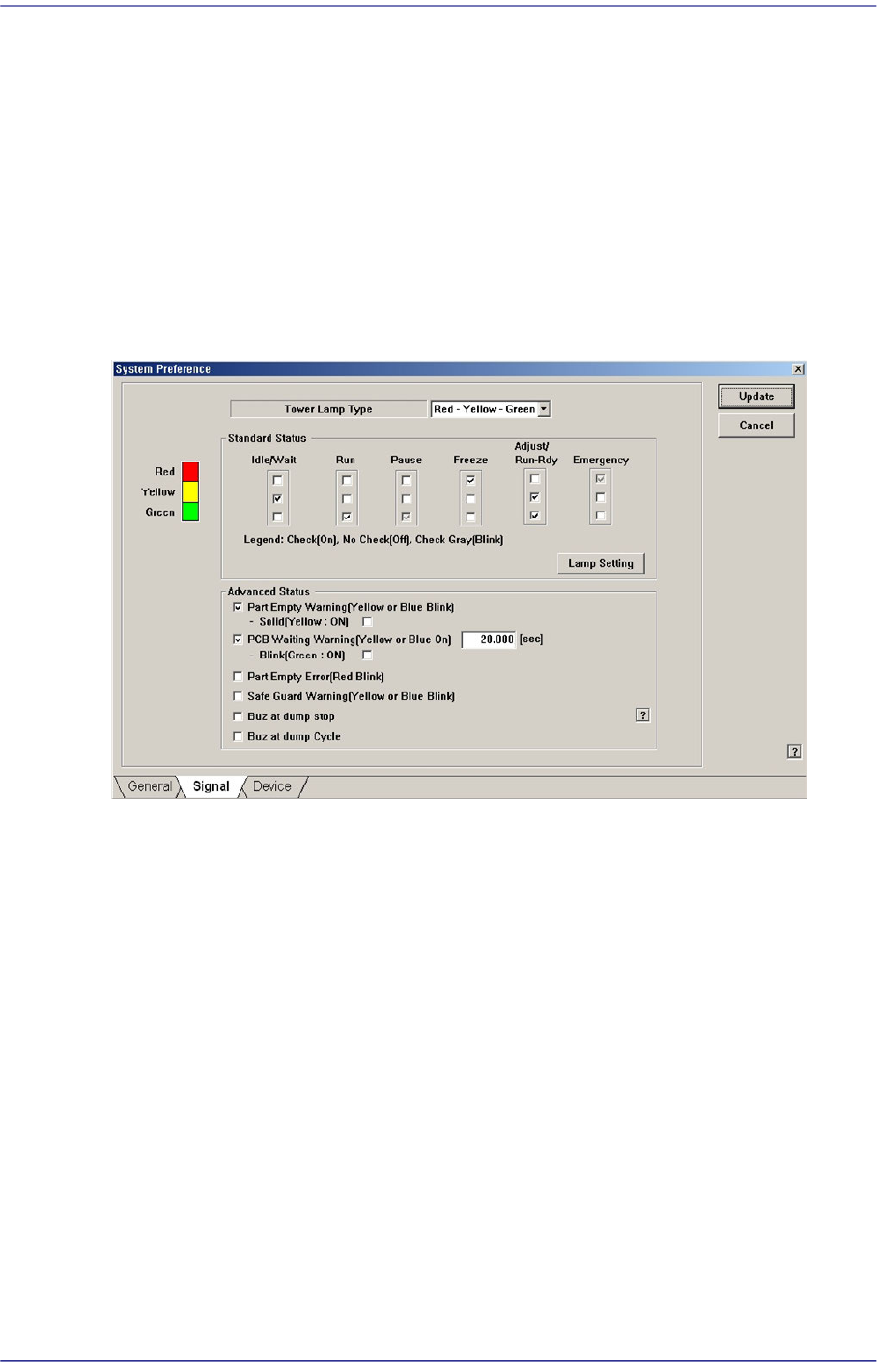
The state of the equipment according to the default setup of the signal light is as follows:
When the yellow lamp is turned on
The equipment is in Idle or Wait state. It does not operate or it is waiting during
operation.
When green lamp is turned on
The equipment is in Run state. It is in operation currently.
When green lamp is blinking
The equipment is in Pause state. It stops temporarily during operation.
When the red lamp is turned on
The equipment is in Freeze state. It remains stopped since an error occurred during
operation.
When yellow and green lamps are turned on simultaneously
The equipment is in Adjust or Run Dry state. It stops temporarily during operation
since certain measure needs to be taken.
When red lamp is blinking
The equipment is in Emergency state. It stops temporarily since an emergency error
occurred during operation.
15-37
System Setup
15.5.2.1. Standards for Lighting Signal Light
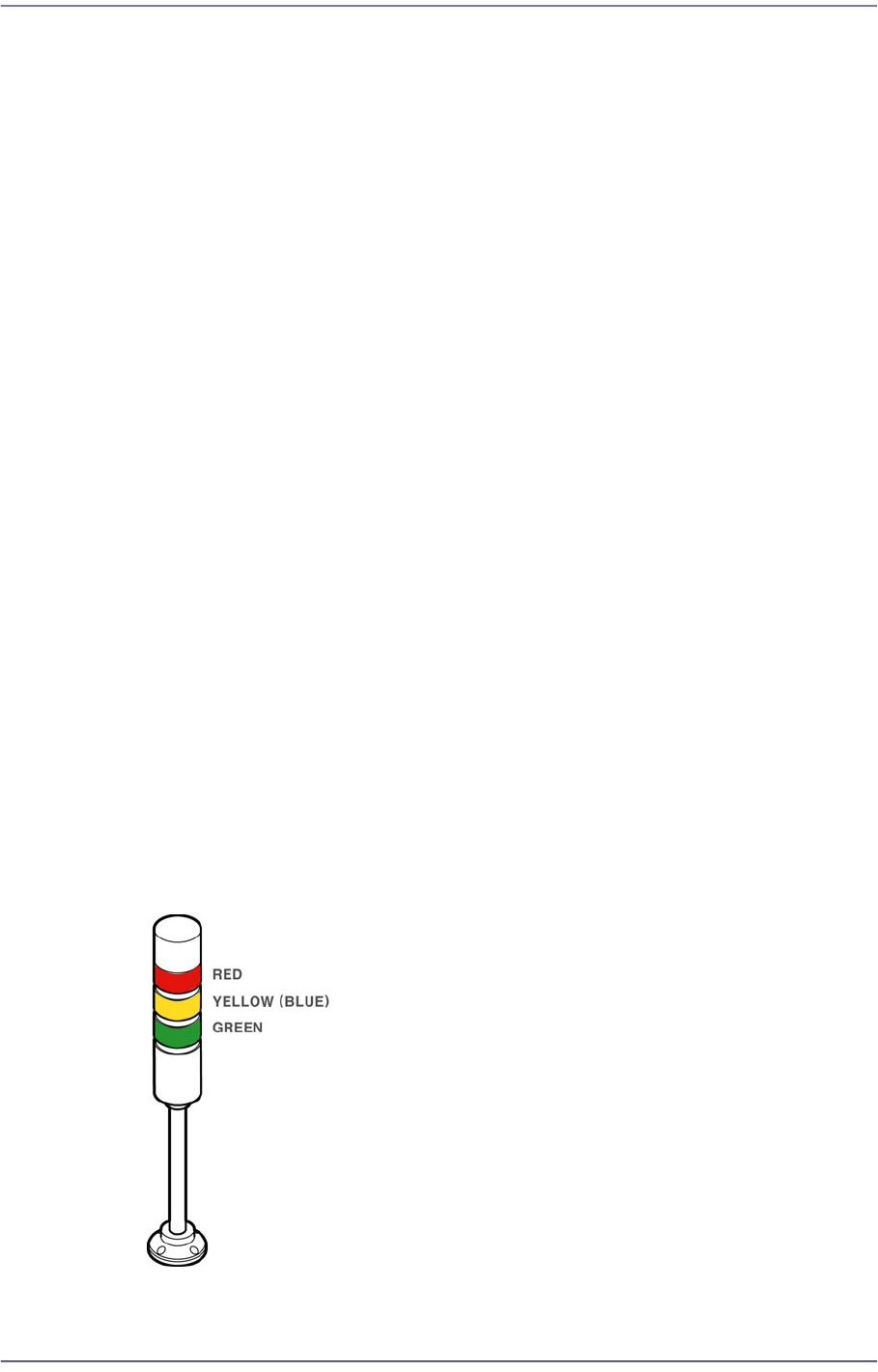
Indicates the operation status of the machine in the combination of lamps with three
colors. The user can check the machine status at a glance by looking at only the signal
light.
For more details about how to set the signal light, refer to “13.4.2. Lamp” in the
Administrator’s Guide.
Lighting of a red lamp
Indicates the stop status through self-diagnosis of the system. Warning sounds ring
continuously and messages are indicated as the red lamp is lighted.
Flashing of a red lamp
Indicates either the pressing of the ‘EMG’ switch or the emergency stop status through
self-diagnosis of the system. Warning sounds ring continuously and messages are
indicated as the red lamp is flashed.
Lighting of a yellow lamp
Indicates the standby status of operation.
Flashing of a yellow lamp
Indicates either component shortage in the tray feeder or adsorption error. Warning
sounds ring continuously and messages are indicated as the yellow (or blue) lamp is
flashed.
Lighting of a green lamp
Indicates that this machine is currently being operated automatically.
Flashing of a green lamp
Indicates temporary stop status. Automatic operation can be resumed by pressing the
START button.
Figure15.18 Signal Light
15-38
Fast Flexible Placer SM481(L) PLUS Administrator’s Guide
15.5.3. <Device> tab dialog
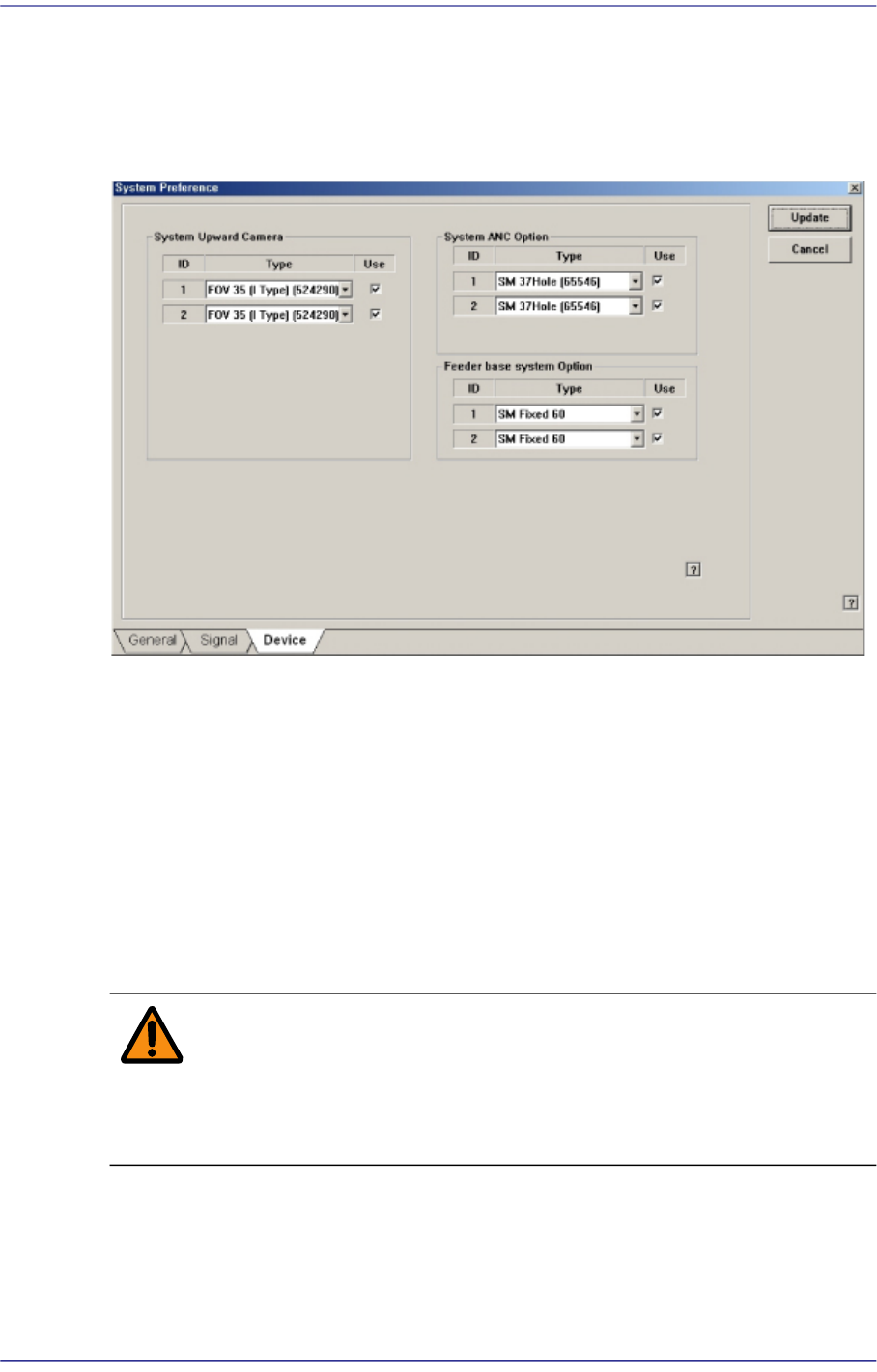
Set whether to use or not to use the ANC and camera and set the constant parameter to be
used for the vision system. When this button is selected, the following screen is displayed.
Figure15.19 “Device” tab dialog
<System Upward Camera> group
Set whether to use or not to use the fix camera type available for the equipment. To use
the corresponding camera type, check the check box. In the SM411 model, this
function is not available.
<System ANC Option> group
Set whether to use or not to use the ANC type available for the equipment. To use the
corresponding ANC type, check the check box.
<Feeder base system Option> group
Sets the type of the feeder base installed on the equipment.
Warning Changing the set up status by an unauthorized user could
damage the equipment or result in personal
injury.Unauthorized user must not change the set up status
of the equipment.
15.5.4. <SECS> tab dialog
Set the communication with the MES host. This function is selected when using the
gamma interface applied by Samsung Electronics.