Hanwha SM481 PLUS Series Administrator’s Guide Eng.pdf.pdf - 第217页
7-59 Part Registration 7.2.2.6. SETUP Z Sets the data related to part height and SVS. <SVS V ision> group Enabled in the machin e MMI. Displays the side image of th e picked part viewed by the SVS camer a of the …
7-58
Fast Flexible Placer SM481(L) PLUS Administrator’s Guide
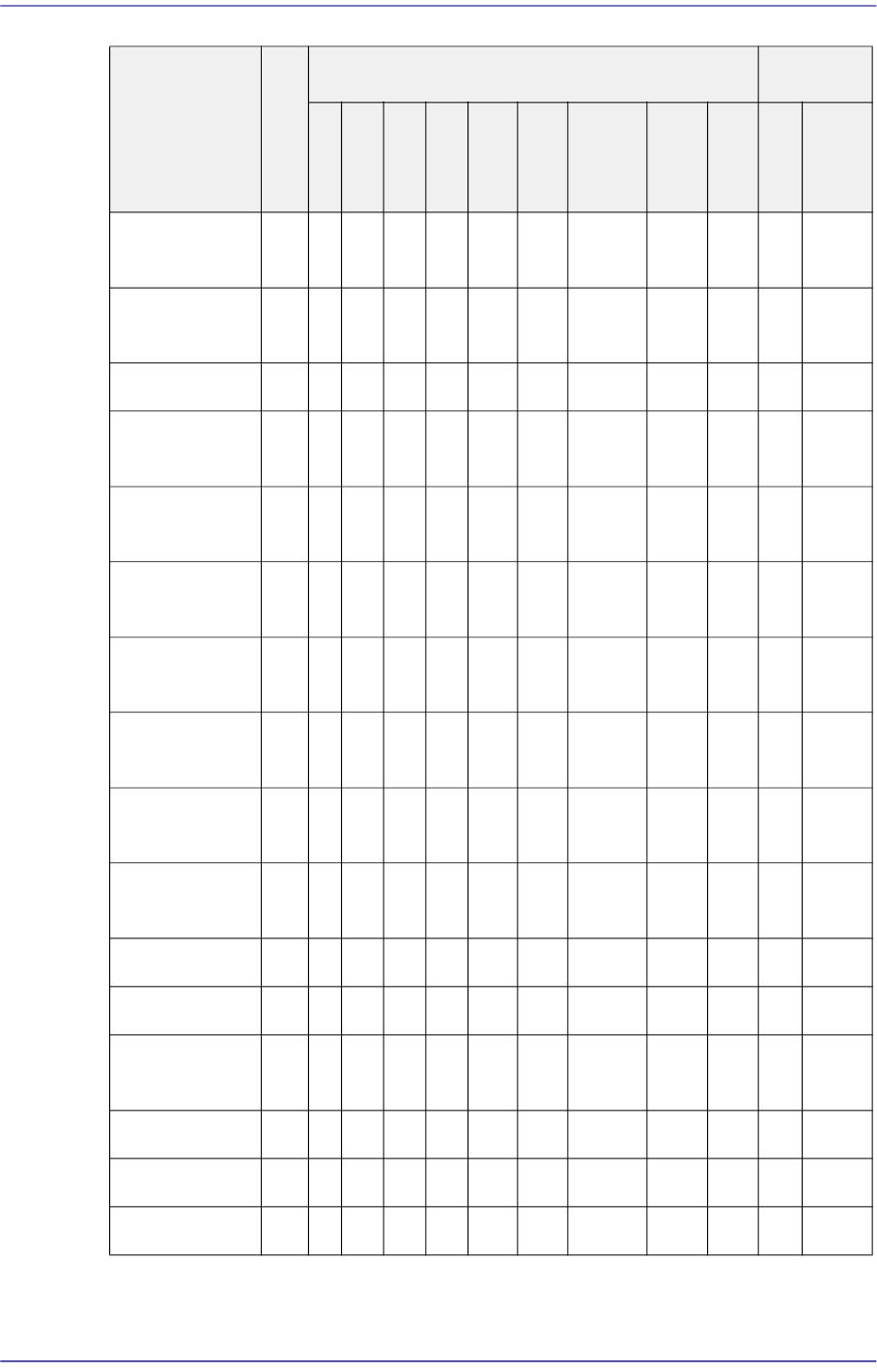
Description All
Leaded Ball
T
R
S
O
P
S
OJ
QF
P
PL
CC
He
mt
Conne
ctor
User
-IC
Ins
ert
BG
A
Flip
Chip
Recognition
Area Margin
O O O O O O O O O O O O
Recognition
Threshold
O O O O O O O O O O O O
Polarity O O O O O O O O O O O O
Polarity
Direction
O O O O O O O O O O O O
Center Offset
Check
O O O O O O O O O O O O
Inspection in
only 0°
O O O O O O O O O
Over-
tolerance
O O
Under-
tolerance
O O
Ignore Center
Offset
O
Accuracy
Option
O O O O O O O O
MFOV Type O O O O O O O O O O
MFOV Length O O O O O O O O O
R Flip Auto
Check
Rank
Rough Check
Heat Sink O
7-59
Part Registration
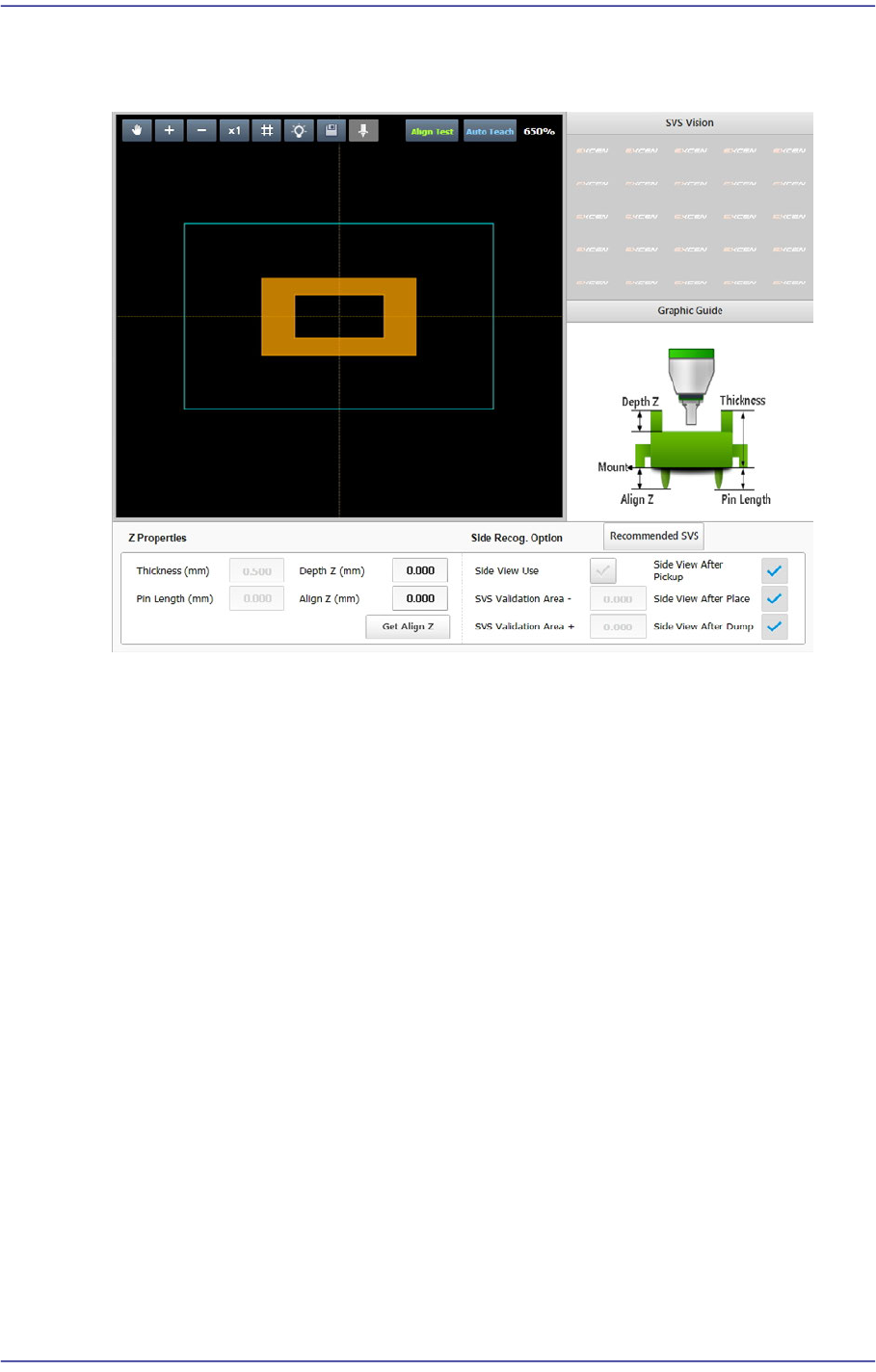
7.2.2.6. SETUP Z
Sets the data related to part height and SVS.
<SVS Vision> group
Enabled in the machine MMI. Displays the side image of the picked part viewed by
the SVS camera of the machine.
<Graphic Image> group
Describes the vision parameters related to height using graphic images.
<Z Properties> group
Sets the parameters related to part height.
<Thickness (mm)> edit box
Input the part height.
<Depth Z (mm)> edit box
Input the depth of the groove on top of the part. Unless there is a special purpose,
set the depth to “0”. For a part that cannot be picked up at its top surface, this
parameter must be set.
7-60
Fast Flexible Placer SM481(L) PLUS Administrator’s Guide
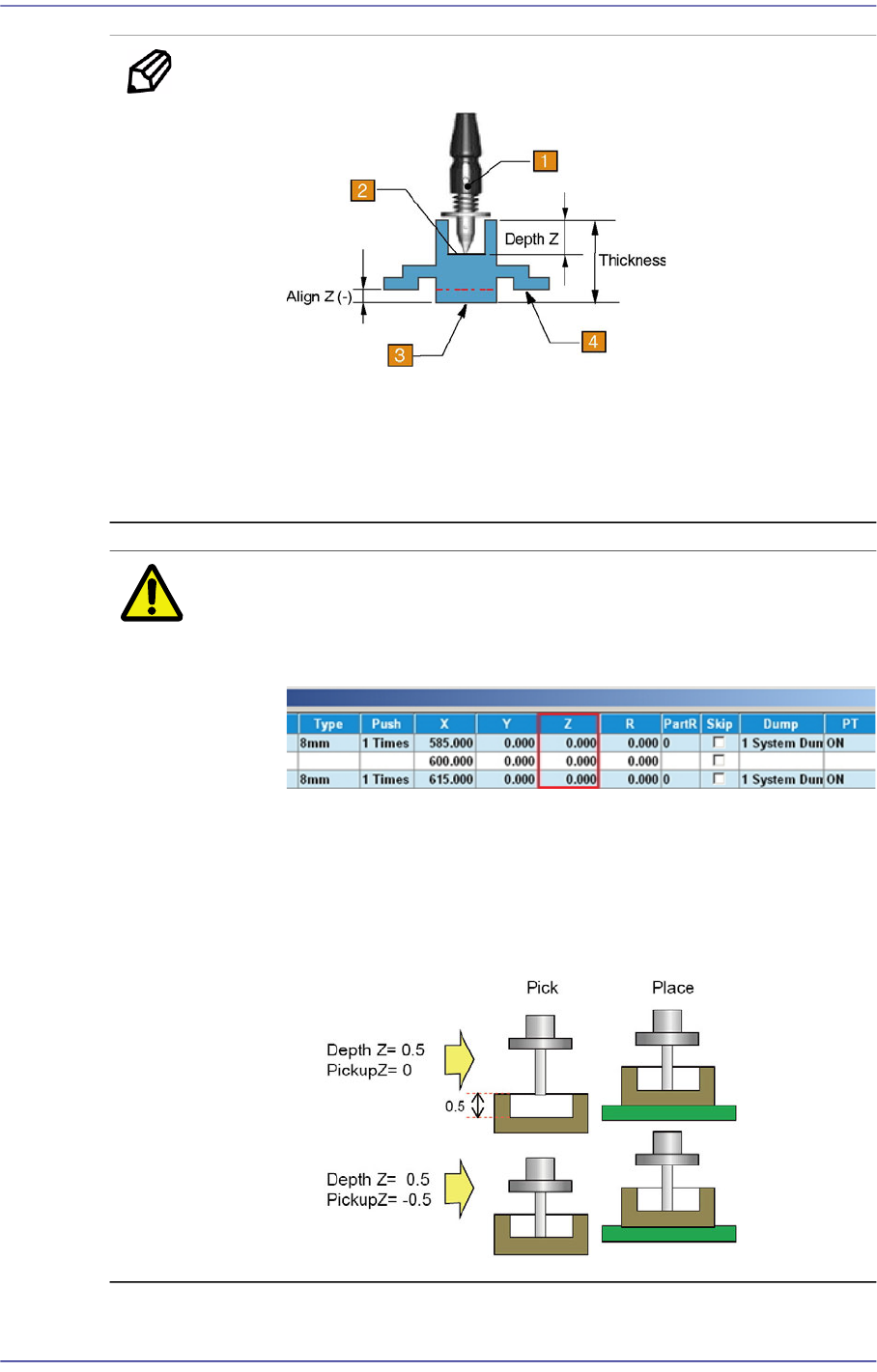
Memo Depth Z affects the pickup and placement height.
1: Nozzle
2: Pickup Surface of Part
3: Bottom Surface of Part
4: Placement Surface of Part
Caution If Depth Z is set, it is automatically reflected on the pickup
height (Pickup Z). Therefore, when Depth Z is set, do not
modify Pickup Z manually in the ‘Tape’ tab dialog box.
In the case of a part whose pickup height must be modified
such as a part supplied by the embossed tape, select
'General' of the Common Data of the part and select the
'Pickup Data' tab to modify the Z value. (Refer to the
<Pickup Data> tab in
“7.1. New Part Registration”
.)
<Pin Length> edit box