Hanwha SM481 PLUS Series Administrator’s Guide Eng.pdf.pdf - 第174页
7-16 Fast Flexible Placer SM481(L) PLUS Administ r ator’s Guide <Bo dy W idt h/Length>: Part s ize in the X/Y direction <Thickness>: Part thickness <Number of X/Y Balls>: Numb e r of balls in the …
7-15
Part Registration
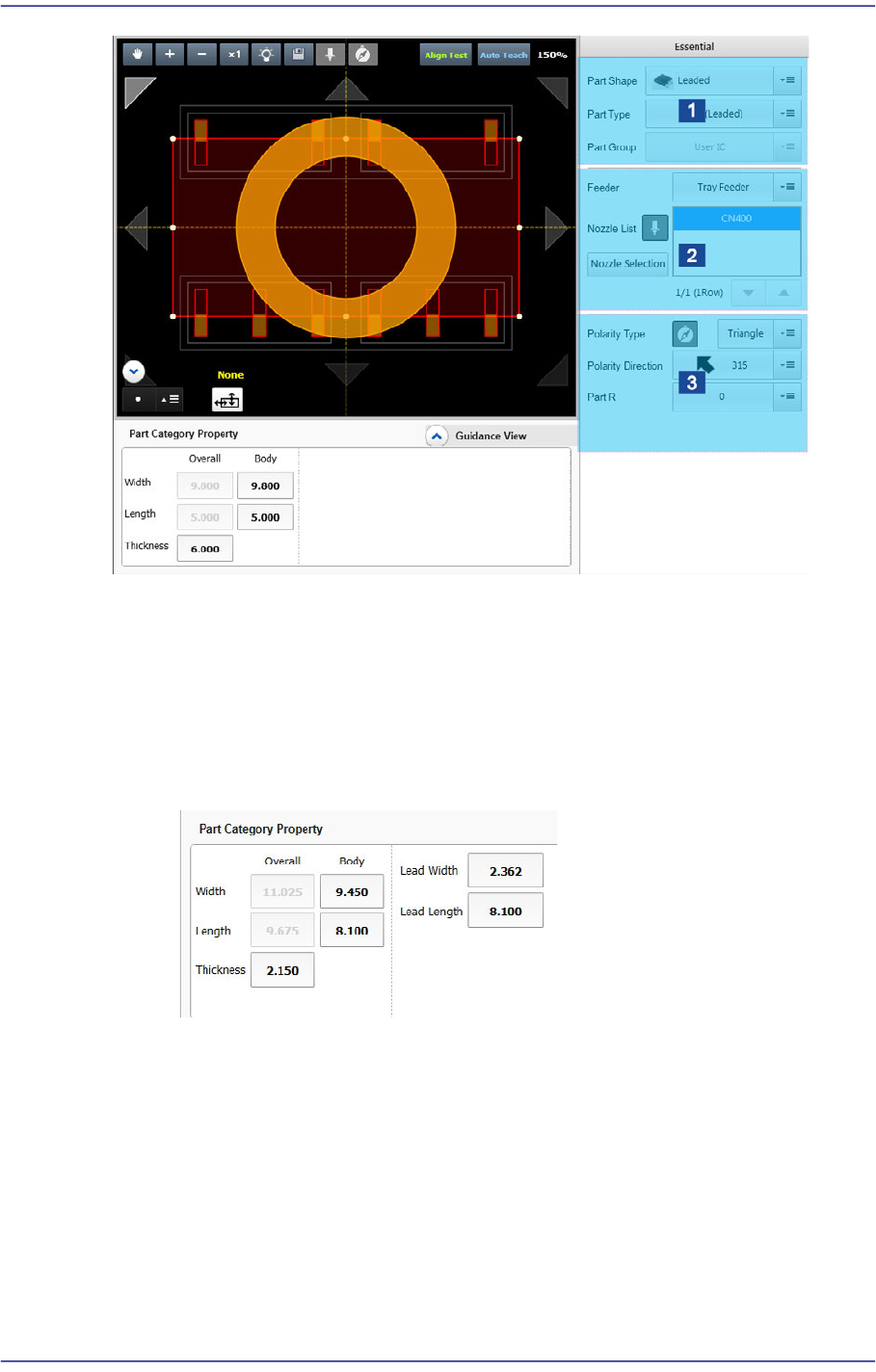
1: Part Type Setup
2: Feeder/Nozzle Setup
3: Setup of Other Options
<Part Category Property> group
Set the size of the part to be registered.
Leadless and odd form parts
<Body Width/Length>: Part size in the X/Y direction
<Thickness>: Part thickness
<Lead Width>: Lead width
<Lead Length>: Lead length
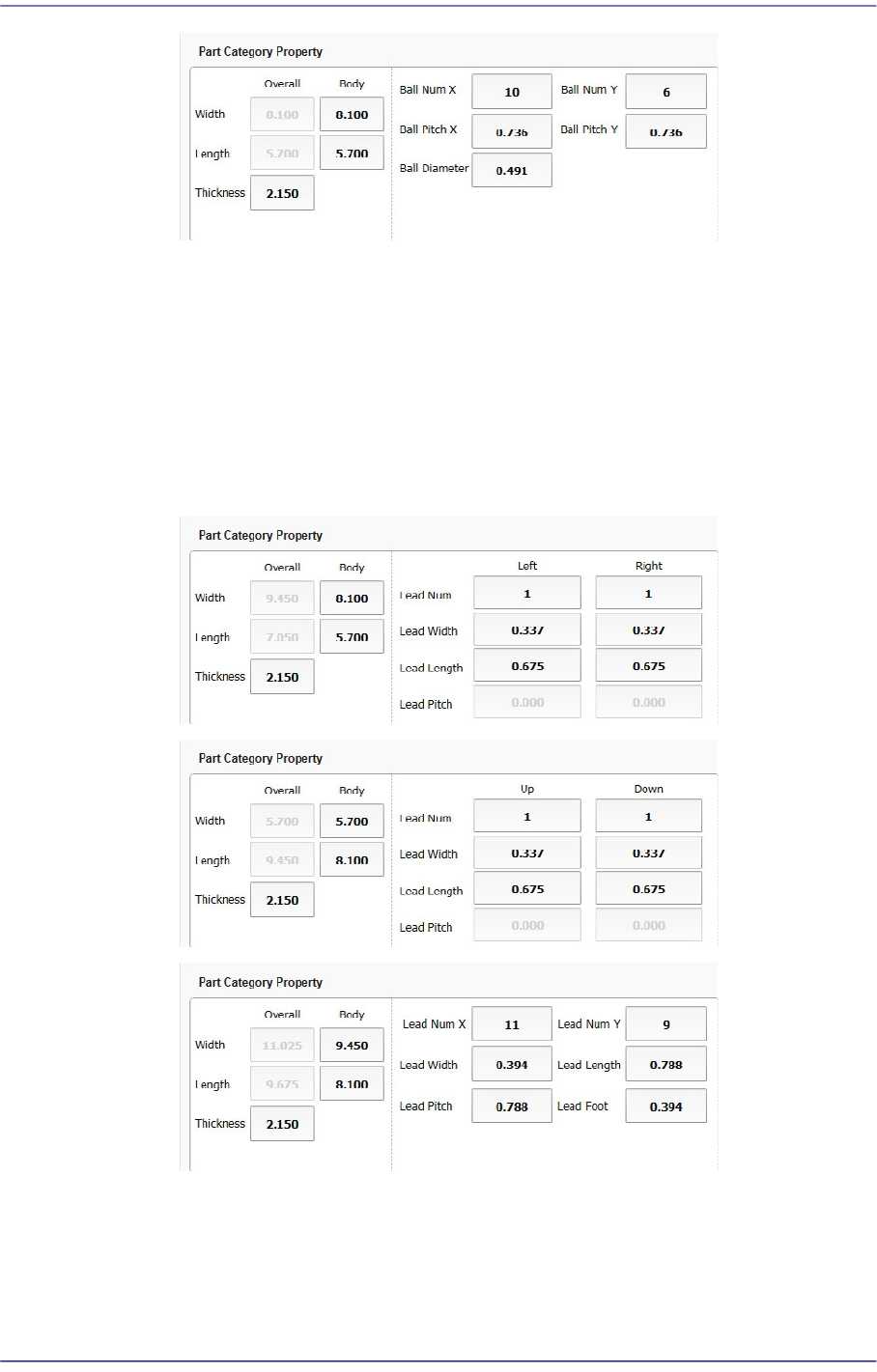
Ball Part
7-16
Fast Flexible Placer SM481(L) PLUS Administrator’s Guide
<Body Width/Length>: Part size in the X/Y direction
<Thickness>: Part thickness
<Number of X/Y Balls>: Number of balls in the X/Y direction
<Ball Pitch X/Y>: X/Y distance from the a ball center to the center of an
adjacent ball
<Ball Diameter>: Diameter of a ball
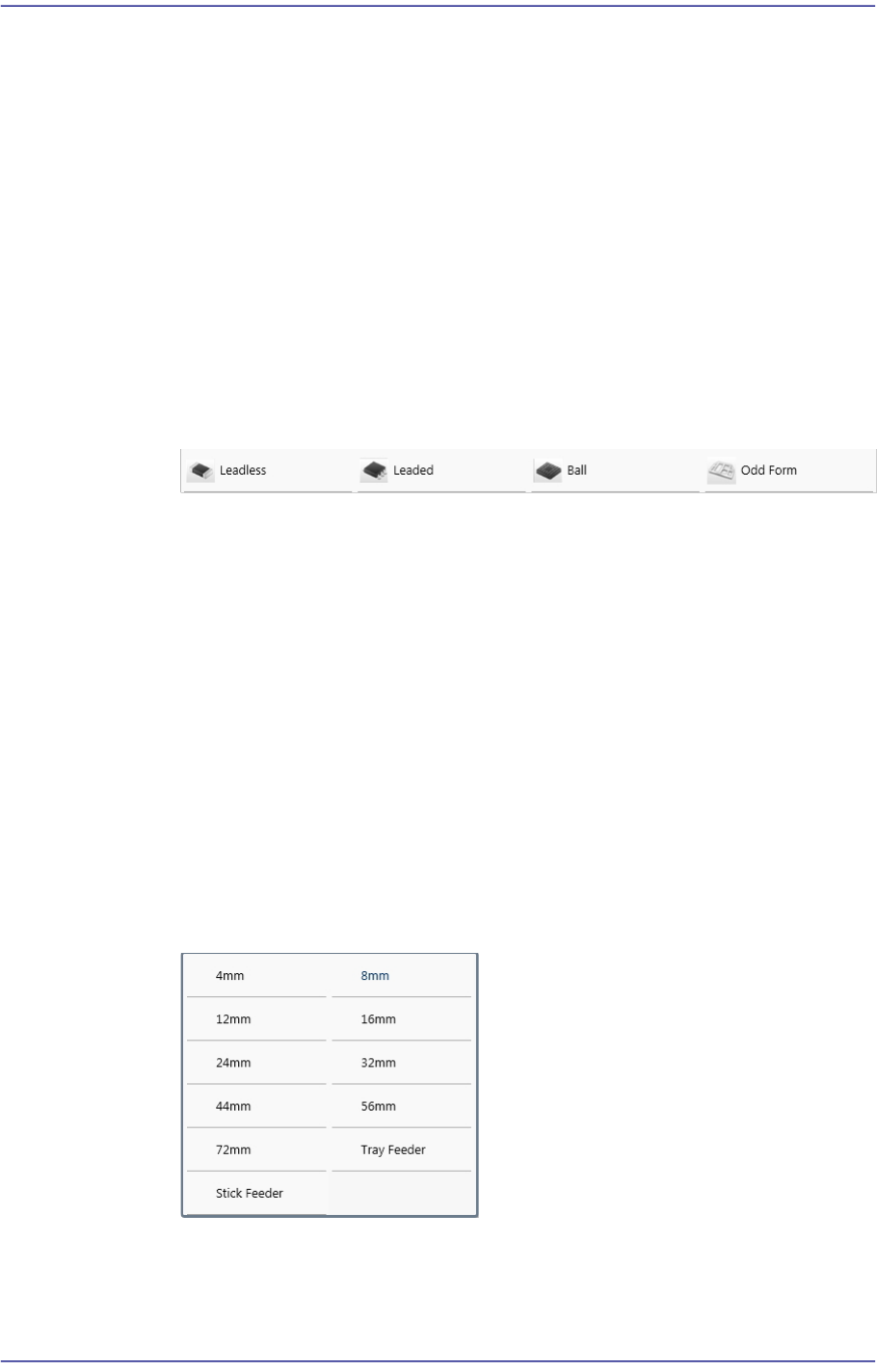
Leaded Part
<Overall Width/Length>: Distance of lead in the X/Y direction
<Body Width/Length>: Part body size in the X/Y direction
<Thickness>: Part thickness
<Lead Num (Up/Down/Left/Right)>: Number of leads in the top/bottom/left/
7-17
Part Registration
right direction
<Lead Width (Up/Down/Left/Right)>: Lead width
<Lead Length (Up/Down/Left/Right)>: Lead length
<Lead Pitch (Up/Down/Left/Right)>: Pitch between leads
<X/Y Lead Num>: Number of leads at one side in the X/Y direction
<Lead Foot>: Length through which the lead contacts with the bottom surface
<Part Type Setup> group
It is possible to select the part category and group in order to obtain the recommended
lighting value for the part to be registered.
<Component Shape> combo box
Select the shape of the part to be registered.
<Component Type> combo box
Select the Type of the part to be registered.
<Component Scale> combo box
Select the size of the part to be registered. Enabled when the Capacitor and
Resister parts are selected.
<Part group> Caption Box
Displays the group to which the part to be registered belongs.
‘Feeder/Nozzle Setup’ area
Set the type of feeder to supply parts as well as the nozzle to pick parts.
<Feeder> combo box
Selects the type of the feeder to supply parts. Selectable feeder types are as
follows:
<Feeder Pitch> combo box
Used when the electrically driven feeder is selected. Selects the pitch of the tape
feeder selected from the <Feeder> combo box.