Hanwha SM481 PLUS Series Administrator’s Guide Eng.pdf.pdf - 第269页
8-33 Feeder Setup (7)Input the pocket pos ition by clicking the <Get> button. (8)The final p i tch can be obtai ned as follows by clickin g the <App ly> button. However , the pitch can be directly entered ski…
8-32
Fast Flexible Placer SM481(L) PLUS Administrator’s Guide
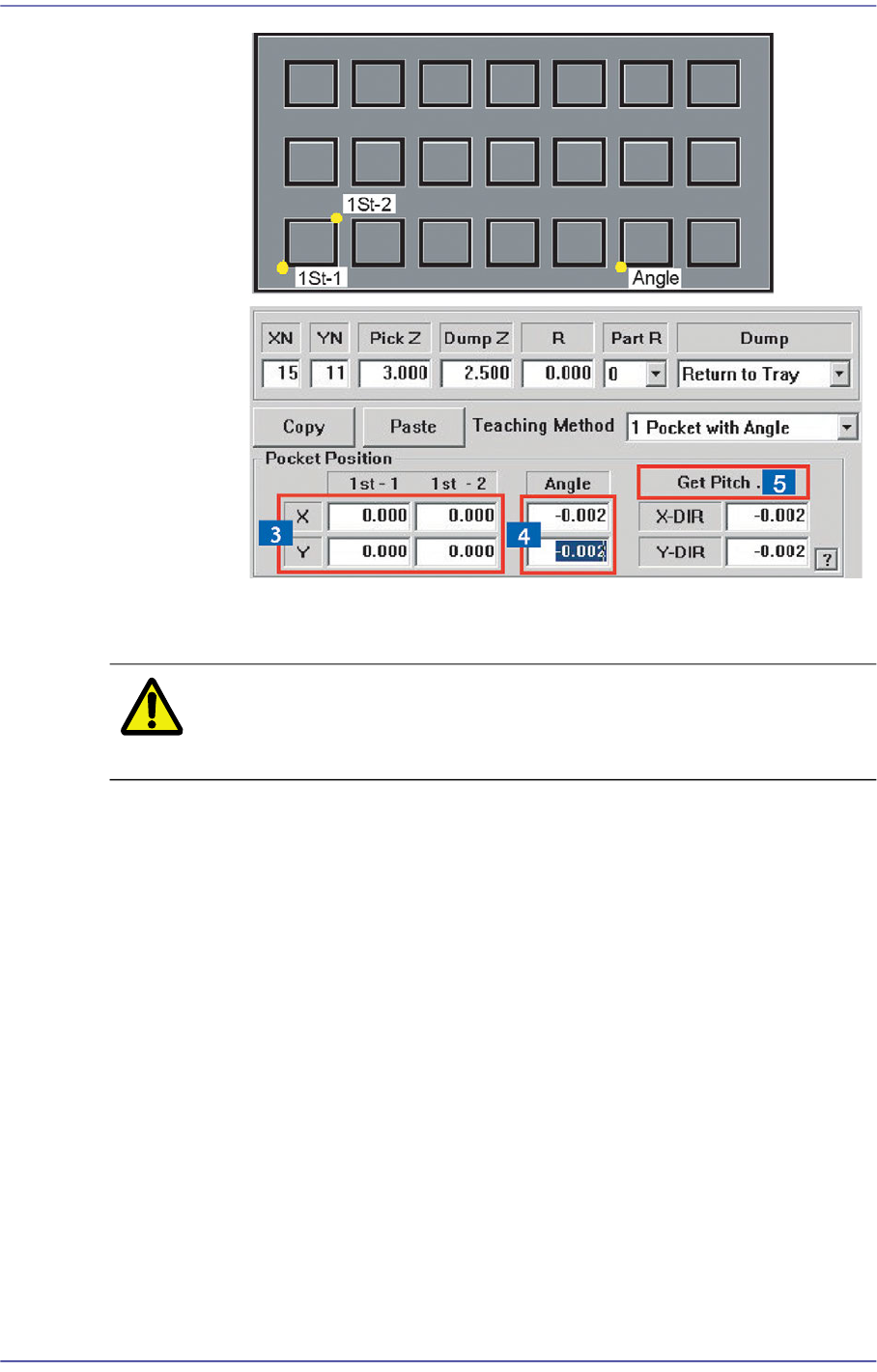
(5)Click <Get Pitch …> button to obtain the pitch interval between the
pockets.
Caution Be sure to perform in the order of “
(2)
>
(3)
>
(4)
>
(5)
”as
described above.
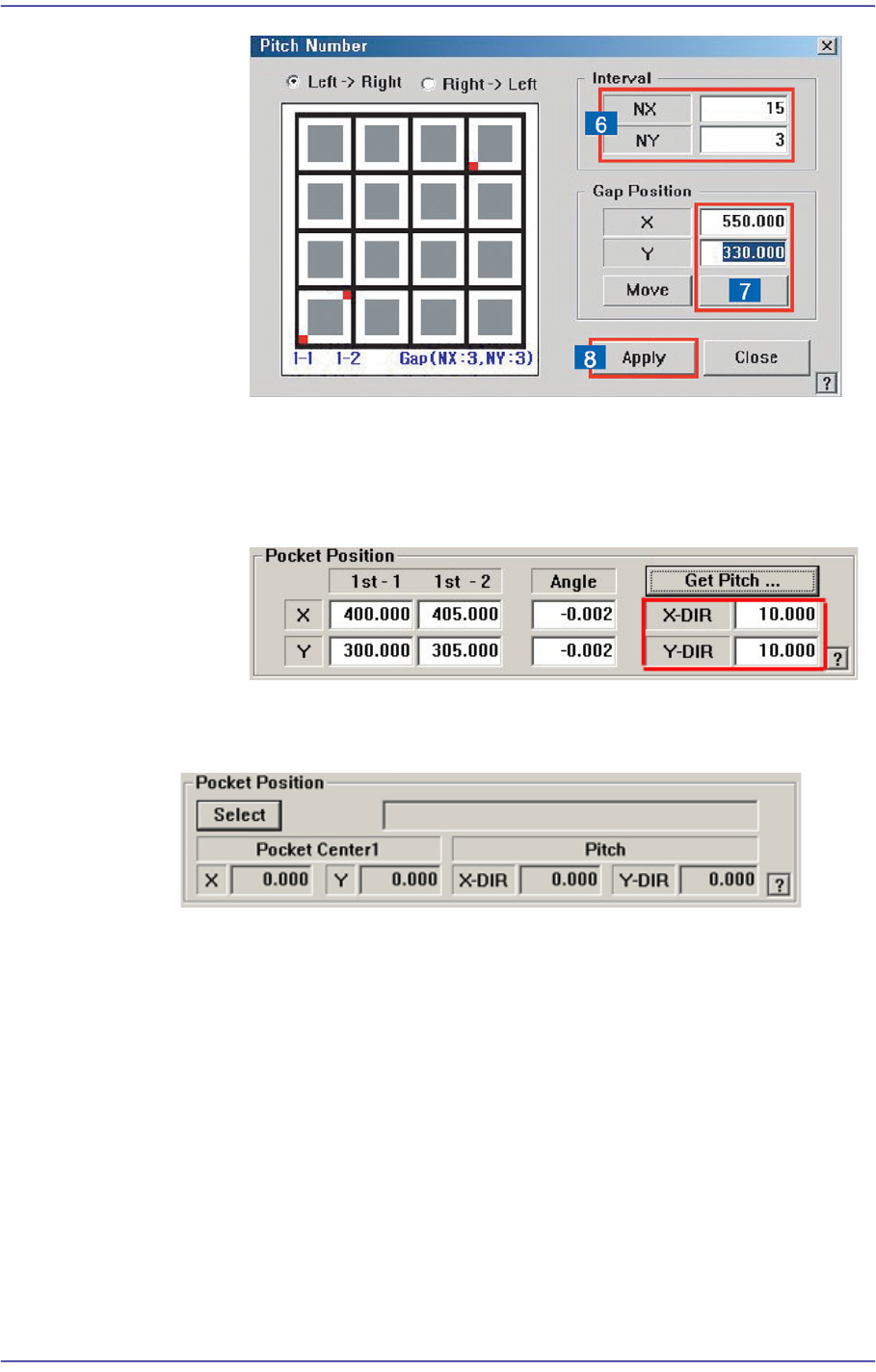
(6)Within the maximum moving distance the fiducial camera can reach, select
the pocket on which pitch teaching will be done. Selecting the pocket
located farther from the first pocket ensures higher accuracy of pitch
value.
Enter the NX and NY, the pocket interval from the first pocket to the pitch
teaching pocket.
NX =Row number of the pocket to be taught - 1
NY =Column number of the pocket to be taught - 1
8-33
Feeder Setup
(7)Input the pocket position by clicking the <Get> button.
(8)The final pitch can be obtained as follows by clicking the <Apply> button.
However, the pitch can be directly entered skipping the steps of (6)~(8)
when the pocket pitch is already known.
<Use JEDEC DB>
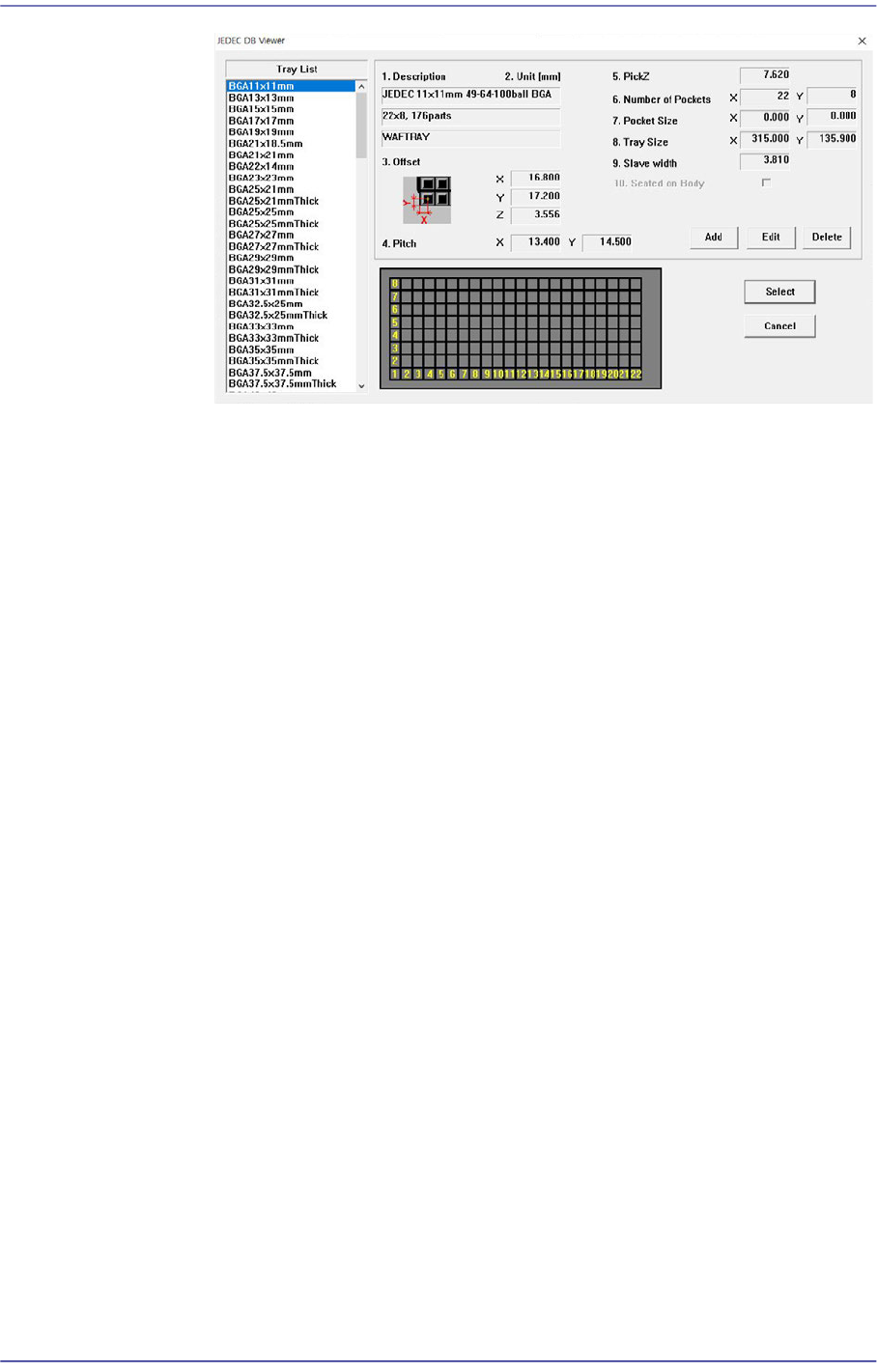
This function facilitates teaching using JEDEC DB.
<Select> button
This brings up the information on the tray that will be worked on from the
JEDEC tray DB.
Selecting this button will launch the <JEDEC DB Viewer> dialog box.
8-34
Fast Flexible Placer SM481(L) PLUS Administrator’s Guide
<Description> Caption box
The style and size of the tray.
< Offset> Caption box
It means offset value of X, Y, Z.
<Pitch> Caption box
The distance between the centers of the parts in the pallet.
<PickZ> Caption box
Sets the height of the Z axis when picking up parts supplied from the
pallet.
<Number of Pockets> Caption box
The number of pockets in the palette.
<Pocket Size> Caption box
Pocket size of the tray.
<Tray Size> Caption box
The size of the tray. This means the size excluding the individual width of
the side of the pallet.
<Slave width> Caption box
It means the wing width on the side of the pallet.
<Seated on Body> Caption box
This function is not supported by this equipment.
<Add> button
It is a function to generate new JEDEC Tray.
<Edit> button
This is a function that can modify existing JEDEC Tray defined.