Hanwha SM481 PLUS Series Administrator’s Guide Eng.pdf.pdf - 第252页
8-16 Fast Flexible Placer SM481(L) PLUS Administ r ator’s Guide 8.1.2. Stick Unit Install stick feeder and set data on the stick feeder . When “Stick Unit” is s elected, the initial screen looks as follows. Figure8.7 “St…
8-15
Feeder Setup
<Cancel> button
Close the dialog box.
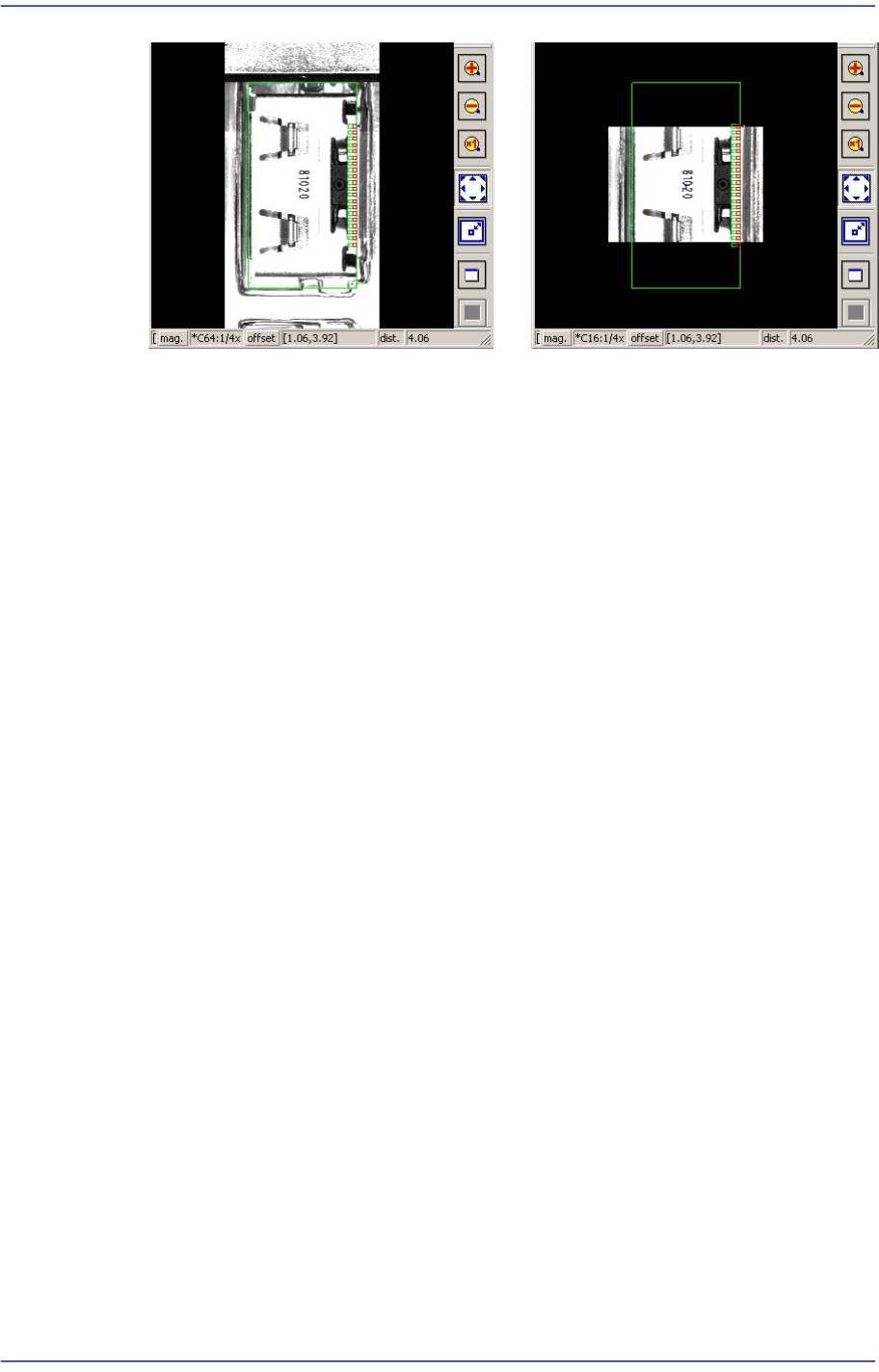
Panorama General
8-16
Fast Flexible Placer SM481(L) PLUS Administrator’s Guide
8.1.2. Stick Unit
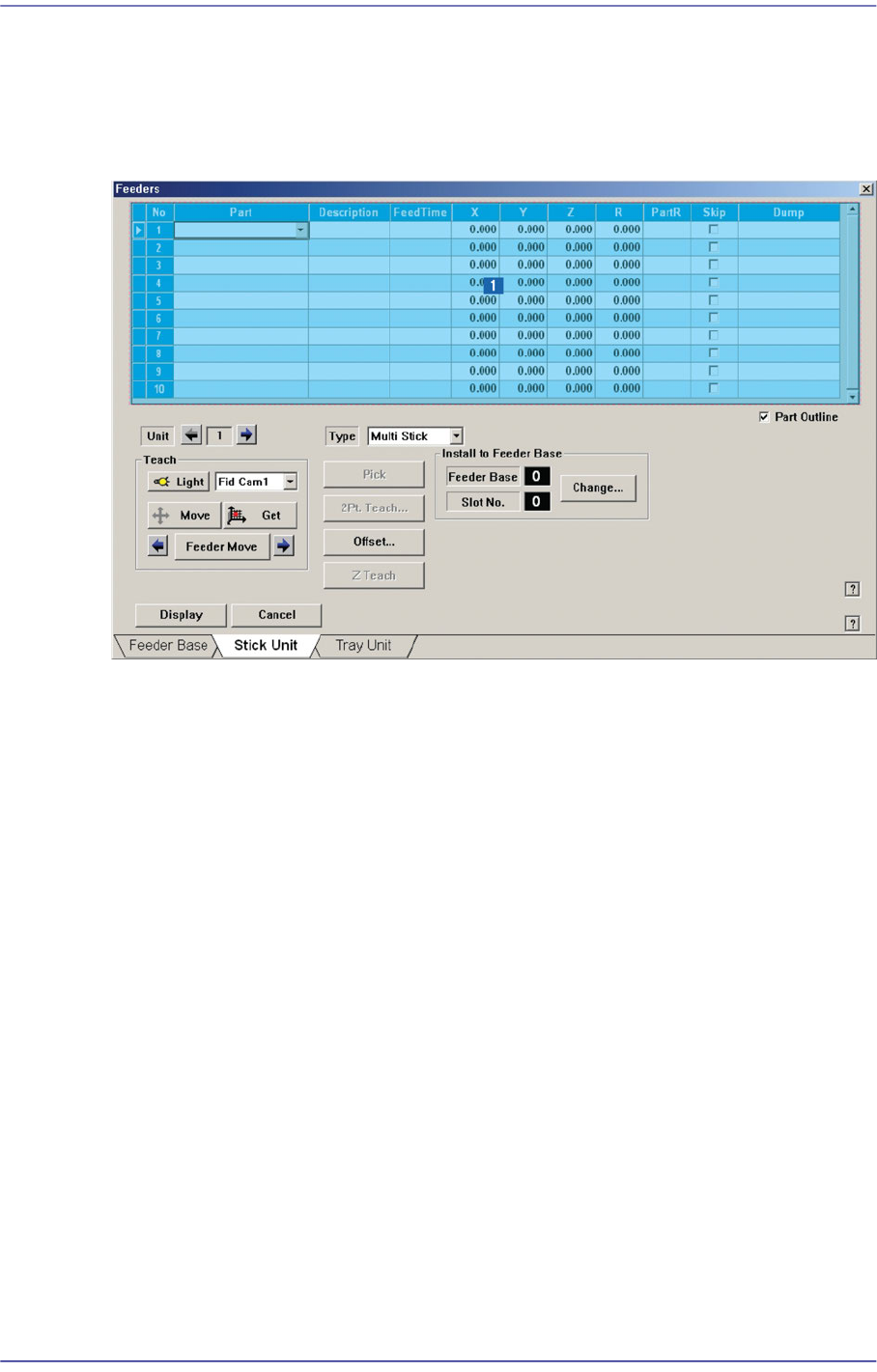
Install stick feeder and set data on the stick feeder. When “Stick Unit” is selected, the
initial screen looks as follows.
Figure8.7 “Stick Unit” dialog box
1: Grid
‘Grid’ group
Create and edit data according to the stick unit type selected in the <Type> combo
box.
<No> column
A serial number of the stick unit slots. The number of slots of the stick feeder is as
follows. Serial number is created depending upon the number of slots.
Multi Stick - Max. 10 sets
Feeds up to 10 parts at a time.
<Part> column
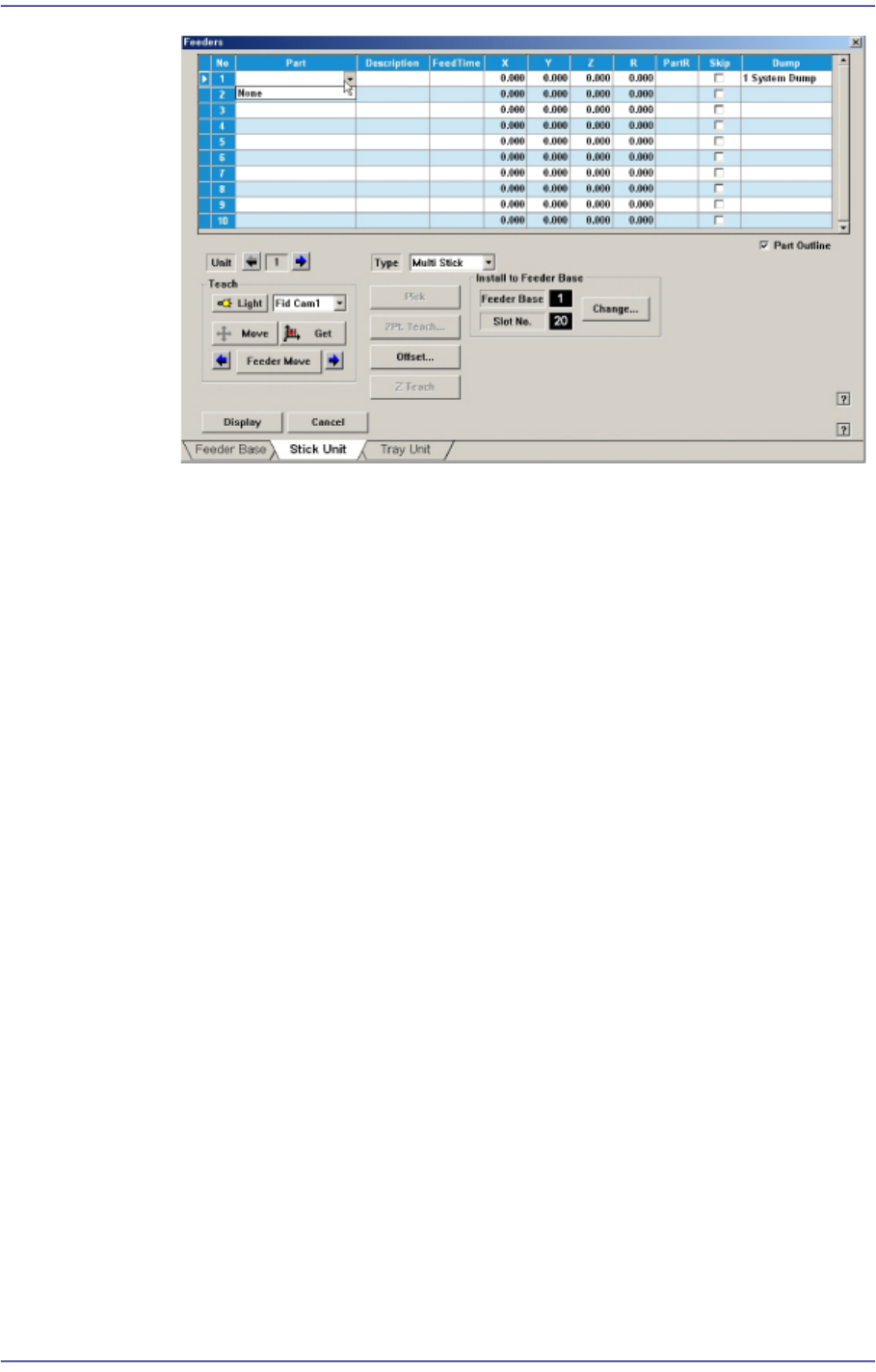
Select the part to install in the corresponding slot. When the <Part> column is
clicked on, a Combo Box is displayed, and of the components registered in <1.2
Part>, a list of parts to be supplied to “Stick” are displayed. Select the component
to install in this list. Next is a screen showing component selection in the Combo
Box of <Part> column.
8-17
Feeder Setup
<Feed Time> column
When a stick feeder is installed in the corresponding slot, set the component
supply time of the stick feeder. Basically stick feeders are vibration type, therefore
certain time interval is necessary after a component is picked up until the next
component moves to the the pick-up position. The time is set here.
<X> column
When the stick feeder is installed in the corresponding slot, set the X position to
pick up the component supplied from the stick feeder.
<Y> column
When the stick feeder is installed in the corresponding slot, set the Y position to
pick up the component supplied from the stick feeder.
<Z> column
When the stick feeder is installed in the corresponding slot, set the Z position to
pick up the component supplied from the stick feeder.
<R> column
When the stick feeder is installed in the corresponding slot, set the R position
(rotation angle of the head) to pick up the component supplied from the stick
feeder.
<PartR> column
When the stick feeder is installed in the corresponding slot, set the placement
angle of the component supplied from the stick feeder.
<Skip> column
When the stick feeder is installed in the corresponding slot, select whether or not
to pick up the component supplied from the stick feeder.
To pick it up, leave the check box as it is, and not to pick it up, check the check