Hanwha SM481 PLUS Series Administrator’s Guide Eng.pdf.pdf - 第193页
7-35 Part Registration 1: Len gth of the corner in the X dir ection 2: Len gth of the corner in the Y dir ectio n Shape definition - Corner T y pe2 1: Len gth of the corner in the X dir ection 2: Len gth of the corner …
7-34
Fast Flexible Placer SM481(L) PLUS Administrator’s Guide
the shape object of the registered part, input the allowable level as a
percentage.
For example, if the tolerance is set to 10%, the data of the registered shape
object is 10 and the shape data of the actually recognized part is 11, the vision
system considers that the shape of the recognized part is a normal shape.
In order to set detailed tolerance by major recognition parameter, click the
<Detail> button at the right.
<Detail> button
Sets the over-tolerance and under-tolerance for the ball diameter and ball
pitch, respectively.
Over-tolerance: Allows the tolerance to exceed the set value
Under-tolerance: Allows the tolerance less than the set value
<Algorithm> combo box
Selects algorithm for BGA component recognition. Available algorithms are
as follows;
Ball
Recognizes using ball only. It is used for BGA that has distinct balls as in
the PBGA.
Ball & Body
Considers the component body and ball simultaneously. It is used for the
BGA where it is difficult to distinguish the ball and the body as in the
BGA.
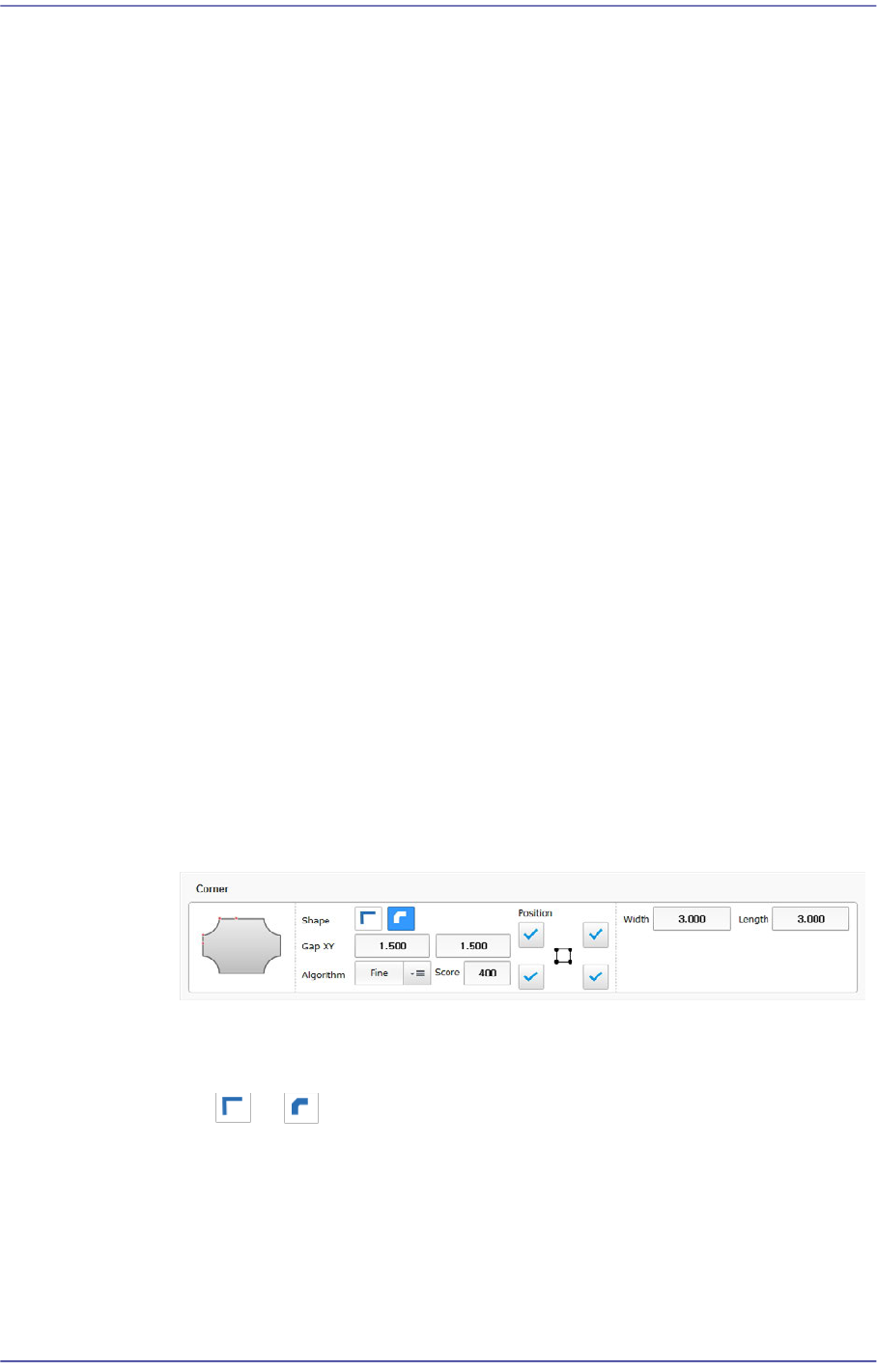
Corner
Edits a corner shape to a defined object or deletes it.
<Shape> group
Selects the shape most similar to the corner shape of an actual part.
or can be selected.
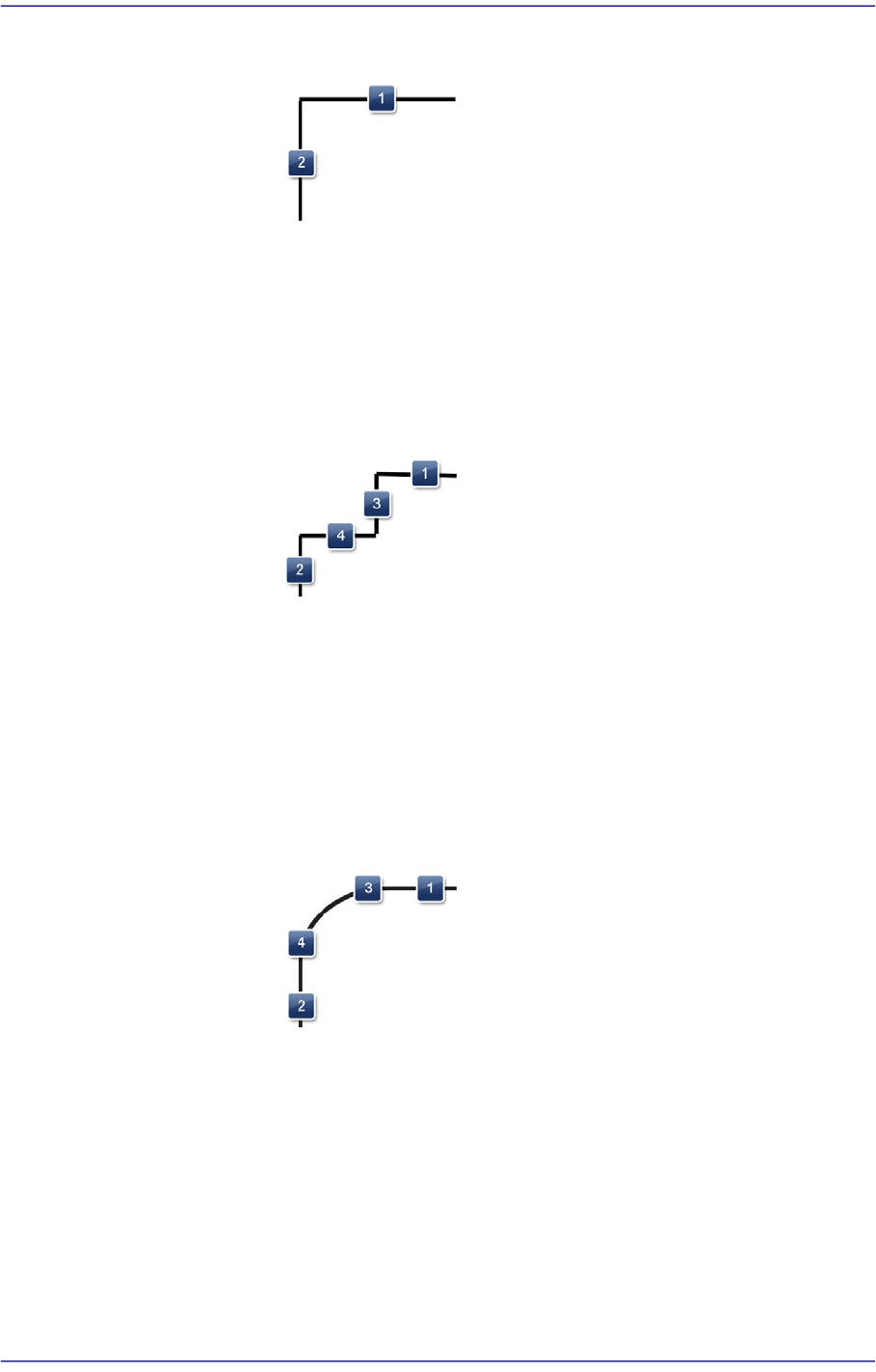
Shape definition - Corner Type1
7-35
Part Registration
1: Length of the corner in the X direction
2: Length of the corner in the Y direction
Shape definition - Corner Type2
1: Length of the corner in the X direction
2: Length of the corner in the Y direction
3: Length of the Gap in the Y direction
4: Length of the Gap in the X direction
Shape definition - Corner Type3
1: Length of the corner in the X direction
2: Length of the corner in the Y direction
3: X gap for rounding start
4: Y gap for rounding start
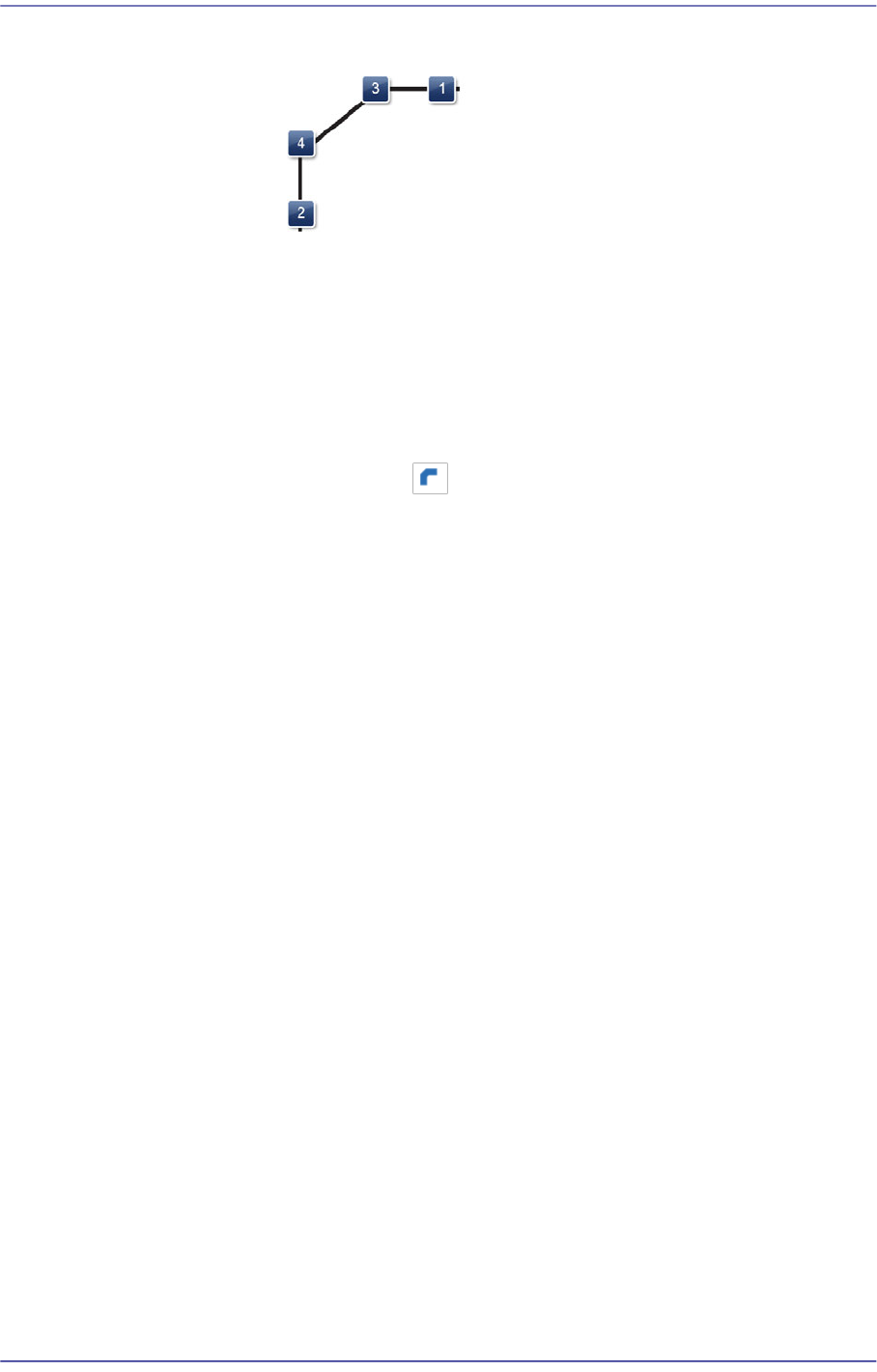
Shape definition - Corner Type4
7-36
Fast Flexible Placer SM481(L) PLUS Administrator’s Guide
1: Length of the corner in the X direction
2: Length of the corner in the Y direction
3: X gap for bending start
4: Y gap for bending start
<Gap XY> edit box
Enabled only when the is selected in the <Shape> group. Input the size of
the corner in the X and Y directions.
<Algorithm> combo box
Selects the vision algorithm to be used to perform the corner check.
Fine
Selected in cases to recognizes the boundary of the corner precisely. It is
recommended that this method be selected.
Rough
Selected when the value for the boundary of the corner is not checked. It is
not recommended that this method be selected.
<Score> edit box
The “Score” is the numerical value that indicates how accurately the part
shape recognized by the vision system matches with the registered corner
object data. This “Score” has a value between 0 and 1000 points.
<Position> check button
Of the four corners of the corner parts, select the section corresponding to the
shape selected from the <Shape> group.
The vision parameter related to the corner is applied to the section selected
here.
<Width> edit box
Input the width of an object to suit the image of an actual part. If the selected
object is round, input the diameter.
<High> edit box
Input the height of an object to suit the image of an actual part. Only when the